
MIME stands for Multi-purpose Internet Mail Extensions. MIME Types are a standard way of classifying file types on the Internet. Web servers and browsers maintain a list of MIME Types so that files can be transferred and handled correctly regardless of the operating system being used.
MIME Types contain two parts: a type and a sub-type, separated by a slash (/). For example, the complete MIME type for Microsoft Word documents is application/msword.
MIME Types help browsers understand how specific file extensions should be handled. For example, the text/html MIME type is associated with .htm, .html, and .shtml files, telling the browser to interpret them as HTML webpages.
You can add custom MIME Types for your website, although system-defined MIME Types cannot usually be modified. MIME Types are especially useful for supporting new file formats and technologies.
Step 1: Login to cPanel
Open your cPanel account using your domain URL and login with your username and password.
Step 2: Open MIME Types
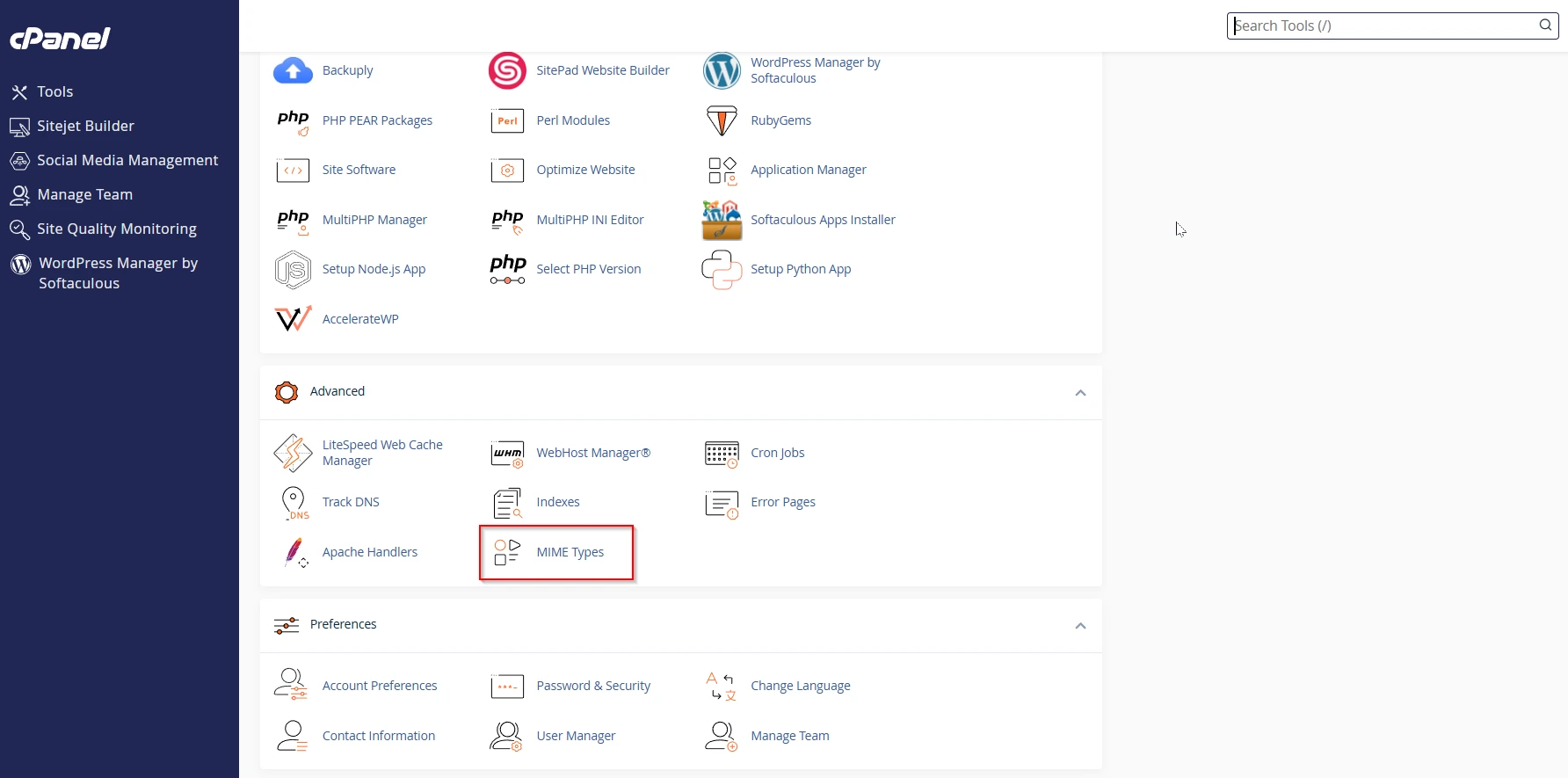
After logging into cPanel, scroll to the Advanced section and click on MIME Types.
Step 3: View Existing MIME Types
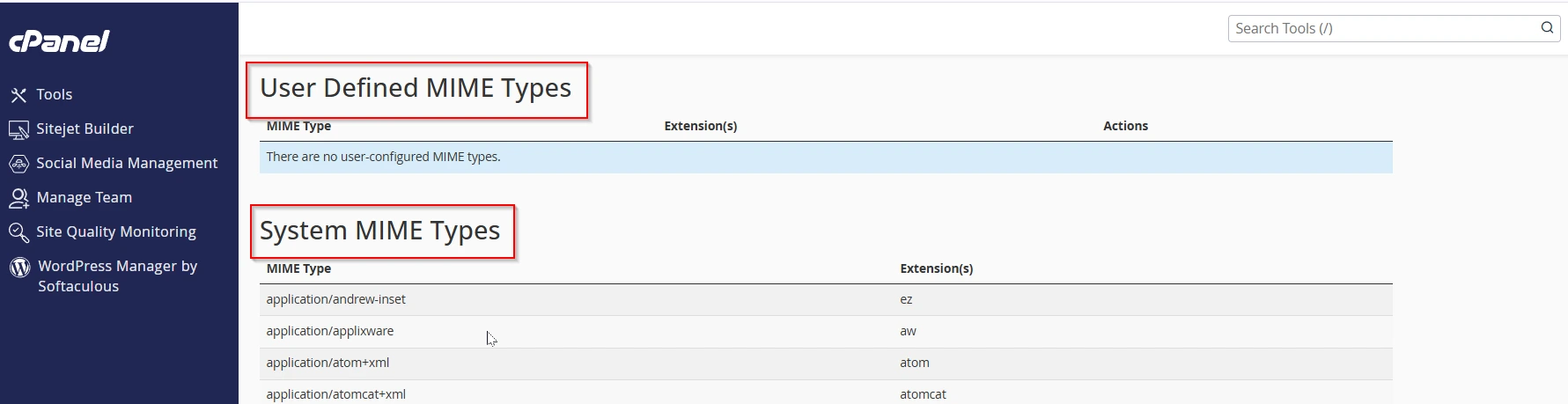
The next page will display the System MIME Types already configured on the server. These are the default MIME Types used by the hosting server.
You will also see a section called User Defined MIME Types where you can add your own custom MIME Types.
Step 4: Create a Custom MIME Type
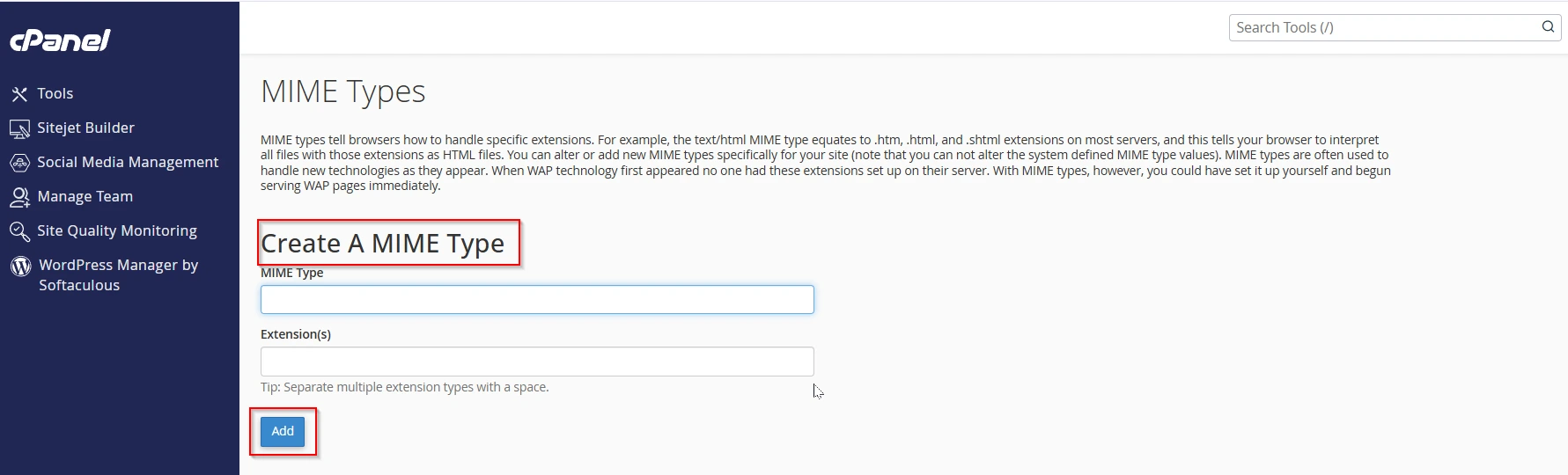
Under the Create A MIME Type section, enter the MIME Type and its file extension.
Step 5: Click Add
Once you enter the MIME Type and extension, click on the Add button.