


How to Automatically Update Product Prices
WHMCS can automatically retrieve currency exchange rates and update product prices on a daily basis. This allows your prices to change alongside currency fluctuations.
Configure Automatic Price Updates
To configure WHMCS to automatically update your product prices:
1. Go to Configuration > System Settings > Automation Settings.
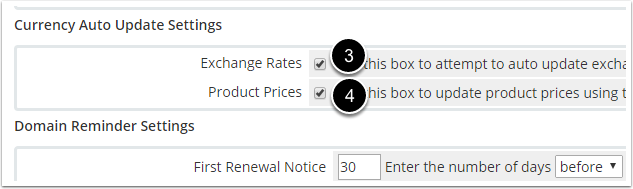
2. Scroll down to the Currency Auto Update Settings section.
3. Check Exchange Rates.
4. Check Product Prices.
5. Click Save Changes.
Originally published on WebyStrata.com Blog.