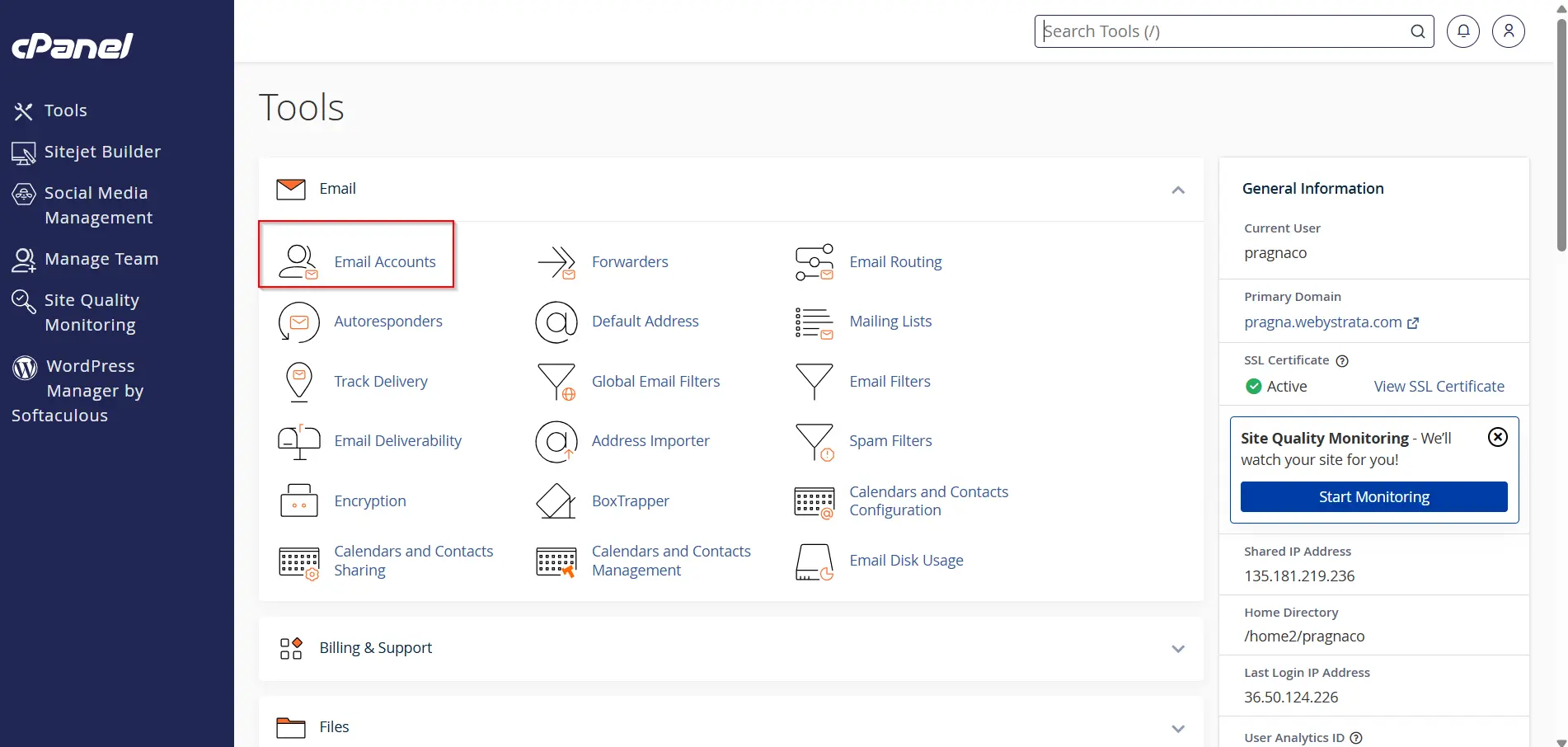
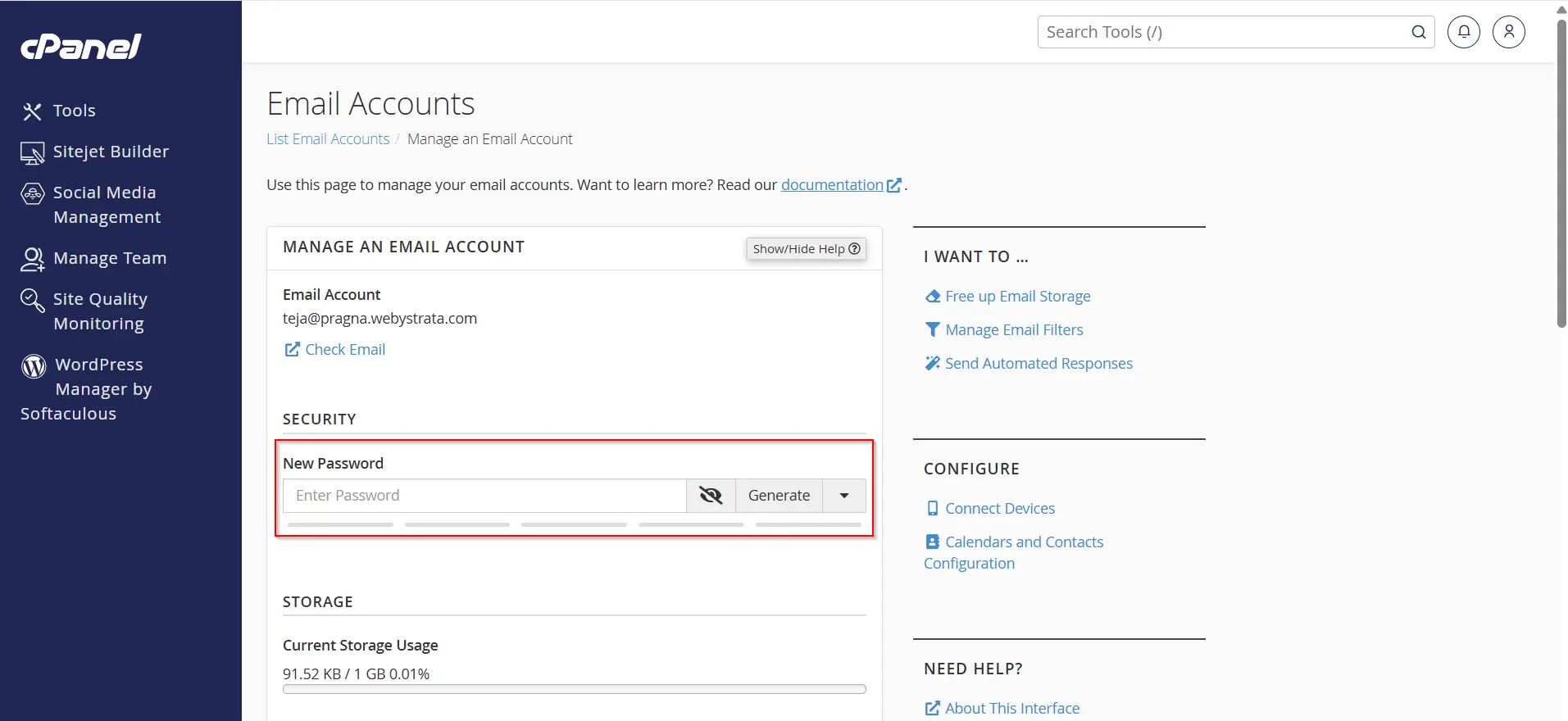
Step 4: Select the Email Account to Reset Email Account Password from cPanel
Now find the email account whose password you want to update.
Next to every email account, you will see different options such as:
- Check Email
- Connect Devices
- Manage
Click on the Manage button beside the required email account.
The Manage section allows users to control all important settings related to the selected email account including:
- Password management
- Storage allocation
- Security settings
- Email restrictions
This is the most important step in the process to reset email account password from cPanel because this section gives direct access to password modification options.
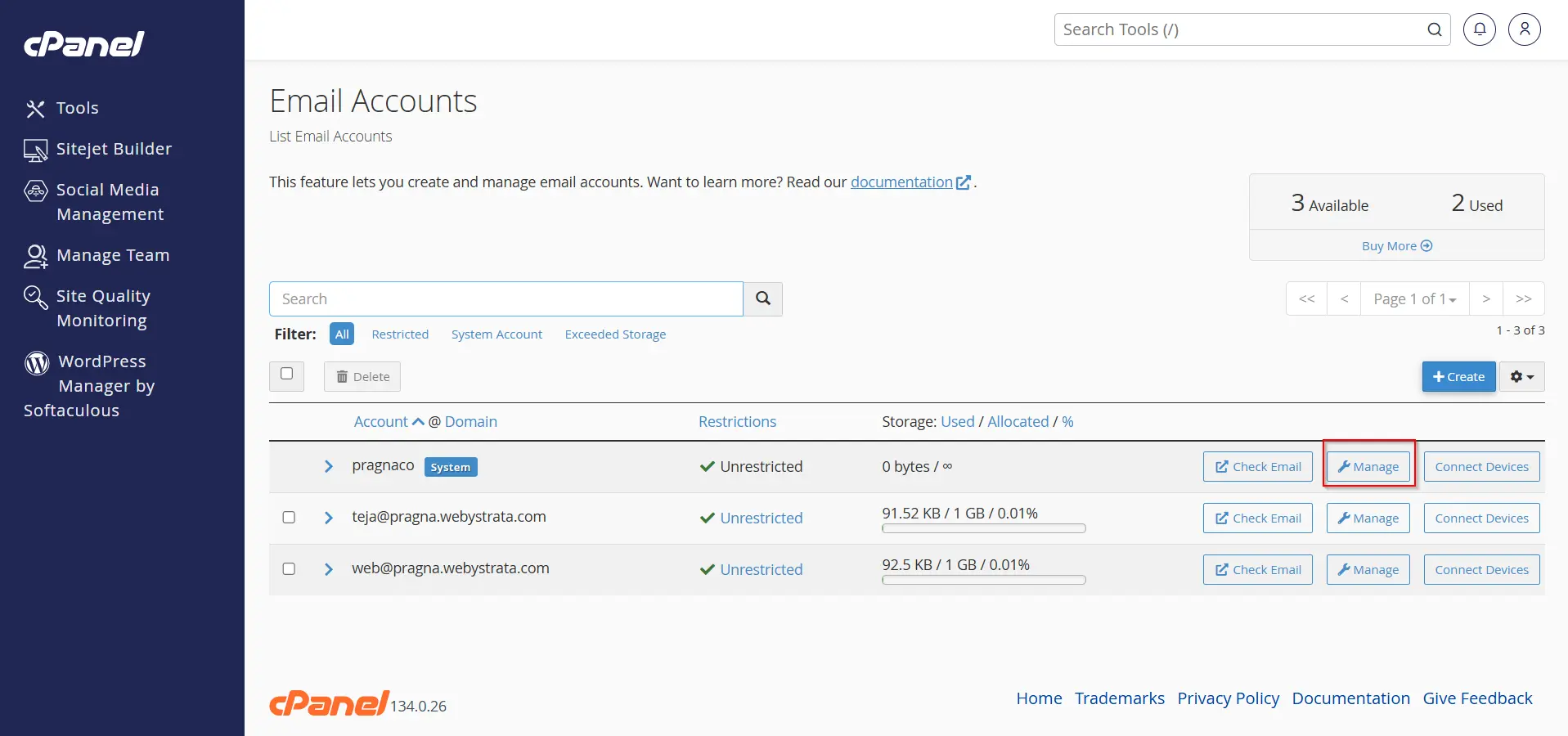
Step 5: Enter a New Password to Reset Email Account Password from cPanel
After opening the Manage Email Account page, you will see the password settings section.
Now enter a new strong password for your email account.
You can either:
- Manually create your own password
OR
- Click on Generate to automatically create a strong and secure password
For better email security, always use:
- Uppercase letters
- Lowercase letters
- Numbers
- Special characters
A strong password helps protect your email account from unauthorized access, hacking attempts, spam activity, and data theft.
When trying to reset email account password from cPanel, it is recommended to avoid weak passwords such as:
- 123456
- password
- admin123
- yourname123
Using a strong password improves both security and account protection.
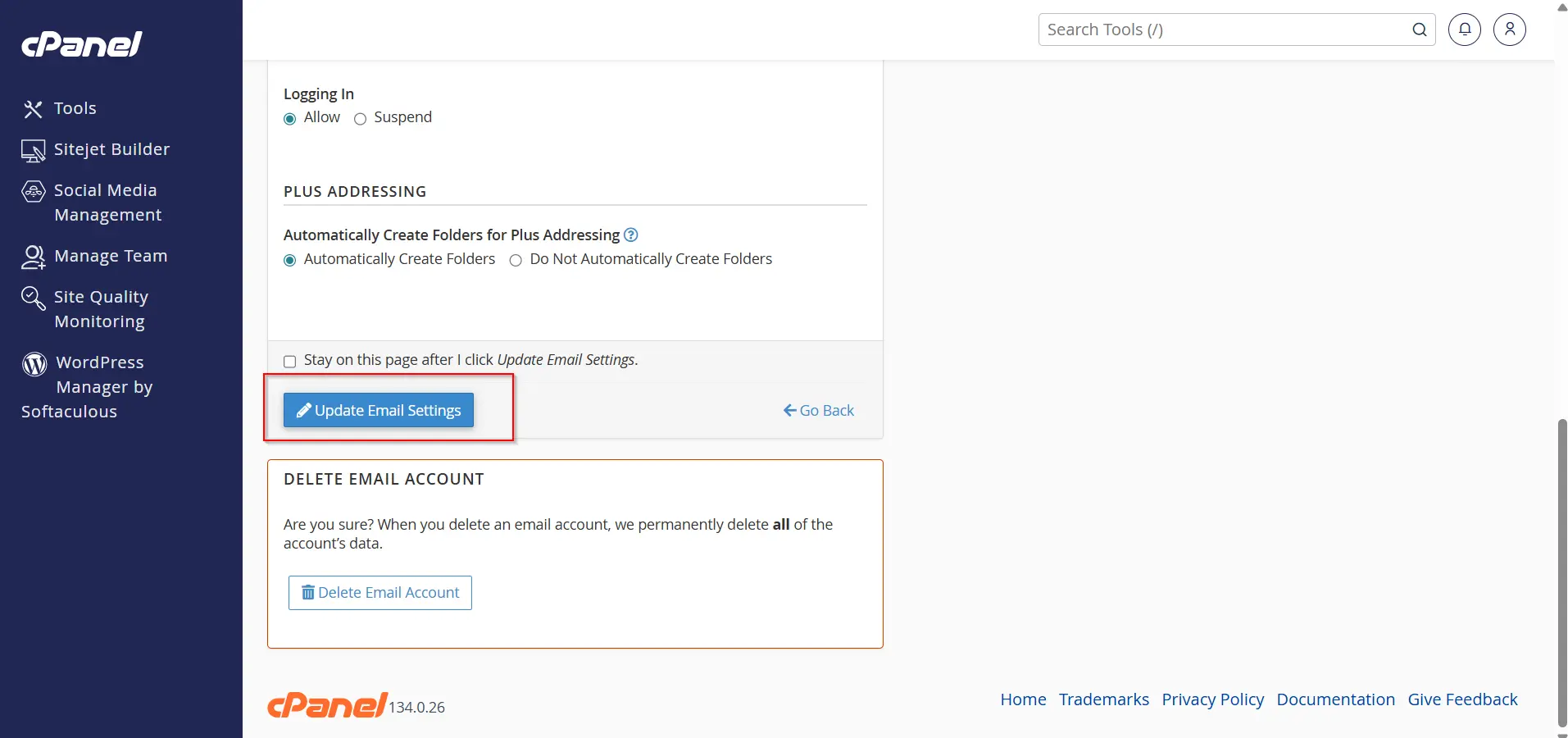
Step 6: Update Email Settings to Successfully Reset Email Account Password from cPanel
After entering the new password, scroll down to the bottom of the page.
Click on Update Email Settings.
Once you click the button, cPanel will immediately save the new password and apply the changes to your email account.
Your email account password has now been successfully updated.
If there is a checkbox near the Update Email Settings button, it is usually optional and can normally be left unchecked while trying to reset email account password from cPanel.
Benefits of Resetting Email Account Password from cPanel
There are several benefits when you reset email account password from cPanel:
- Improves email security
- Prevents unauthorized access
- Protects business communication
- Helps recover access quickly
- Easy process with no technical knowledge required
- Takes only a few minutes to complete
cPanel makes the process simple even for beginners.
Conclusion
Knowing how to reset email account password from cPanel is an essential skill for every website owner and hosting user. Whether you forgot your email password, want to improve security, or need to update account access, cPanel provides a quick and easy solution.
By following the above steps carefully, you can successfully reset email account password from cPanel and regain secure access to your professional email account within minutes.
Always remember to use strong passwords and update the new password on all connected devices after completing the password reset process.