Latest Updates
How to Check Bandwidth Usage in WHM
How to Check Bandwidth Usage in WHM Bandwidth monitoring is one of the most important tasks for web hosting administrators and resellers. Understanding how much data your websites consume helps you manage server resources…
How to Check Bandwidth Usage in WHM
Bandwidth monitoring is one of the most important tasks for web hosting administrators and resellers. Understanding how much data your websites consume helps you manage server resources efficiently, identify traffic spikes, and ensure that hosting accounts stay within their allocated limits.
WHM (Web Host Manager) provides a built-in bandwidth monitoring tool that allows administrators to view detailed bandwidth usage reports for individual cPanel accounts and the entire server. Whether you manage a few websites or hundreds of hosting accounts, regularly reviewing bandwidth statistics can help improve server performance and prevent resource-related issues.
In this guide, you’ll learn how to check bandwidth usage in WHM, understand bandwidth reports, and implement best practices for bandwidth management.
What Is Bandwidth in Web Hosting?
Bandwidth refers to the amount of data transferred between a website and its visitors over a specific period. Every time someone visits a website, downloads a file, views an image, streams a video, or sends an email, bandwidth is consumed.
Bandwidth usage is typically measured in:
- Megabytes (MB)
- Gigabytes (GB)
- Terabytes (TB)
Hosting providers often assign monthly bandwidth limits to hosting accounts. Monitoring usage helps ensure that websites remain within these limits and continue operating smoothly.
How to Check Bandwidth Usage in WHM
WHM makes bandwidth monitoring simple through its built-in reporting tools.
Step 1: Log in to WHM
Start by accessing your WHM dashboard.
Common WHM login URLs include:
Enter your WHM username and password to log in.
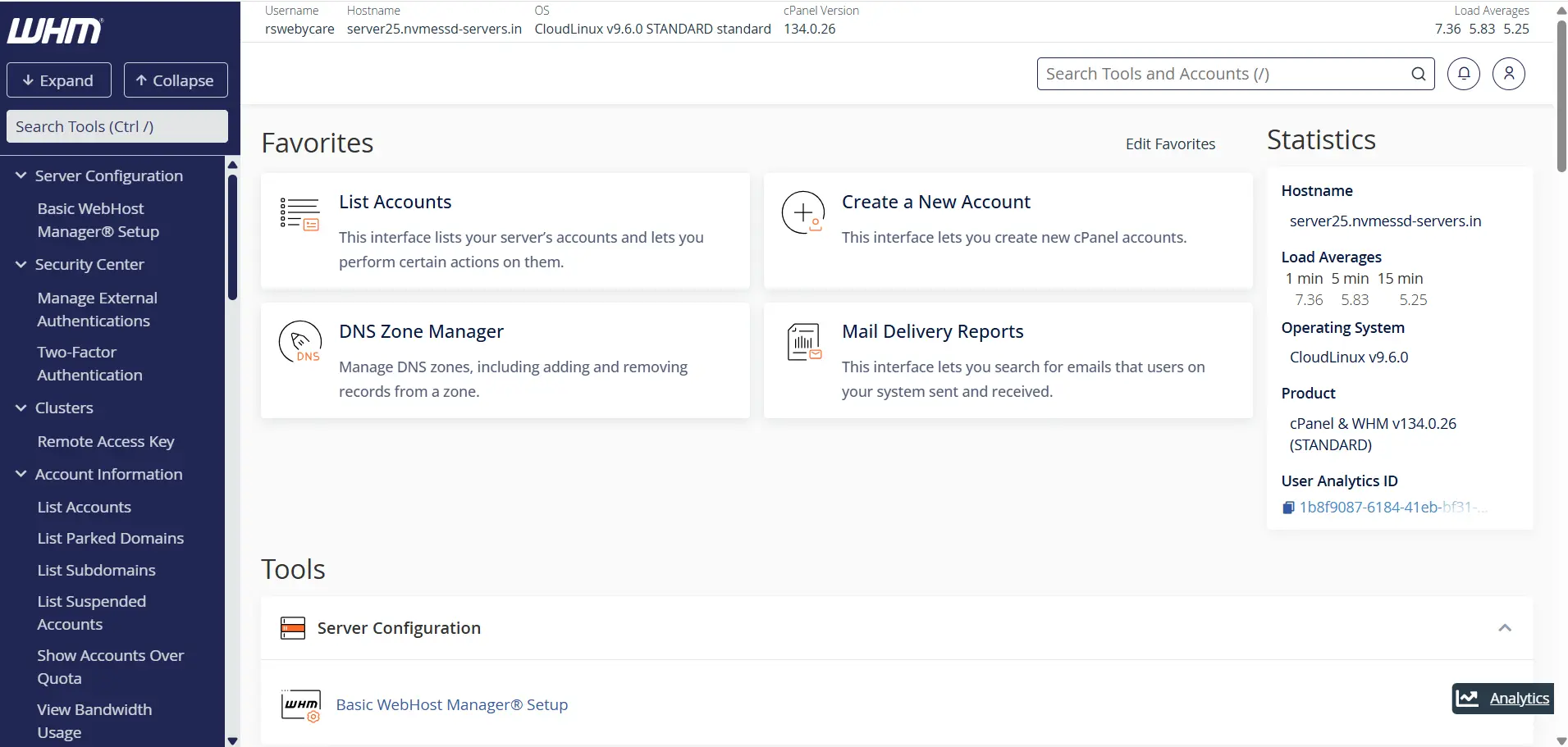
Once authenticated, you will be directed to the WHM home page where all server management tools are available.
Step 2: Search for Bandwidth Usage
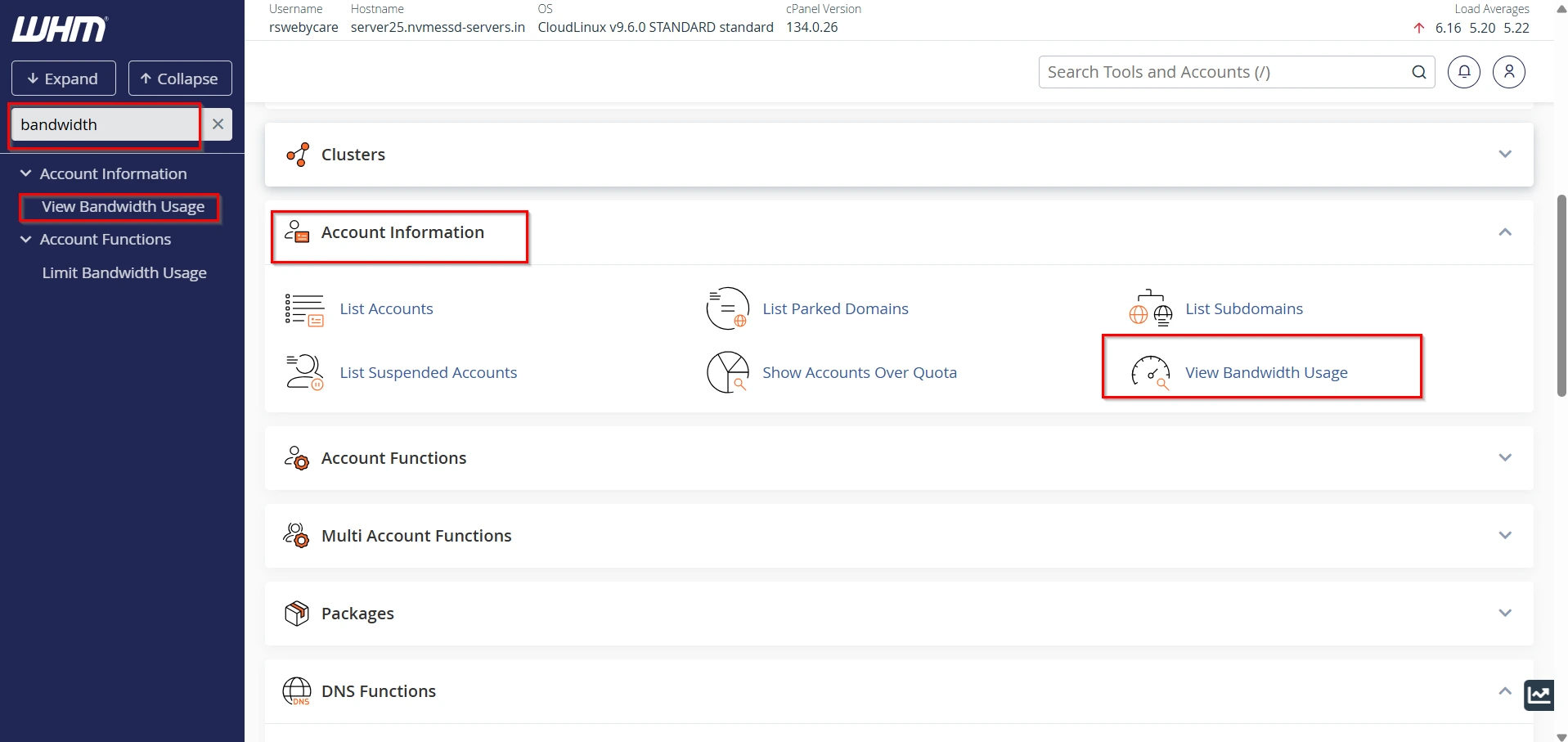
Once logged in:
- Locate the search box on the left side of the WHM interface.
- Type Bandwidth.
- Click View Bandwidth Usage under the Account Information section.
This tool displays bandwidth statistics for all hosting accounts on the server.
Step 3: Select the Reporting Month
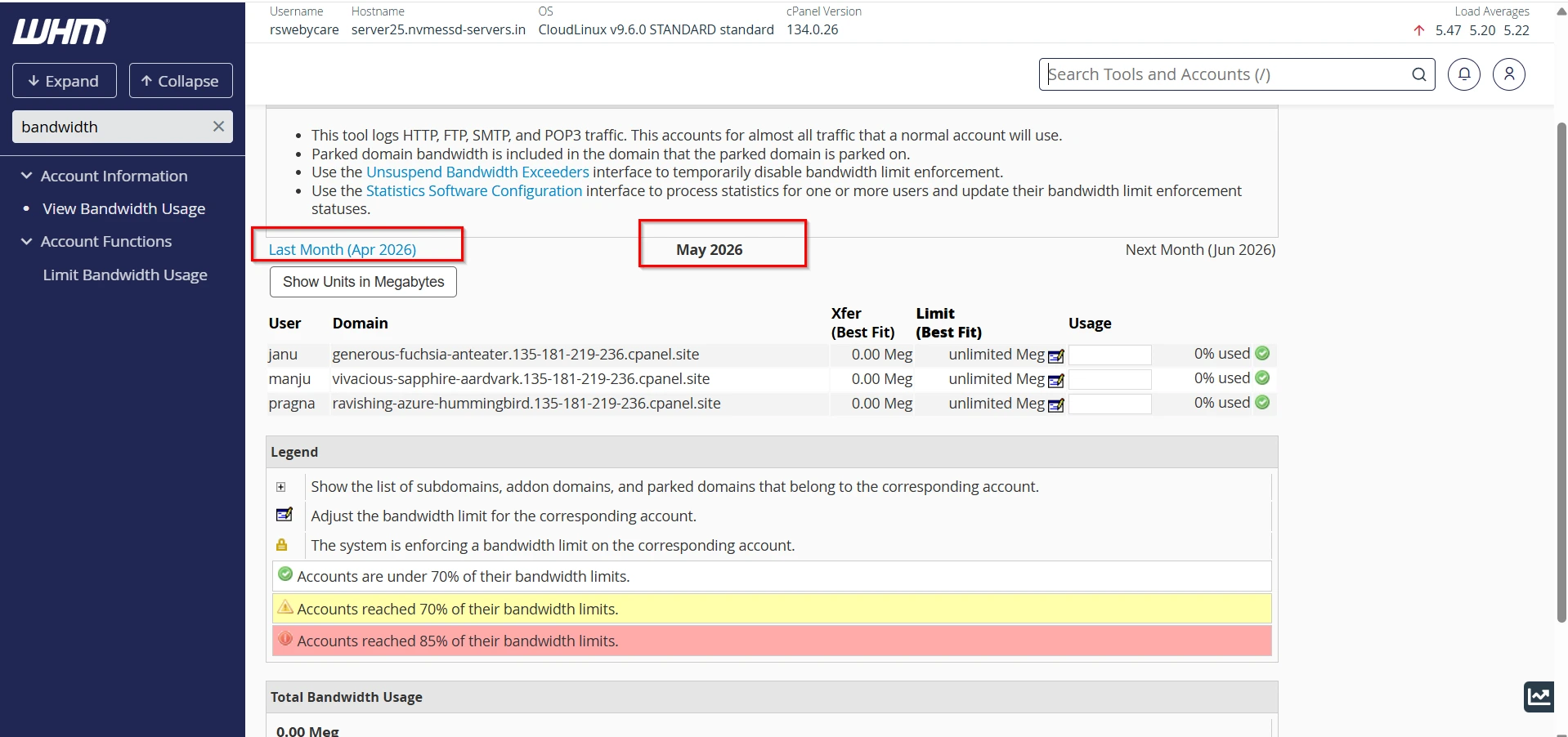
The Bandwidth Usage page allows you to view statistics for different months.
You can:
- Review current month usage
- Compare previous months
- Analyze bandwidth trends over time
This historical data is useful for long-term planning and usage forecasting.
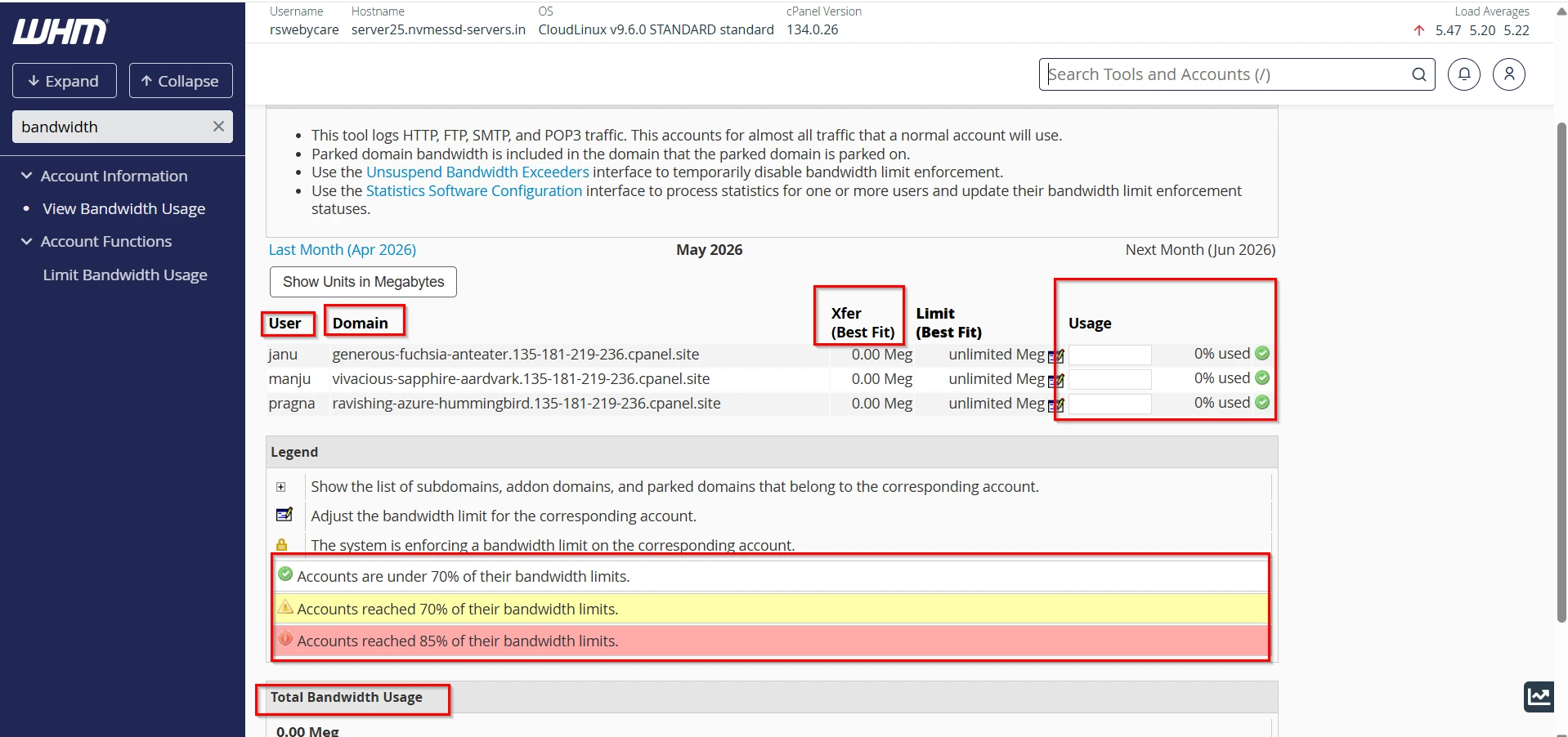
Step 4: Review Account Statistics
WHM displays a table containing:
- Domain Name
- Account Owner
- Total Bandwidth Usage
- Usage Percentage
- Daily Usage Data
This overview helps identify accounts consuming the most bandwidth.
Step 5: View Detailed Account Reports
Click on a specific account to access detailed bandwidth statistics.
The detailed report may include:
- Daily bandwidth consumption
- HTTP/HTTPS traffic
- FTP transfers
- Email traffic
- POP3/IMAP activity
- Other service-related bandwidth usage
These details help administrators understand how resources are being consumed.
Understanding the WHM Bandwidth Report
The bandwidth report provides several valuable metrics.
- Total Monthly Usage
- Daily Usage Statistics
Service-Based Breakdown
Bandwidth is categorized according to services such as:
- HTTP/HTTPS Traffic
- FTP Traffic
- Email Traffic
- Other Services
- Graphical Reports
Common Causes of High Bandwidth Usage
Several factors can contribute to increased bandwidth consumption.
- Increased Website Traffic
- Large Media Files
- Frequent Downloads
- Search Engine Crawlers
- Bot Activity
- Cybersecurity Attacks
How to Reduce Bandwidth Usage
If bandwidth consumption becomes excessive, consider implementing these optimization techniques.
- Enable Website Caching
- Optimize Images
- Use a Content Delivery Network (CDN)
- Compress Website Files
- Block Malicious Traffic
- Remove Unused Files
Why Is Bandwidth Monitoring Important?
Monitoring bandwidth usage is essential for several reasons:
1. Prevent Resource Overuse
2. Identify Traffic Growth
3. Detect Security Threats
4. Improve Capacity Planning
5. Manage Customer Accounts
Benefits of WHM Bandwidth Monitoring
WHM’s bandwidth monitoring tools offer several advantages:
- Easy Accessibility
- Detailed Insights
- Historical Tracking
- Resource Optimization
- Better Customer Support
Conclusion
Checking bandwidth usage in WHM is a critical task for server administrators, hosting providers, and resellers. The built-in View Bandwidth Usage feature provides detailed insights into account activity, helping administrators track data transfers, identify heavy resource consumers, and maintain server stability.
By regularly monitoring bandwidth reports and implementing optimization strategies such as caching, image compression, and CDN integration, you can improve website performance while keeping resource consumption under control. Whether you manage a single server or a large hosting infrastructure, WHM’s bandwidth monitoring tools provide the information needed to make informed hosting decisions and deliver a better experience for your customers.
For more WHM management tutorials and step-by-step guides,
visit our WHM knowledge base: www.webystrata.com/blog/category/whm-panel/
Related Articles