Latest Updates
How to Create Custom Post Type in WordPress
How to Create Custom Post Type in WordPress WordPress is one of the most flexible content management systems available today. By default, WordPress provides two main content types: Posts and Pages. While these are…
How to Create Custom Post Type in WordPress
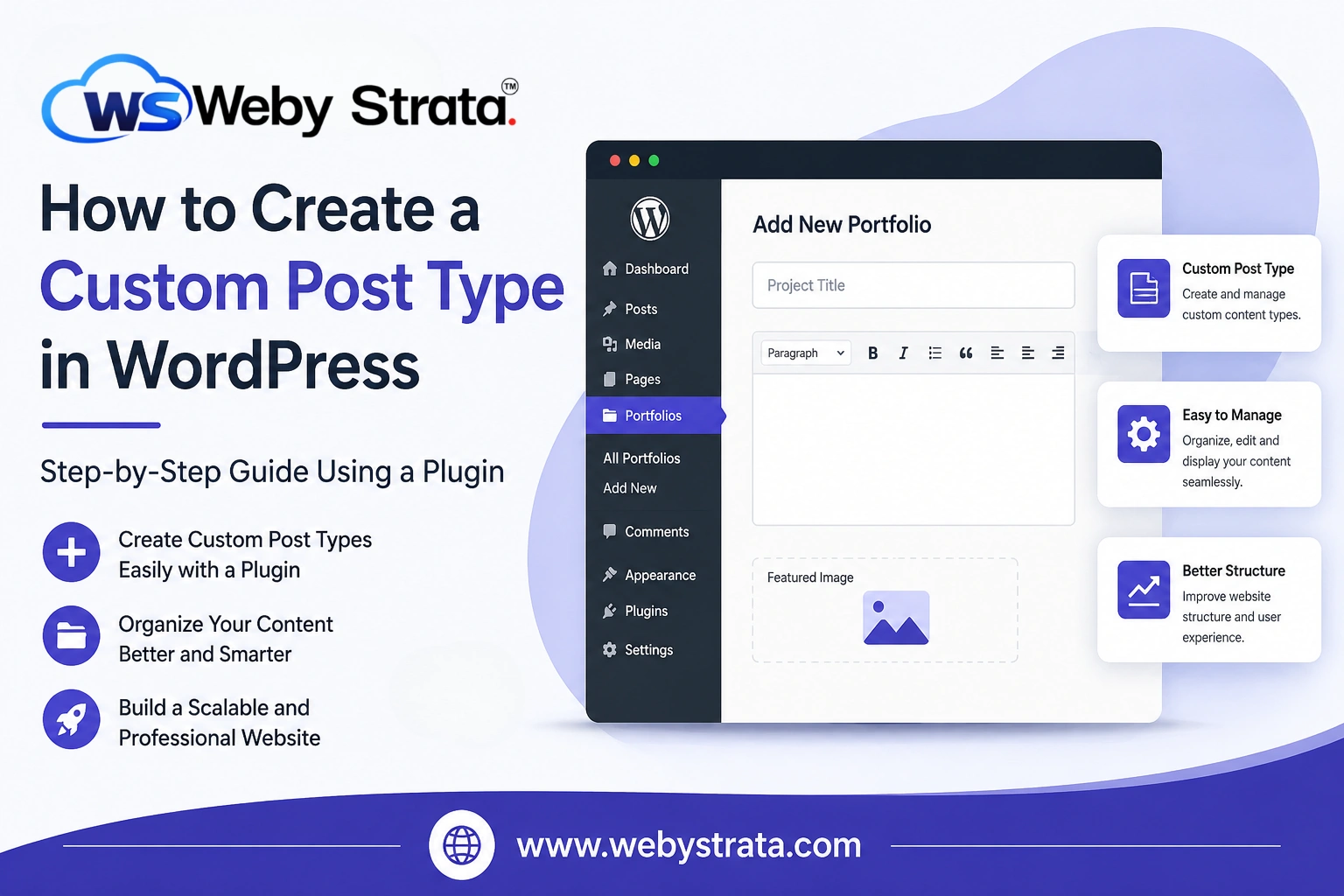
WordPress is one of the most flexible content management systems available today. By default, WordPress provides two main content types: Posts and Pages. While these are sufficient for many websites, some websites require additional content structures to organize information more effectively.
For example, you may want to create separate sections for portfolios, testimonials, services, team members, events, FAQs, or products. Instead of mixing all this content with your regular blog posts, WordPress allows you to create Custom Post Types (CPTs).
In this guide, you’ll learn how to create a Custom Post Type in WordPress using a plugin without writing any code.
What is Custom Post Type in WordPress?
A Custom Post Type is a content type that differs from the default Posts and Pages available in WordPress.
Think of a Custom Post Type as a separate section within your website that stores a specific type of content. For example:
- Portfolio Projects
- Services
- Testimonials
- Team Members
- Events
- Properties
- Courses
- Products
Each Custom Post Type can have its own menu in the WordPress dashboard, making content management easier and more organized.
When Should You Use a Custom Post Type?
You should consider creating a Custom Post Type when the content:
- Has a different purpose than blog posts.
- Requires its own navigation section.
- Needs separate archives and listings.
- Will be updated regularly.
- Represents a unique content category.
Examples include:
| Website Type | Custom Post Type |
|---|---|
| Agency Website | Portfolio |
| Service Business | Services |
| School Website | Courses |
| Real Estate Website | Properties |
| Event Website | Events |
| Corporate Website | Team Members |
Steps to Create Custom Post Type in WordPress
The easiest way to create a Custom Post Type is by using the Custom Post Type UI plugin.
This method is recommended for beginners because it requires no coding knowledge.
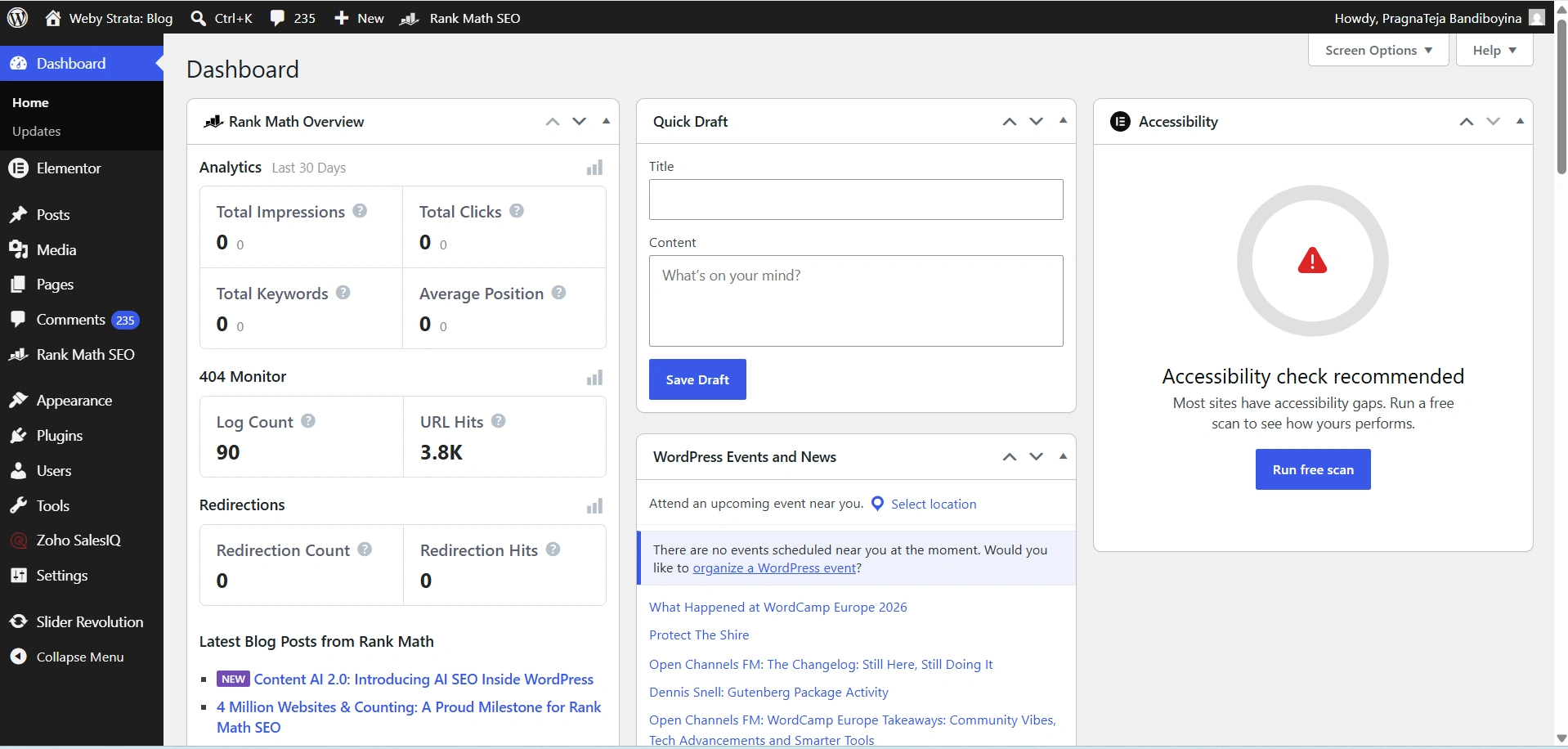
Step 1: Log in to Your WordPress Dashboard
Begin by accessing your WordPress administration area.
Open your web browser and visit:
https://yourdomain.com/wp-admin
Enter your administrator username and password, then click Log In.
Once logged in, you will be redirected to the WordPress Dashboard.
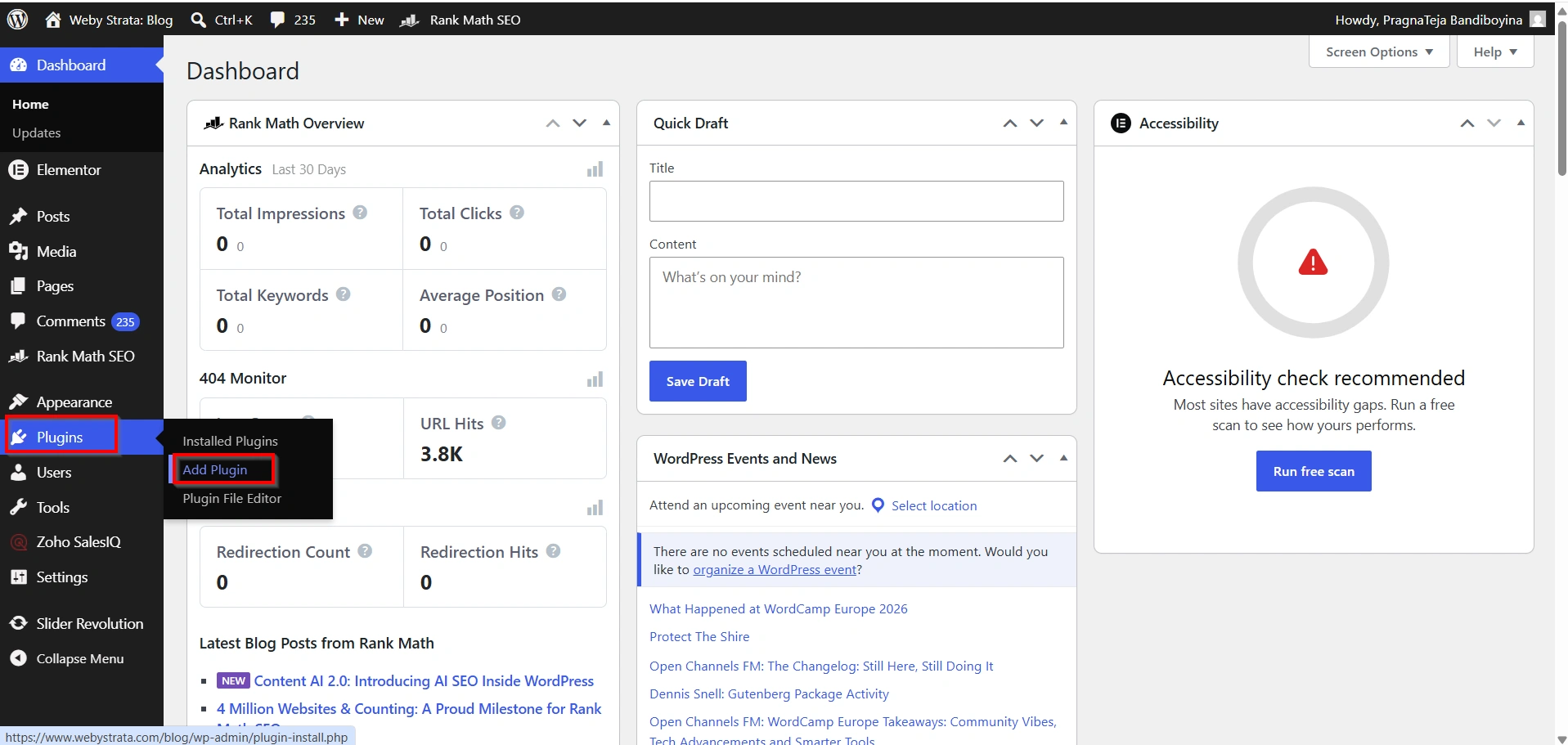
Step 2: Install the Custom Post Type UI Plugin
- Navigate to Plugins → Add New Plugin.
2. Search for Custom Post Type UI.
3. Click Install Now.
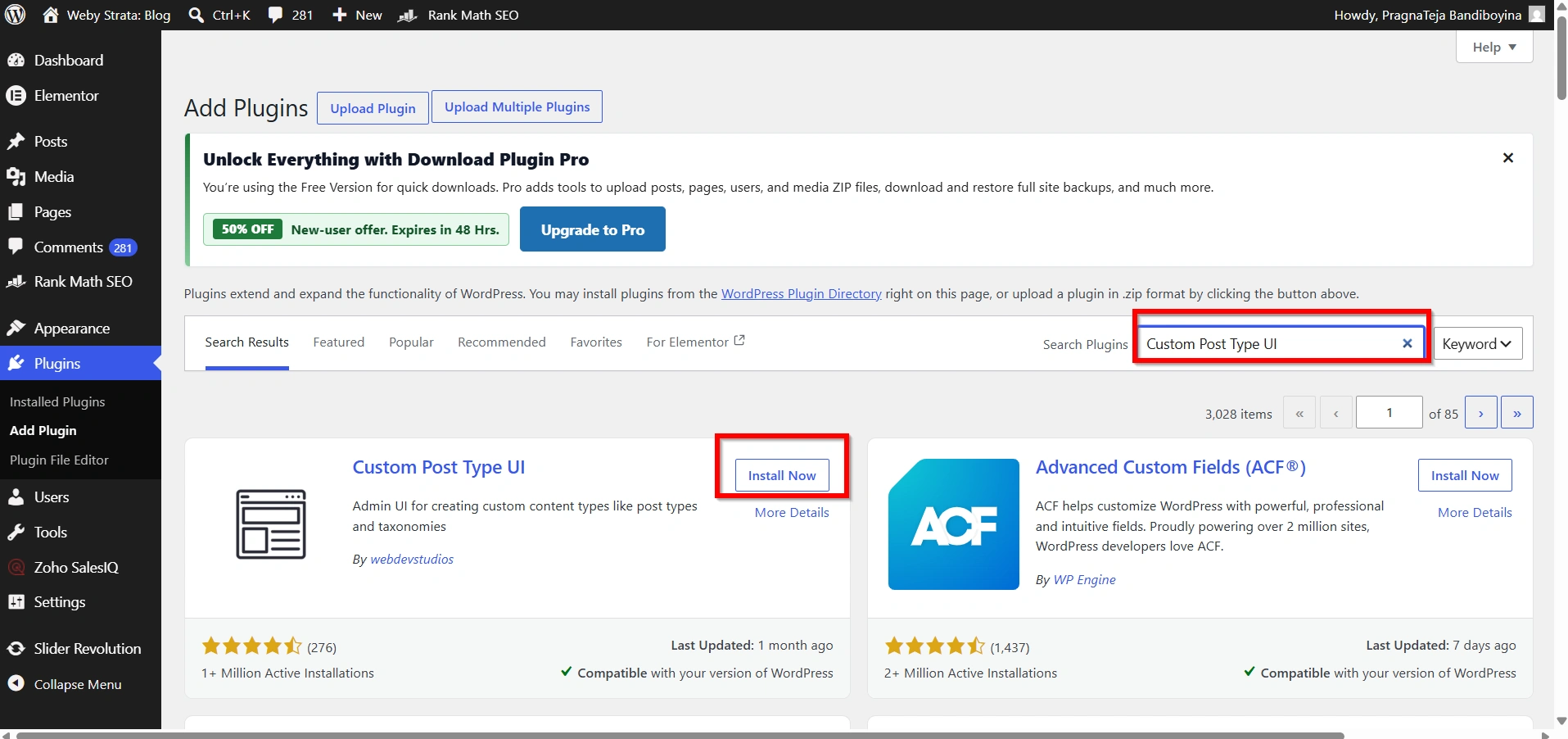
4. After installation, click Activate.
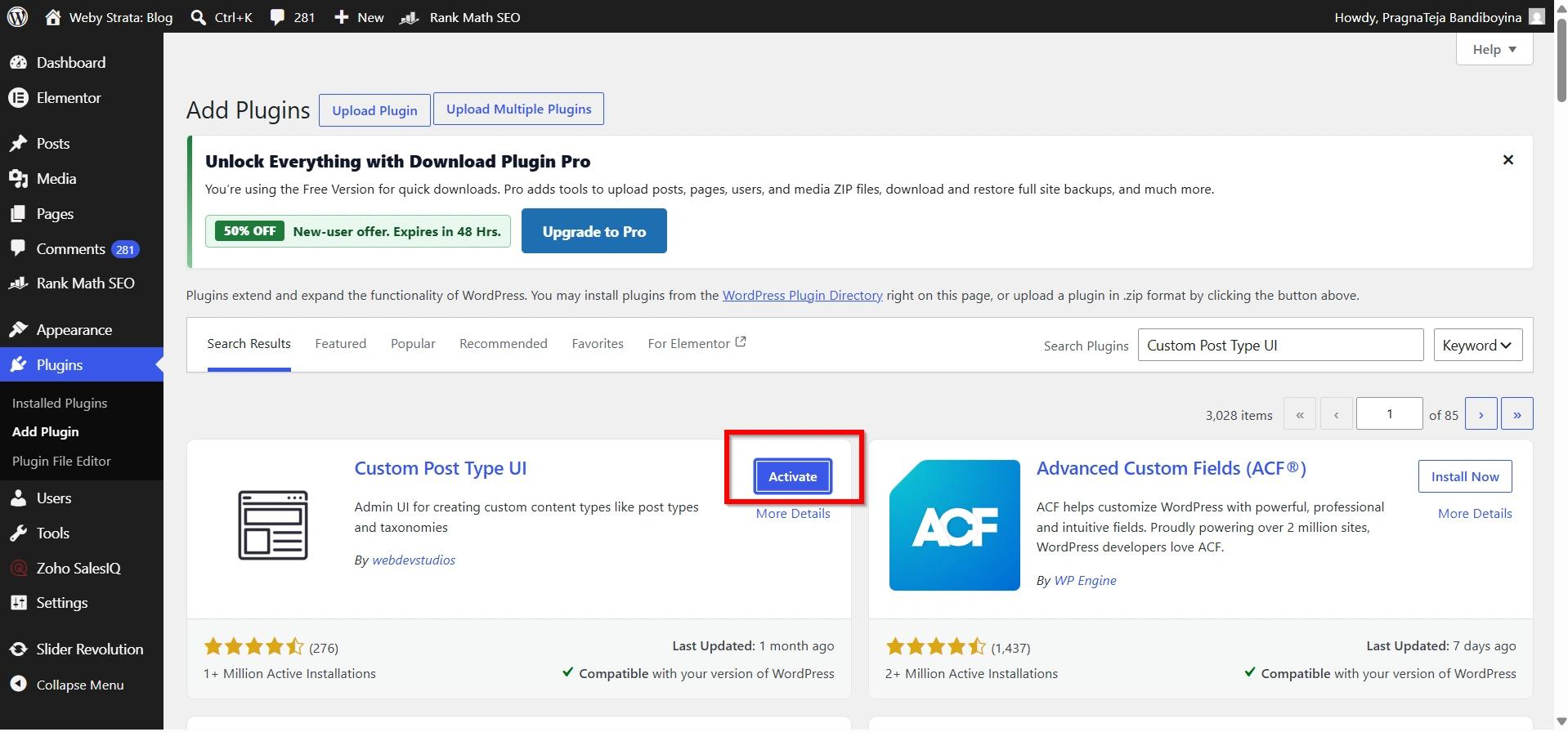
Once activated, a new menu item called CPT UI will appear in your WordPress dashboard.
Step 3: Create a New Custom Post Type
- Go to CPT UI → Add/Edit Post Types.
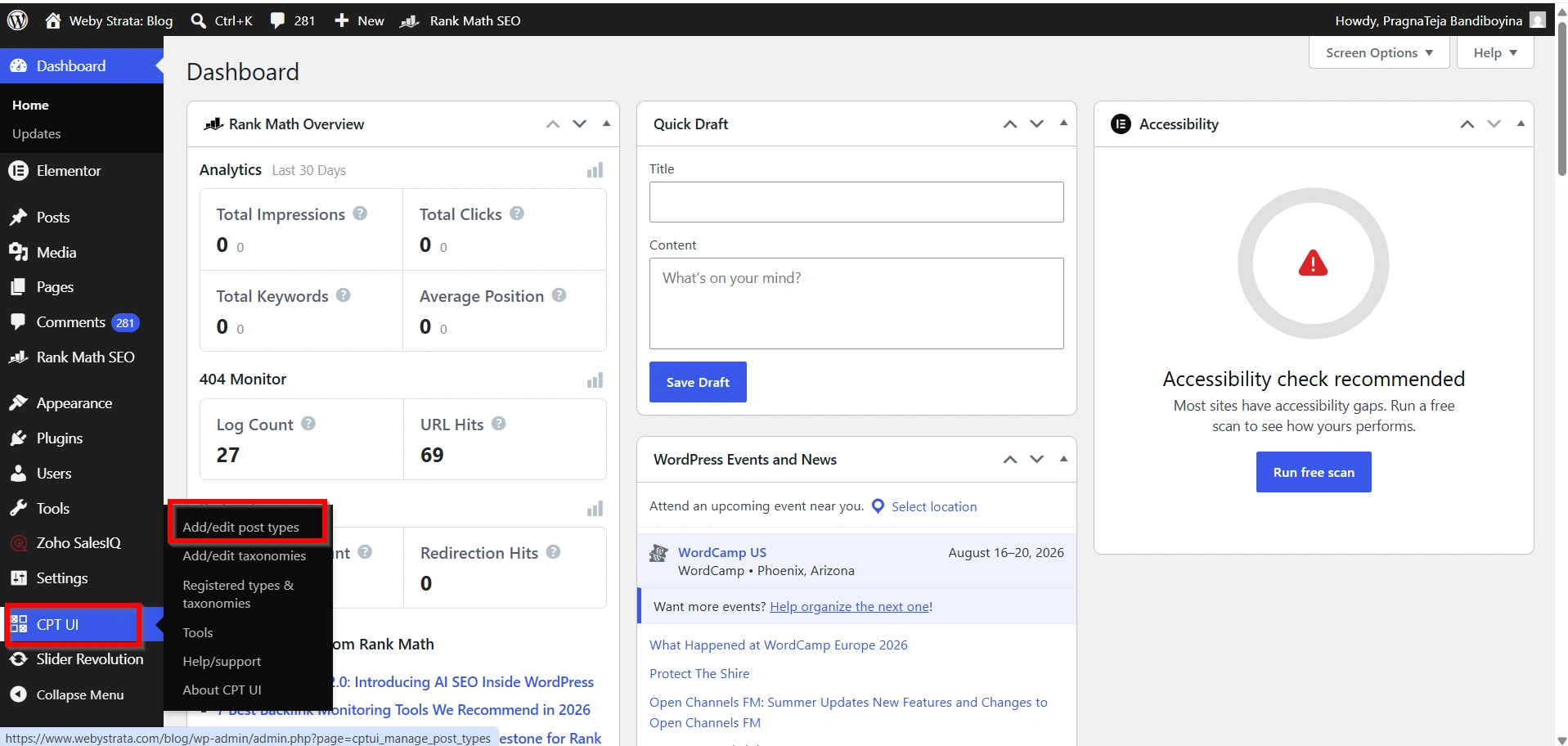
2. You will see a form where you can define your Custom Post Type.
Fill in the required fields:
Post Type Slug
This is the system name used by WordPress.
Example:
portfolio
Plural Label
This is how the menu appears in WordPress.
Example:
Portfolios
Singular Label
This is the name used when adding a single entry.
Example:
Portfolio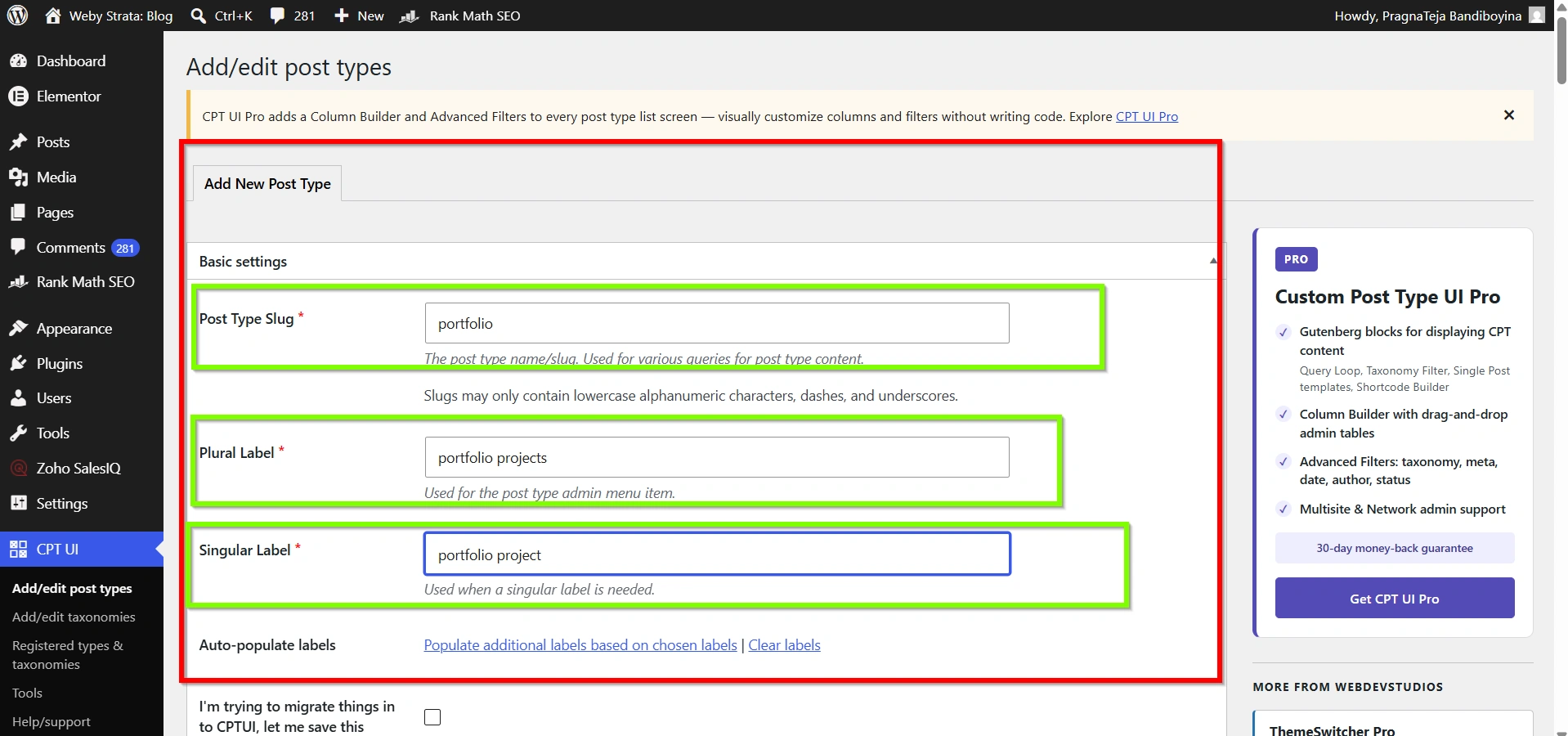
Step 4: Configure Additional Settings
Scroll down to review additional options.
Important settings include:
- Public
- Has Archive
- Show in REST API
- Menu Position
- Menu Icon
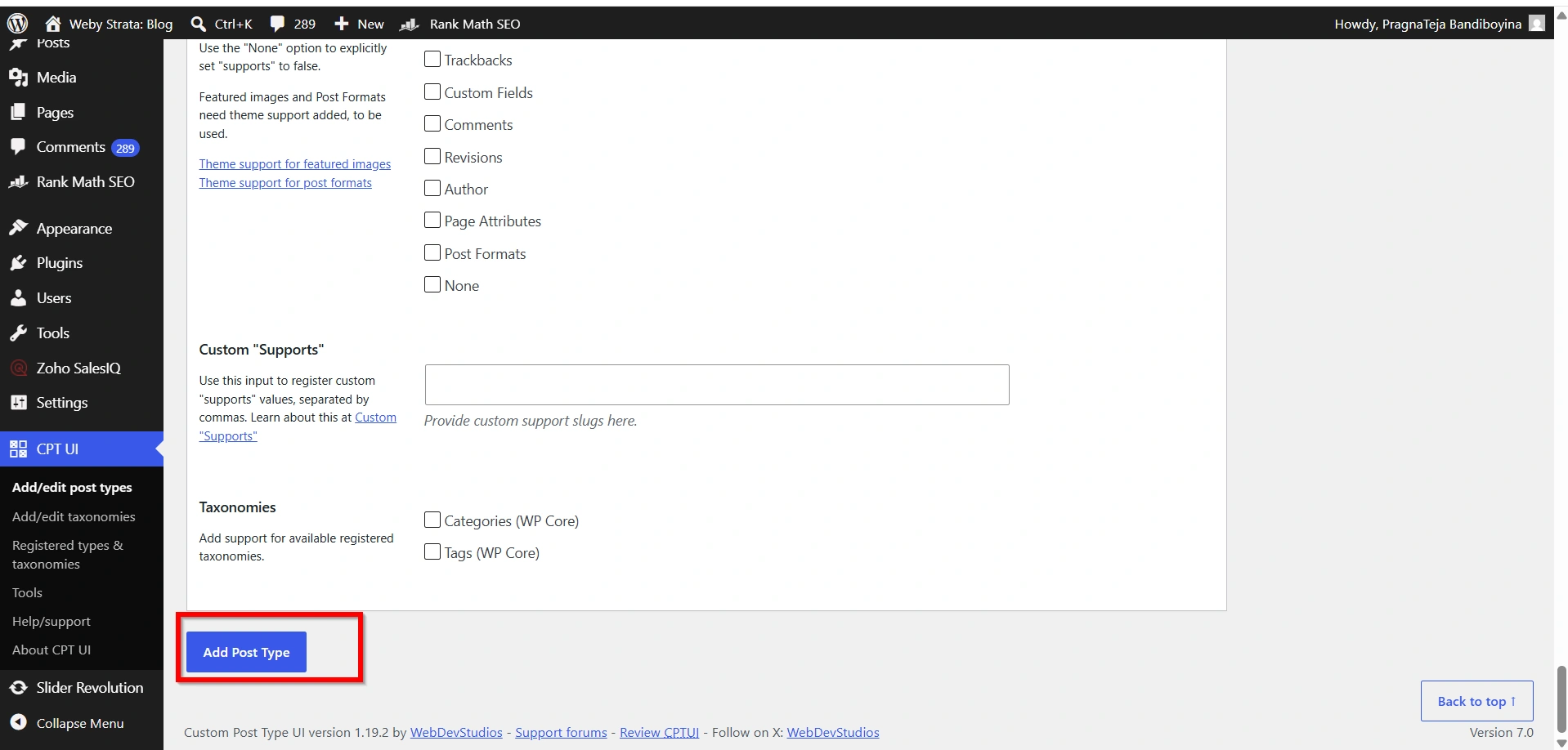
Step 5: Create the Custom Post Type
After entering all required details:
- Click Add Post Type.
- Wait for WordPress to save the configuration.
Your new Custom Post Type is now created.
Step 6: Verify the Custom Post Type
Look at the left-side dashboard menu.
You should now see your newly created Custom Post Type listed there.
For example:
Portfolios
Click it to manage entries.
Benefits of Custom Post Types
- Better Content Organization
- Improved Website Management
- Enhanced User Experience
- Professional Website Structure
- Better Content Scalability
Best Practices for Custom Post Types
To get the best results:
- Use descriptive names.
- Keep slugs short and SEO-friendly.
- Enable archives when necessary.
- Organize content consistently.
- Use featured images for better presentation.
- Avoid creating unnecessary Custom Post Types.
Conclusion
Creating a Custom Post Type in WordPress is an excellent way to organize specialized content and improve website management. Whether you’re building a portfolio, service directory, testimonial section, or event listing, Custom Post Types help keep your content structured and easy to manage.
Using the Custom Post Type UI plugin is the simplest and safest method for beginners because it eliminates the need for coding while providing complete control over your content structure. With just a few clicks, you can create custom content sections that enhance both the administrative experience and the visitor experience on your WordPress website.
Related Articles