Latest Updates
How to Generate and Manage a Cluster Remote Access Key in WHM
How to Generate and Manage a Cluster Remote Access Key in WHM Managing multiple hosting servers often requires secure communication between systems. WHM provides several tools to simplify server administration, and one of the…
How to Generate and Manage a Cluster Remote Access Key in WHM
Managing multiple hosting servers often requires secure communication between systems. WHM provides several tools to simplify server administration, and one of the most important features for server-to-server authentication is the Cluster Remote Access Key. This feature enables administrators to establish secure connections between WHM servers, DNS clusters, migration tools, and third-party applications without repeatedly using root passwords.
Whether you manage a single server or an entire hosting infrastructure, understanding how to generate and manage a Cluster Remote Access Key in WHM is essential for maintaining security and improving operational efficiency.
What is a Cluster Remote Access Key?
A Cluster Remote Access Key is a unique authentication key generated by WHM that allows remote systems and applications to communicate securely with your server. Instead of using a username and password every time a connection is established, the remote system can authenticate using the access key.
This method provides a safer and more convenient way to authorize communication between servers. The key is commonly used in DNS clustering, server migrations, API integrations, and automated hosting management systems.
Prerequisites
Before generating a Cluster Remote Access Key, ensure the following:
- Root access to WHM
- Administrative privileges
- A properly configured WHM server
- Basic understanding of server authentication
- Secure storage location for the generated key
Having these prerequisites in place helps ensure a smooth setup process.
How to Generate and Manage a Cluster Remote Access Key in WHM
Generating a remote access key is a straightforward process.
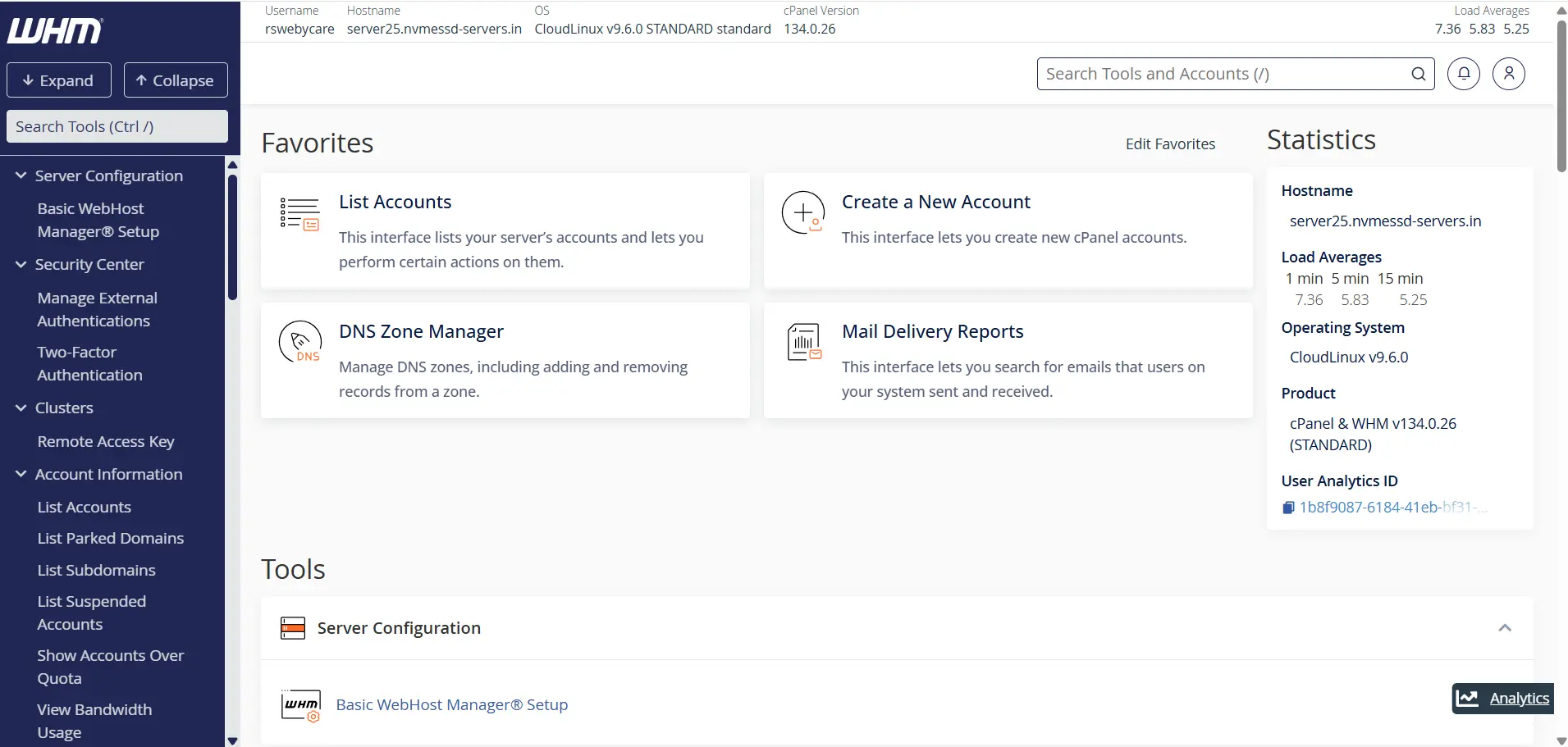
Step 1: Log in to WHM
Start by accessing your WHM dashboard.
Common WHM login URLs include:
Enter your WHM username and password to log in.
Once authenticated, you will be directed to the WHM home page where all server management tools are available.
Step 2: Locate the Remote Access Key Feature
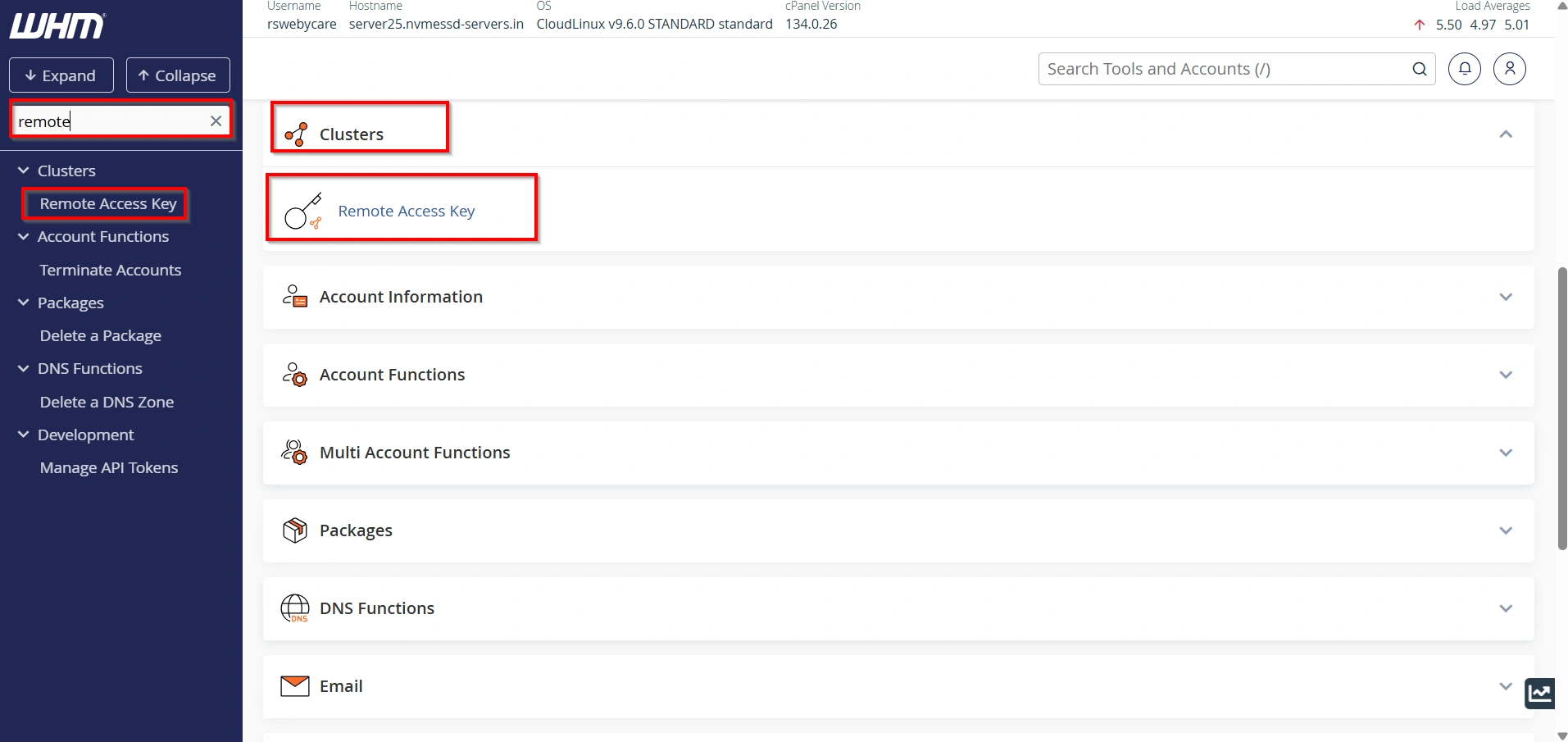
In the search box located on the left side of WHM, type:
Remote Access Key
Click Cluster Remote Access Key from the search results.
Step 3: Generate a New Key
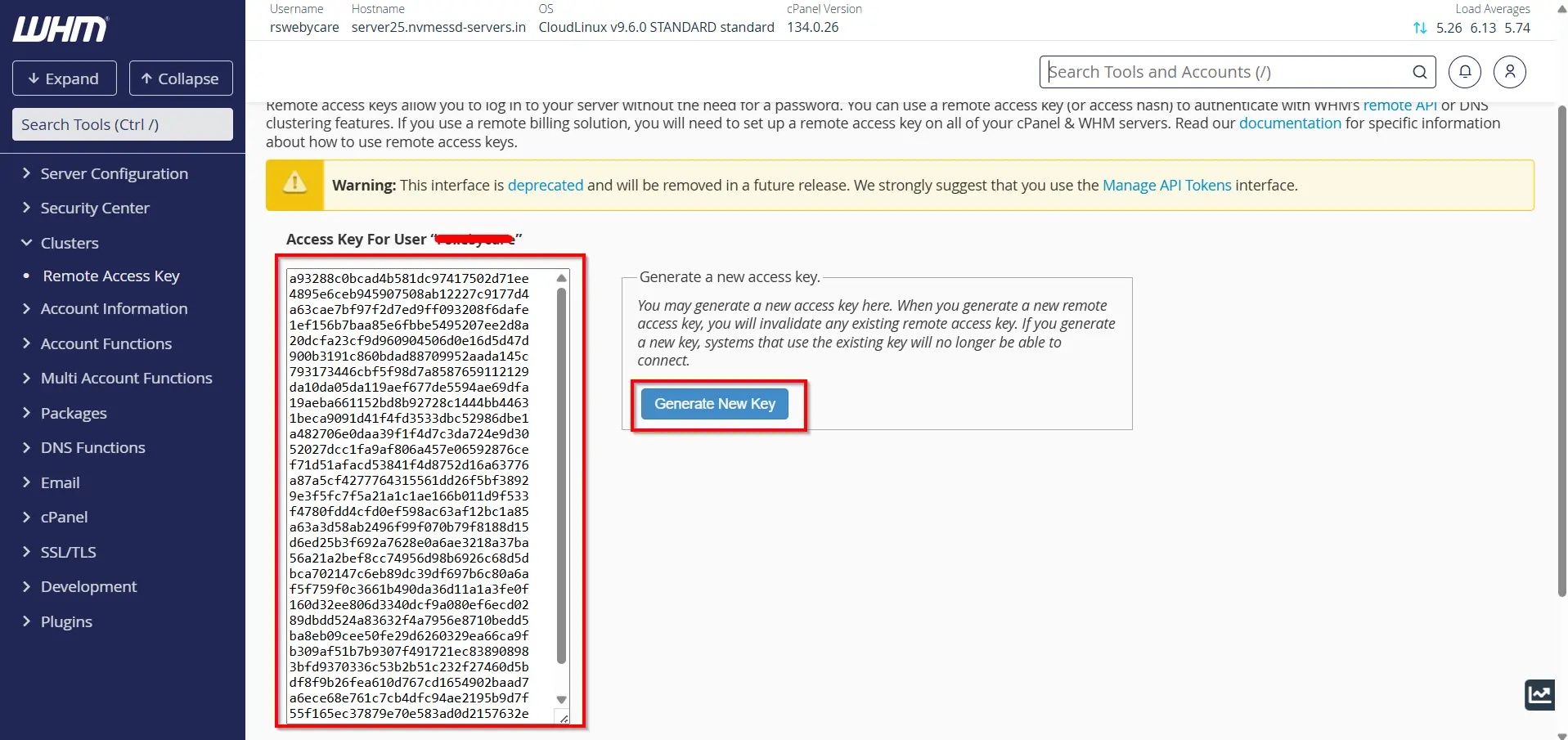
The page displays the current remote access key, if one exists.
To create a new key:
- Click Generate New Key.
- WHM will generate a unique authentication key automatically.
- The new key will appear in the text box provided.
Step 4: Copy the Access Key
Carefully copy the generated key and store it in a secure location.
1. This key may be required when configuring:
- DNS Clusters
- WHM Transfer Tool
- Remote API integrations
- Server management applications
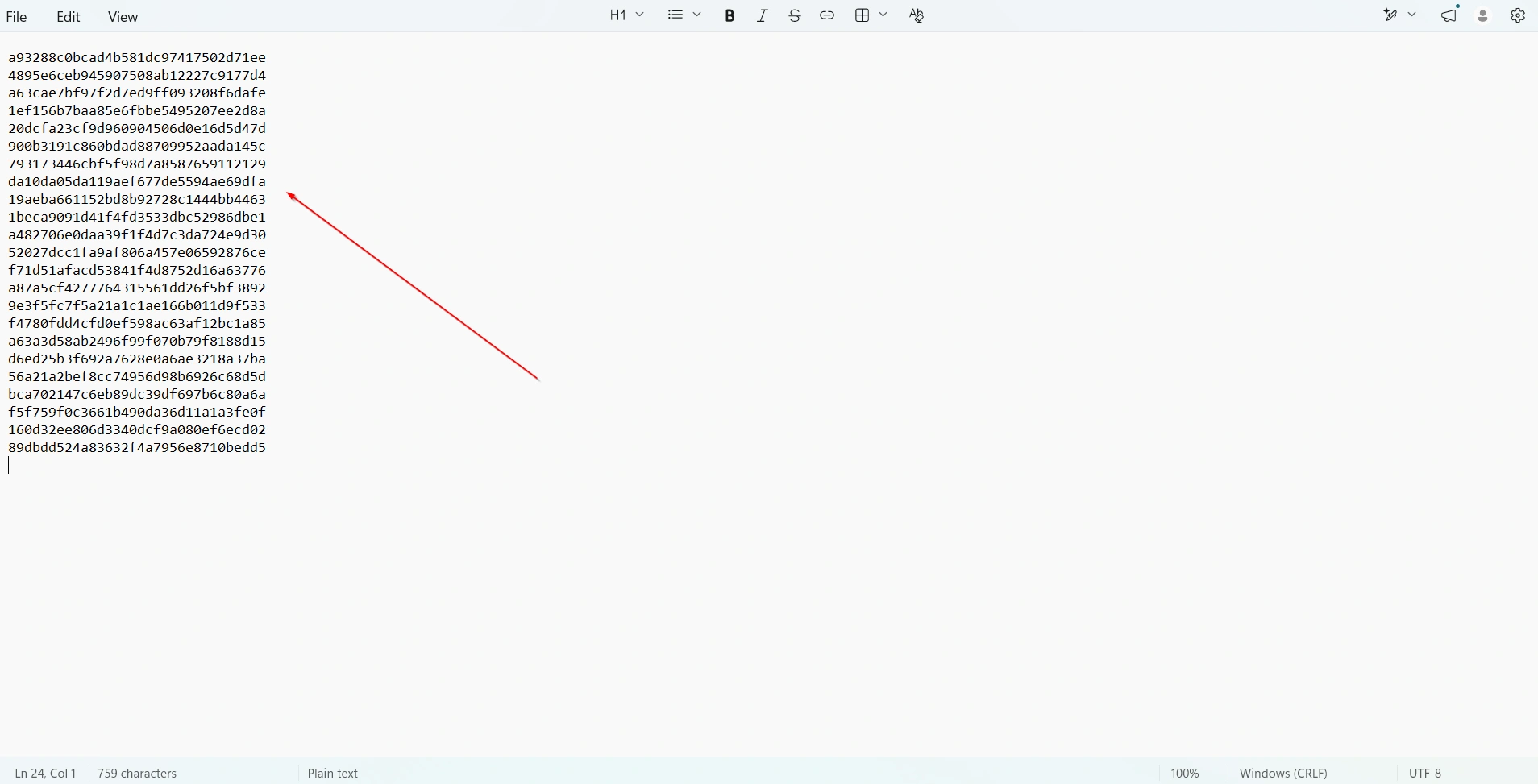
2. You may copy the anywhere else
for example: Save in Notepad
Step 5: Save and Use the Key
The generated key can now be used for:
- DNS Clustering
- Server migrations
- Remote API authentication
- Hosting automation software
- Third-party integrations
Your Cluster Remote Access Key is now ready for use.
How to Manage a Cluster Remote Access Key
Managing your remote access key properly is important for maintaining server security.
- Review Existing Keys
- Monitor Connected Systems
- Regenerate When Necessary
- Update Connected Applications
Why Use a Cluster Remote Access Key?
Using a Cluster Remote Access Key offers several benefits for hosting administrators and resellers.
- Improved Security
- Easier Server Integration
- Supports DNS Clustering
- Simplifies Account Transfers
- Enables Automation
When Should You Regenerate a Remote Access Key?
Regenerating a key may be necessary in several situations:
- Security breach concerns
- Employee departure
- Unauthorized access attempts
- Compliance requirements
- Routine security maintenance
- Migration to new infrastructure
Remember that generating a new key immediately invalidates the old one, so update all connected services accordingly.
Benefits of Using a Cluster Remote Access Key
Using a Cluster Remote Access Key offers several advantages:
- Enhanced Security
- Simplified Server Management
- Supports DNS Clustering
- Facilitates Account Transfers
- Automation Compatibility
Conclusion
The Cluster Remote Access Key feature in WHM provides a secure and efficient way to authenticate remote servers, applications, and hosting management tools. By eliminating the need to share administrative passwords, it enhances security while simplifying server management tasks.
Whether you are configuring a DNS cluster, transferring accounts between servers, or integrating third-party automation tools, understanding how to generate and manage a Cluster Remote Access Key in WHM is an essential skill for every hosting administrator. Regular monitoring, secure storage, and periodic key rotation will help ensure that your hosting environment remains secure and reliable.
For more WHM management tutorials and step-by-step guides,
visit our WHM knowledge base: www.webystrata.com/blog/category/whm-panel/
Related Articles