Latest Updates
How to Change an Account Owner in WHM
How to Change an Account Owner in WHM Managing cPanel accounts efficiently is one of the most important responsibilities of a server administrator. Whether you are running a reseller hosting business, managing multiple clients,…
How to Change an Account Owner in WHM
Managing cPanel accounts efficiently is one of the most important responsibilities of a server administrator. Whether you are running a reseller hosting business, managing multiple clients, or reorganizing accounts on your server, there may be situations where you need to change the owner of a cPanel account.
WHM (Web Host Manager) provides a simple way to transfer ownership of an account from one reseller to another or assign ownership directly to the root user. This process does not affect the website files, databases, emails, or other account data, making it a safe and effective administrative task.
In this guide, we’ll explain what account ownership means in WHM, why you may need to change it, and the exact steps required to complete the process successfully.
What Is an Account Owner in WHM?
Every cPanel account on a server has an assigned owner. The owner can be:
- The root user
- A reseller account
- Another privileged account with management permissions
The account owner has administrative control over the hosting account and can manage certain account settings depending on the permissions assigned.
For example, when a reseller creates a cPanel account, that reseller automatically becomes the owner of the account. If the account later needs to be transferred to another reseller or moved under root management, the ownership can be changed through WHM.
Prerequisites
Before proceeding, make sure you have:
- Root access to WHM
- Administrative privileges
- The destination owner account already created
- A recent backup of the account (recommended)
Although changing ownership is generally safe, maintaining backups is always considered a best practice.
Step-by-Step Guide to Change an Account Owner in WHM
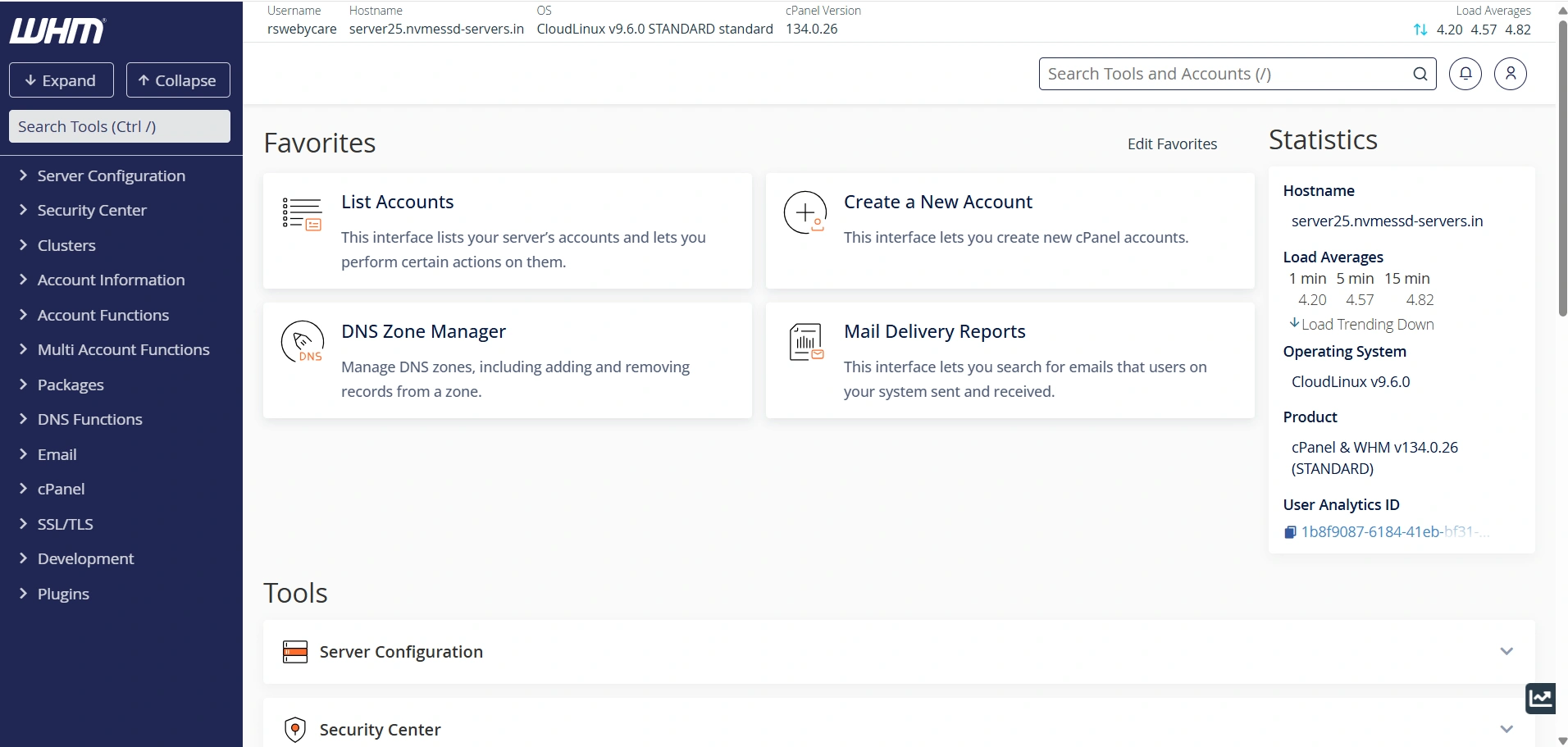
Step 1: Log in to WHM
Start by accessing your WHM dashboard.
Common WHM login URLs include:
Enter your WHM username and password to log in.
Once authenticated, you will be directed to the WHM home page where all server management tools are available.
Step 2: View Existing Accounts
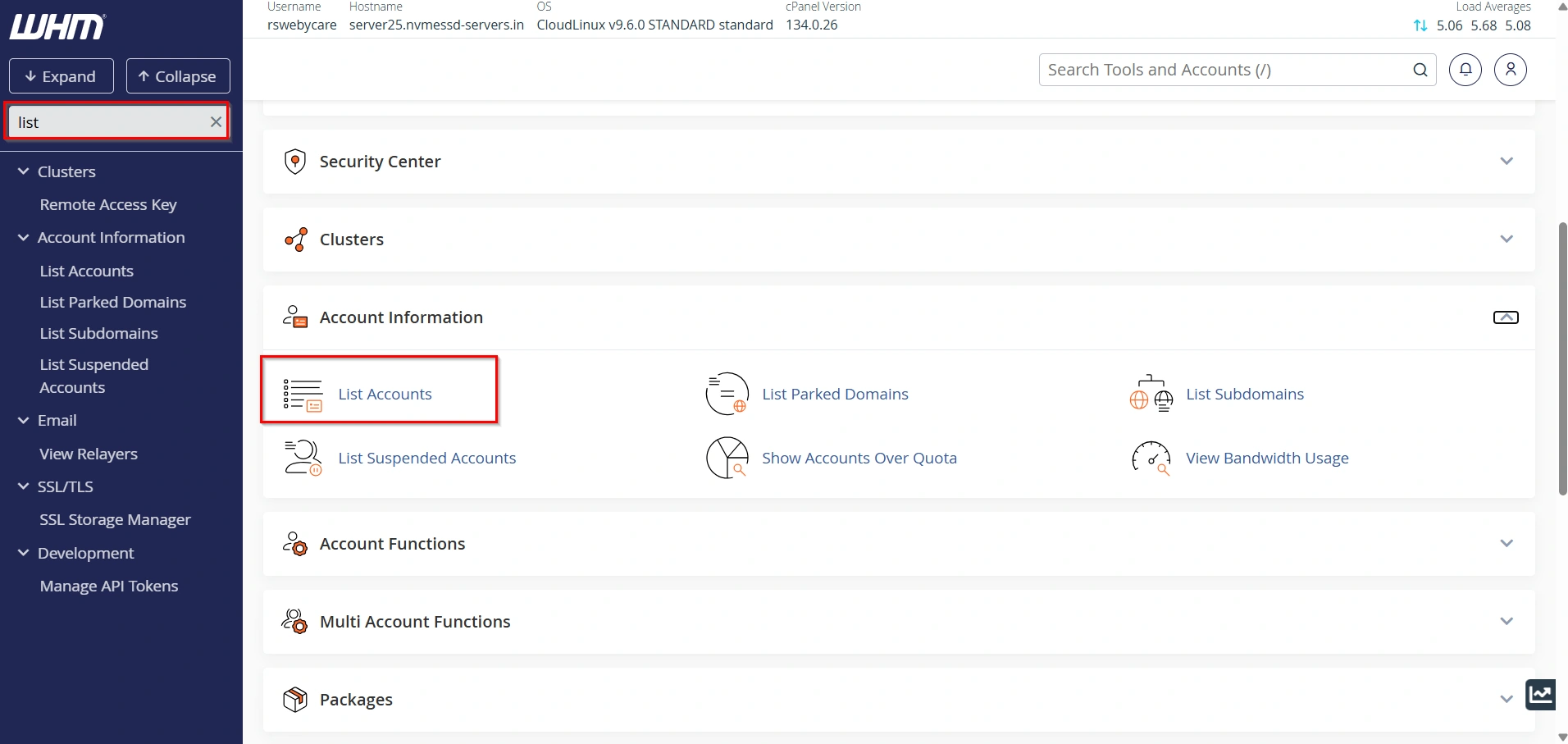
In the search box located on the left side of WHM, type:
List Accounts
Under the Account Information section, click List Accounts.
You will now see all cPanel accounts hosted on the server.
This page displays important details including:
- Domain name
- Username
- IP address
- Package name
- Disk usage
- Reseller/Owner
Locate the account whose ownership you want to modify.
Step 3: Verify the Current Owner
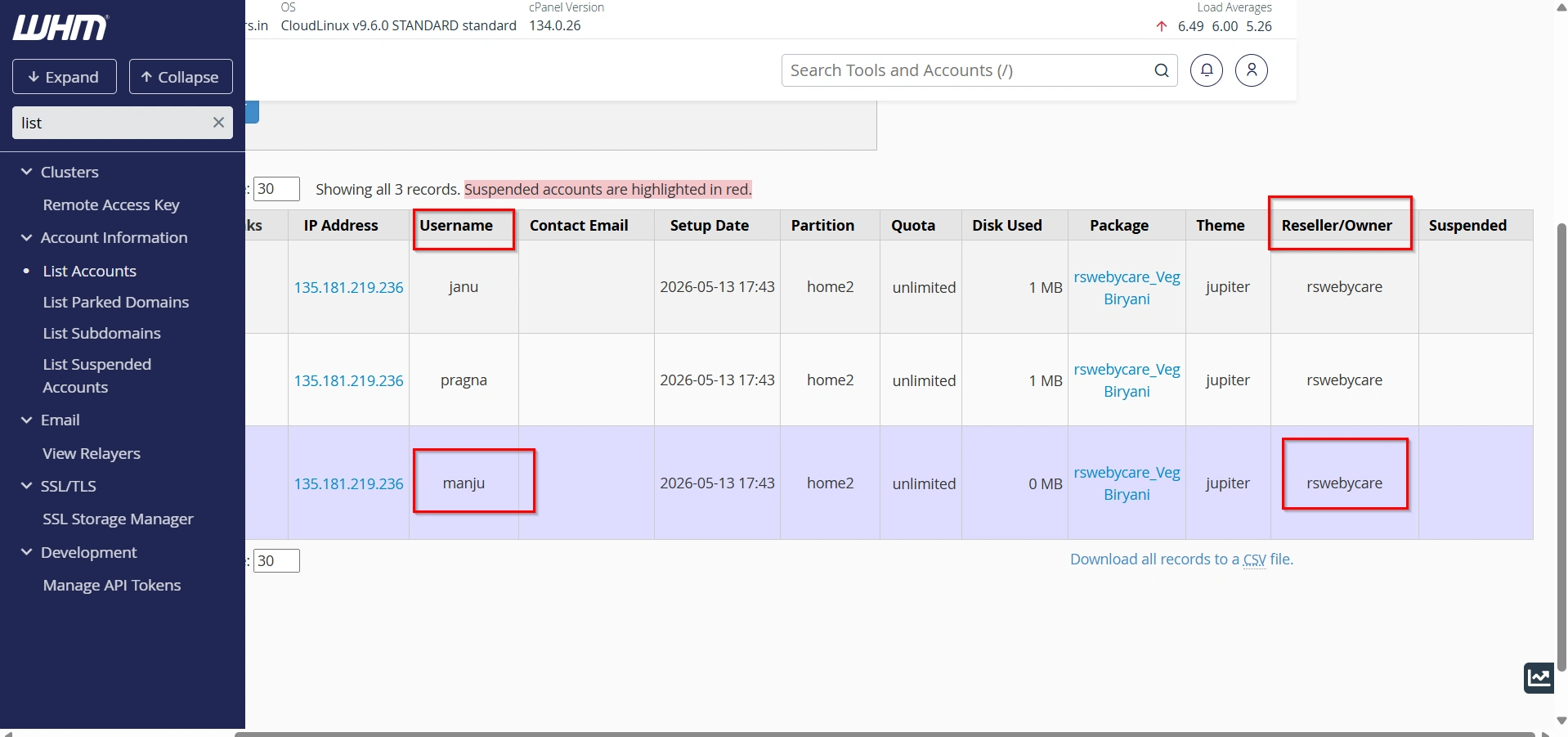
Check the Reseller/Owner column.
This column shows the current owner assigned to the account.
For example, you may notice that an account is currently assigned to a reseller when you want it to be owned by the root user instead.
Make a note of the current ownership before proceeding.
Step 4: Open Modify an Account
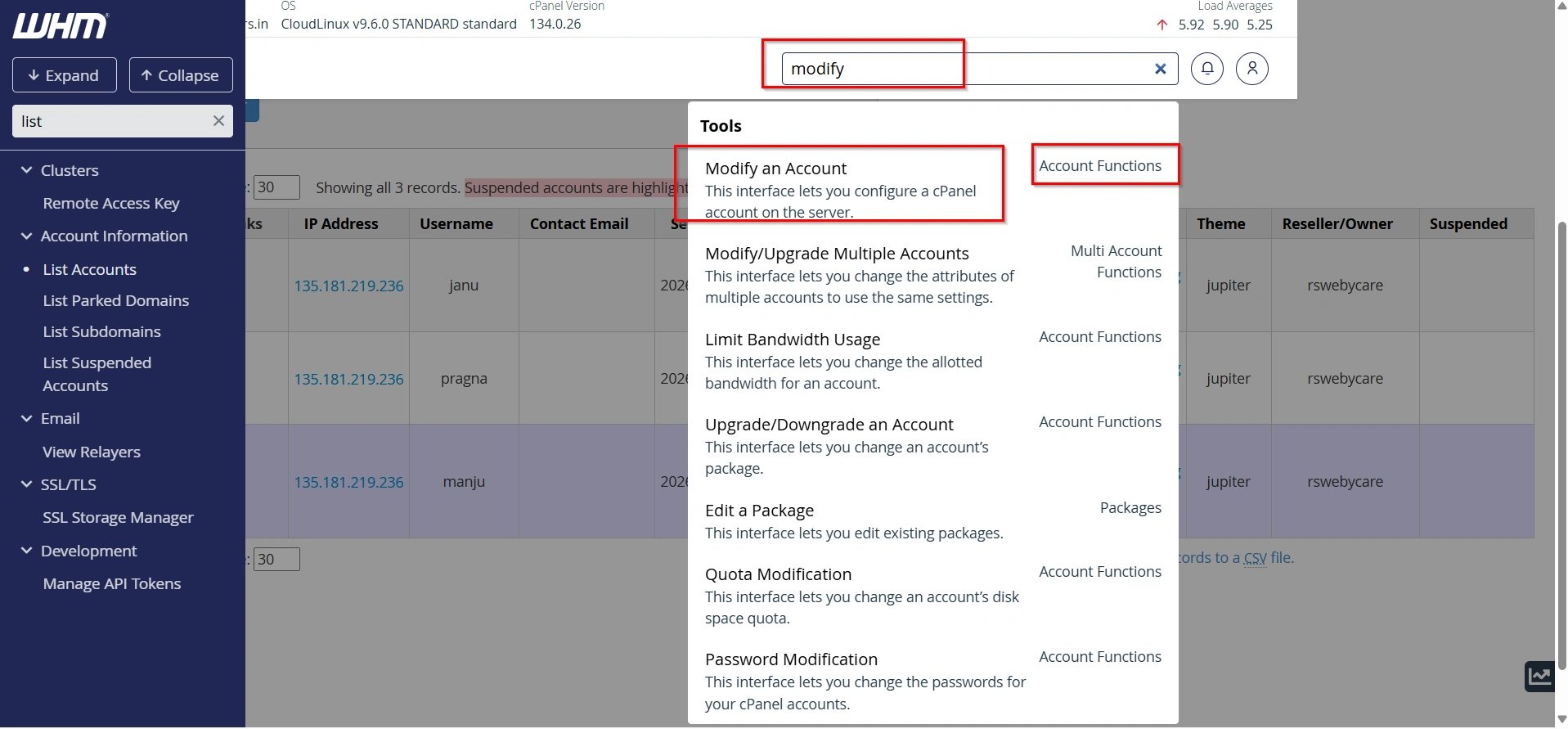
Return to the WHM search box and type:
Modify an Account
Under the Account Functions section, click Modify an Account.
This tool allows administrators to update various account settings including ownership information.
Step 5: Select the Account
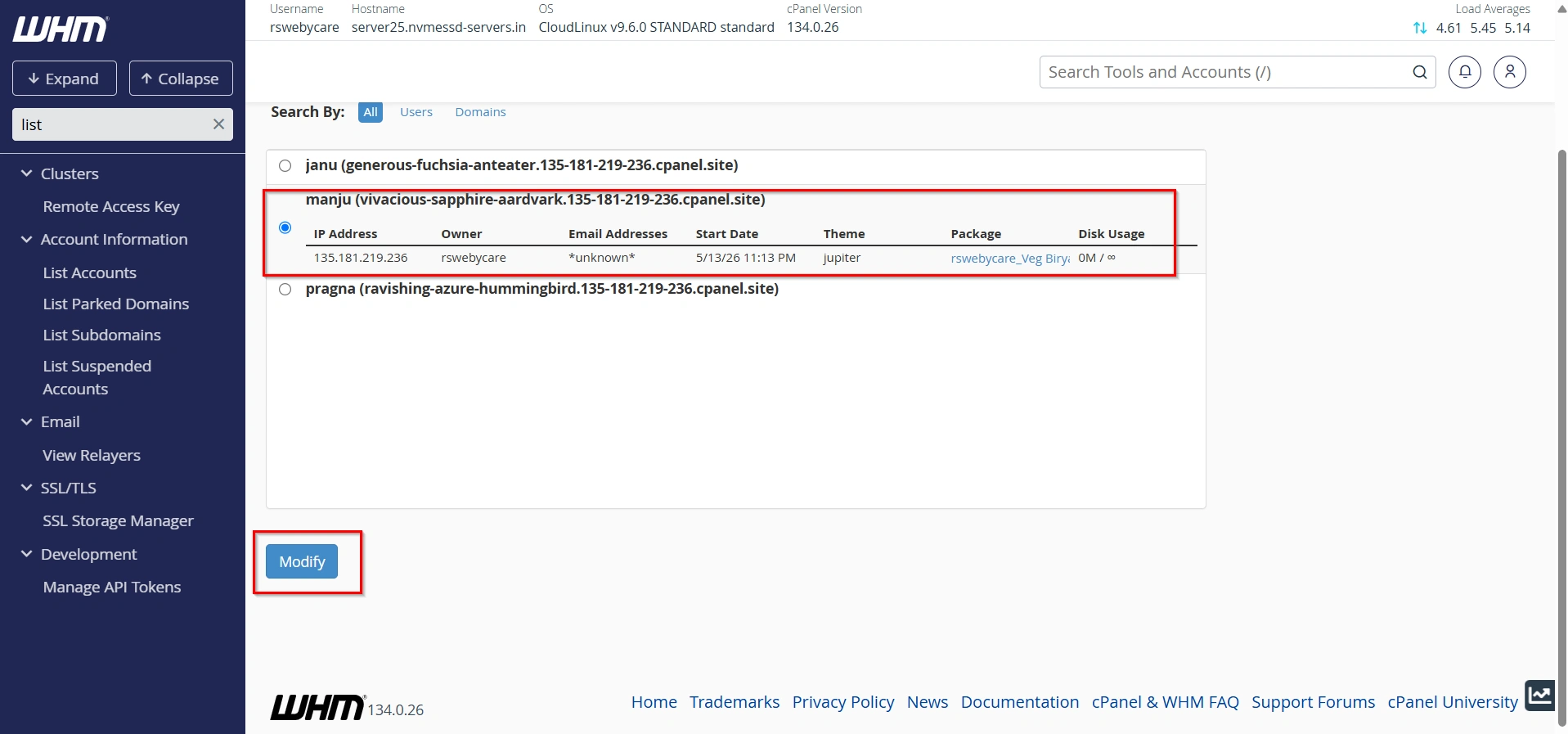
Choose the account you want to modify from the available list.
Click the Modify button next to the selected account.
WHM will load the account settings page.
Step 6: Change the Account Owner
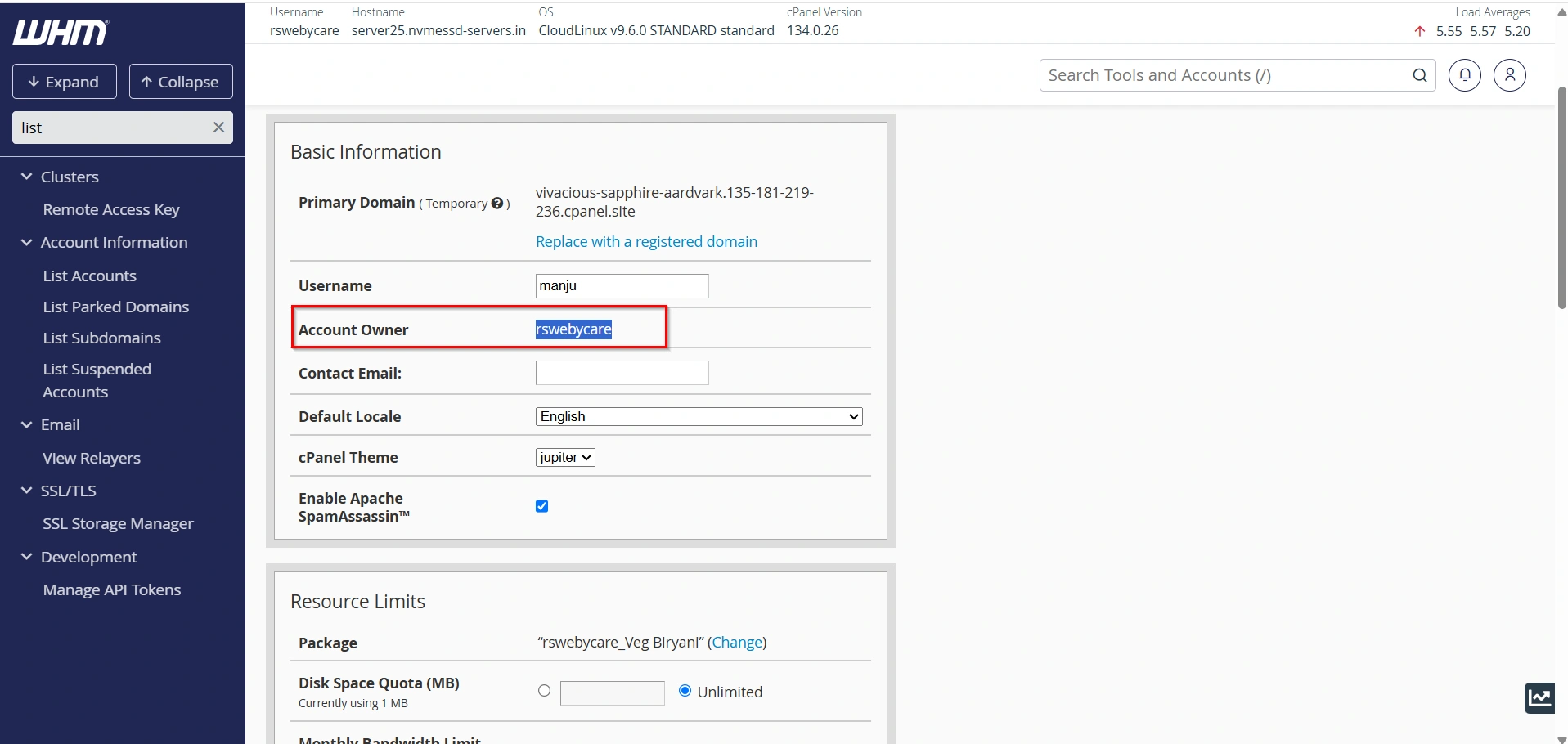
Scroll through the account settings until you find the Account Owner option.
You will see a dropdown menu containing available owners.
Select the new owner from the dropdown list.
For example:
- root
- reseller1
- reseller2
If you want the account to be managed directly by the server administrator, choose root.
After selecting the desired owner, click Save.
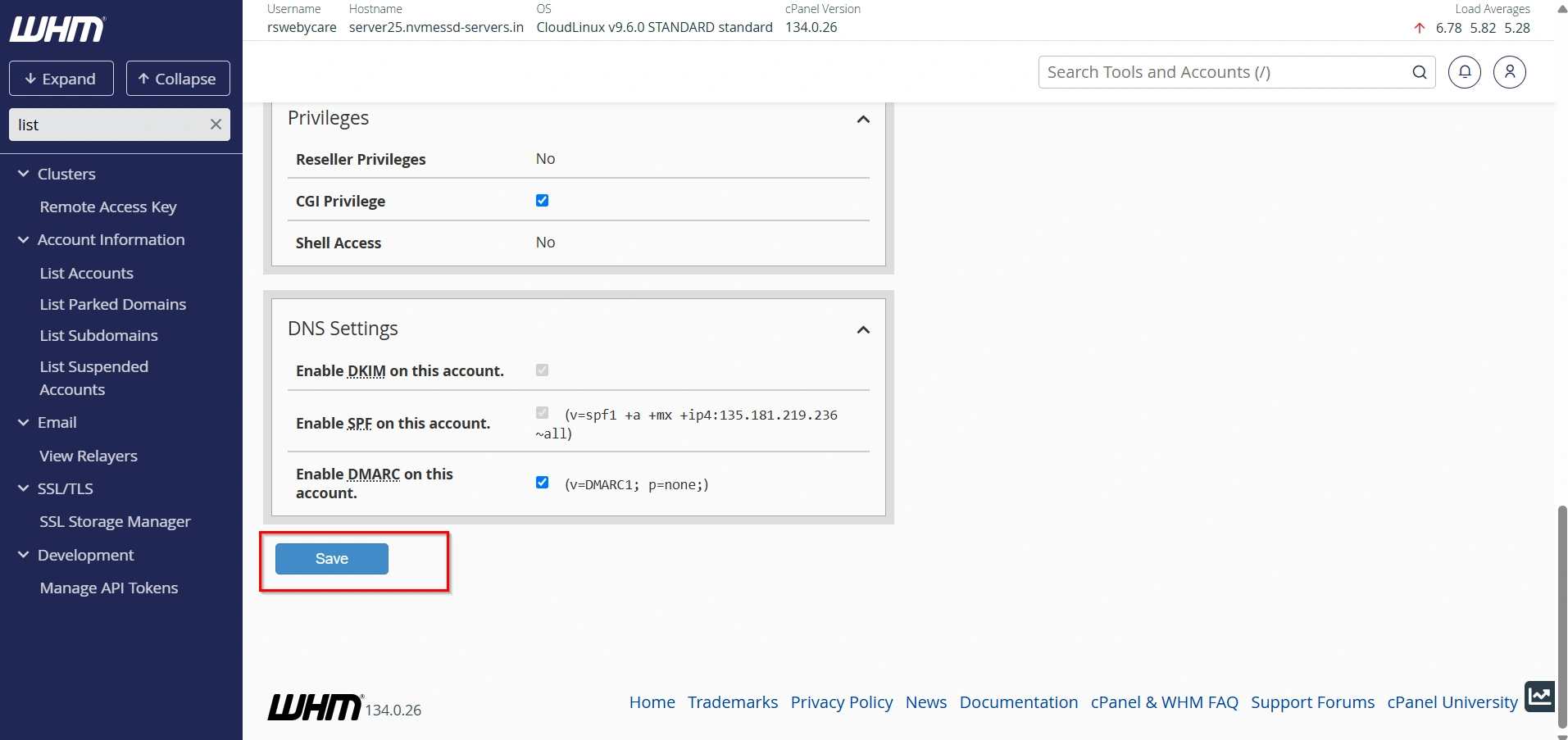
WHM will immediately apply the ownership change.
Step 7: Verify the Ownership Change
After saving the changes, it’s important to confirm that the transfer was successful.
In the WHM search box, type:
List Accounts
Open the List Accounts page again and locate the modified account.
Check the Reseller/Owner column.
You should now see the newly assigned owner displayed.
This confirms that the account ownership has been updated successfully.
What Happens When You Change an Account Owner?
Many administrators worry that changing ownership may affect website functionality.
Fortunately, changing an account owner does not impact:
- Website files
- Email accounts
- Databases
- SSL certificates
- DNS zones
- Website content
The process only changes administrative ownership and management permissions.
Why Change an Account Owner?
There are several reasons why server administrators may need to change account ownership:
Reseller Migration
If a customer is being transferred from one reseller to another, changing the account owner ensures the new reseller can manage the account.
Business Reorganization
Hosting providers often reorganize customer accounts to improve management and resource allocation.
Assign Ownership to Root
Administrators may want to move an account from reseller control to root control for troubleshooting or administrative purposes.
Correct Ownership Errors
Sometimes accounts are assigned to the wrong reseller during creation. Changing the owner quickly resolves this issue.
Account Consolidation
If reseller accounts are being merged or discontinued, ownership of their accounts can be reassigned to another reseller.
Important Notes
- Only users with sufficient privileges, typically the root user, can change account ownership.
- Changing ownership does not affect website files, databases, email accounts, or DNS settings.
- Ensure the new owner has the necessary permissions to manage the account.
- It is recommended to verify account settings after transferring ownership.
Conclusion
Changing an account owner in WHM is a simple but important administrative task that helps hosting providers and server administrators manage accounts efficiently. Whether you’re transferring customers between resellers, assigning ownership to the root user, or reorganizing hosting accounts, WHM makes the process straightforward through the Modify an Account feature.
By following the steps outlined above, you can safely update account ownership while keeping websites, databases, emails, and other account data completely intact. Regularly reviewing account ownership and maintaining proper administrative control can help keep your hosting environment organized, secure, and easy to manage.
For more WHM management tutorials and step-by-step guides, visit our WHM knowledge base: www.webystrata.com/blog/category/whm-panel/
Related Articles