WHM Panel
How to Email All Users in WHM (Web Host Manager)
How to Email All Users in WHM (Web Host Manager) Introduction Managing a hosting server often requires communicating with multiple customers at the same time. Whether you're planning server maintenance, announcing service upgrades, informing…
How to Email All Users in WHM (Web Host Manager)
Introduction
Managing a hosting server often requires communicating with multiple customers at the same time. Whether you’re planning server maintenance, announcing service upgrades, informing users about security updates, or sharing important notices, sending individual emails to every hosting account can be time-consuming.
Fortunately, WHM (Web Host Manager) includes a built-in feature called Email All Users, which allows server administrators to send a single email to all cPanel account owners and reseller accounts from one location.
This feature is especially useful for hosting providers, reseller hosting businesses, server administrators, and IT teams that need to communicate important information quickly and efficiently.
In this guide, you’ll learn how to email all users in WHM using a few simple steps.
What Is the Email All Users Feature in WHM?
The Email All Users feature allows root administrators to send a broadcast email to all hosting account owners on a server.
You can use this feature to notify users about:
- Scheduled Server Maintenance
- Security Updates
- Service Migrations
- Downtime Notifications
- New Feature Announcements
- Hosting Policy Changes
- Important Business Updates
Instead of sending emails manually, WHM lets you communicate with all users from a single interface.
Prerequisites
Before you begin, make sure:
✔ You have Root Access to WHM
✔ WHM is functioning normally
✔ The server mail service is operational
✔ User email addresses are configured correctly
Step 1: Log in to WHM
Common WHM login URLs include:
Enter your WHM username and password to log in.
Once logged in, you’ll be redirected to the WHM dashboard.
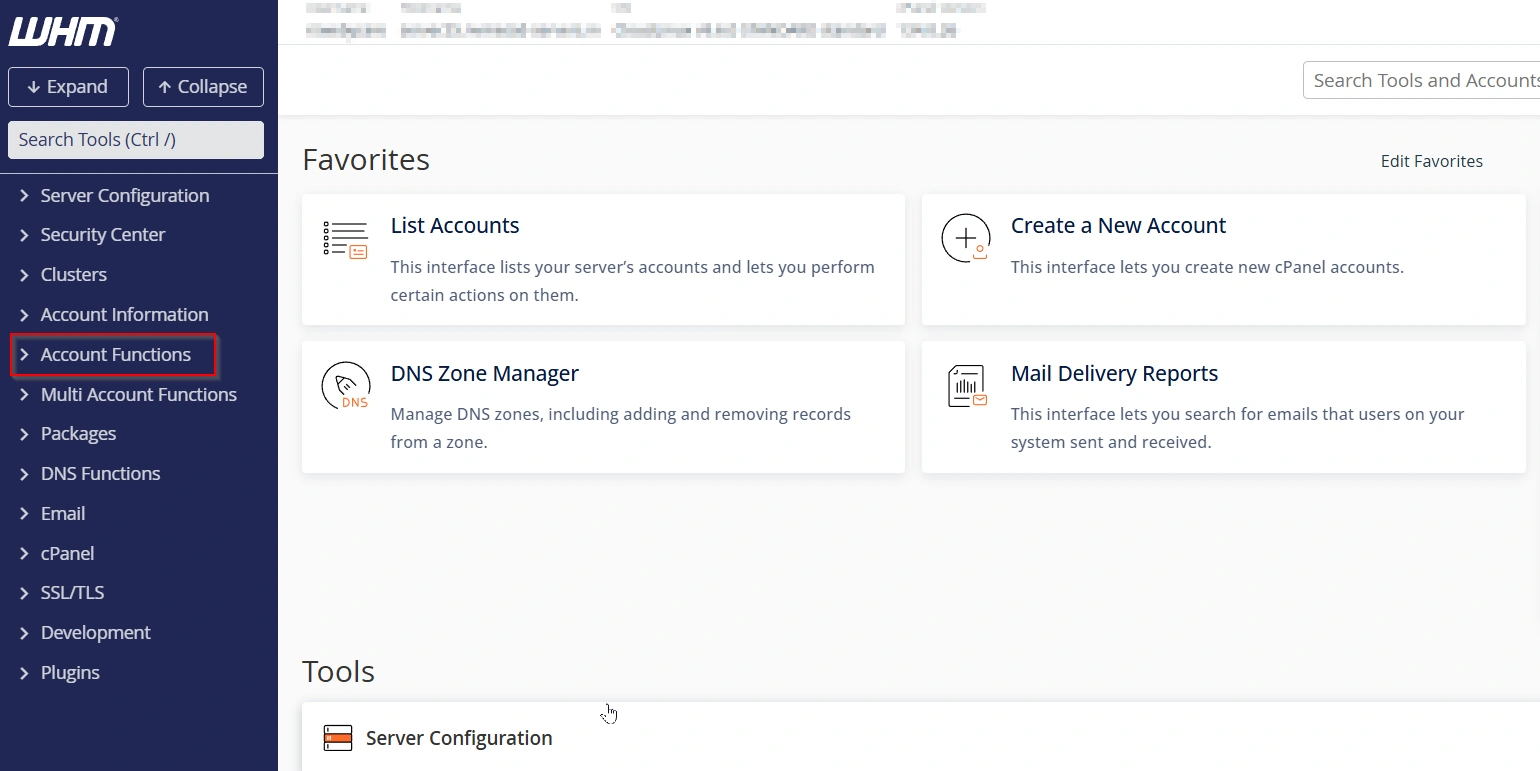
Step 2: Navigate to Account Functions
From the WHM dashboard:
Home → Account Functions
The Account Functions section contains various account management tools, including the option to send emails to all users.
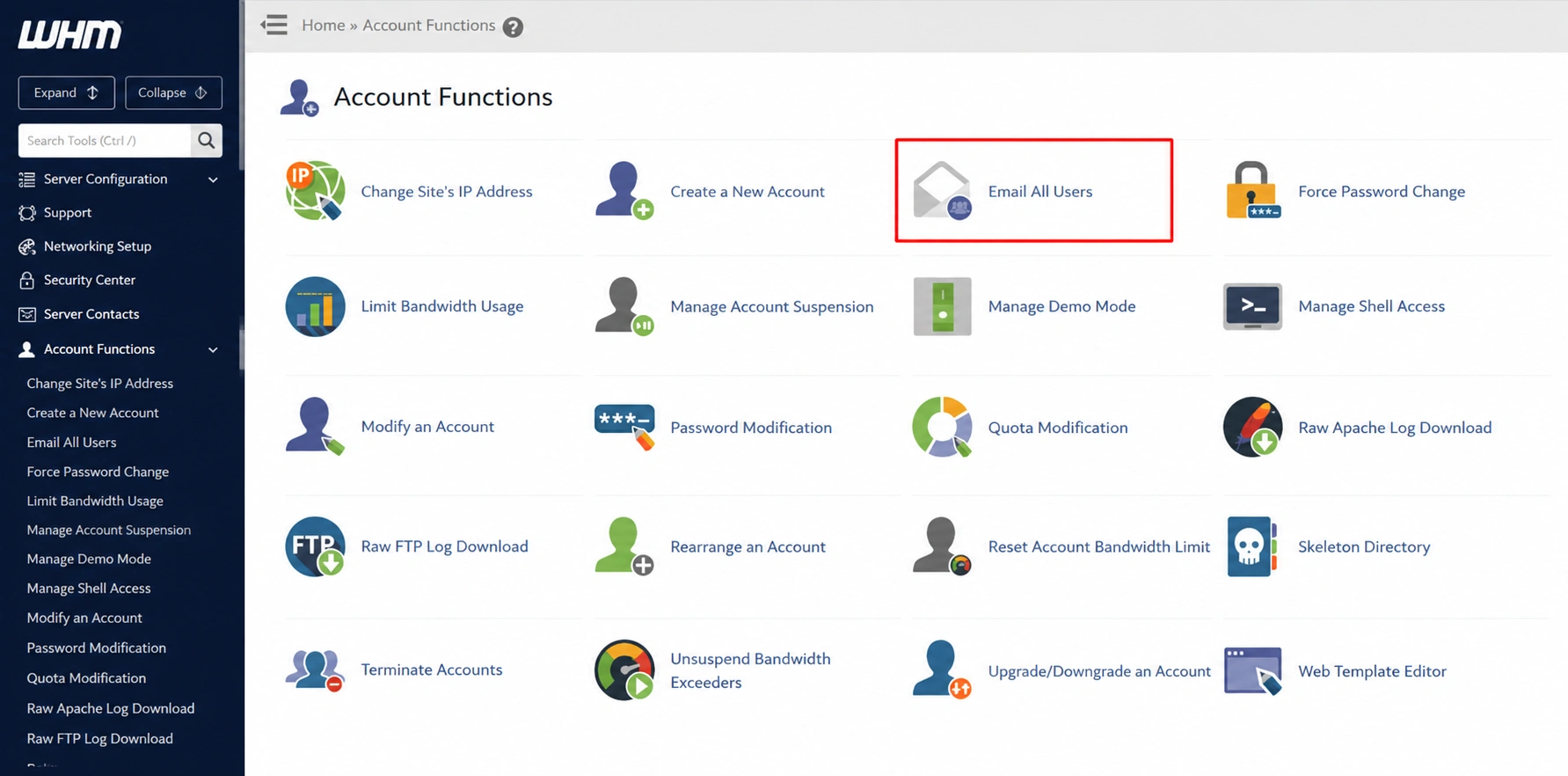
Step 3: Select “Email All Users”
Under Account Functions, click:
Email All Users
This opens the broadcast email interface.
The Email All Users page allows you to compose and send messages to all hosting account owners on the server.
Step 4: Enter Email Details
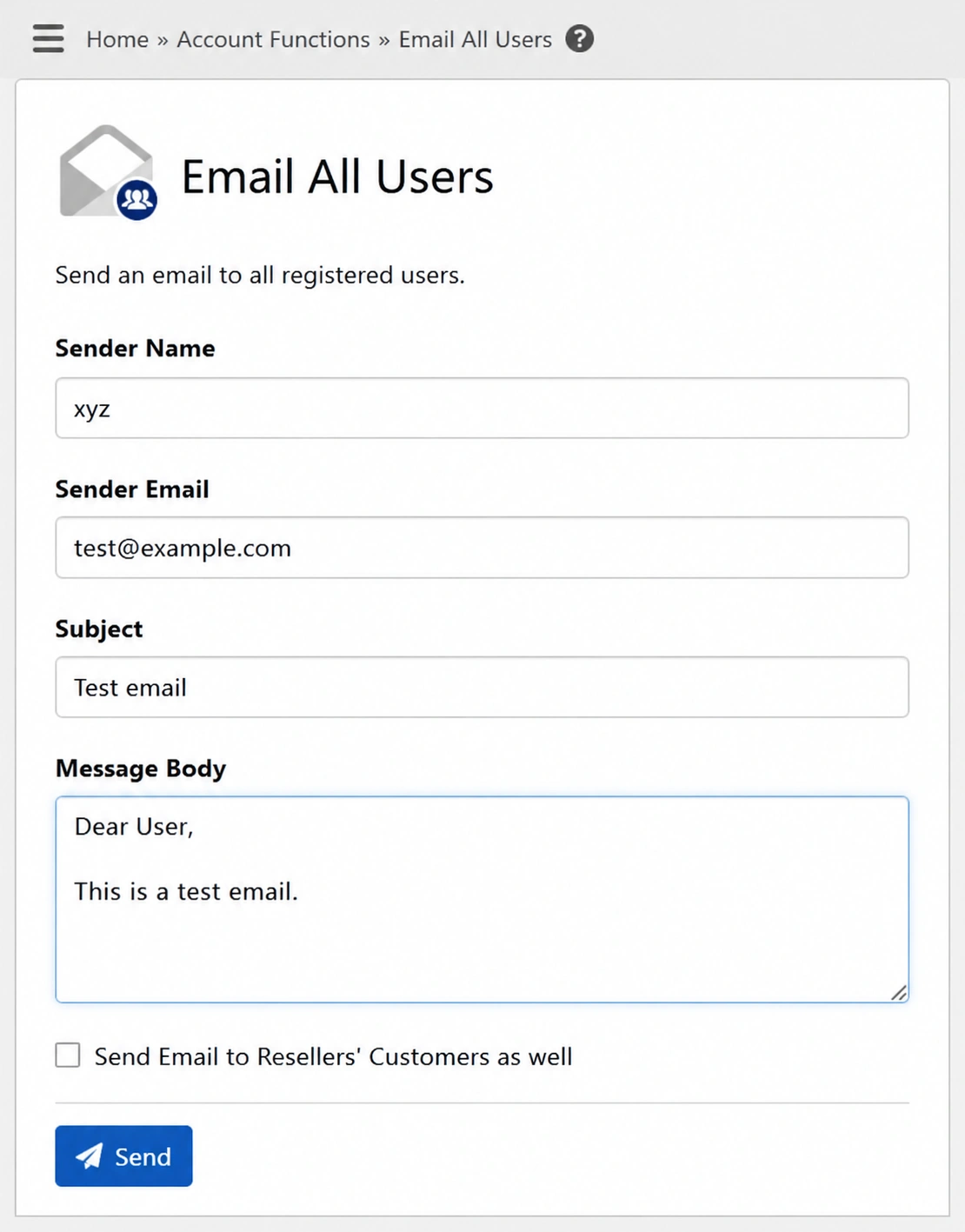
Fill in the required fields:
Sender Name
Enter the name that recipients will see.
Example: xyz
Sender Email
Enter the email address from which the notification will be sent.
Example: test@example.com
Example: test email
Message Body
Write the message you want to send to users.
Example: Dear user,
this is a test email

Regards,
WebyStrata Support Team
Take a moment to review the content before proceeding.
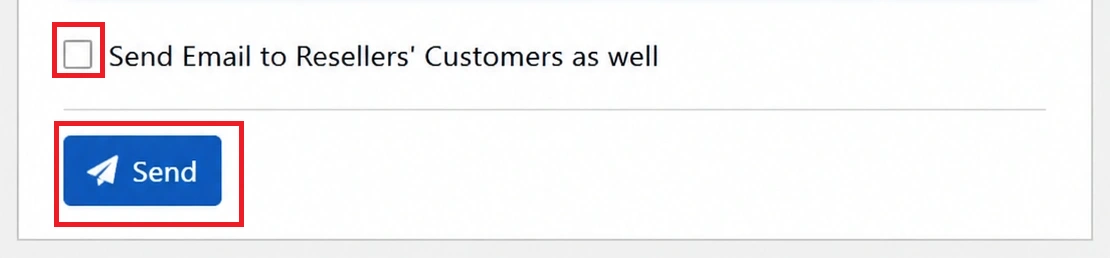
Step 5: Include Reseller Customers (Optional)
If your server contains reseller accounts, you’ll see an option:
Send Email to Resellers’ Customers as Well
Enable this checkbox if you want the notification to reach:
- Reseller Account Owners
- Reseller Hosting Customers
This ensures that all affected users receive the announcement.
If the message is intended only for account owners, leave the option unchecked.
Step 6: Click Send
After reviewing your information:
Click: Send
WHM will refresh the page and display a confirmation screen.
This extra confirmation step helps prevent accidental mass email delivery.
Step 7: Confirm and Send Again
WHM requires a second confirmation before sending emails.
Review:
- Sender Name
- Sender Email
- Subject
- Message Content
- Recipient Information
If everything looks correct: Click Send once again.
Important Warning
⚠ The email will NOT be sent after the first click.
You must click Send a second time on the confirmation page to complete the process.
Many administrators overlook this step and assume the emails have already been delivered.
Successful Email Delivery
After the second confirmation, WHM displays a success message similar to: Emails have been sent!
This confirms that your broadcast email has been delivered to the selected users.
The Email All Users feature in WHM provides a simple and effective way to communicate with all hosting account owners from one centralized location. Whether you’re announcing maintenance, security updates, migrations, or service improvements, this tool helps ensure your users stay informed.
By following the steps above, you can quickly send professional notifications to all cPanel users and reseller customers while improving communication and customer satisfaction.
Follow For More Updates: www.webystrata.com/blog
Related Articles