Latest Updates
Learn to Work with Feature Lists in WHM
Learn to Work with Feature Lists in WHM Managing a web hosting server involves more than just creating cPanel accounts. As a hosting provider, reseller, or server administrator, you often need to control which…
Learn to Work with Feature Lists in WHM
Managing a web hosting server involves more than just creating cPanel accounts. As a hosting provider, reseller, or server administrator, you often need to control which features are available to different users. This is where Feature Lists in WHM become extremely useful.
Feature Lists allow administrators to customize the functionality available within cPanel accounts. Instead of manually enabling or disabling features for every account, you can create predefined lists and assign them to hosting packages. This saves time, improves security, and ensures consistency across your hosting environment.
In this guide, you’ll learn what Feature Lists are, why they matter, and how to create and manage them effectively within WHM.
What Are Feature Lists in WHM?
A Feature List in WHM is a collection of cPanel features that can be enabled or disabled for hosting accounts. These lists determine what tools and options users can access from their cPanel dashboard.
For example, you can choose whether users have access to:
- File Manager
- phpMyAdmin
- AWStats
- Backup Wizard
- Cron Jobs
- IP Blocker
- SSH Access
- FTP Accounts
- Redirects
- Email Filters
By controlling these features, you can customize hosting plans according to customer requirements and business objectives.
How to Create a Feature List in WHM
Creating a Feature List is a straightforward process.
Step 1: Log in to WHM
Start by accessing your WHM dashboard.
Common WHM login URLs include:
Enter your WHM username and password to log in.
Once authenticated, you will be directed to the WHM home page where all server management tools are available.
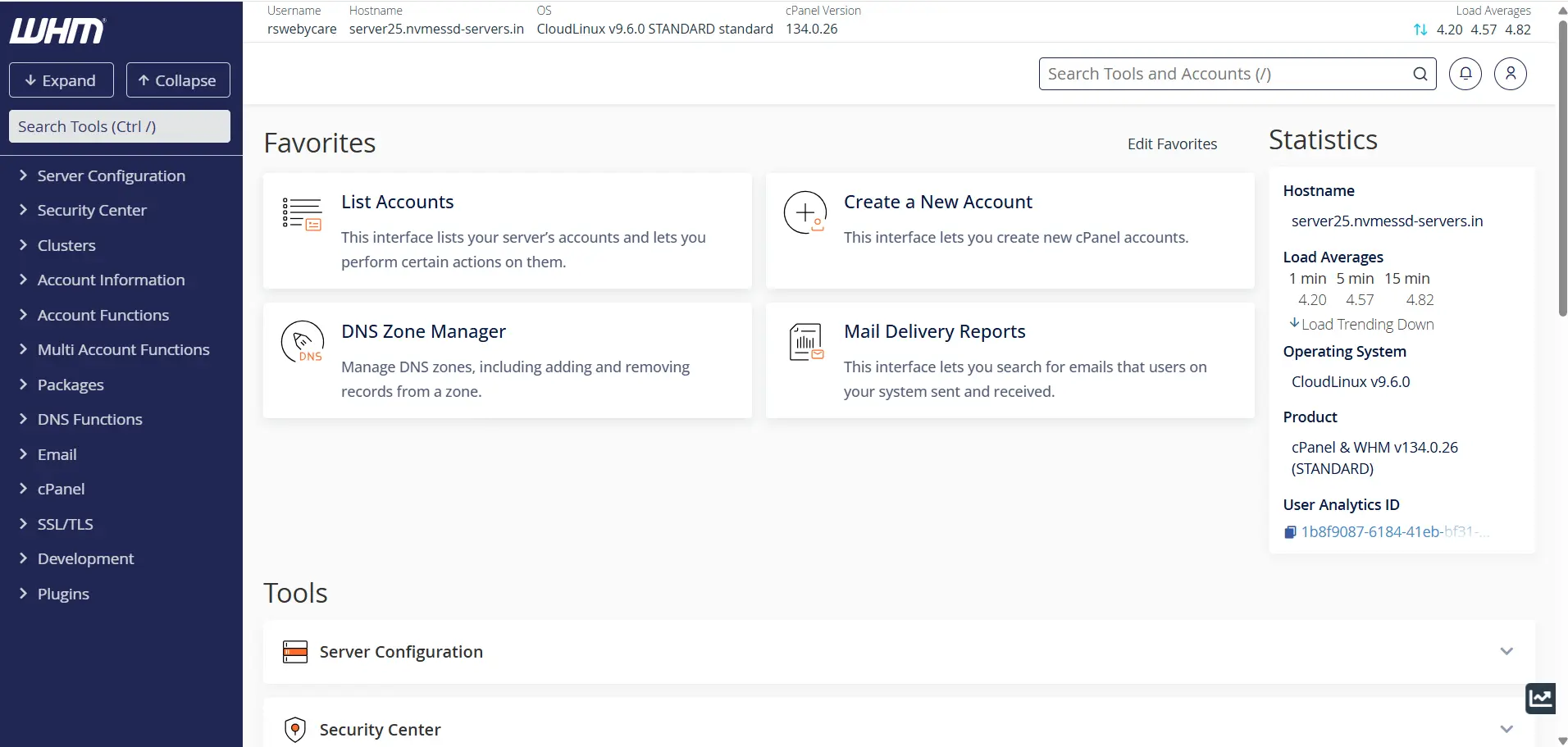
Step 2: Open Feature Manager
From the WHM sidebar menu:
Packages → Feature Manager
The Feature Manager interface allows you to create and manage Feature Lists.
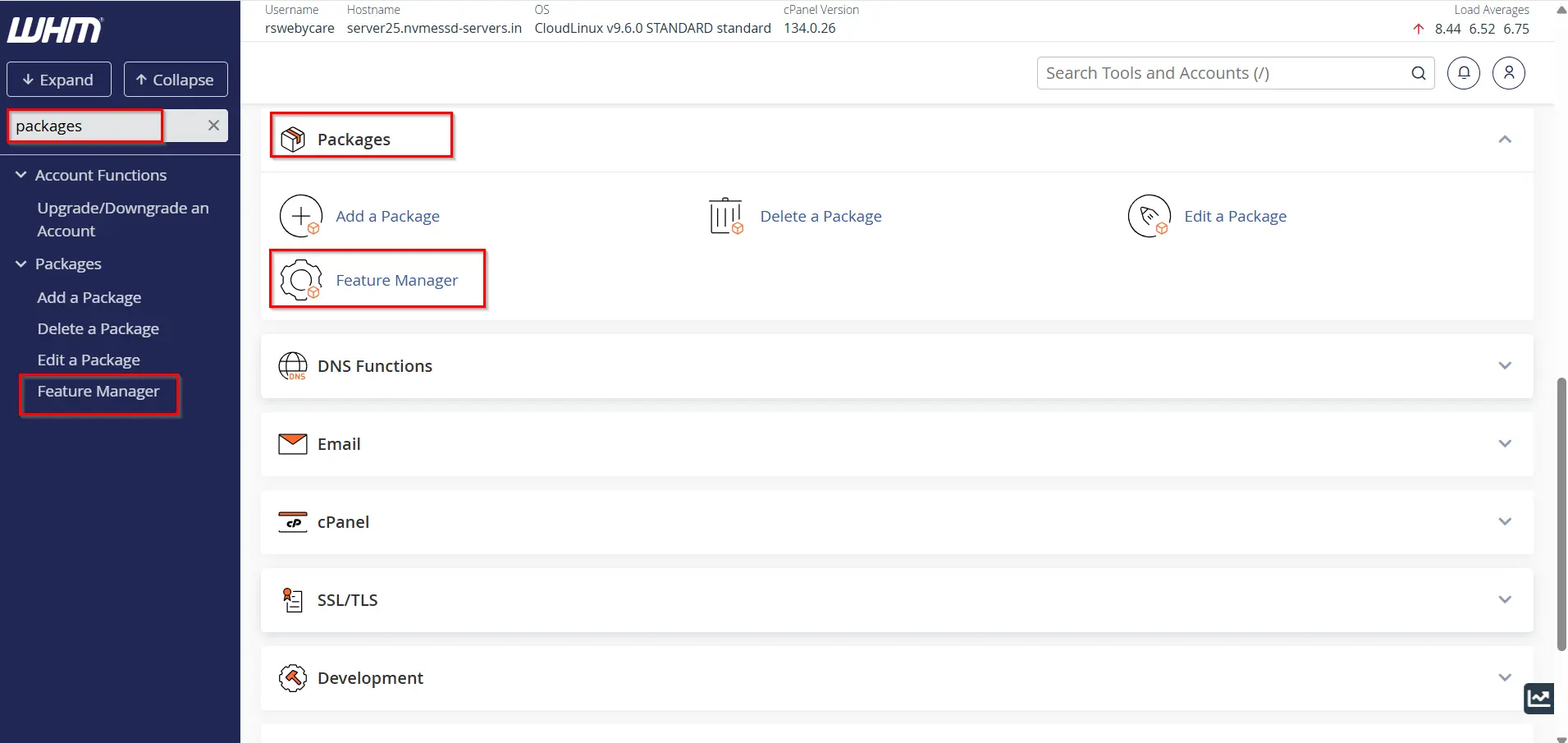
Step 3: Create a New Feature List
Under the section labeled Add a New Feature List, enter a unique name for your list.
Examples:
- Basic Hosting Features
- Business Hosting Features
- Developer Package Features
Click Add Feature List.
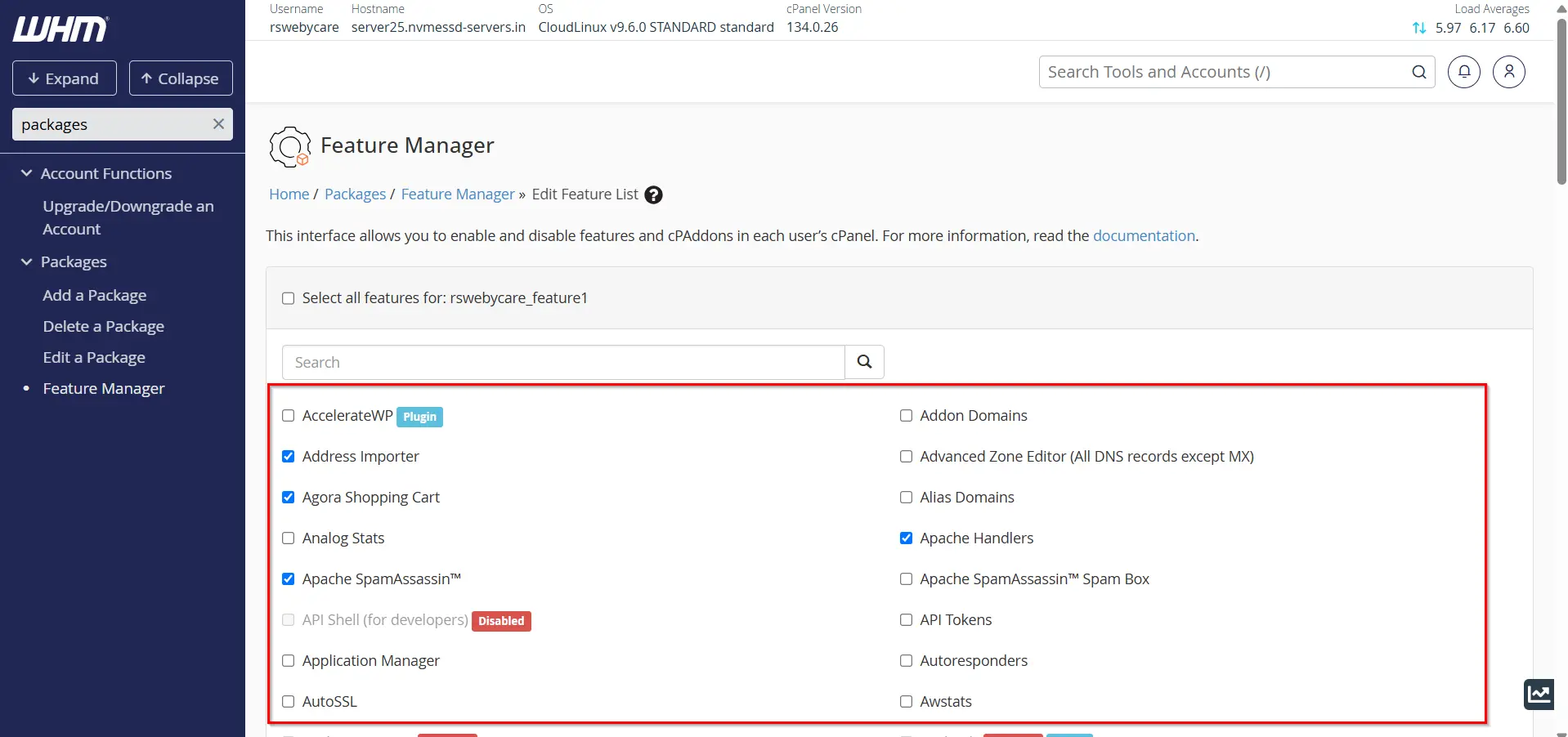
Step 4: Select Desired Features
A complete list of available cPanel features will appear.
Check the boxes next to features you want users to access and uncheck features you want to disable.
You can customize the list based on your hosting package requirements.
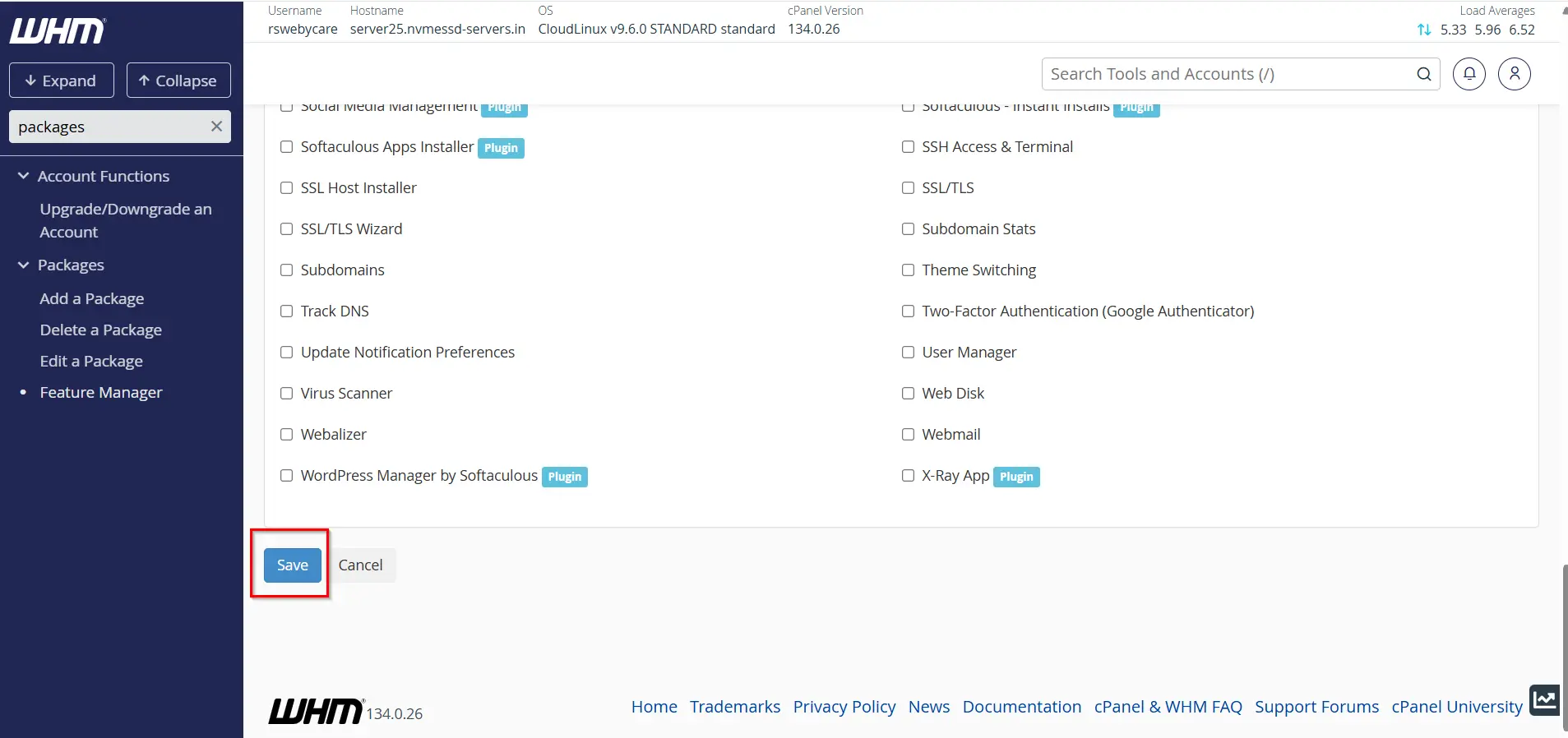
Step 5: Save the Feature List
Scroll to the bottom of the page and click Save.
Your Feature List is now available for package assignment.
Assigning a Feature List to a Hosting Package
Feature Lists are not assigned directly to cPanel accounts. Instead, they are linked to hosting packages.
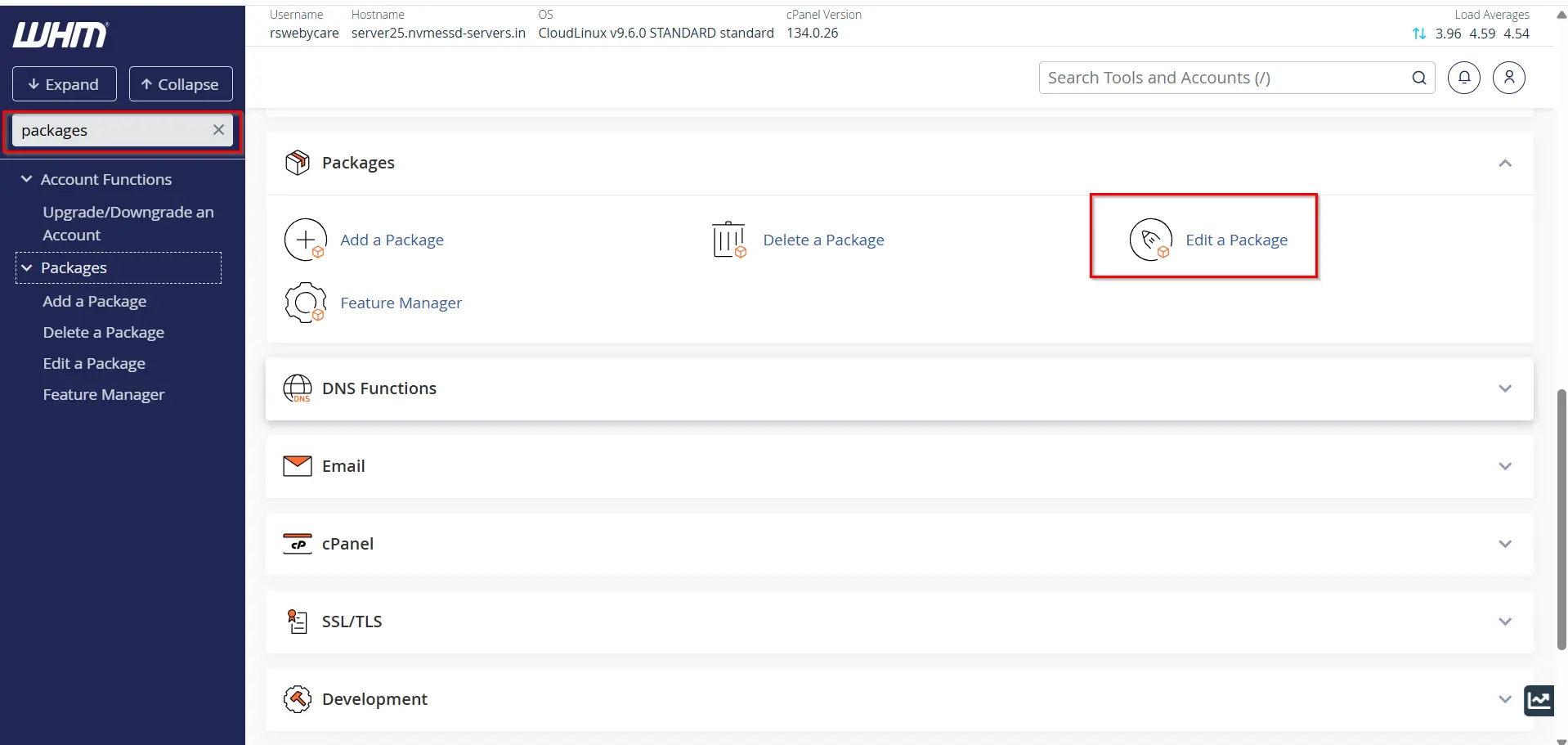
Step 1: Navigate to Edit a Package
In WHM, go to:
Packages → Edit a Package
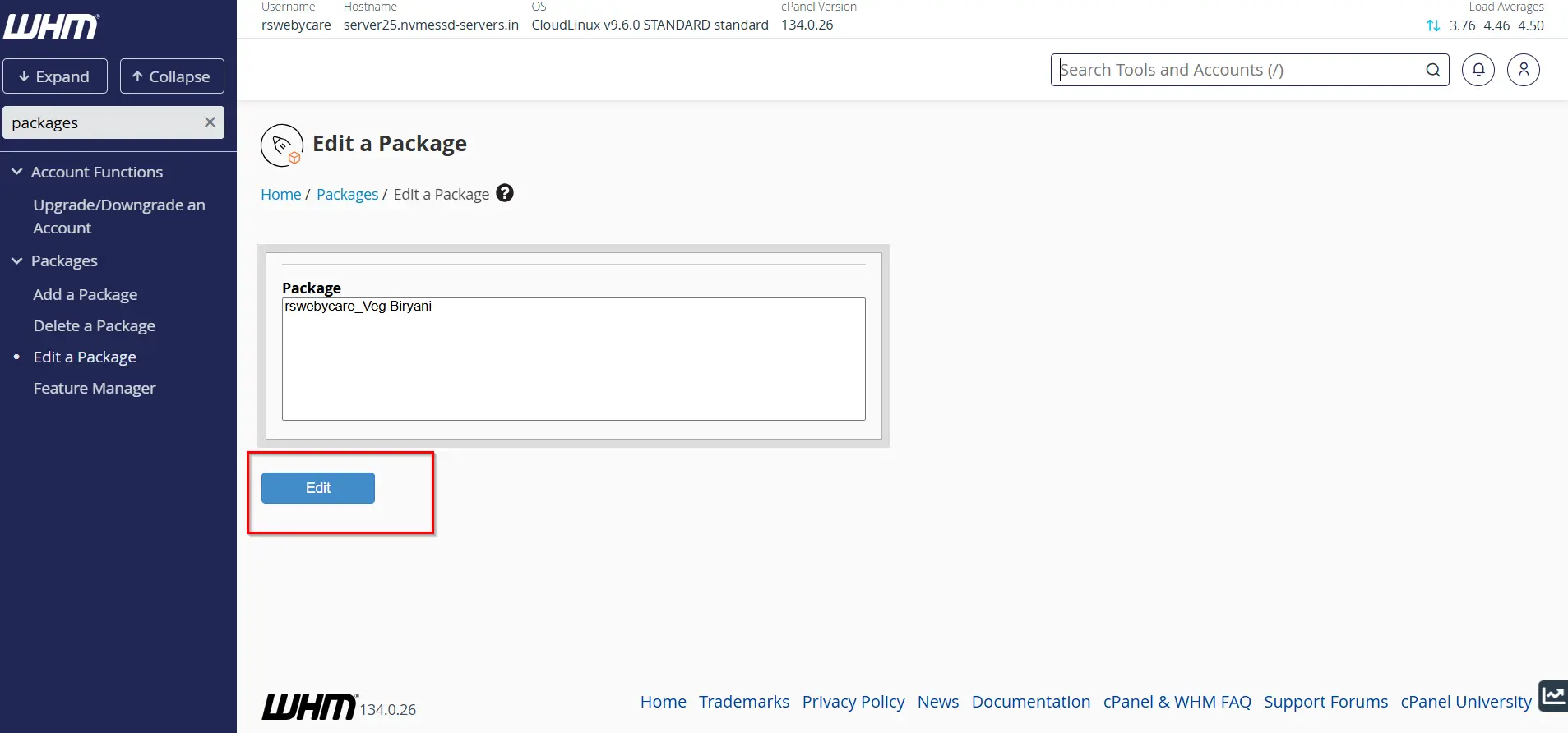
Step 2: Select a Package
Choose the package you wish to modify and click Edit.
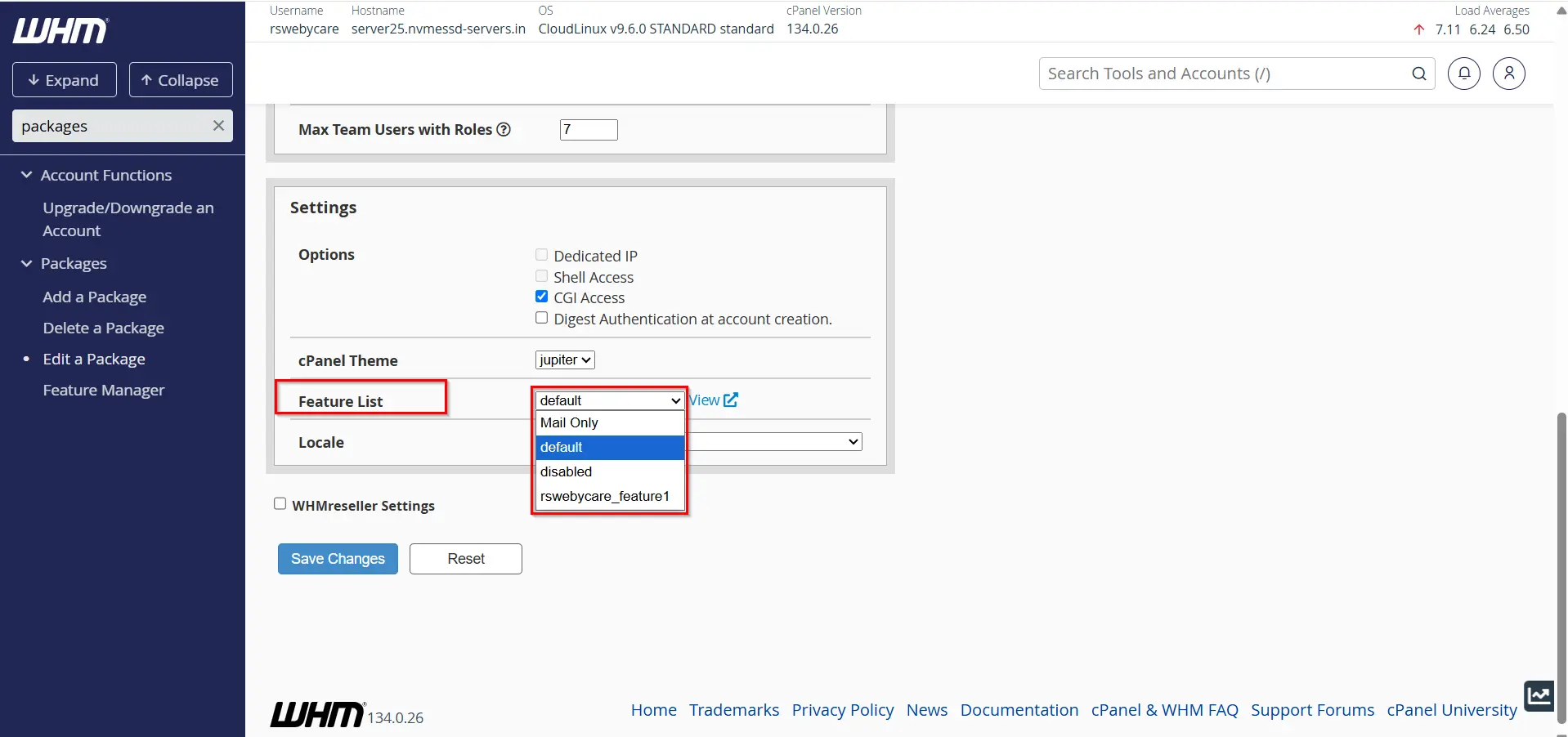
Step 3: Choose the Feature List
Locate the Feature List dropdown menu under package settings.
Select the Feature List you created earlier.
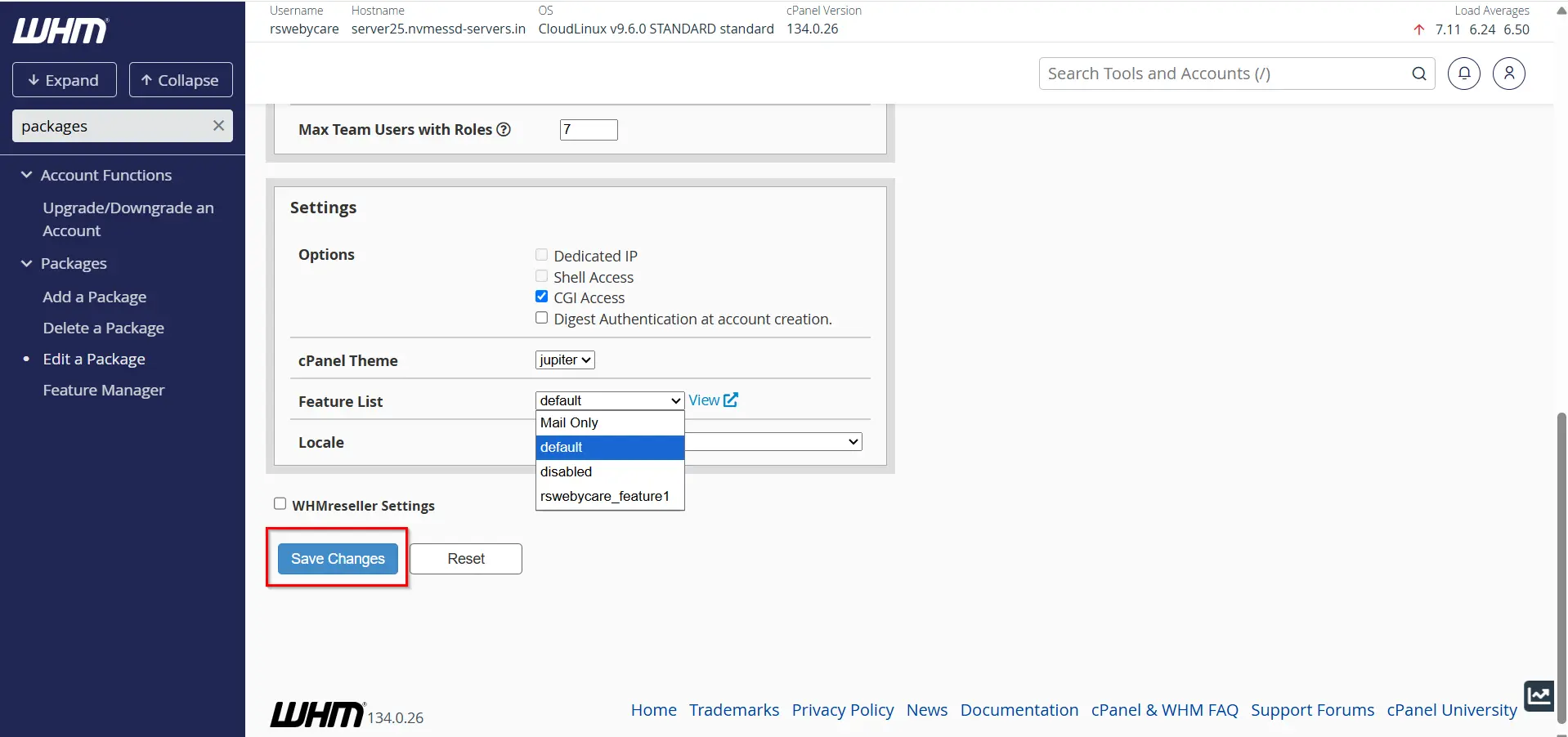
Step 4: Save Changes
Click Save Changes to update the package.
Any new accounts created using this package will automatically inherit the selected Feature List.
Common Use Cases for Feature Lists
Feature Lists are commonly used in the following scenarios:
- Restricting SSH access on shared hosting plans.
- Disabling Backup Wizard for low-cost packages.
- Providing advanced developer tools for premium plans.
- Limiting database management options for beginner users.
- Creating customized reseller hosting environments.
These use cases help maintain security while providing customers with the tools they actually need.
Why Are Feature Lists Important?
Feature Lists provide flexibility and control when managing multiple hosting accounts. Rather than giving every user unrestricted access, you can create different levels of permissions based on hosting packages.
Some hosting providers create separate feature lists for:
- Shared Hosting
- Business Hosting
- Reseller Hosting
- Managed Hosting
- Developer Hosting
This ensures customers receive only the tools included in their selected hosting plan.
Benefits of Using Feature Lists in WHM
1. Simplified Account Management
Feature Lists eliminate the need to configure permissions manually for each account. Once a list is created, it can be assigned to multiple packages and users.
2. Better Security
Certain cPanel features may not be necessary for all users. Disabling unused features reduces security risks and prevents accidental misuse.
3. Customized Hosting Packages
Different customers have different requirements. Feature Lists make it easy to create hosting plans tailored to beginners, businesses, or developers.
4. Consistent User Experience
Every account assigned to the same package receives identical feature access, ensuring consistency across your hosting platform.
5. Efficient Resource Management
Restricting unnecessary features can help reduce server load and improve overall resource utilization.
Conclusion
Feature Lists in WHM are a powerful tool for controlling the functionality available to cPanel users. They simplify account administration, improve security, and help hosting providers create customized hosting plans with ease.
By understanding how to create, assign, and manage Feature Lists, you can streamline your hosting operations and provide a better experience for your customers. Whether you manage a few websites or hundreds of hosting accounts, Feature Lists offer an efficient way to maintain consistency and control across your server environment.
For more WHM management tutorials and step-by-step guides, visit our WHM knowledge base: www.webystrata.com/blog/category/whm-panel/
Related Articles