cPanel
How to Configure Leech Protection in cPanel
How to Configure Leech Protection in cPanel Website security is one of the most important aspects of managing a hosting account. If your website contains password-protected directories, member-only content, client portals, training materials, or…
How to Configure Leech Protection in cPanel
Website security is one of the most important aspects of managing a hosting account. If your website contains password-protected directories, member-only content, client portals, training materials, or private documents, protecting those resources from unauthorized access is essential.
cPanel provides a useful security feature called Leech Protection that helps prevent users from sharing their login credentials with others. This feature monitors access to password-protected directories and can automatically take action when suspicious login activity is detected.
In this guide, you will learn what Leech Protection is, how it works, why it is important, and how to configure Leech Protection in cPanel to secure your website.
What Is Leech Protection in cPanel?
Leech Protection is a security feature in cPanel that protects password-protected directories from unauthorized access.
When enabled, Leech Protection monitors login attempts made using usernames assigned to a protected directory. If the same username is used excessively within a specified period, cPanel assumes the credentials may have been shared and takes the configured action.
These actions may include:
- Disabling compromised accounts
- Redirecting suspicious users
- Sending email notifications to administrators
- Preventing further access attempts
This makes Leech Protection particularly useful for websites that provide premium content or restricted access areas.
Why Use Leech Protection?
Without Leech Protection, users can easily share their login credentials with multiple people.
For example:
- Online course websites
- Membership websites
- Customer portals
- Employee resource portals
- Download centers
- Premium content websites
If one account is shared among many users, unauthorized visitors may gain access to protected content.
Leech Protection helps identify and stop this behavior automatically.
How Does Leech Protection Work?
Leech Protection works by monitoring access to password-protected directories.
When users log in:
- cPanel records login activity.
- The system counts how many times a username is used.
- If the configured threshold is exceeded:
- The account may be disabled.
- The user may be redirected.
- The administrator may receive an alert email.
This process helps prevent credential sharing and unauthorized access.
Prerequisites Before Configuring Leech Protection
Before enabling Leech Protection, ensure that:
- You have access to cPanel.
- A password-protected directory already exists.
- Users have been created for the protected directory.
- You have a valid email address for notifications.
How to Configure Leech Protection in cPanel
Step 1: Login to cPanel from Client Area
First, visit the WebyStrata website and log in to your client area account using your registered email address and password.
official Website www.webystrata.com
After logging in:
- Go to Services
- Click on My Services
- Select your active hosting service
- Click on Login to cPanel

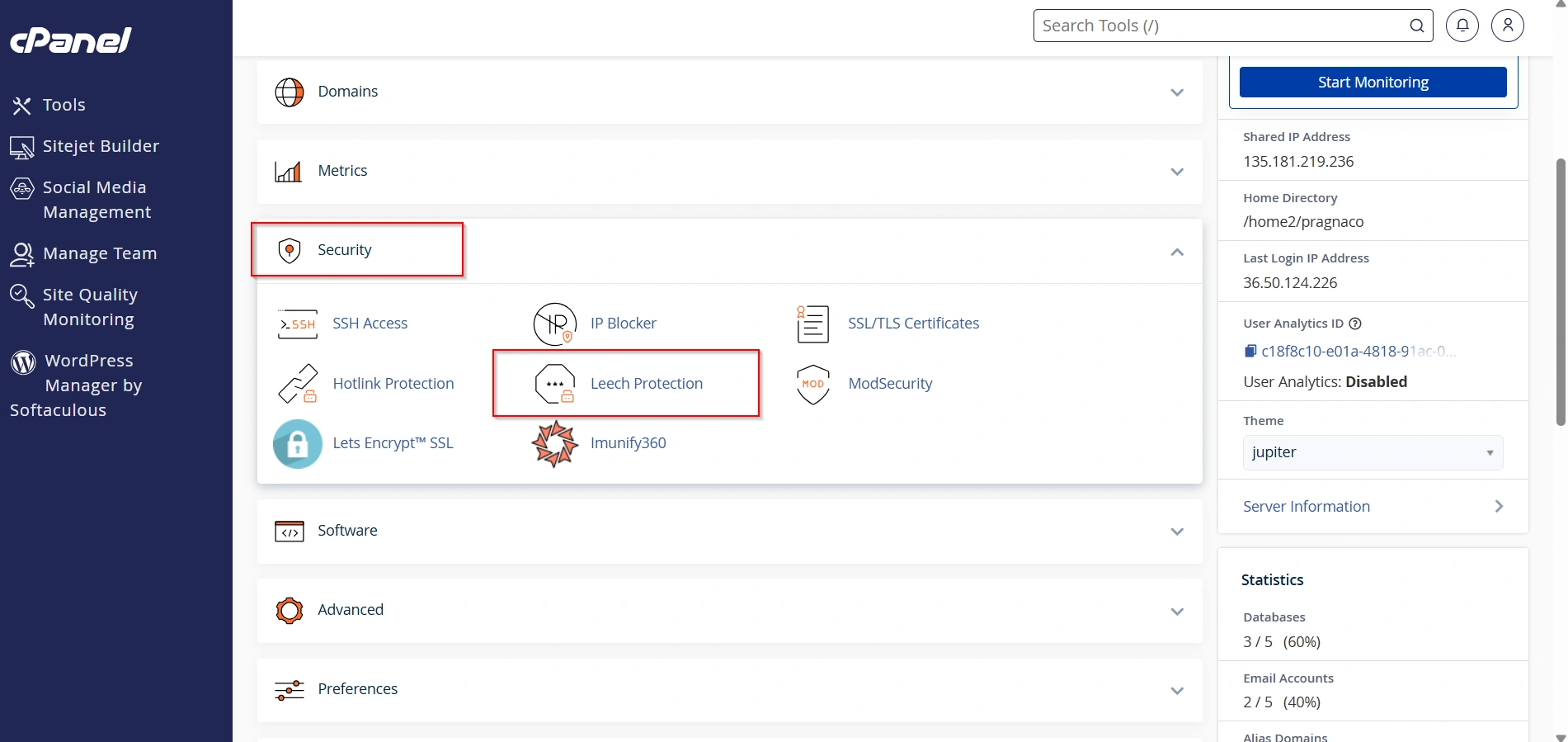
Step 2: Open Leech Protection
Under the Security section, click Leech Protection.
The Leech Protection interface displays all directories available within your hosting account.
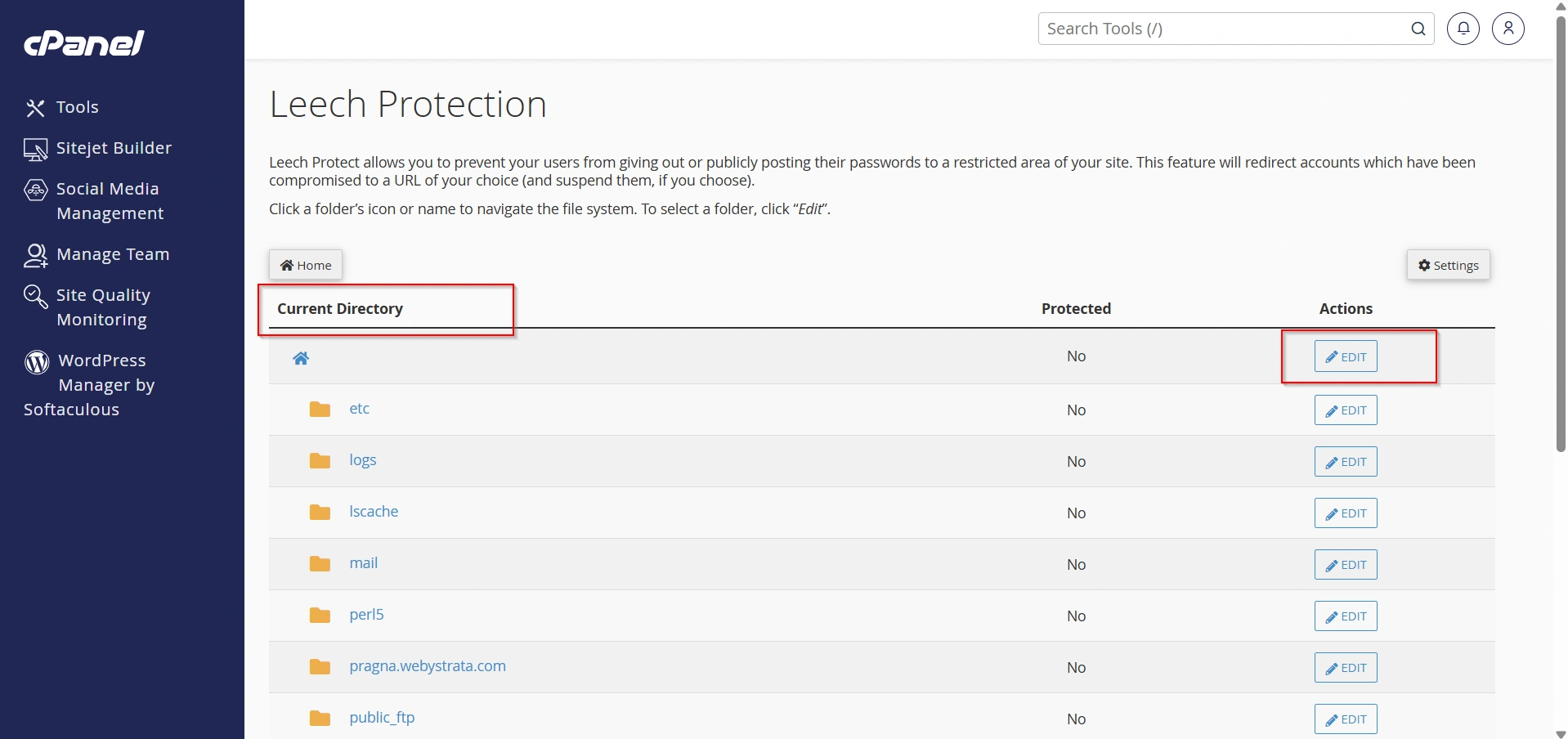
Step 3: Select the Directory to Protect
Browse through the directory structure and locate the password-protected folder you want to secure.
Examples include:
- Members Area
- Client Portal
- Downloads Directory
- Training Materials
- Premium Content Folder
Click the directory name to access the Leech Protection settings.
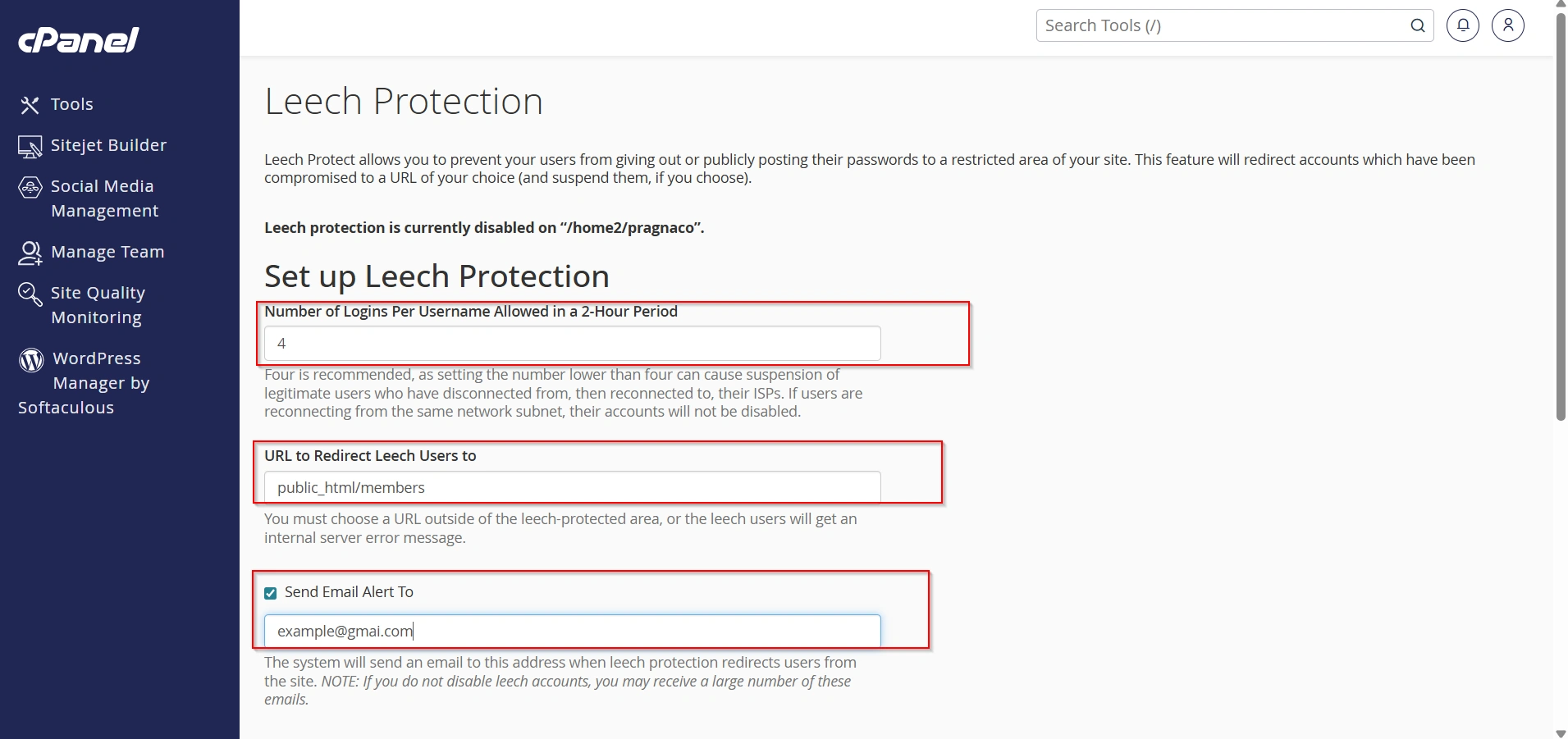
Step 4: Configure Protection Settings
Enable Leech Protection for the selected directory.
You can then configure the available options:
Number of Logins Per Username
Specify how many logins are allowed within a two-hour period.
Examples:
- 4 logins
- 6 logins
- 8 logins
Choose a value appropriate for your website’s usage patterns.
Disable Compromised Accounts
Enable this option if you want cPanel to automatically disable accounts that exceed the login threshold.
Redirect Suspicious Users
You can enter a URL where users will be redirected if suspicious activity is detected.
Email Notifications
Provide an email address to receive alerts whenever Leech Protection is triggered.
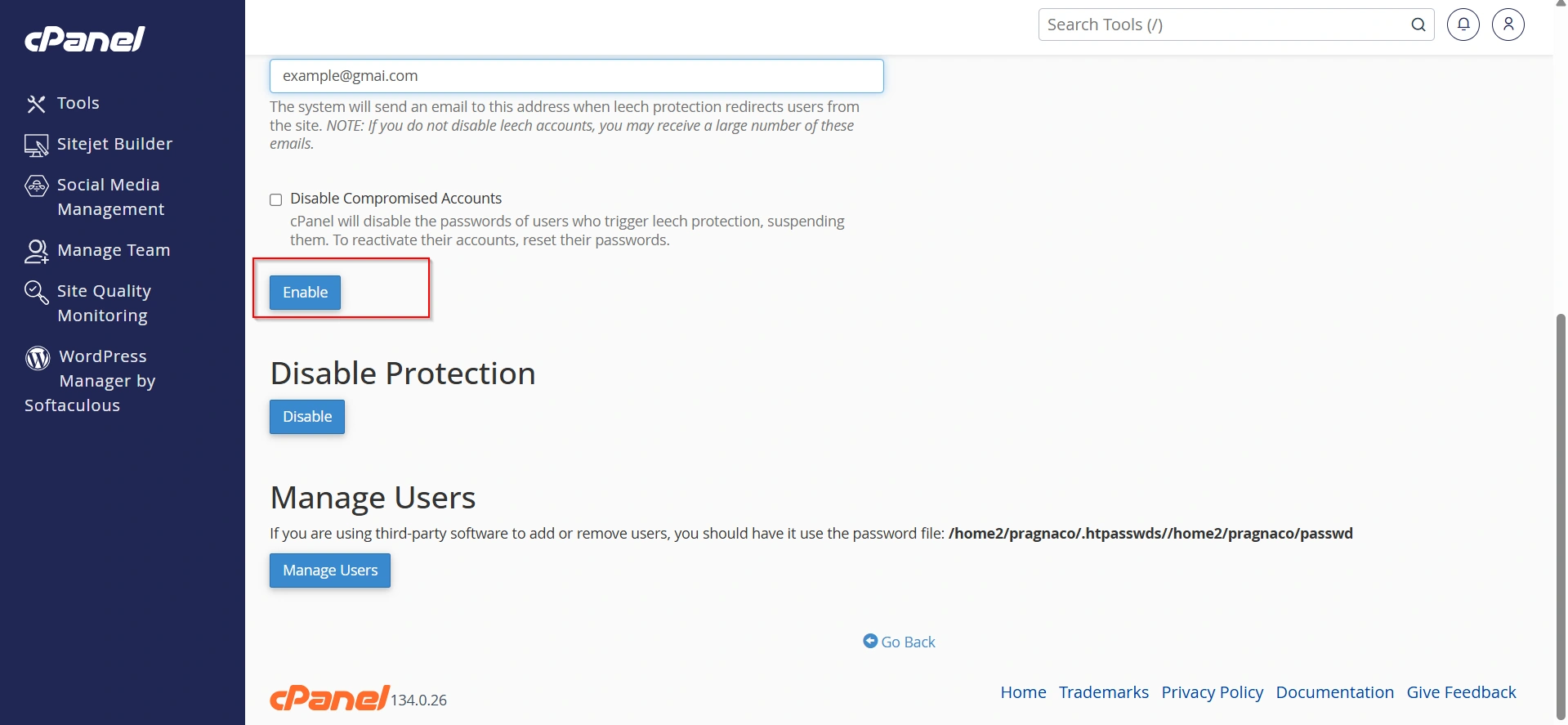
Step 5: Enable the Configuration
Click Enable to apply your settings.
Leech Protection will immediately begin monitoring access to the selected directory.
Common Use Cases for Leech Protection
Membership Websites
Online Training Platforms
Client Portals
Corporate Intranets
Download Libraries
Benefits of Leech Protection in cPanel
Improved Security
Protects Revenue
Automatic Monitoring
Email Notifications
Easy Configuration
Reduced Risk of Credential Abuse
Conclusion
Leech Protection in cPanel is a powerful security feature that helps website owners prevent unauthorized access to password-protected directories. By monitoring login activity, detecting suspicious behavior, and automatically responding to potential credential-sharing incidents, it provides an additional layer of protection for membership sites, online learning platforms, client portals, and other restricted areas.
Properly configuring Leech Protection can significantly improve your website’s security while helping ensure that only authorized users can access sensitive content. If your website relies on password-protected directories, enabling Leech Protection is a simple yet effective way to safeguard your resources and maintain control over user access.
Related Articles