Latest Updates
How to Manage Account Passwords in WHM
How to Manage Account Passwords in WHM Password management is one of the most important responsibilities of a server administrator. Whether you run a web hosting business, manage reseller accounts, or oversee multiple websites,…
How to Manage Account Passwords in WHM
Password management is one of the most important responsibilities of a server administrator. Whether you run a web hosting business, manage reseller accounts, or oversee multiple websites, keeping account passwords secure is essential for protecting customer data and maintaining server integrity.
WHM (Web Host Manager) provides a simple and effective way to manage passwords for cPanel accounts hosted on your server. Through WHM, administrators can reset forgotten passwords, strengthen account security, and assist users who are unable to access their hosting accounts.
In this guide, you’ll learn how to manage account passwords in WHM, why password security matters, and the best practices for maintaining a secure hosting environment.
What is Password Management in WHM?
WHM includes a built-in Password Modification feature that allows server administrators and resellers to change the passwords of cPanel accounts without requiring access to the user’s existing credentials.
This feature is particularly useful when:
- A user forgets their password.
- An account is compromised.
- A security audit requires password updates.
- A hosting account changes ownership.
- Administrative maintenance is being performed.
By using WHM’s password management tools, administrators can quickly restore account access while maintaining security standards.
How to Manage Account Passwords in WHM
Follow these steps to reset or change a cPanel account password.
Step 1: Log in to WHM
Access your WHM dashboard using your administrator or reseller credentials.
Typically, WHM can be accessed using:
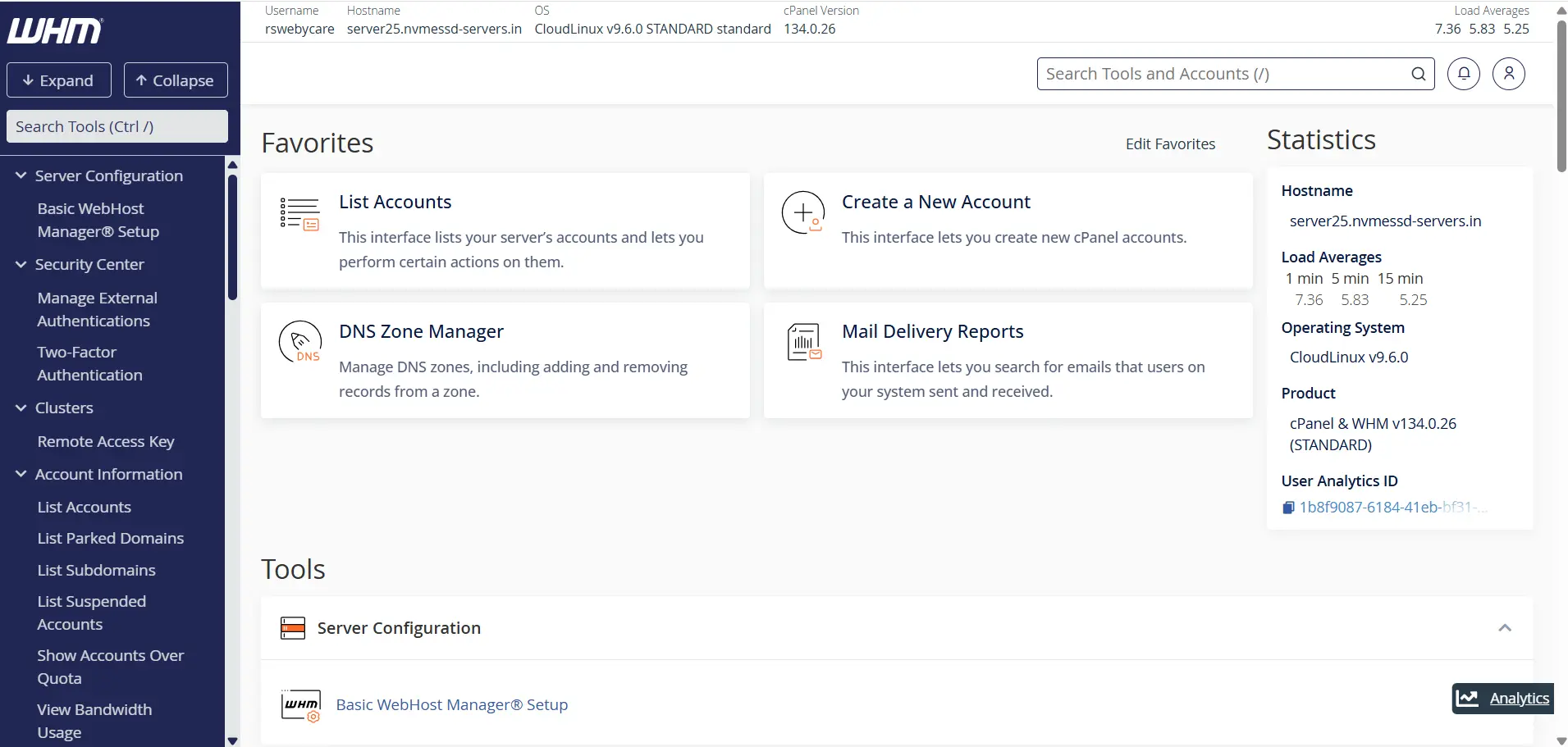
After logging in, you will see the WHM home dashboard.
Step 2: Locate Password Modification
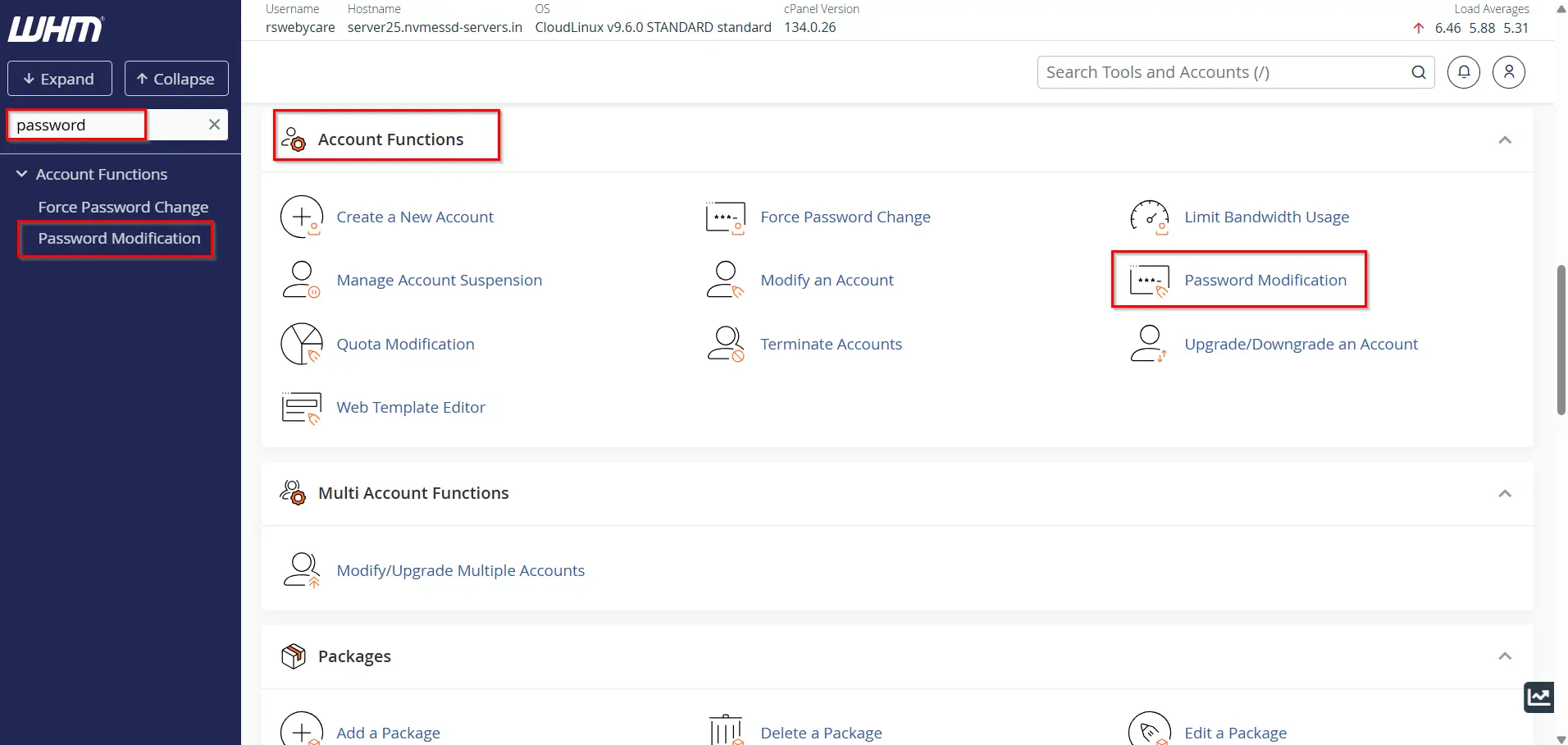
In the WHM search bar located on the left side of the interface, type:
Password Modification
Click on the Password Modification option under the Account Functions section.
This tool allows you to update passwords for existing cPanel accounts.
Step 3: Select the Account
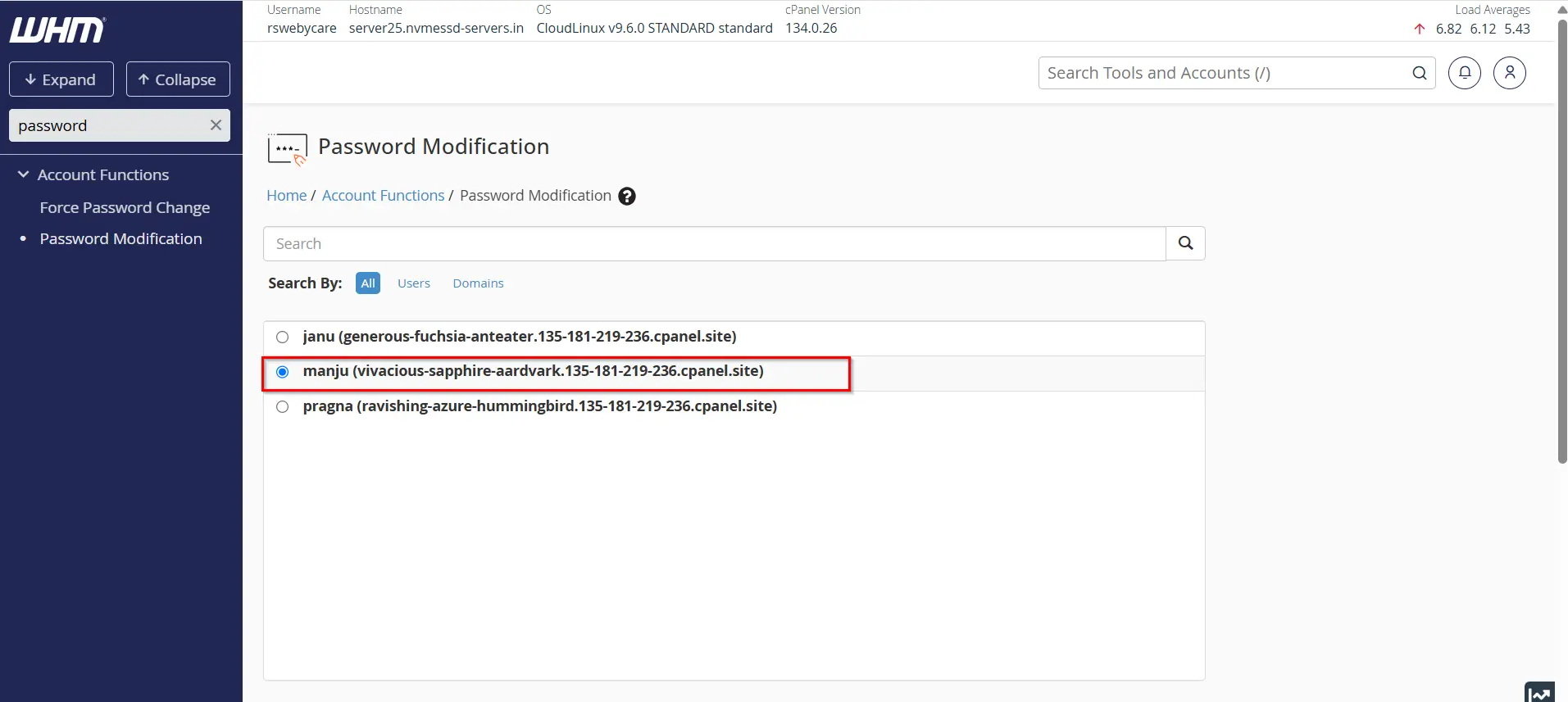
The Password Modification page displays a list of available hosting accounts.
Choose the account whose password needs to be updated.
You can also use the search box to locate a specific account quickly when managing a large number of users.
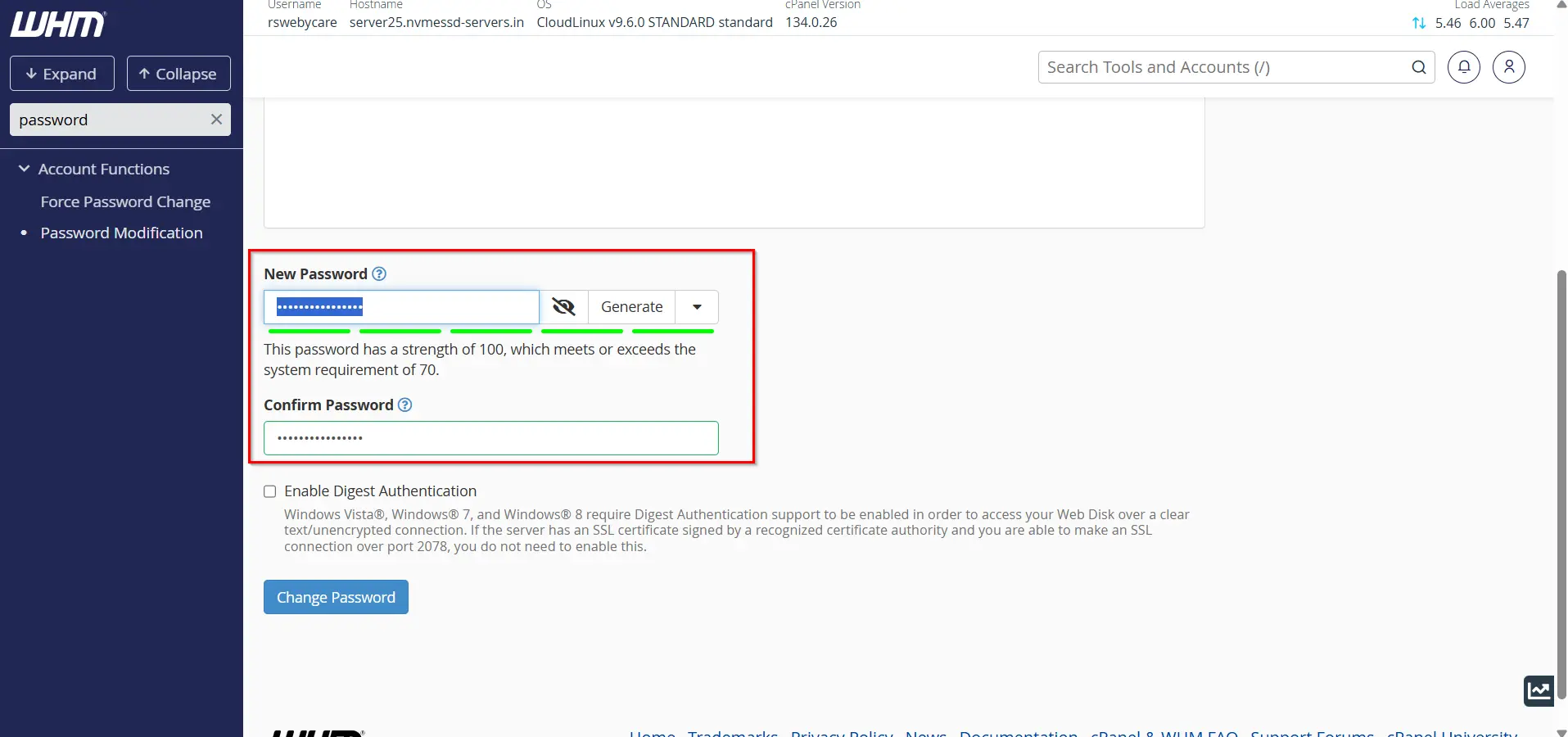
Step 4: Create a New Password
Enter a new password in the password field.
WHM offers two options:
- Manually enter a password
- Use the Password Generator
The Password Generator is recommended because it creates highly secure passwords that are difficult to guess.
A strong password should include:
- Uppercase letters
- Lowercase letters
- Numbers
- Special characters
- At least 12 characters
Example:
X#7pQ2@Lm9!rK4
Avoid using:
- Personal names
- Company names
- Domain names
- Birth dates
- Simple sequences such as 123456
Verify Password Strength
WHM automatically evaluates the strength of the password.
Aim for a password strength score that meets or exceeds your server’s minimum requirements.
Stronger passwords provide greater protection against hacking attempts.
Step 5: Save the Changes
After entering the new password:
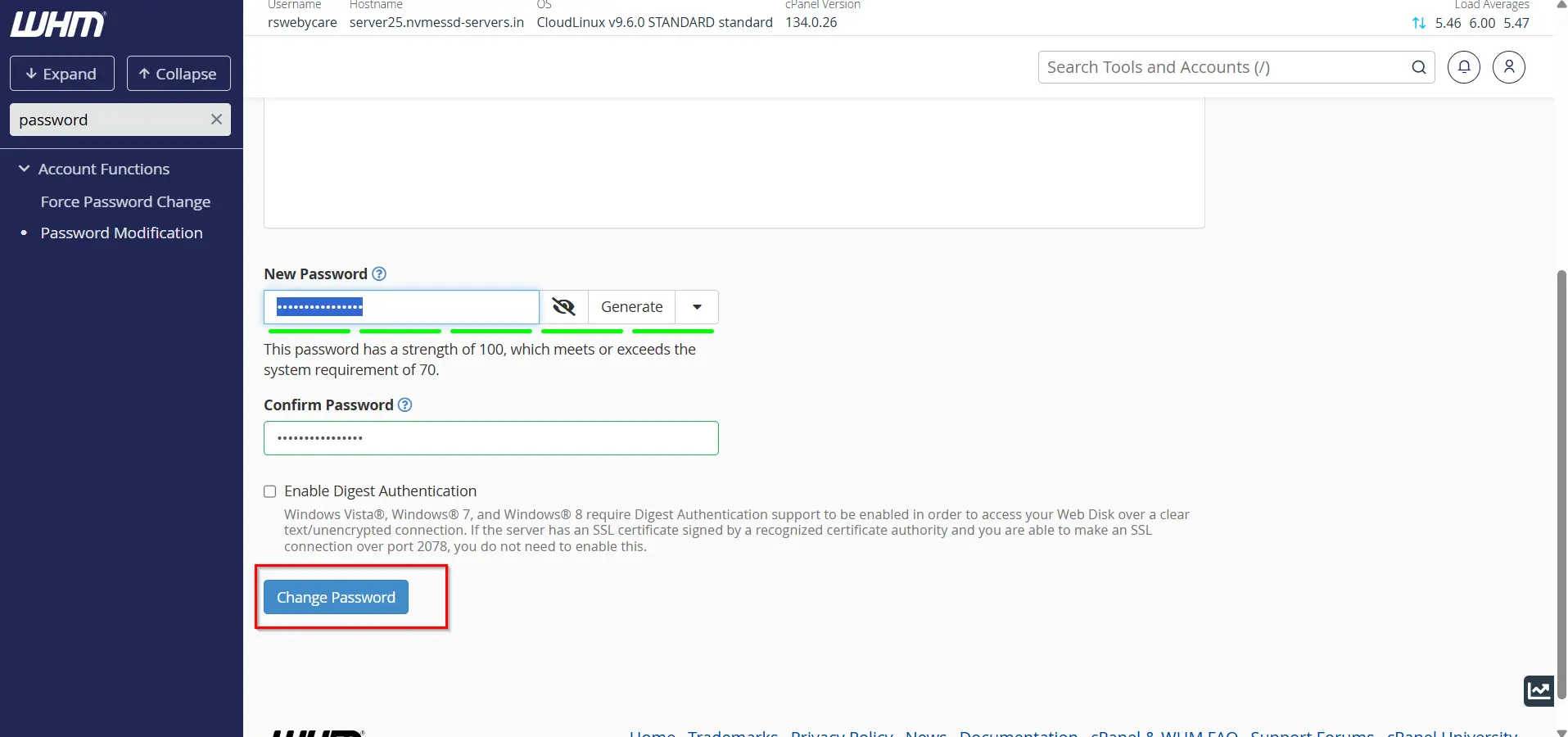
- Verify the selected account.
- Confirm the password.
- Click the Change Password button.
WHM will immediately update the account credentials.
The user can now access cPanel and related services using the new password.
Common Password Management Scenarios
- Forgotten Passwords
- Account Compromise
- Client Account Transfers
- Security Audits
Why Password Security is Important
Passwords are the first line of defense against unauthorized access. Weak passwords can expose websites, databases, email accounts, and sensitive information to attackers.
Common threats associated with poor password management include:
- Brute-force attacks
- Credential stuffing attacks
- Website defacement
- Malware infections
- Data theft
- Spam and phishing campaigns
- Unauthorized server access
A strong password policy can significantly reduce the risk of these security issues.
Benefits of Managing Passwords Through WHM
Using WHM to manage account passwords offers several advantages:
- Centralized Administration
- Quick Password Recovery
- Improved Security
- Better Customer Support
- Account Protection
Conclusion
Managing account passwords in WHM is a critical part of server administration and hosting security. WHM’s Password Modification tool makes it easy to reset credentials, assist customers, and maintain a secure hosting environment.
By implementing strong password policies, using secure password generators, enabling two-factor authentication, and regularly updating credentials, hosting providers can significantly reduce security risks and improve account protection.
Proper password management not only protects websites and customer data but also contributes to the overall stability and reliability of your hosting infrastructure.
For more WHM management tutorials and step-by-step guides, visit our WHM knowledge base: www.webystrata.com/blog/category/whm-panel/
Related Articles