Latest Updates
Learn How to Regulate New User Registration in WordPress
Learn How to Regulate New User Registration in WordPress User registration is an essential feature for many WordPress websites. Whether you run a membership site, an online community, a blog with multiple authors, or…
Learn How to Regulate New User Registration in WordPress
User registration is an essential feature for many WordPress websites. Whether you run a membership site, an online community, a blog with multiple authors, or an eCommerce store, allowing visitors to create accounts can improve engagement and streamline user management. However, if registration settings are not configured properly, your website may become vulnerable to spam registrations, unauthorized access, and security risks.
Fortunately, WordPress includes built-in options that allow administrators to regulate how new users register and what permissions they receive. By understanding and configuring these settings correctly, you can maintain control over user access while ensuring a secure and organized website environment.
In this guide, we will explain how to regulate new user registration in WordPress and discuss best practices for managing user accounts effectively.
When Should You Allow User Registration?
Enabling registration is beneficial for websites such as:
- Membership websites
- Online learning platforms
- Community forums
- Multi-author blogs
- Customer support portals
- eCommerce stores
However, informational websites, company websites, and personal blogs often do not require public registration and may be safer with registration disabled.
How to Regulate New User Registration in WordPress
Follow these steps to control user registration settings on your WordPress website.
Step 1: Log In to WordPress
Access your WordPress dashboard by visiting:
https://yourdomain.com/wp-admin
Log in using your administrator account credentials.
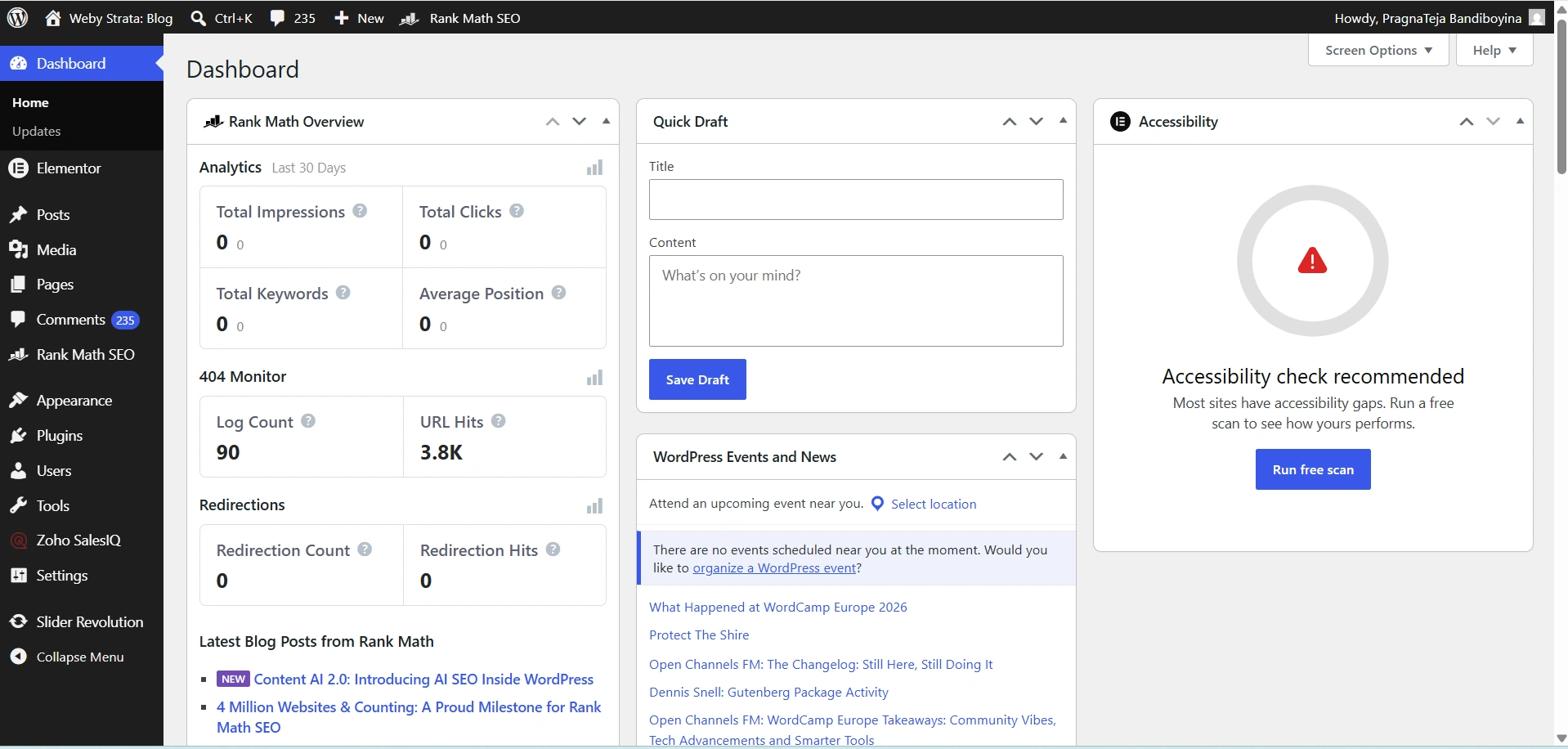
Step 2: Navigate to General Settings
From the WordPress dashboard menu, click:
Settings → General
The General Settings page contains several website configuration options, including user registration settings.
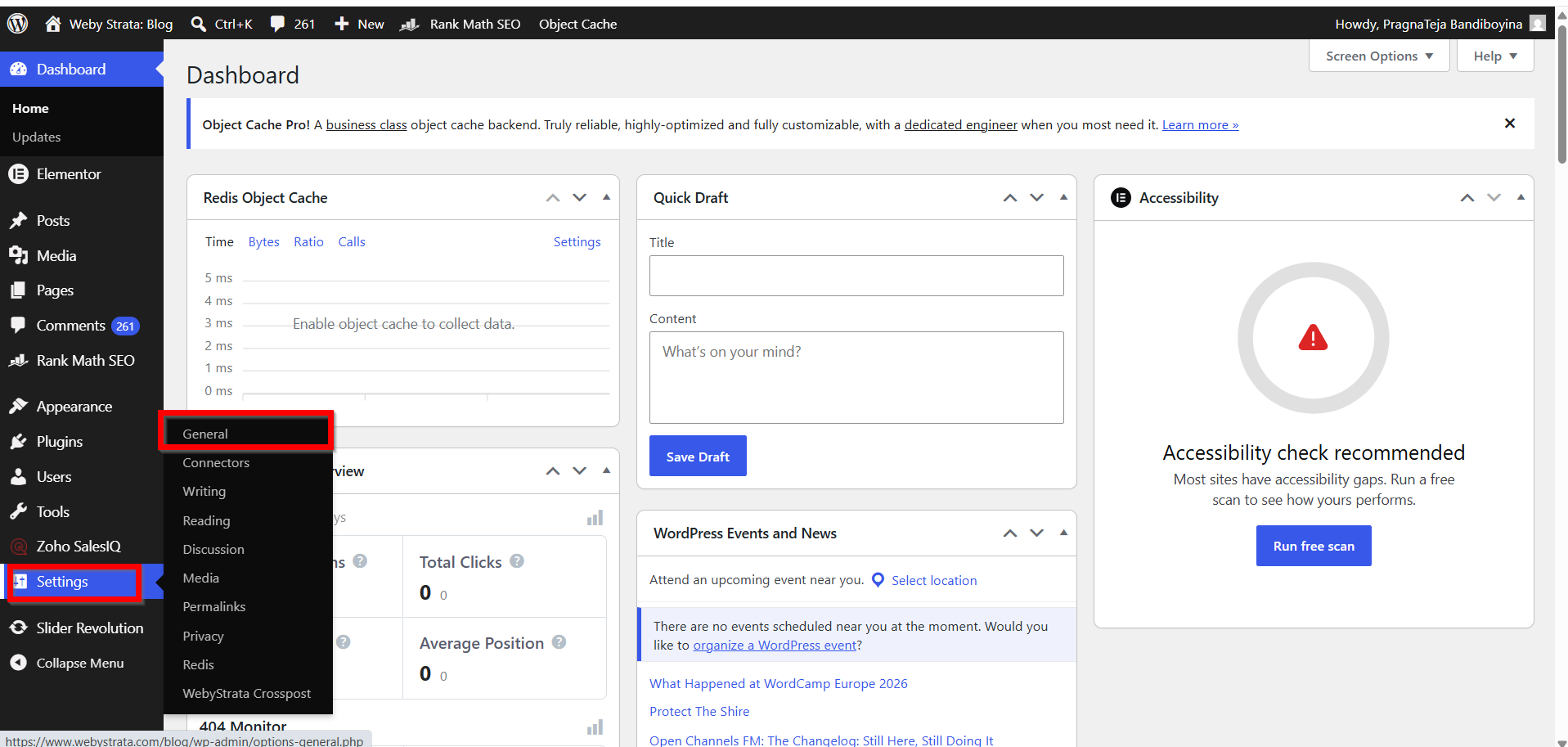
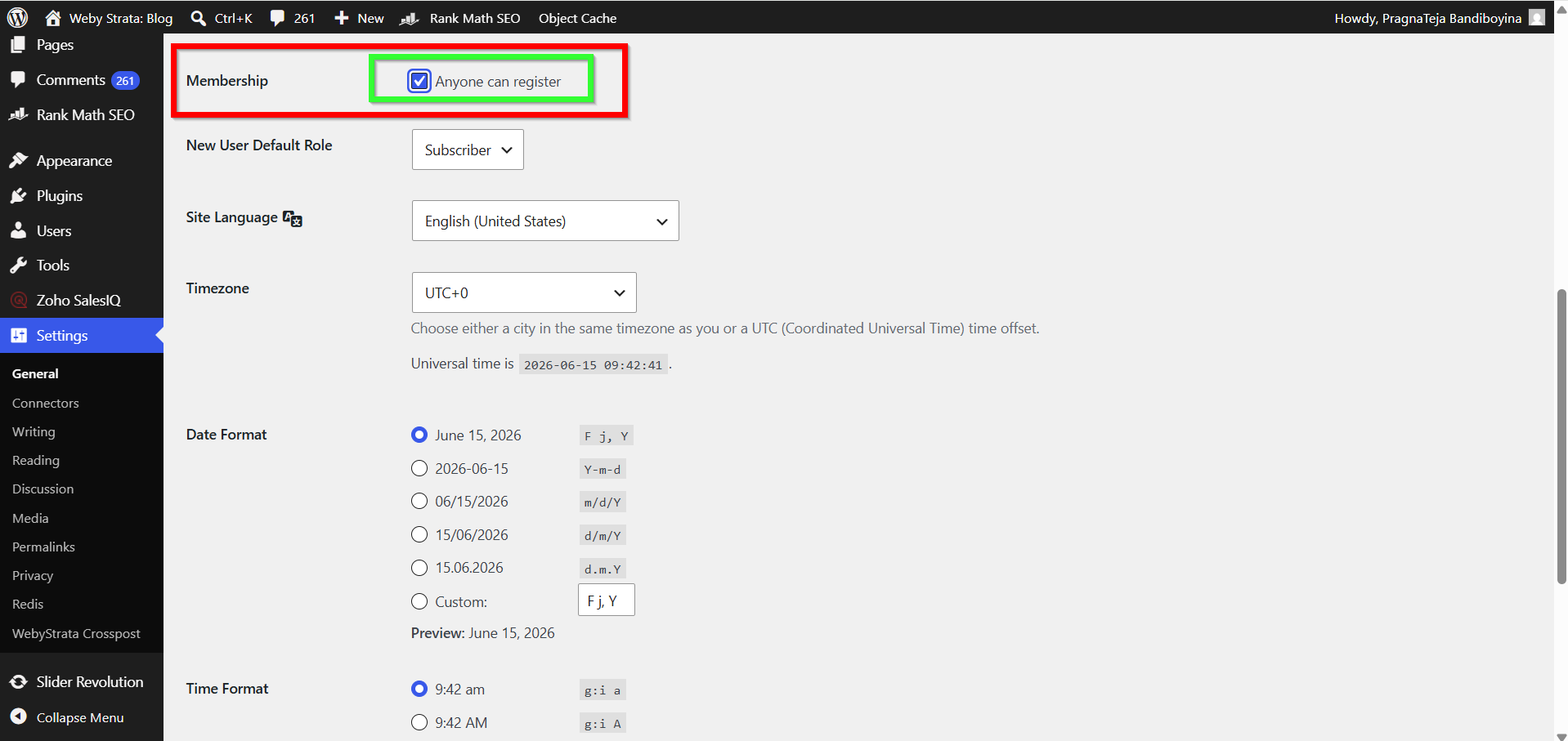
Step 3: Locate the Membership Option
Scroll down until you find the Membership section.
You will see the checkbox:
Anyone can register
This setting determines whether visitors are allowed to create accounts on your website.
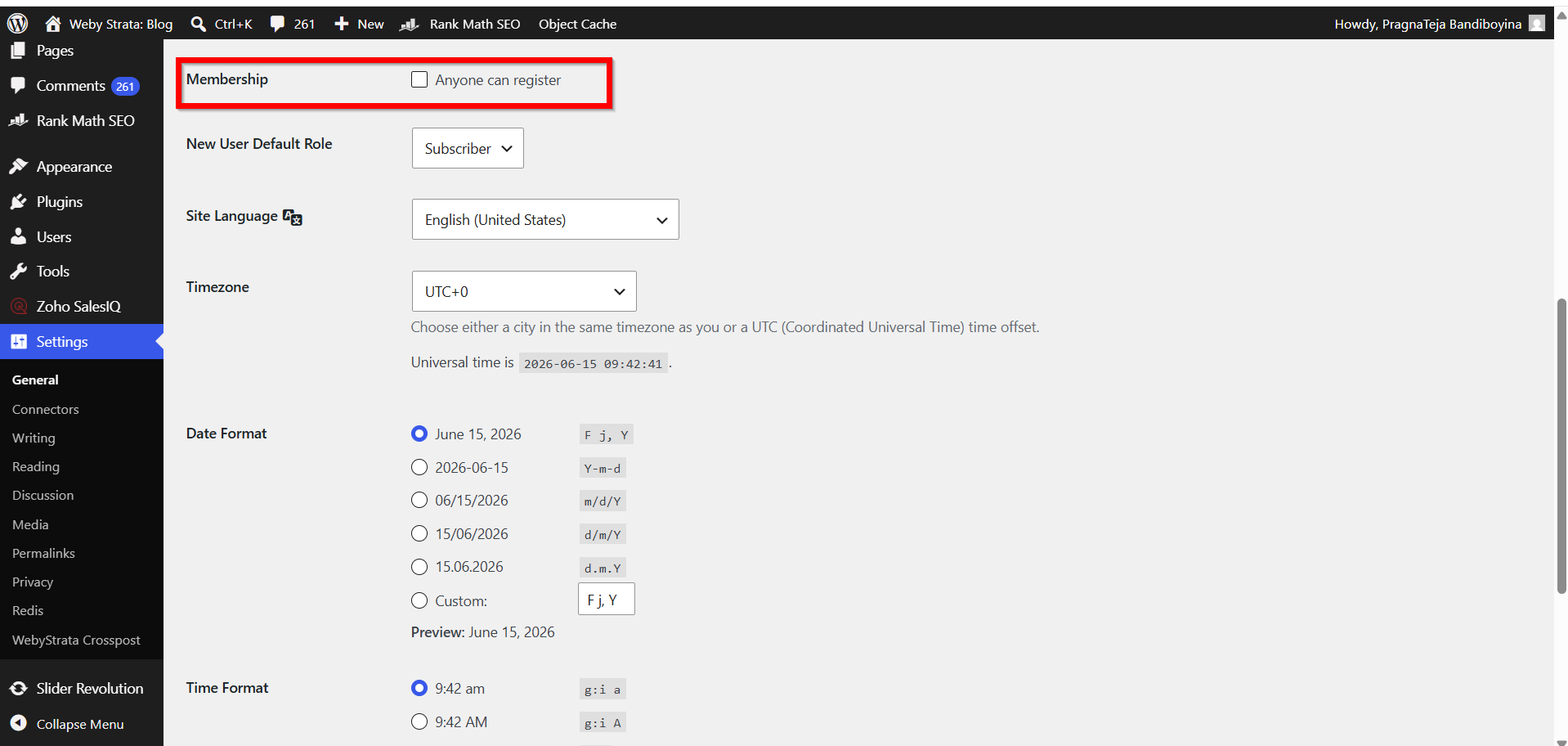
Step 4: Enable or Disable Registration
Depending on your requirements:
- Check the box to allow public registration.
- Uncheck the box to prevent new user registrations.
If your website does not require user accounts, it is recommended to keep registration disabled.
Step 5: Configure the Default User Role
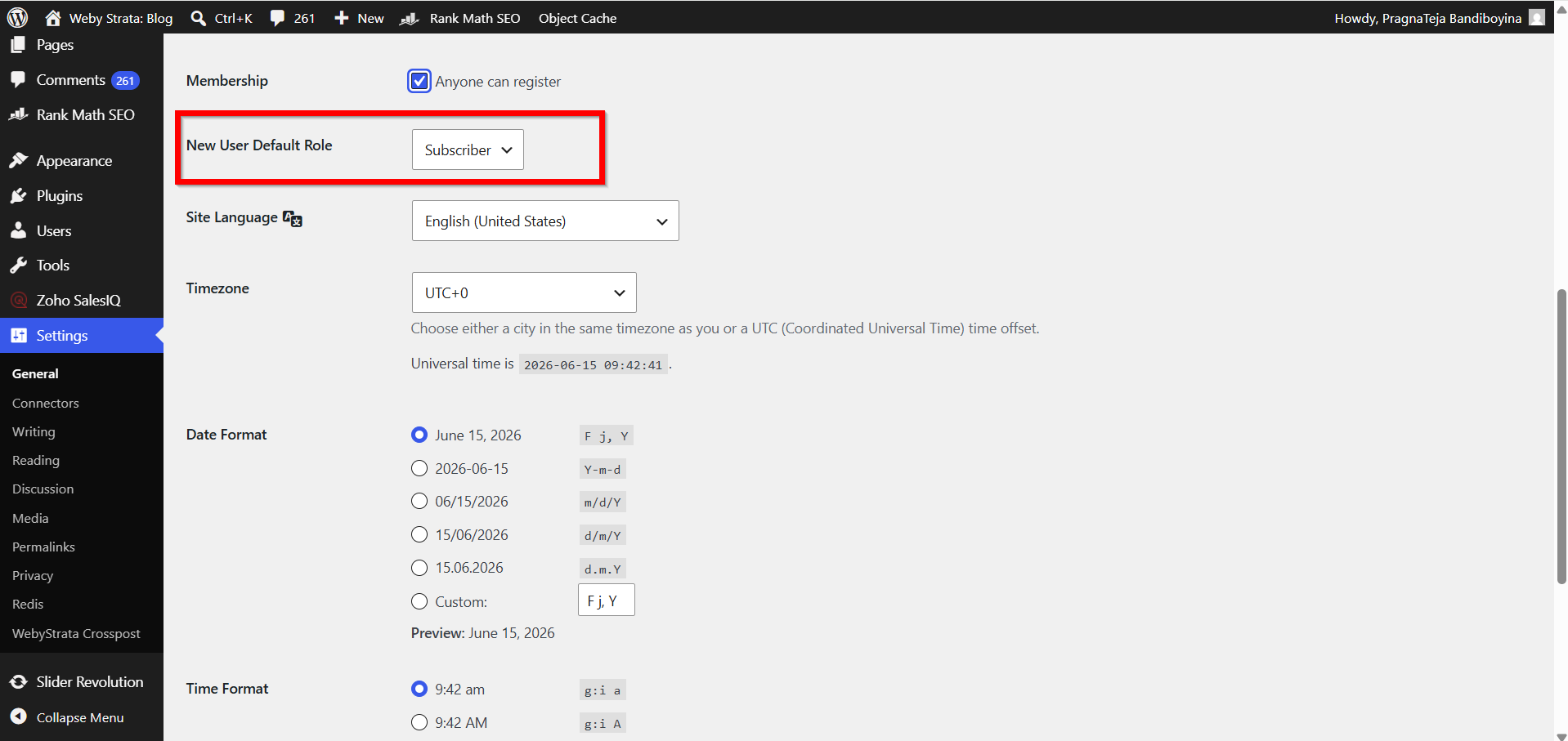
Below the Membership setting, you will find:
New User Default Role
Select the role that newly registered users should receive.
For most websites, choose:
Subscriber
This minimizes security risks by granting only basic account access.
Step 6: Save Your Changes
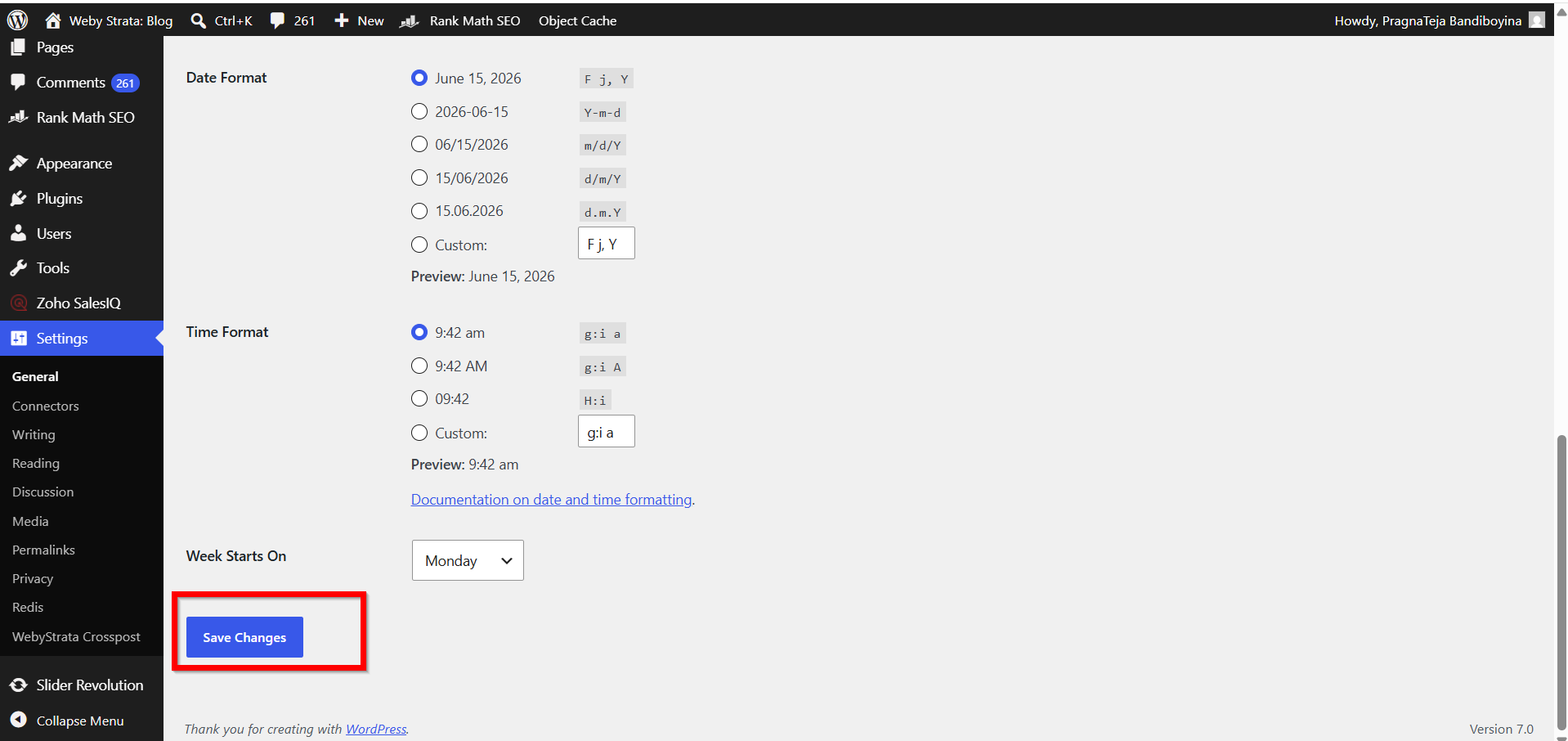
Click the Save Changes button at the bottom of the page.
WordPress will immediately apply the new registration settings.
Step 7: Test the Registration Process
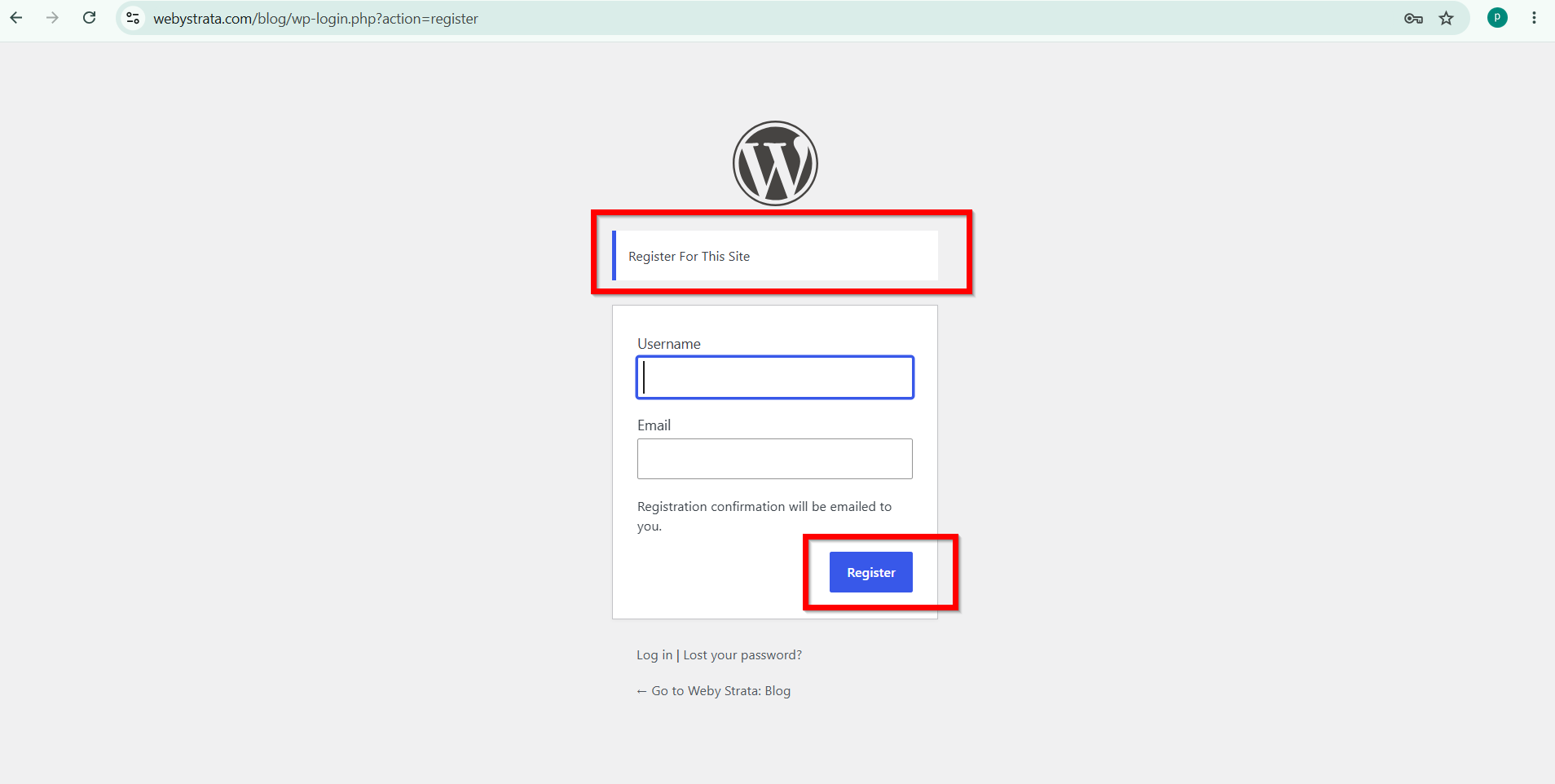
If registration is enabled, test the process by visiting:
https://yourdomain.com/wp-login.php?action=register
Verify that the registration form appears correctly and that new accounts receive the assigned default role.
Why Regulate User Registration?
Not every website should allow open user registration. Depending on your site’s purpose, you may want to restrict who can create accounts and what actions they can perform after signing up.
Proper registration management helps you:
- Prevent spam account creation.
- Improve website security.
- Control user permissions.
- Protect sensitive content.
- Manage contributors and authors effectively.
- Create a better user experience.
Without proper controls, malicious users may register accounts and attempt to misuse your website. Taking a few minutes to configure registration settings can help avoid future issues.
Benefits of Regulating New User Registration in WordPress
- Enhances Website Security
Controlling user registration helps prevent unauthorized access and reduces the risk of malicious users gaining access to your website. - Reduces Spam Registrations
Proper registration settings and verification methods help block automated bots and fake accounts from registering on your site. - Controls User Permissions
Assigning appropriate default roles ensures that new users only receive the access levels necessary for their activities. - Improves Website Management
Managing registrations allows administrators to maintain an organized user database and monitor account activity more effectively. - Protects Website Content and Resources
Limiting access to registered users and controlling permissions helps safeguard sensitive content, member-only resources, and website functionality from misuse.
Conclusion
Regulating new user registration in WordPress is a simple but important task that helps protect your website while providing a better experience for legitimate users. By configuring the Membership settings, selecting an appropriate default role, and following security best practices, you can maintain control over who accesses your website and what actions they can perform.
Whether you operate a membership platform, an online store, or a collaborative blog, properly managing user registrations will contribute to a safer, more organized, and more professional WordPress website.
Related Articles