Latest Updates
How to Set Up a Domain Registrar in WHMCS
How to Set Up a Domain Registrar in WHMCS Domain registration services are an important part of many hosting businesses. WHMCS makes domain management easier by integrating directly with popular domain registrars, allowing you…
How to Set Up a Domain Registrar in WHMCS
Domain registration services are an important part of many hosting businesses. WHMCS makes domain management easier by integrating directly with popular domain registrars, allowing you to automate registrations, transfers, renewals, and other domain-related functions. Learning how to Set Up a Domain Registrar in WHMCS is essential if you want to streamline operations, reduce manual work, and provide a better customer experience.
When you configure a registrar module correctly, WHMCS communicates with the registrar through its API. This allows domain orders placed by customers to be processed automatically without requiring manual intervention from administrators.
In this guide, we will walk through the complete process to Set Up a Domain Registrar in WHMCS and explain the benefits of registrar automation.
What is a Domain Registrar Module in WHMCS?
A domain registrar module is an integration that connects WHMCS with a domain registrar’s system. Once configured, WHMCS can perform domain-related actions automatically, including:
- Domain registrations
- Domain renewals
- Domain transfers
- Nameserver management
- WHOIS contact updates
- Domain locking and unlocking
- DNS management
This automation helps hosting providers save time and improve operational efficiency.
Prerequisites
Before you Set Up a Domain Registrar in WHMCS, ensure you have the following:
- A functioning WHMCS installation
- Administrator access to WHMCS
- An active account with a supported registrar
- API credentials from your registrar
- Sufficient reseller balance (if required)
Some commonly supported registrars include:
- Enom
- ResellerClub
- Namecheap
- OpenSRS
- Internet.bs
- Dynadot
- HEXONET
- CentralNic Reseller
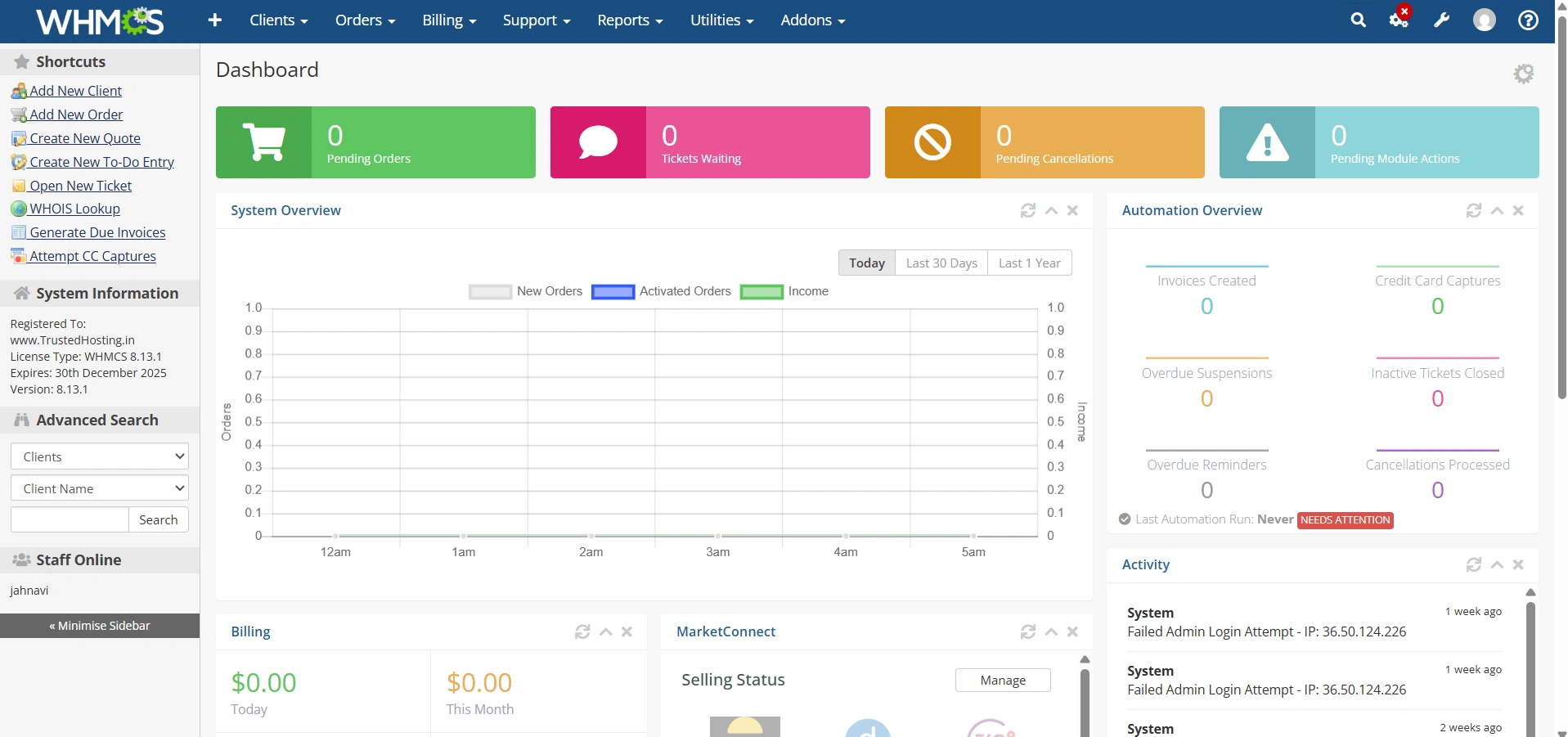
Step 1: Log In to the WHMCS Admin Area
Begin by logging into your WHMCS administration panel.
- Open your WHMCS Admin URL.
- Enter your administrator username and password.
- Click Login.
After logging in, you’ll have access to all registrar configuration options.
Step 2: Access Domain Registrar Settings
To configure registrar integration:
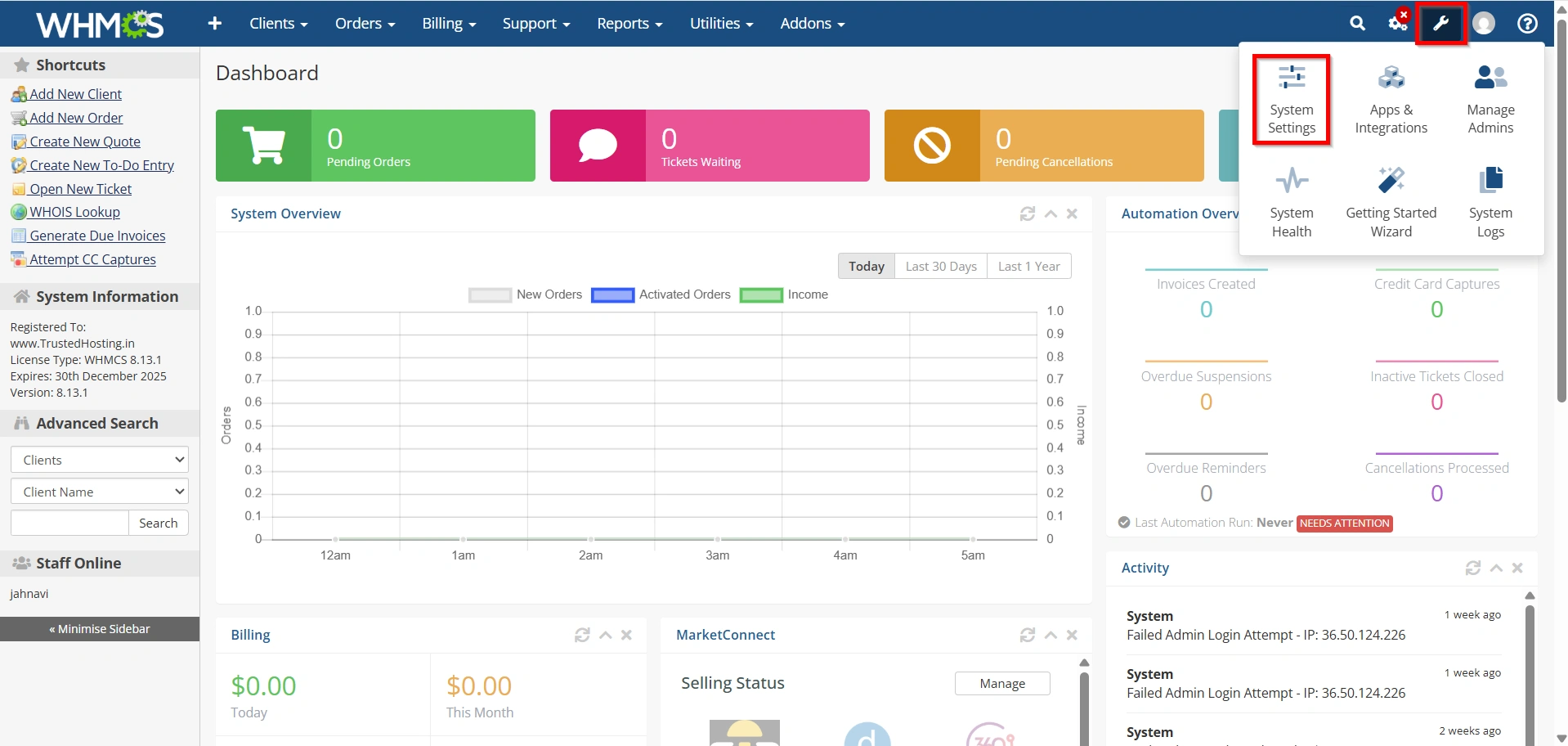
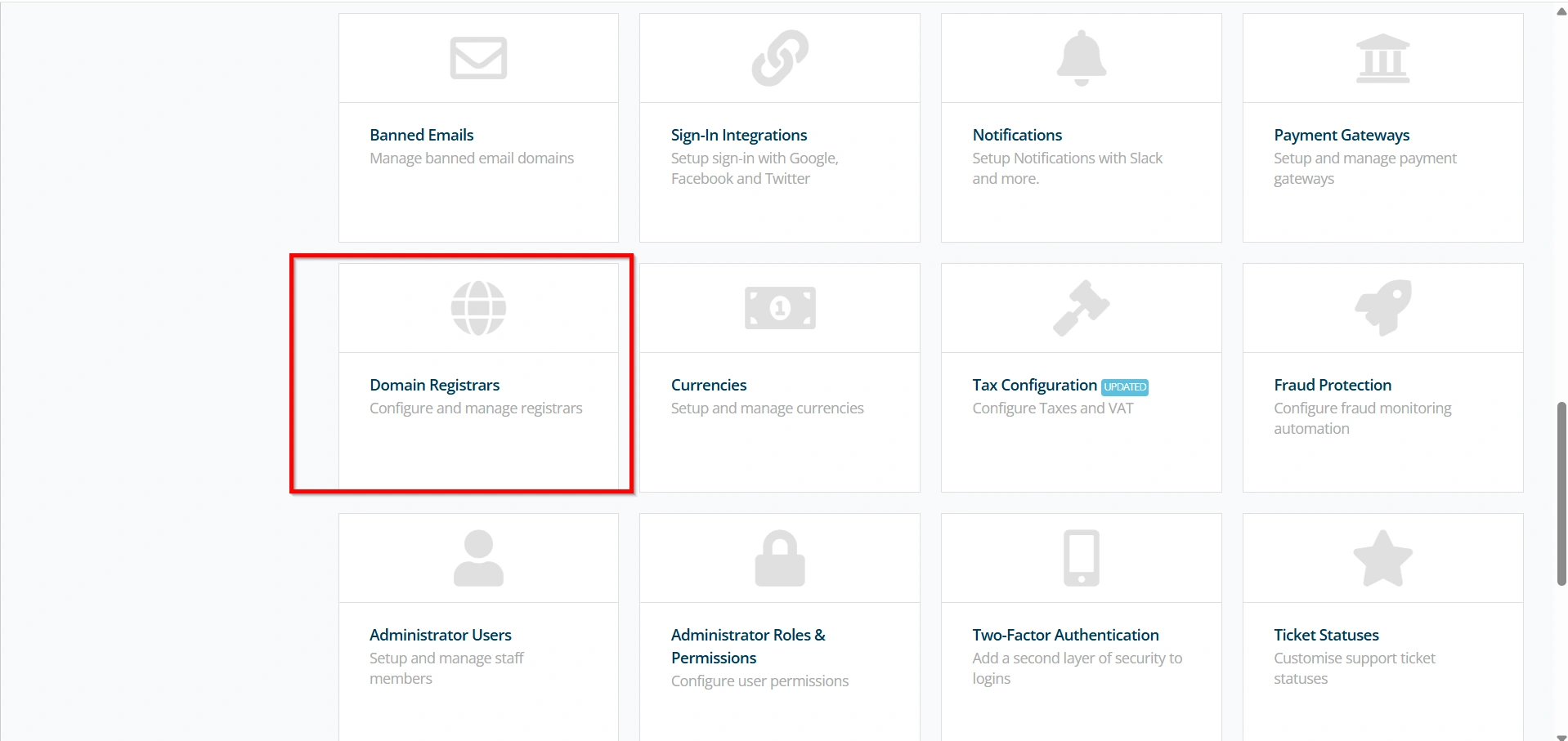
- Navigate to Configuration Icon → System Settings
- Under All Settings ,
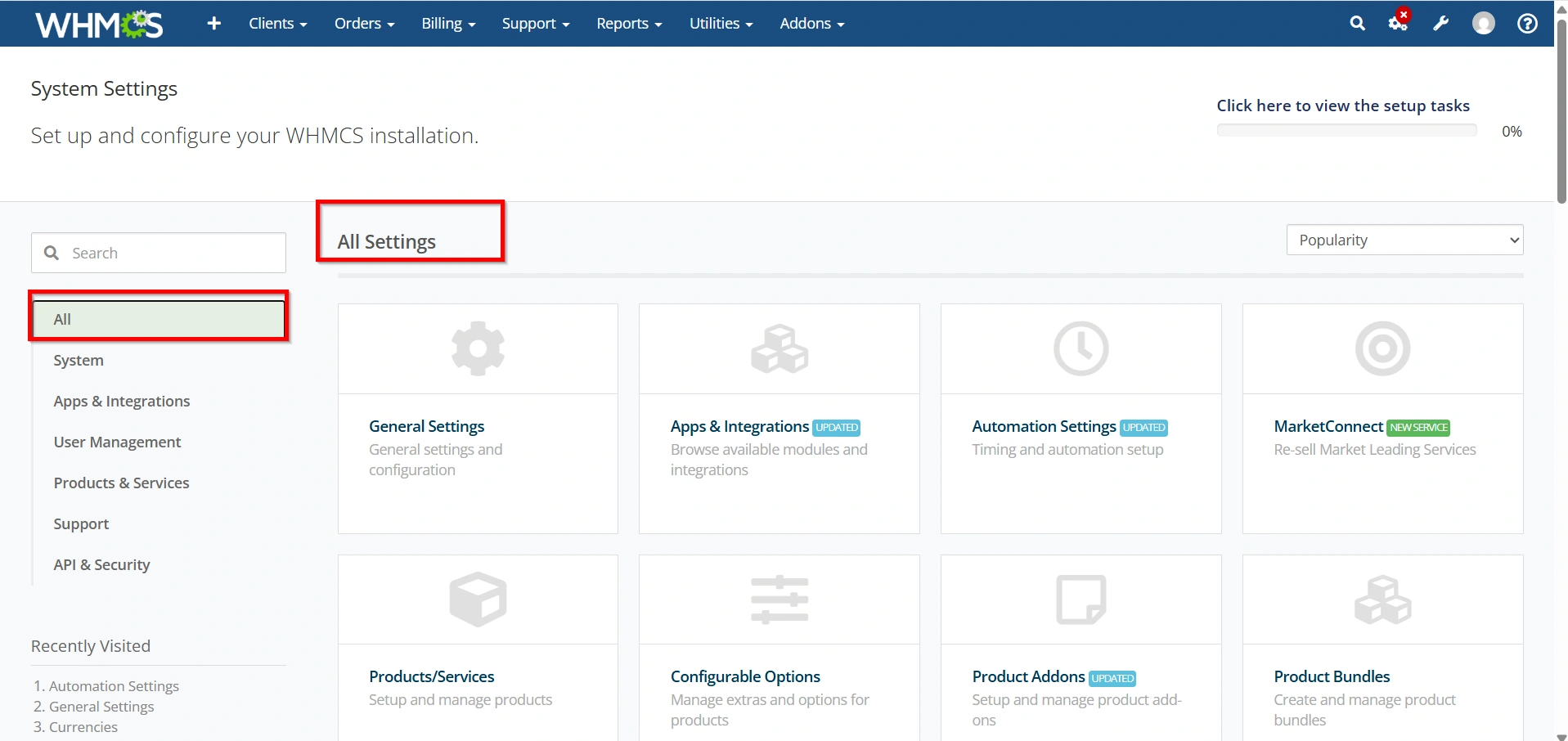
- Click Domain Registrars.
The Domain Registrars page displays all registrar modules available within WHMCS.
Step 3: Choose a Registrar Module
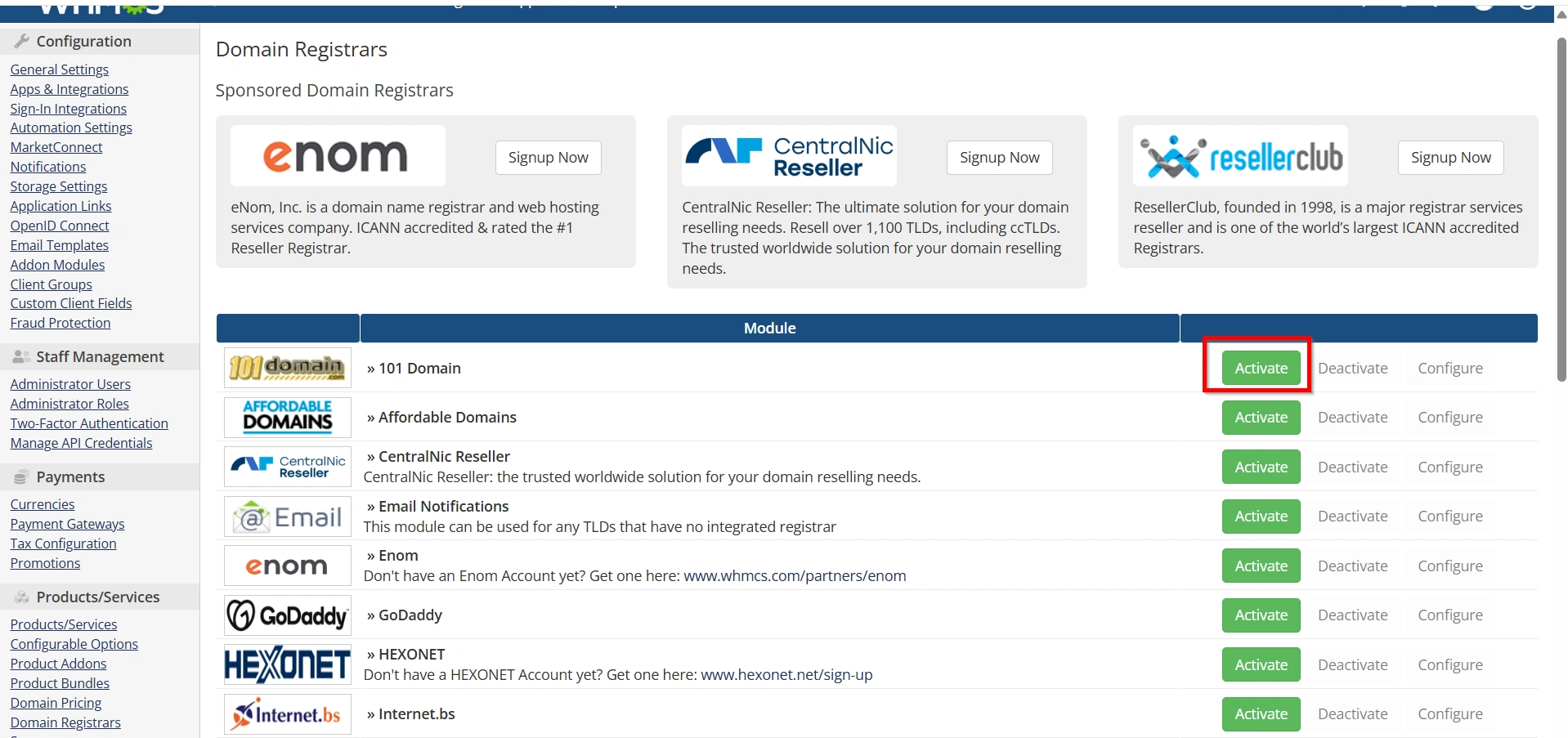
Locate the registrar you want to connect.
For example:
- Enom
- Namecheap
- ResellerClub
- OpenSRS
- Internet.bs
Click the Activate button next to your chosen registrar.
Activating the module is the first major step to Set Up a Domain Registrar in WHMCS.
Step 4: Enter Registrar Configuration Details
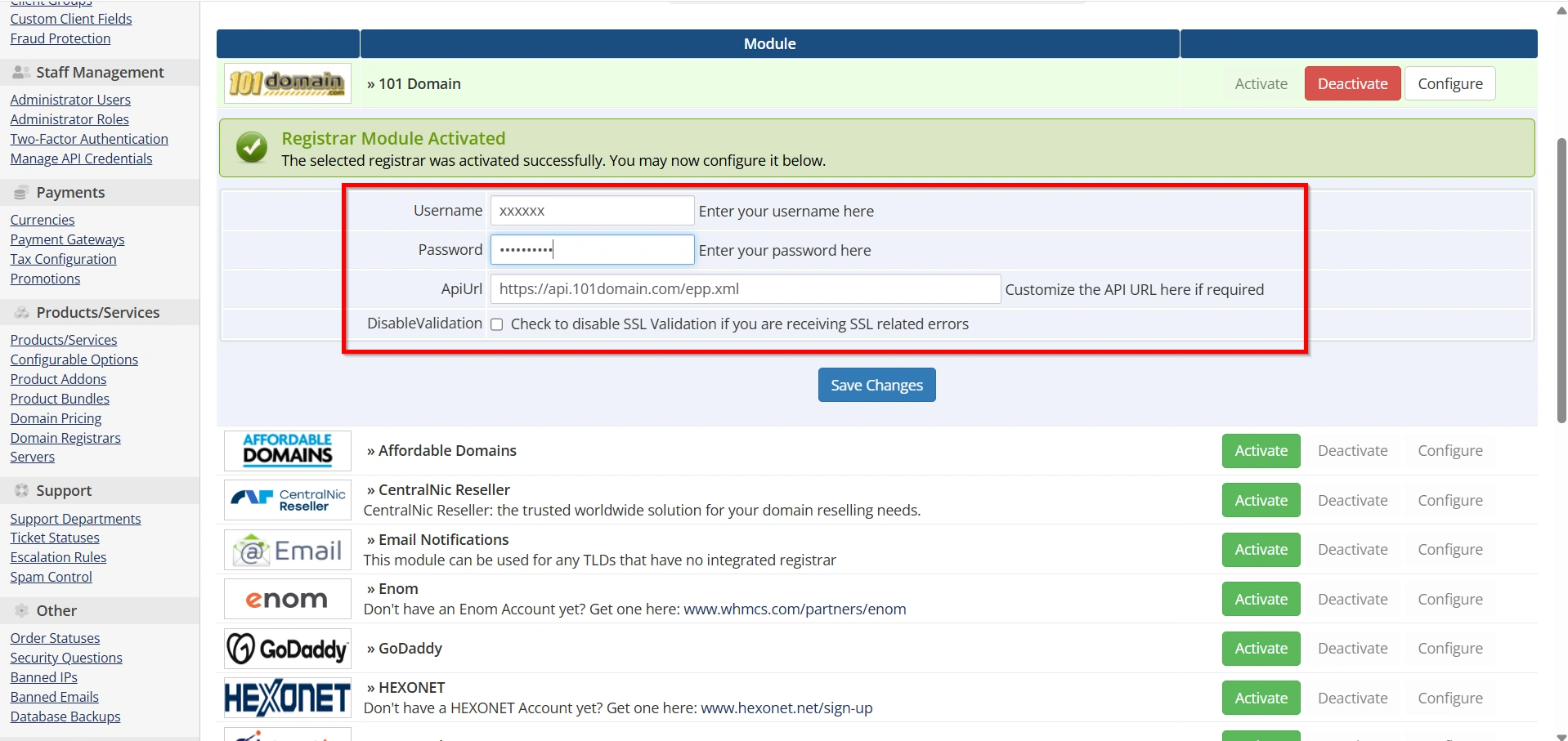
Return to the Domain Registrars page in WHMCS.
Enter the credentials provided by your registrar.
Typical fields include:
- Username
- Password
- API Key
- API Token
- Reseller ID
Carefully verify all values before saving.
Incorrect credentials are one of the most common reasons for registrar integration failures.
Step 5: Configure Additional Registrar Options
Many registrar modules provide optional settings.
These may include:
- Test Mode
- Live Mode
- Default Nameservers
- WHOIS Privacy
- DNS Management
Step 6: Save the Registrar Configuration
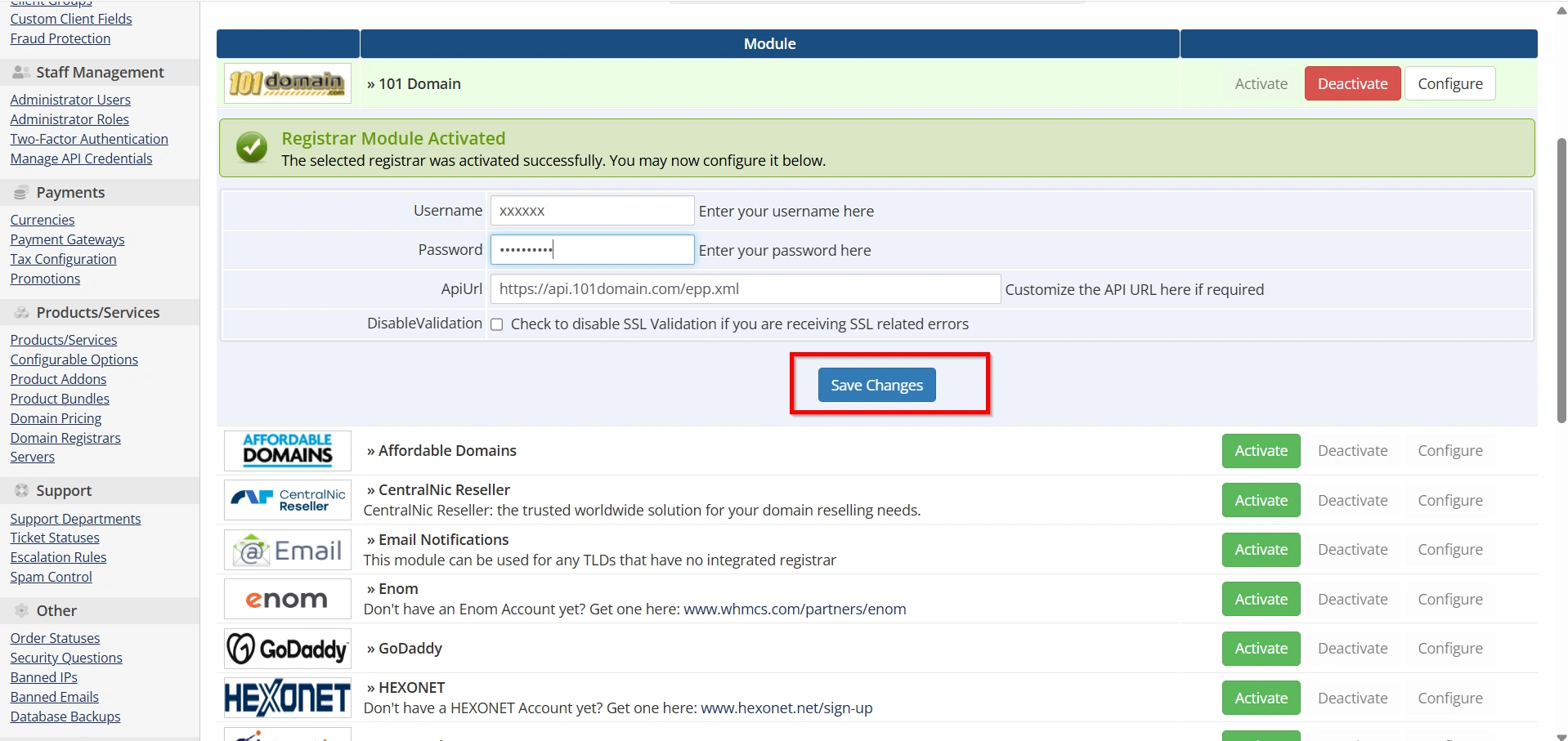
After entering all necessary information:
- Click Save Changes.
- WHMCS stores the registrar settings.
- The registrar becomes available for domain automation.
You have now completed the core process to Set Up a Domain Registrar in WHMCS.
Why Domain Automation Matters
Manual domain management becomes difficult as your customer base grows. Every registration, renewal, and transfer requires attention. By choosing to Set Up a Domain Registrar in WHMCS, you automate these repetitive tasks and allow your team to focus on customer support and business growth.
Automation improves accuracy, reduces processing delays, and creates a smoother ordering experience for clients. It also minimizes the risk of human error and helps ensure domains are managed efficiently.
Benefits of Setting Up a Domain Registrar in WHMCS
Before proceeding with the configuration, it’s important to understand the advantages.
- Automated Domain Registration
- Automatic Renewals
- Simplified Domain Management
- Reduced Administrative Work
- Improved Customer Experience
- Business Scalability
Best Practices for Registrar Integration
To maintain a reliable domain business, follow these recommendations:
- Use Strong Security
- Monitor API Access
- Keep WHMCS Updated
- Test After Updates
- Review Pricing Regularly
Conclusion
Learning how to Set Up a Domain Registrar in WHMCS is an essential step for hosting providers, domain resellers, and online service businesses. By activating a registrar module, entering API credentials, configuring domain pricing, and testing automation, you can create a fully automated domain management system.
A properly configured registrar integration enables WHMCS to handle registrations, renewals, transfers, and domain management automatically. This not only saves time but also improves customer satisfaction and supports long-term business growth. Whether you’re just starting your hosting business or expanding your domain services, taking the time to Set Up a Domain Registrar in WHMCS will provide lasting benefits for both your team and your customers.
Related Articles