Latest Updates
How to Set Up Auto Account Creation in WHMCS
How to Set Up Auto Account Creation in WHMCS Managing hosting services manually can become time-consuming as your customer base grows. WHMCS simplifies this process through its Auto Account Creation feature, which automatically provisions…
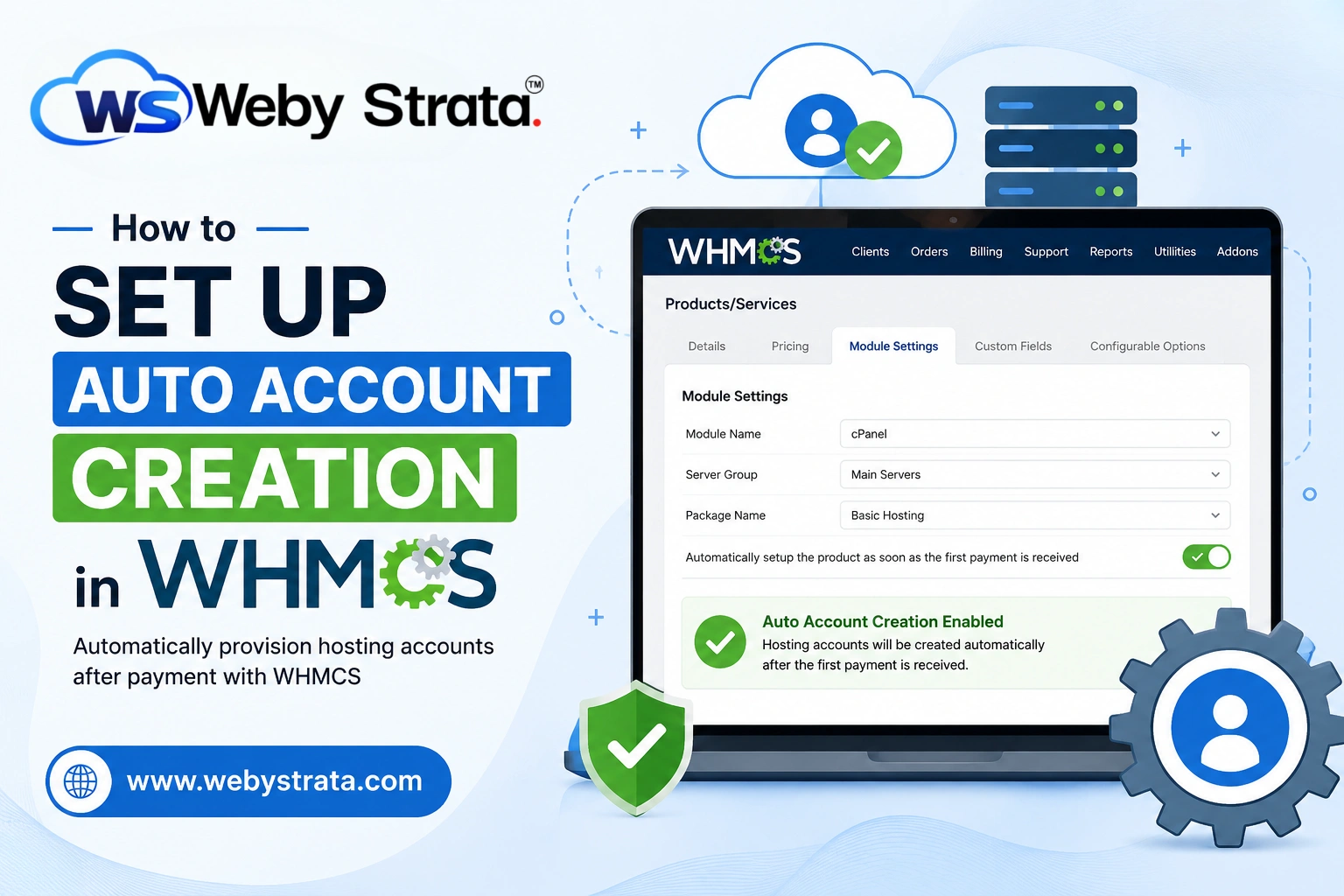
How to Set Up Auto Account Creation in WHMCS
Managing hosting services manually can become time-consuming as your customer base grows. WHMCS simplifies this process through its Auto Account Creation feature, which automatically provisions hosting accounts on your server immediately after a successful order and payment. This automation reduces administrative workload, speeds up service delivery, and improves the customer experience.
When hosting providers Set Up Auto Account Creation in WHMCS, they eliminate the need to manually provision hosting accounts after every order. This automation not only saves valuable time but also ensures that customers receive immediate access to their services after payment. Whether you are running a small hosting business or managing hundreds of accounts, learning how to Set Up Auto Account Creation in WHMCS is an essential step toward improving operational efficiency.
In this guide, you’ll learn how to set up Auto Account Creation in WHMCS, configure the necessary server settings, and ensure that hosting accounts are created automatically whenever customers place orders.
What Is Auto Account Creation in WHMCS?
Auto Account Creation in WHMCS is a provisioning feature that automatically creates hosting accounts on a connected control panel server such as cPanel, Plesk, or DirectAdmin. Once configured, WHMCS communicates with your server module and creates the customer’s hosting account based on predefined settings.
Instead of manually creating accounts after each order, WHMCS handles the process automatically, allowing customers to access their hosting services almost instantly.
Prerequisites
Before configuring Auto Account Creation, ensure you have:
- A working WHMCS installation.
- A hosting server with a supported control panel.
- Server access credentials or API tokens.
- A configured hosting product in WHMCS.
- Appropriate server modules installed and enabled.
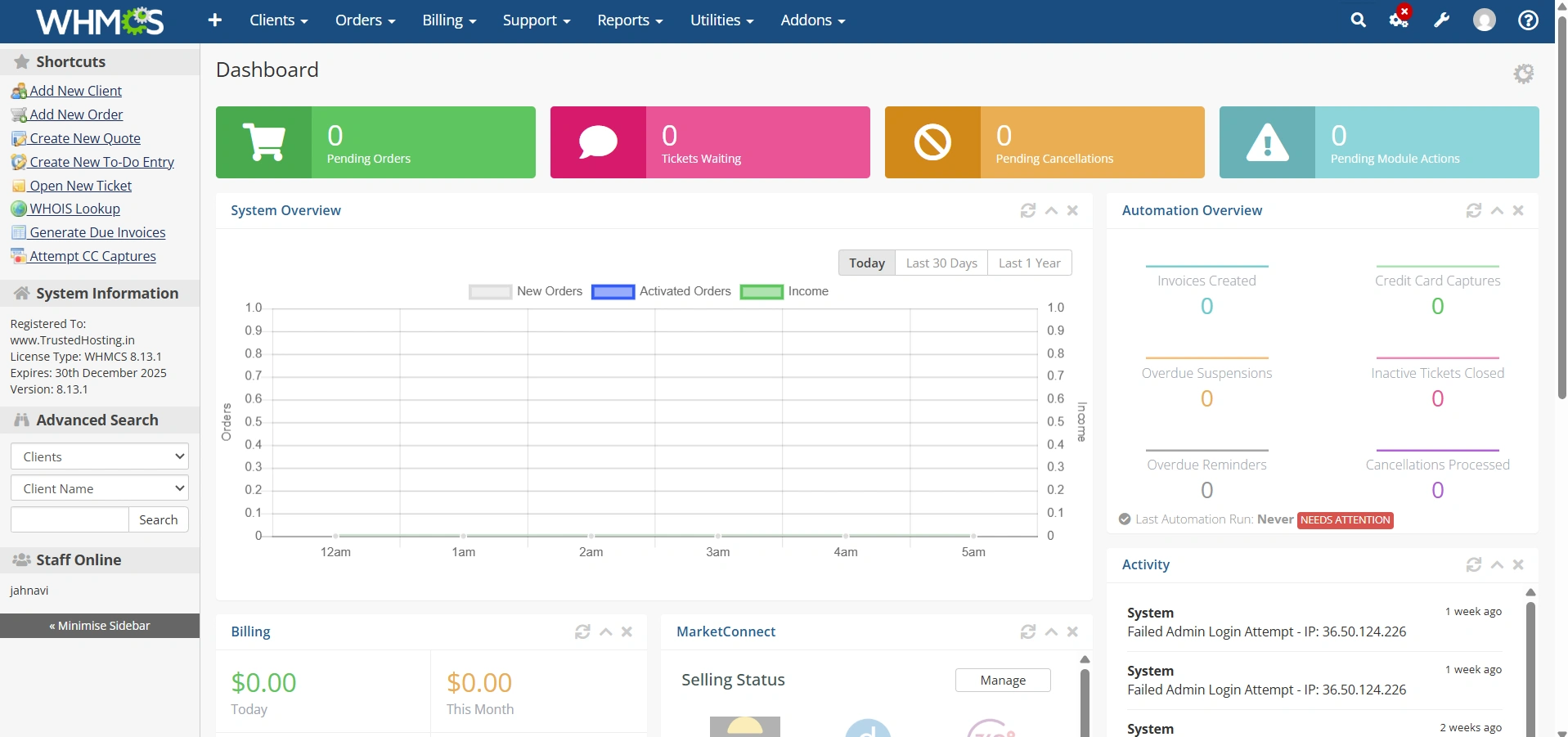
Step 1: Log in to WHMCS Admin Area
Log in to your WHMCS administrator dashboard.
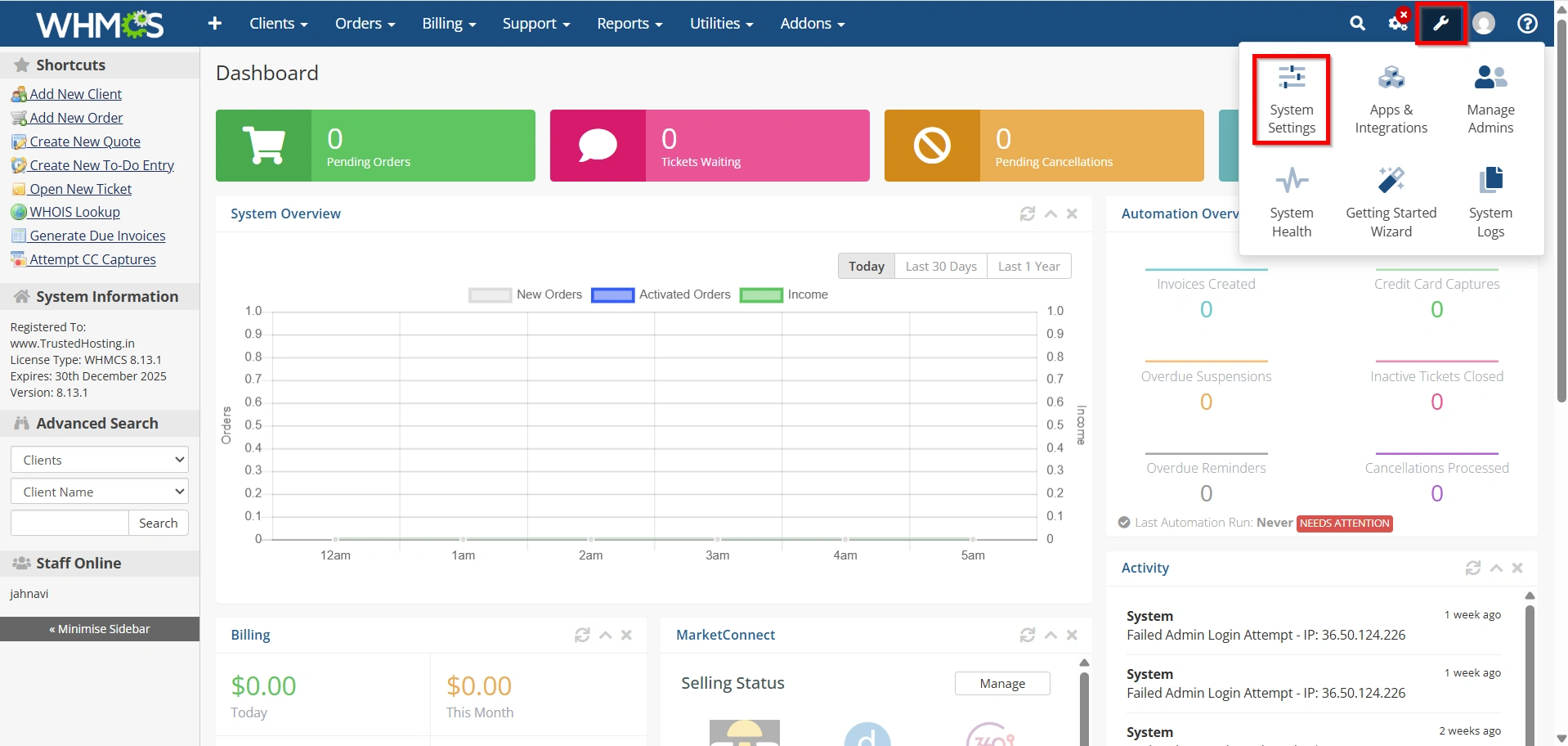
Step 2: Configure Your Server in WHMCS
- Navigate to Configuration Icon → System Settings
- Under All Settings ,
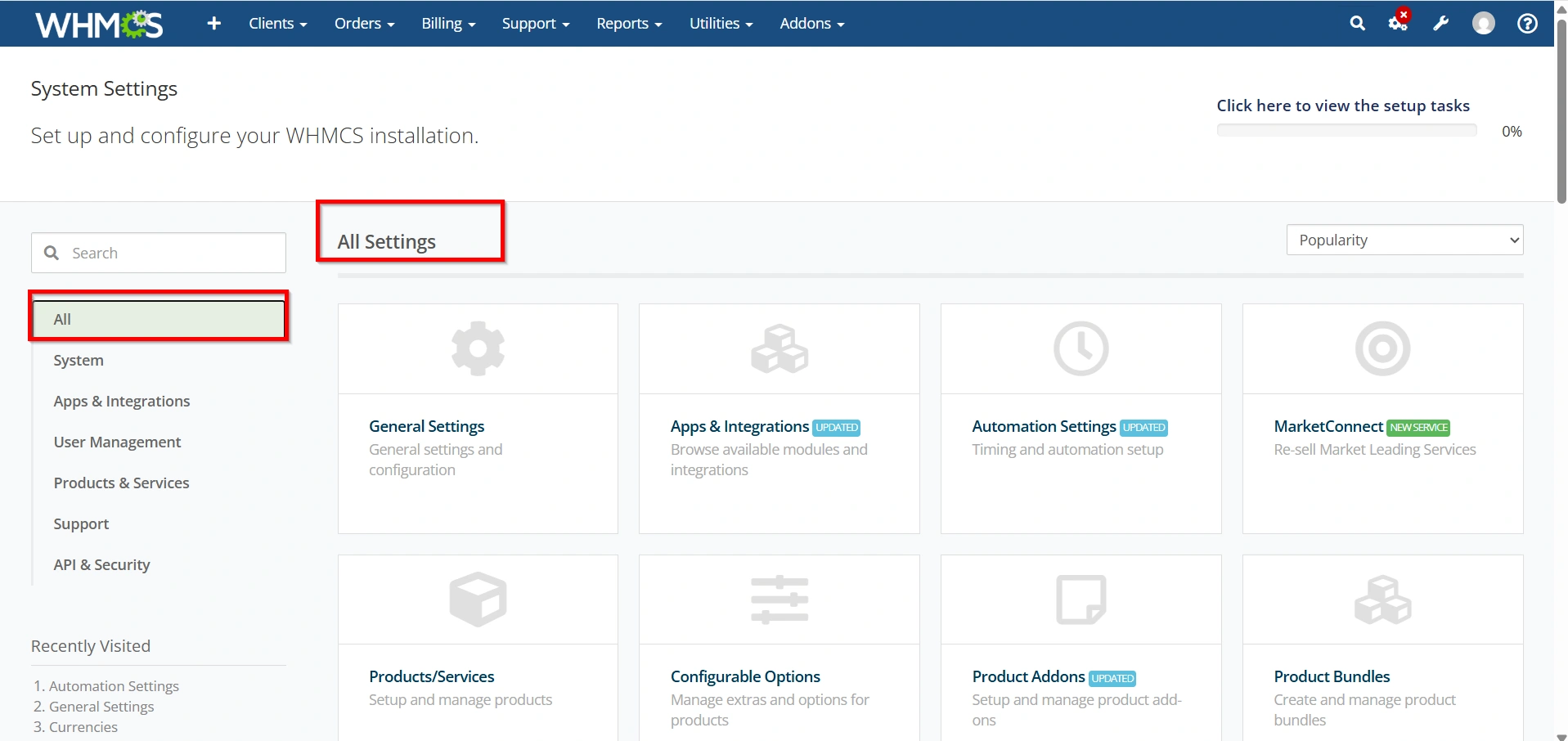
- Select Servers.
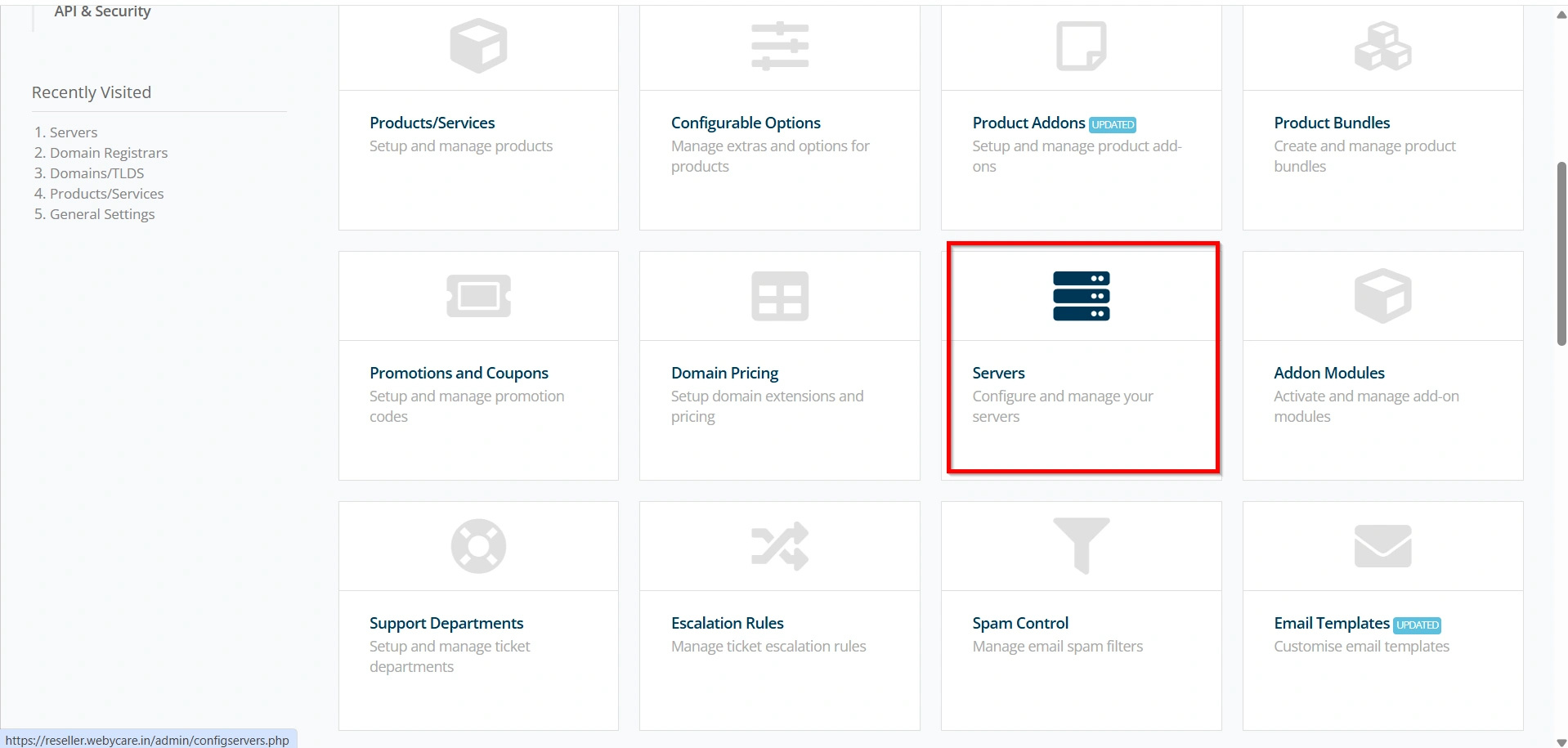
Step 3: Configure Your Server Details
- Click Add New Server.
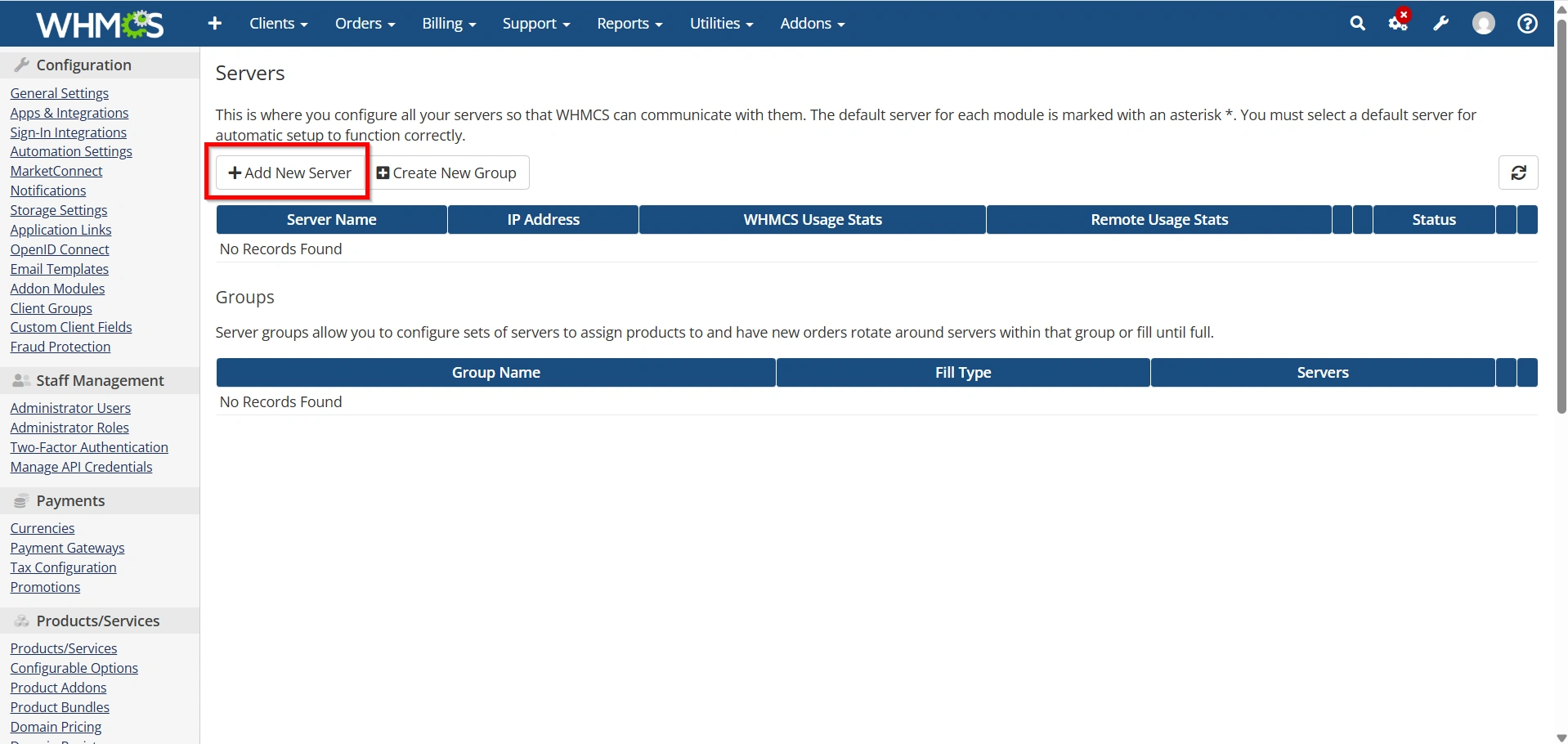
2. Enter your server details:
- Module
- Hostname/IP Address
- Username
- Password
- API Token
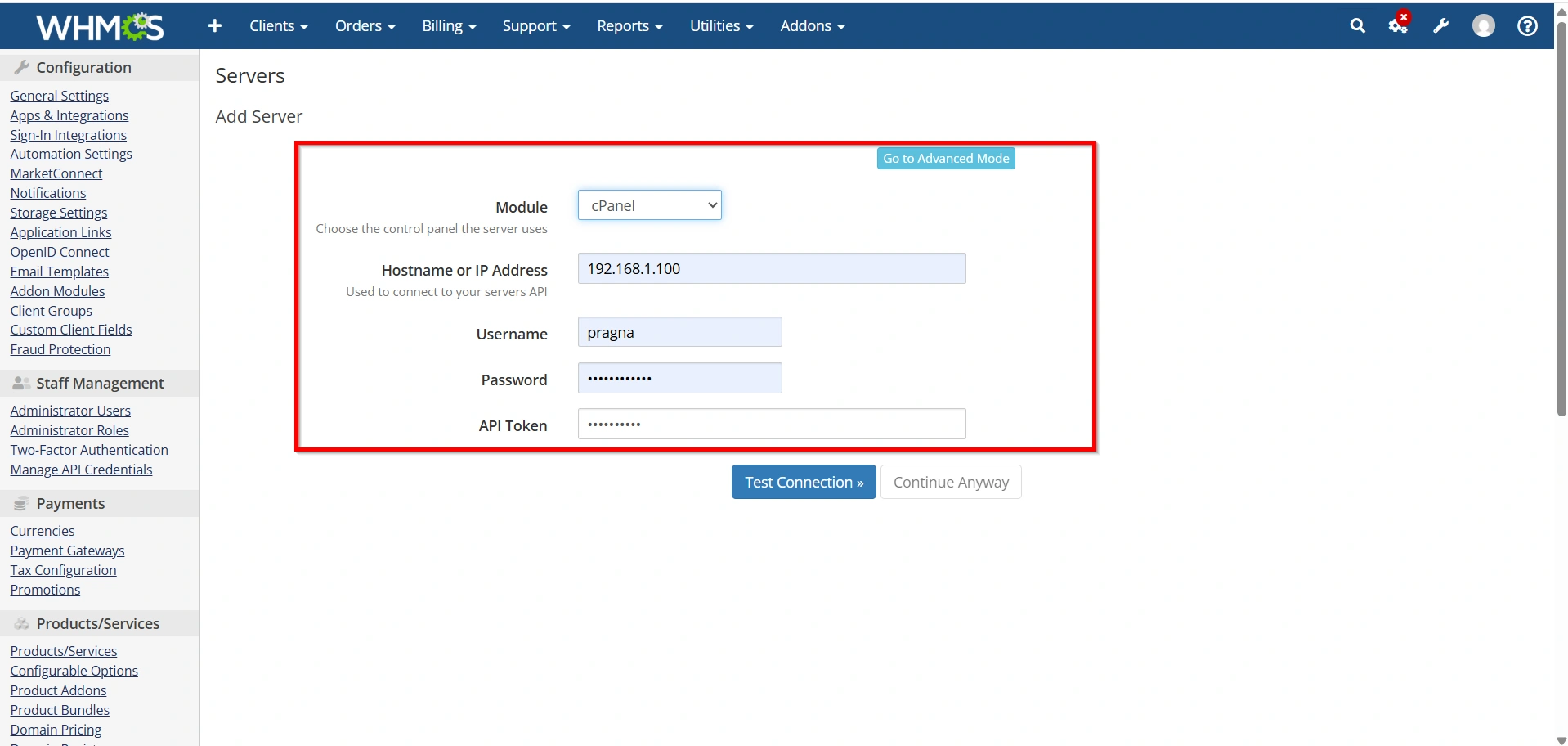
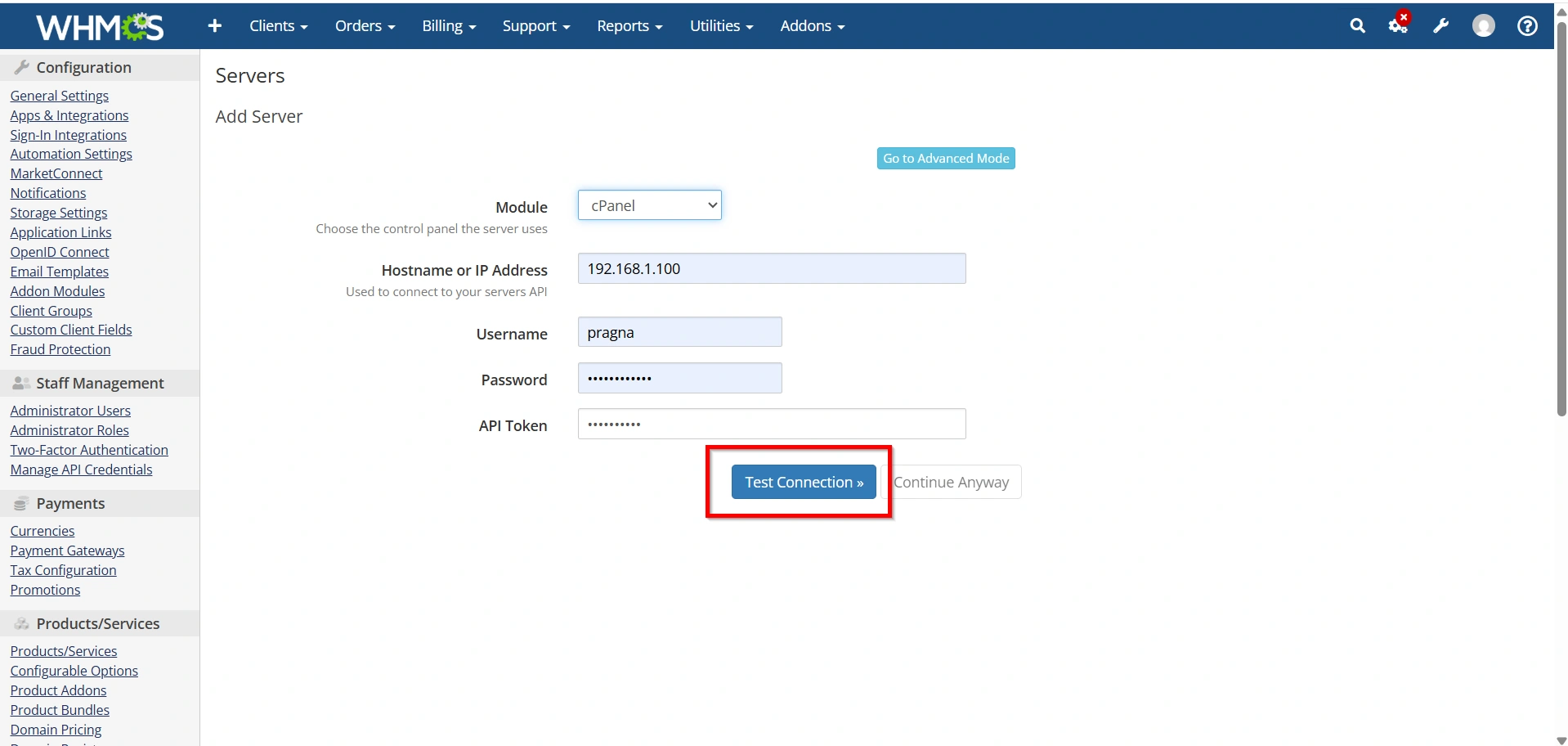
3. Click Test Connection to verify connectivity.
4. Click Save Changes.
WHMCS can now communicate with your hosting server.
Step 4: Create or Edit a Hosting Product
Next, configure the hosting product that will use automatic provisioning.
- Navigate to Configuration > System Settings > Products/Services.
- Create a new hosting product or edit an existing one.
- Select the appropriate product group.
- Configure pricing and billing cycles.
- Save the product settings.
This product will later be linked to your server module for automatic account creation.
Step 5: Configure the Module Settings
To enable automatic provisioning, connect the product to the server module.
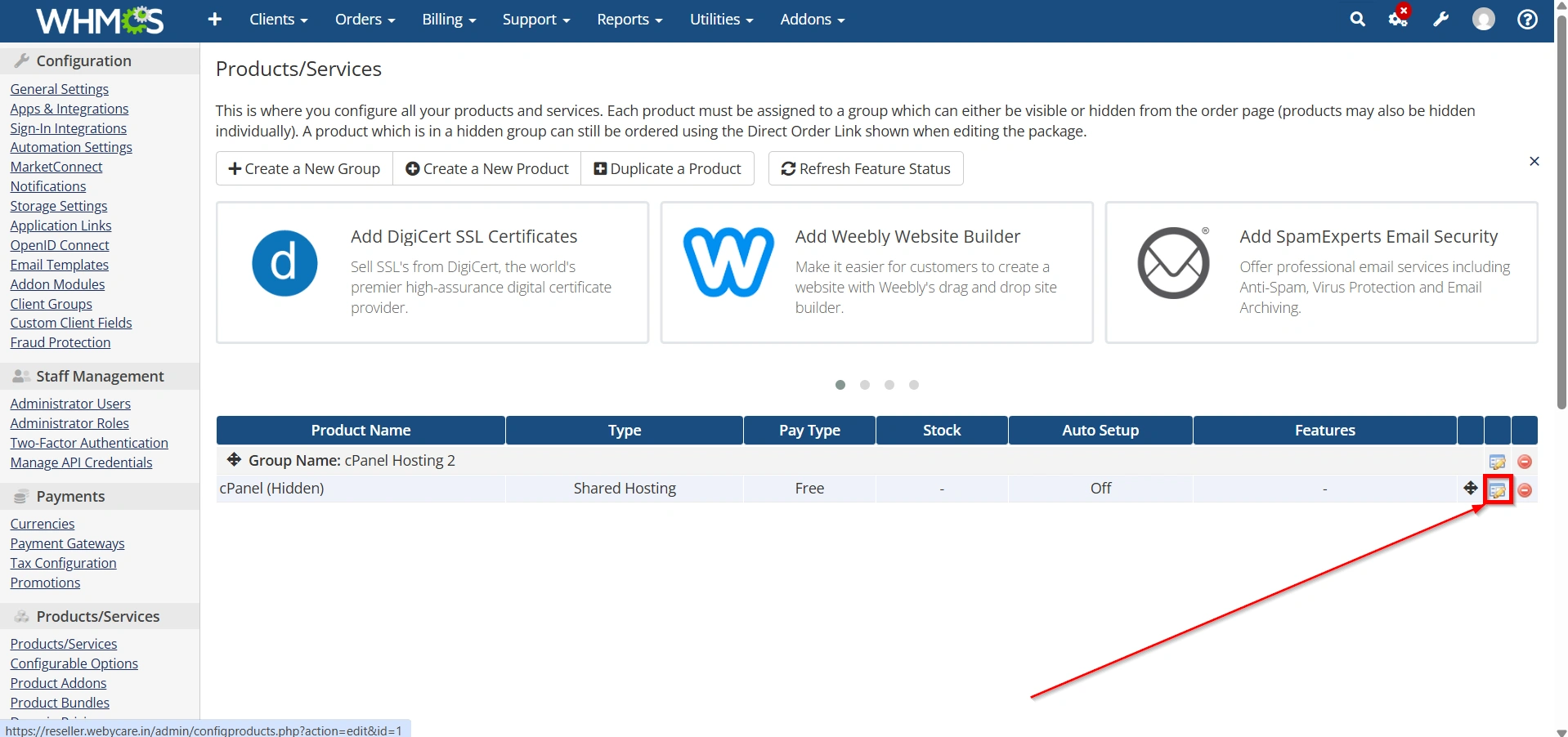
- Open the hosting product by Clicking Edit Icon
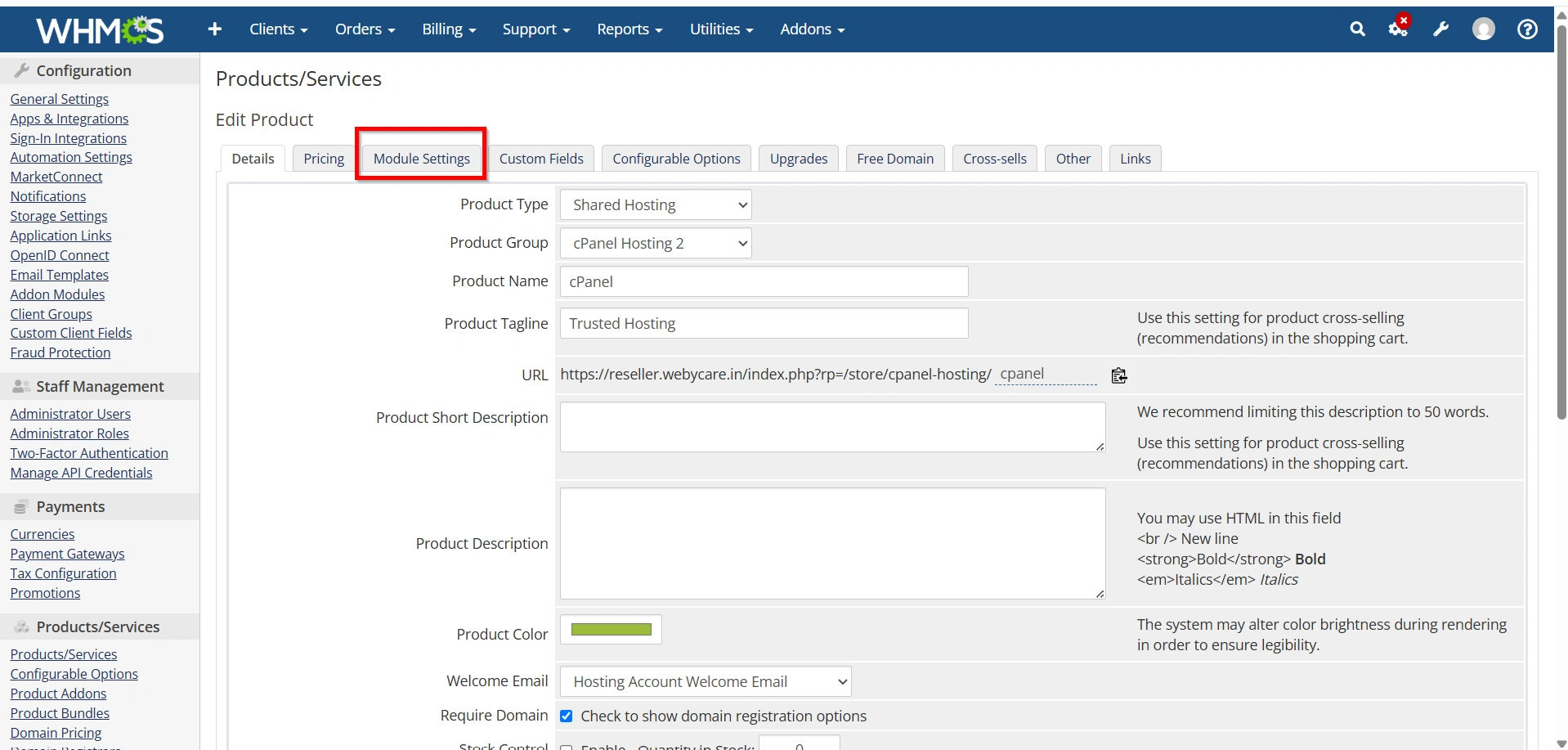
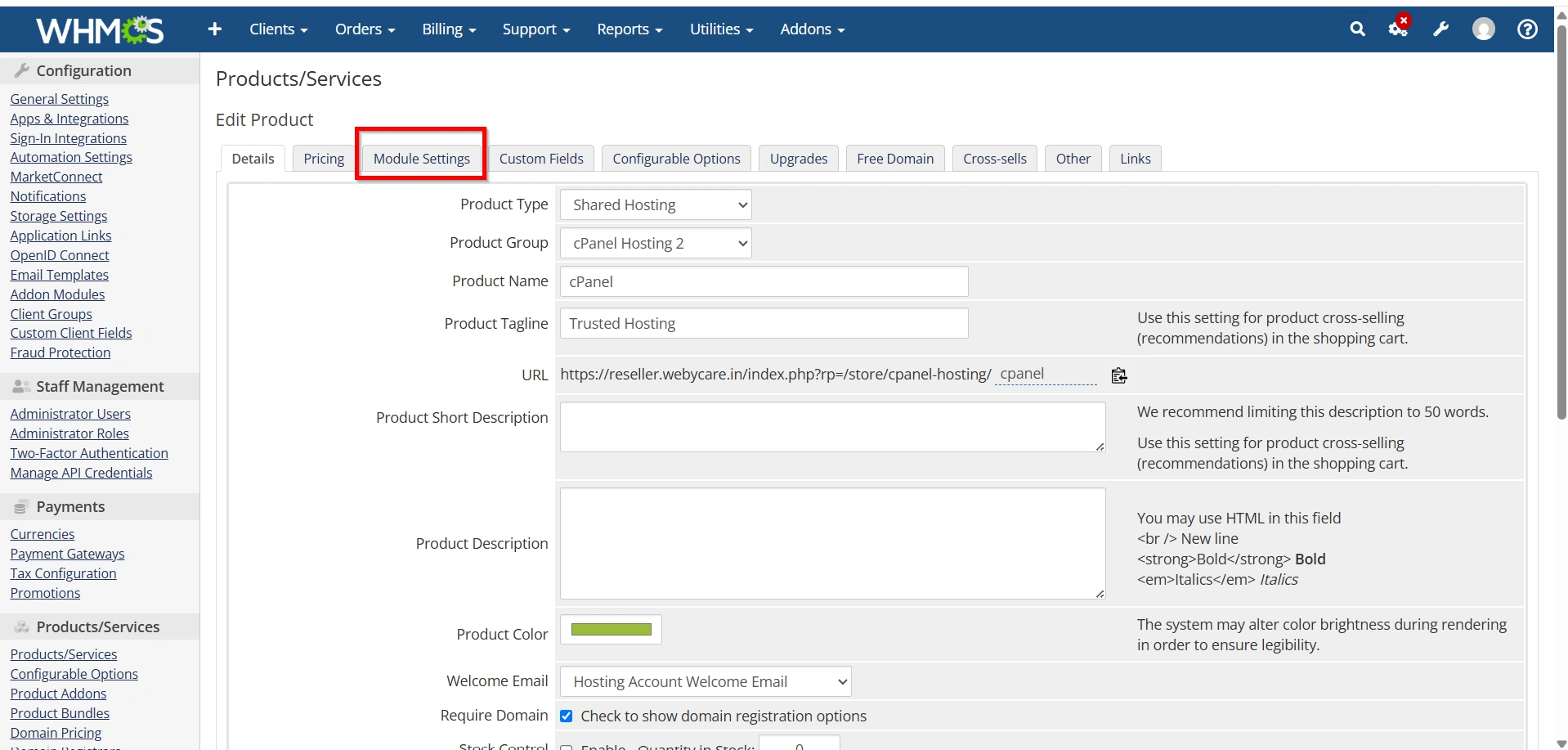
2. Click the Module Settings tab.
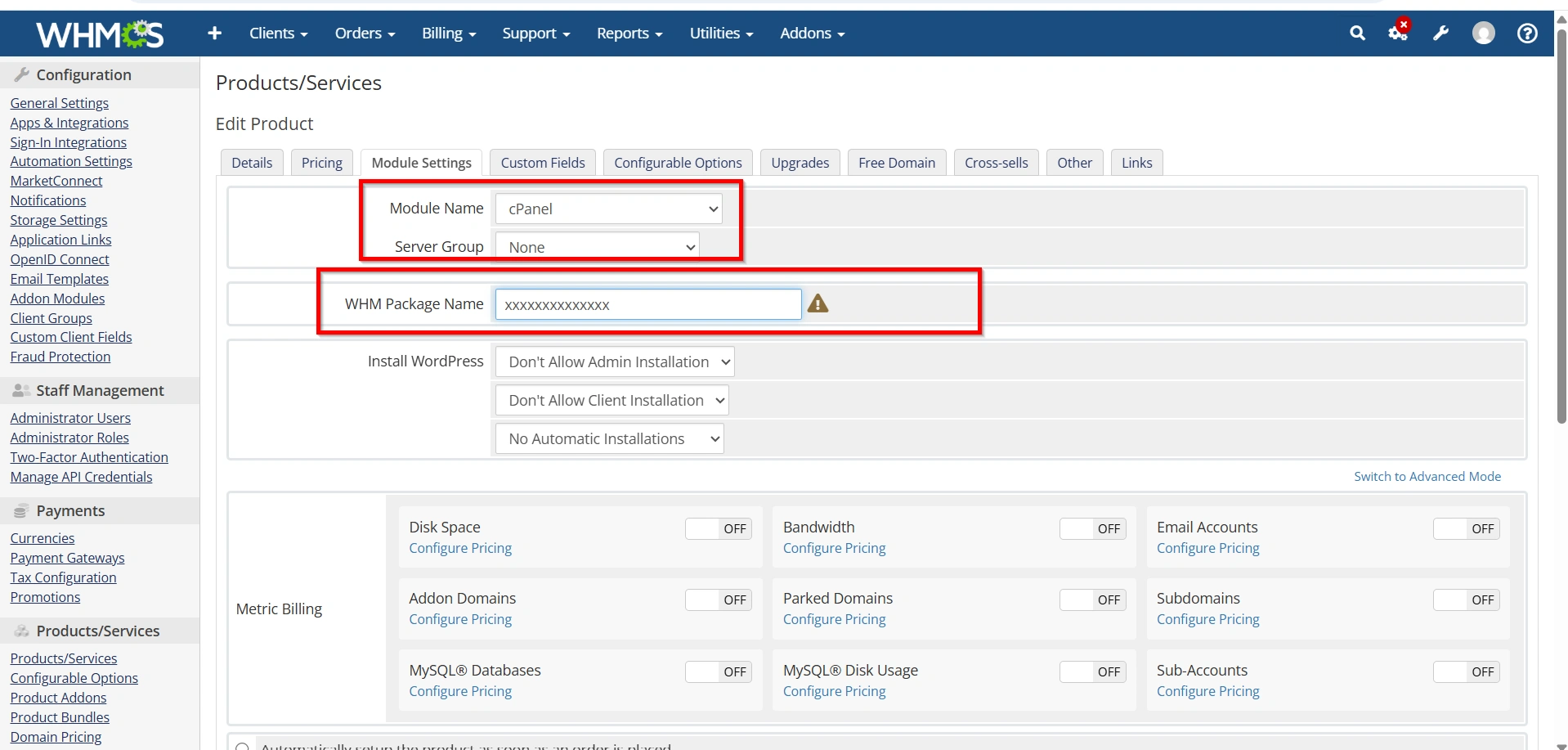
3. Select the control panel module:
- cPanel
- Plesk
- DirectAdmin
- Other supported modules
4. Choose the server or server group.
5. Select the hosting package associated with the product.
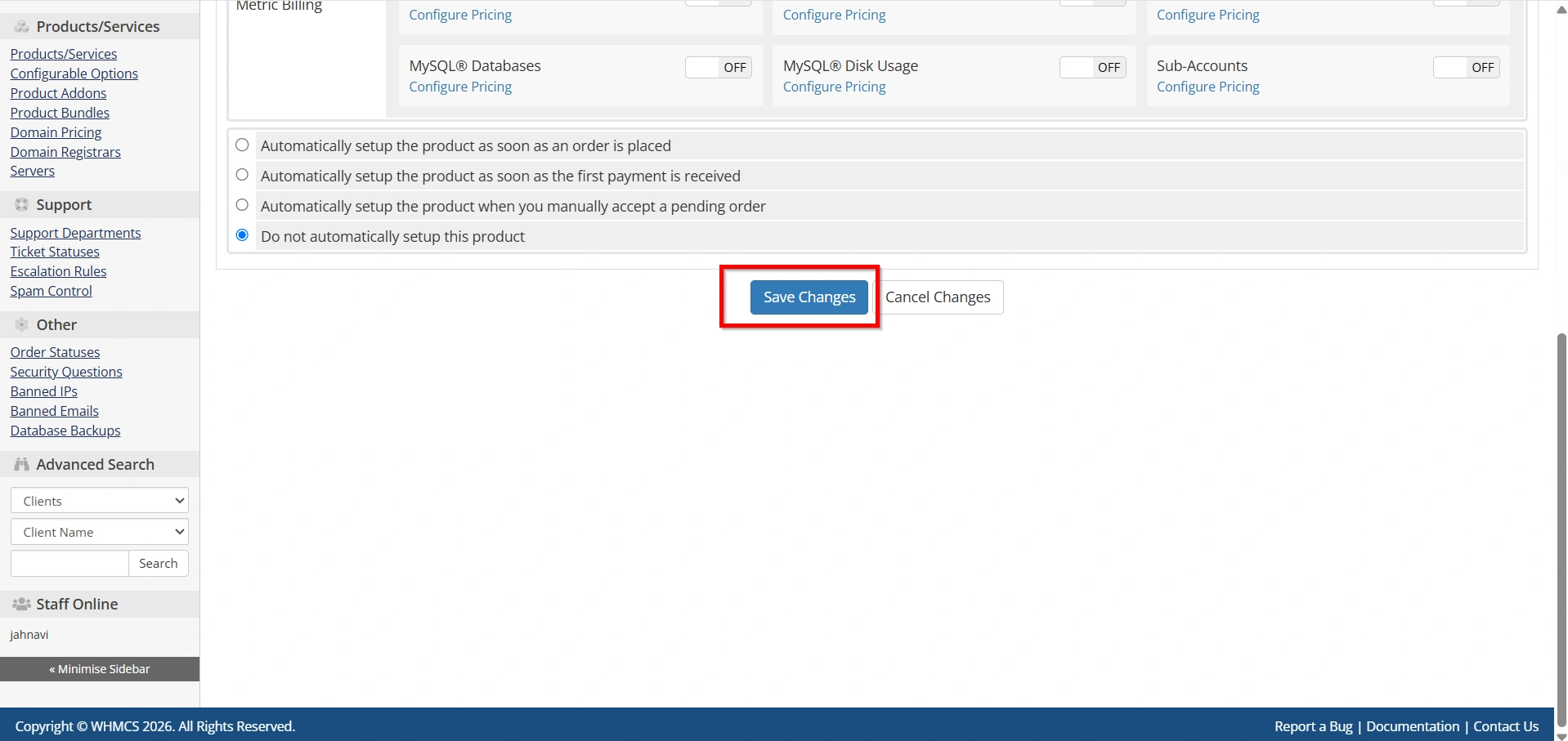
6. Save the configuration.
The module settings determine how WHMCS creates accounts on the server.
Step 6: Enable Auto Account Creation
This is the most important step when learning how to set up Auto Account Creation in WHMCS.
- While editing the hosting product, open the Module Settings tab.
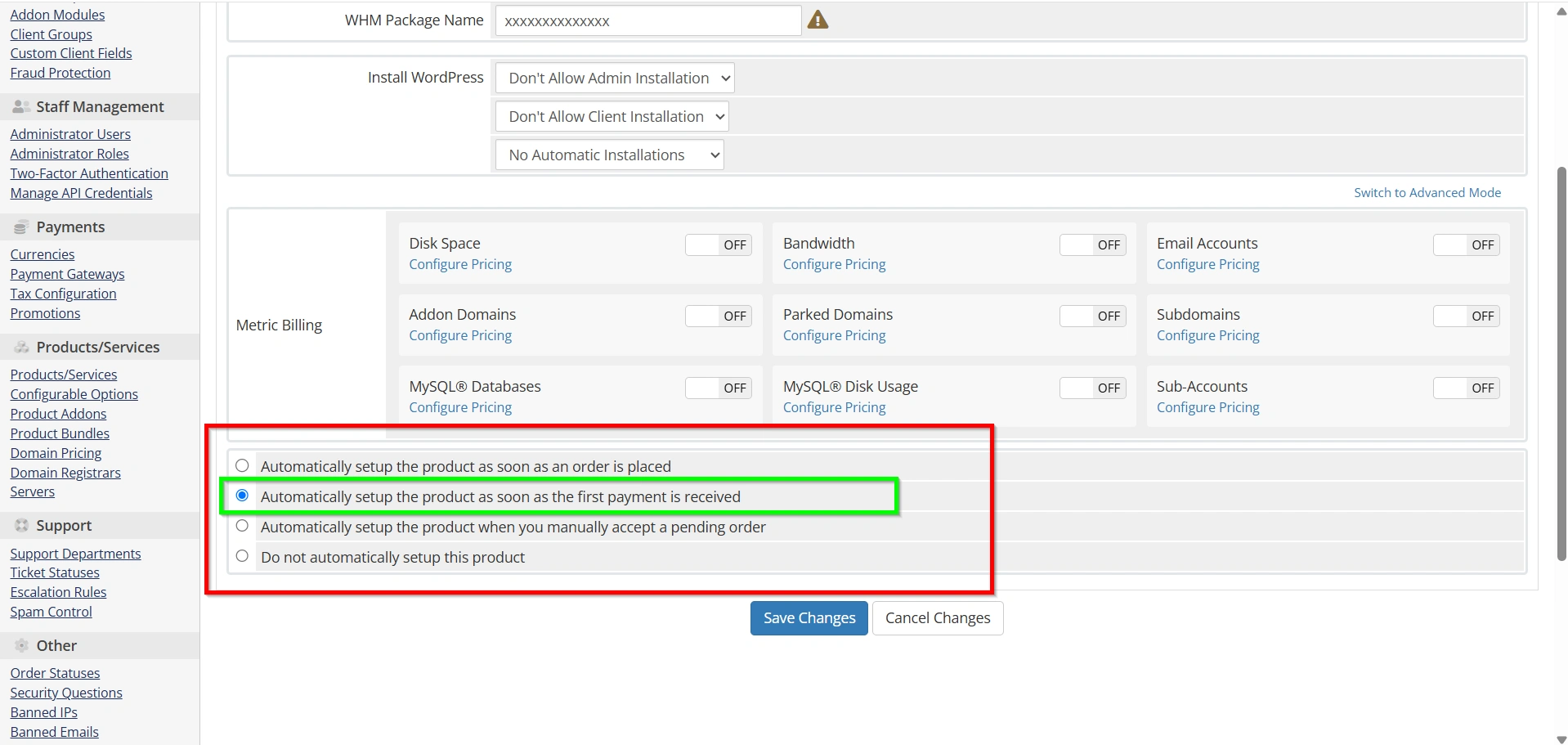
2. Locate the Automatically setup the product as soon as the first payment is received option.
3. Choose the desired provisioning method:
Automatically Setup the Product
WHMCS creates the hosting account immediately after the first successful payment.
Automatically Setup on Order
WHMCS creates the account as soon as the order is accepted.
Do Not Automatically Setup
Account creation remains manual and requires administrator intervention.
For most hosting providers, selecting Automatically setup the product as soon as the first payment is received is recommended.
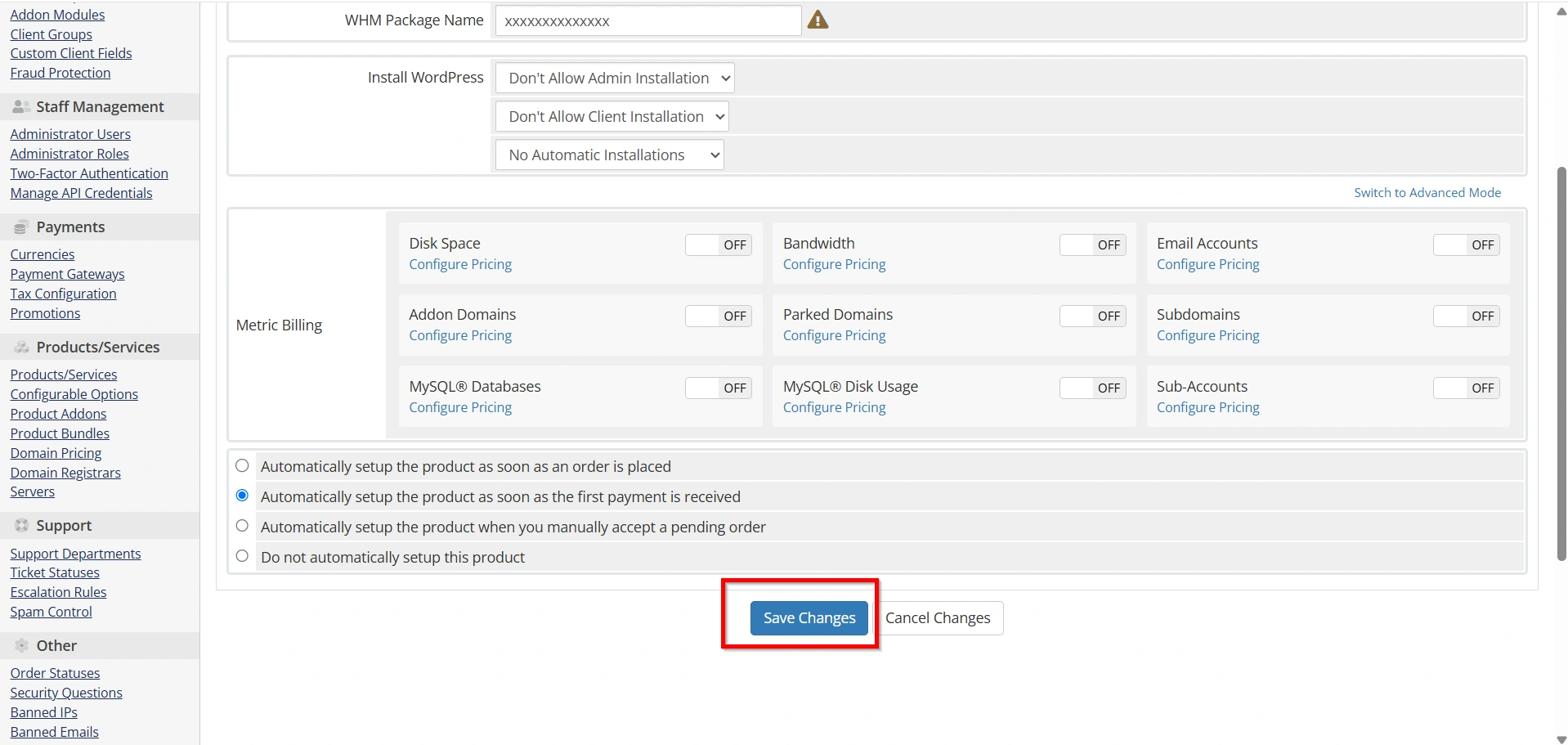
- Click Save Changes.
At this point, you have successfully configured Auto Account Creation in WHMCS.
Step 7: Test Auto Account Creation
Testing ensures everything works before going live.
- Place a test order through your client area.
- Complete payment using a test gateway.
- Wait for WHMCS to process the order.
- Verify that the hosting account is created on the server.
- Confirm the client receives the welcome email and login details.
If the account is created successfully, your automation is functioning correctly.
Best Practices for Auto Account Creation
To maximize reliability and security:
- Use API tokens whenever possible.
- Enable SSL for WHMCS installations.
- Test every new hosting package before launching.
- Regularly monitor module logs.
- Configure automated backups.
- Keep WHMCS and server modules updated.
- Use server groups for larger hosting environments.
Benefits of Auto Account Creation in WHMCS
Before learning how to set up Auto Account Creation in WHMCS, let’s look at some key benefits:
- Instantly provision hosting accounts after payment.
- Reduce manual administrative tasks.
- Improve customer satisfaction with faster service activation.
- Eliminate provisioning errors caused by manual account creation.
- Scale your hosting business more efficiently.
- Integrate seamlessly with cPanel, Plesk, DirectAdmin, and other supported control panels.
- Automate the entire order fulfillment process.
Conclusion
Knowing how to Set Up Auto Account Creation in WHMCS is a valuable skill for any hosting provider. By configuring servers, linking products to hosting modules, and enabling automatic provisioning, you can significantly reduce manual administration tasks.
When you Set Up Auto Account Creation in WHMCS, your business benefits from faster service activation, fewer provisioning errors, and a better customer experience. As your hosting company grows, having an automated provisioning system in place becomes increasingly important. Taking the time to properly Set Up Auto Account Creation in WHMCS today will help create a more efficient and scalable hosting environment for the future.
Related Articles