Latest Updates
How to Set Up Domain Pricing in WHMCS
How to Set Up Domain Pricing in WHMCS When launching a hosting business, one of the most important configurations is learning how to Set Up Domain Pricing in WHMCS correctly. Domain pricing directly affects…
How to Set Up Domain Pricing in WHMCS
When launching a hosting business, one of the most important configurations is learning how to Set Up Domain Pricing in WHMCS correctly. Domain pricing directly affects your revenue, customer experience, and billing automation. WHMCS provides a powerful domain management system that allows administrators to define registration, renewal, transfer, and redemption pricing for various domain extensions. By taking the time to Set Up Domain Pricing in WHMCS, you can ensure accurate billing, automate domain-related services, and provide transparent pricing to your customers. Whether you are selling .com, .net, .org, or country-specific domains, understanding how to Set Up Domain Pricing in WHMCS is essential for running a successful hosting business. This guide explains everything you need to know to Set Up Domain Pricing in WHMCS efficiently and manage your domain offerings with confidence.
Why Domain Pricing Setup Matters
Before configuring prices, it is important to understand why proper domain pricing is essential:
- Ensures accurate billing for domain services.
- Automates registration, renewal, and transfer charges.
- Reduces manual pricing adjustments.
- Improves customer trust through transparent pricing.
- Supports multiple domain extensions and pricing tiers.
- Helps maintain profitability by reflecting registrar costs.
Prerequisites
Before starting the setup, ensure that:
- WHMCS is installed and accessible.
- You have administrator access.
- A domain registrar module is configured.
- You know the pricing structure you want to offer for each TLD.
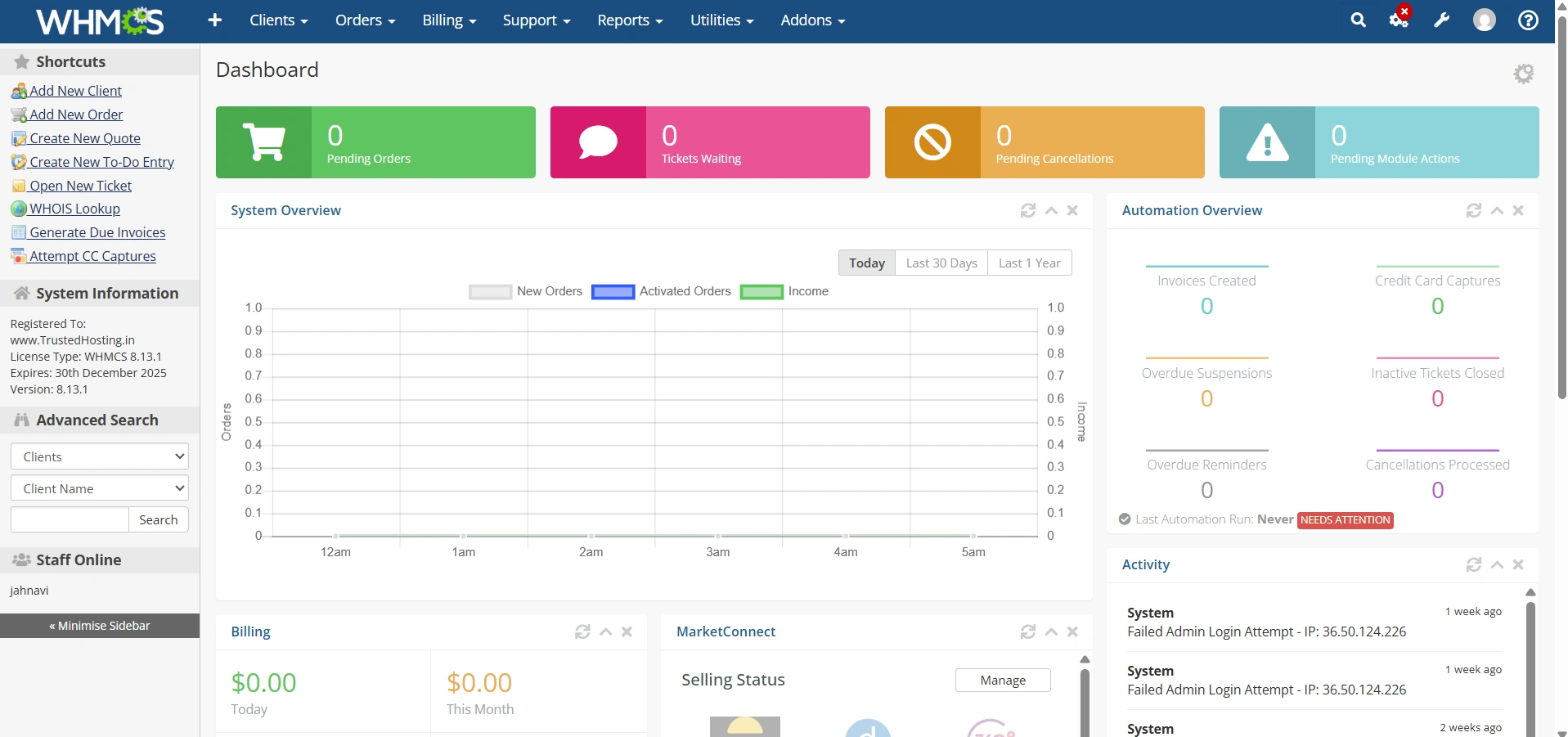
Step 1: Log in to WHMCS Admin Area
Log in to your WHMCS administrator dashboard.
Step 2: Access Domain Pricing Settings
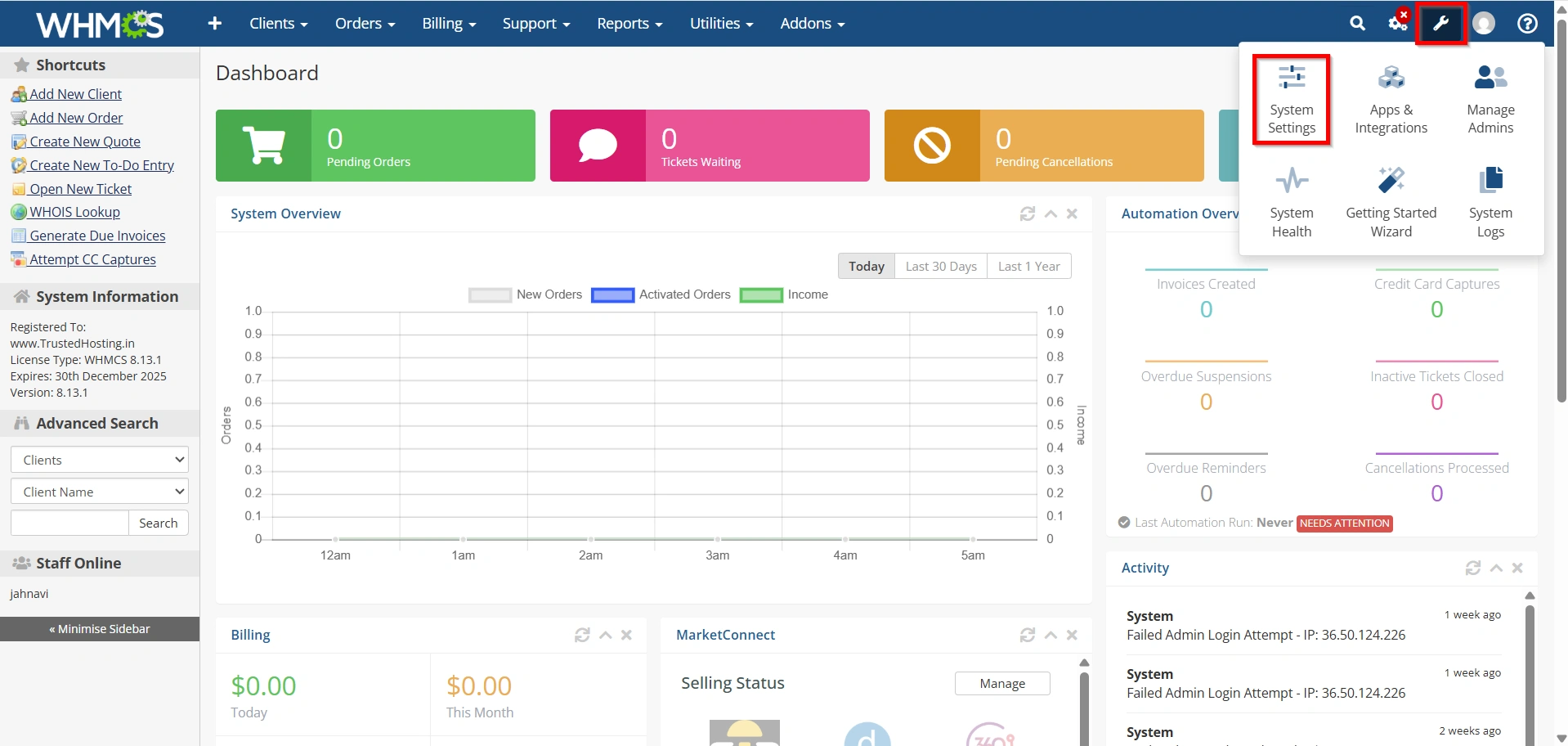
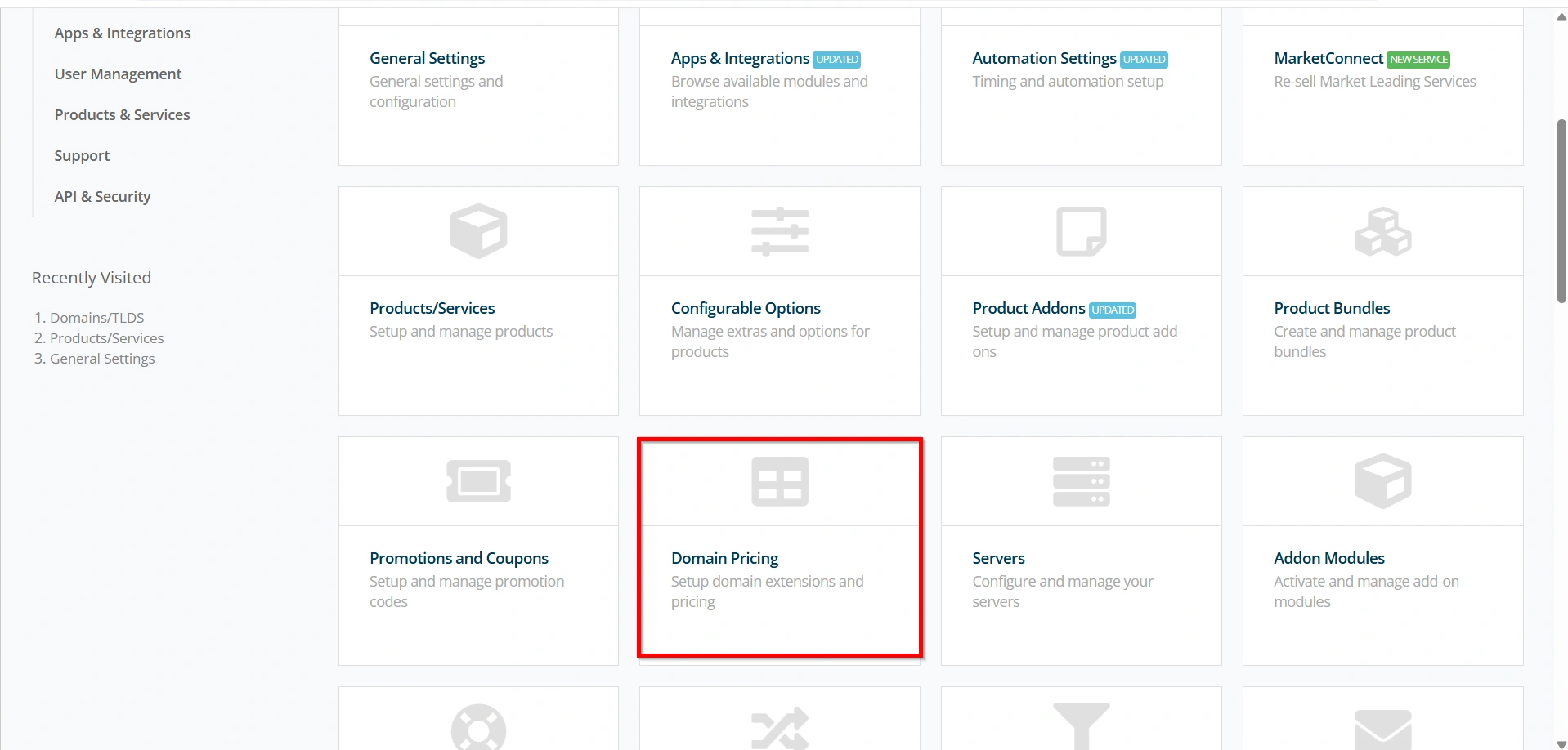
- Navigate to Configuration Icon → System Settings
- Under All Settings ,
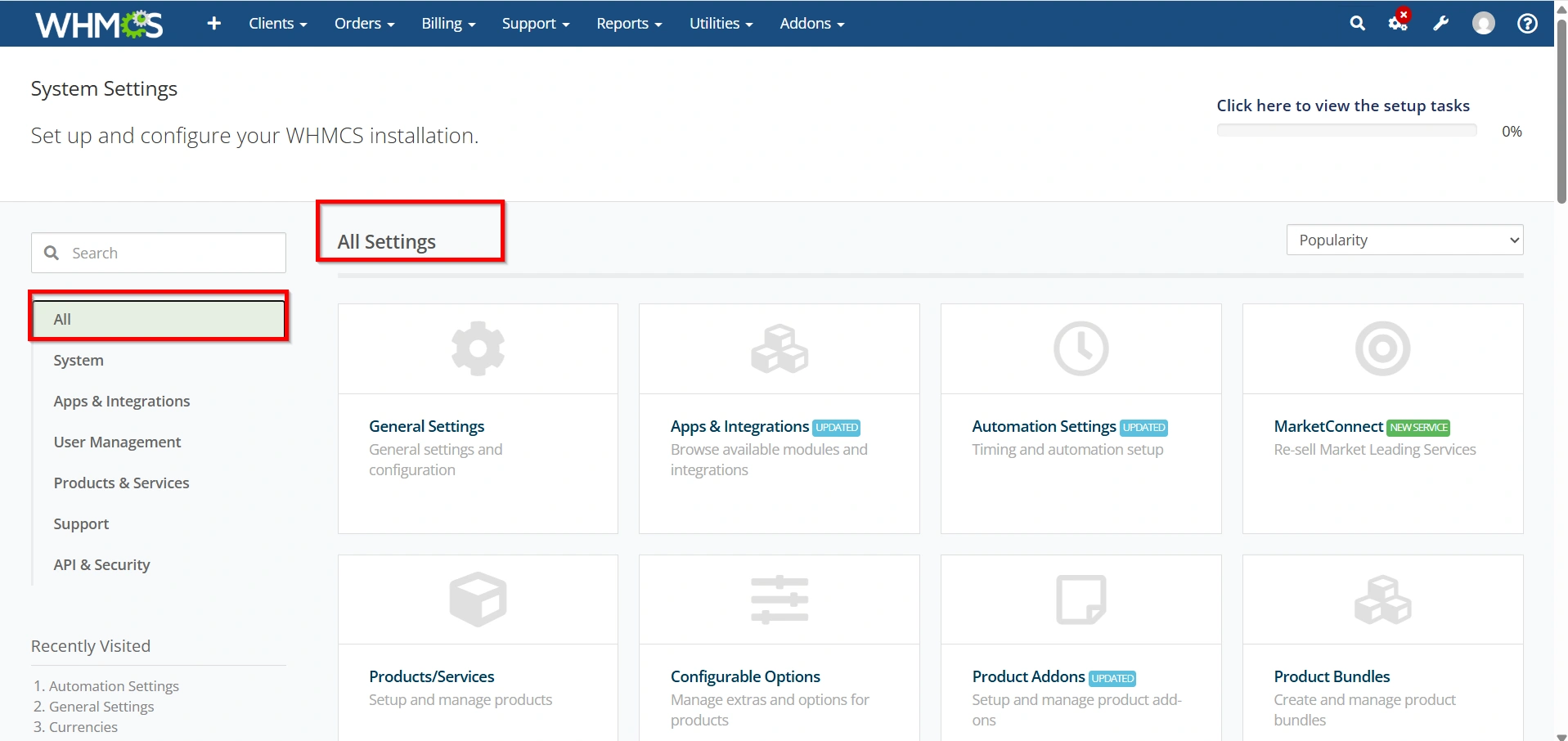
- Select Domain Pricing.
The Domain Pricing page will open, displaying all configured domain extensions.
This section serves as the central location for managing domain registration and renewal pricing.
Step 3: Add a New Domain Extension
If the desired TLD is not already listed:
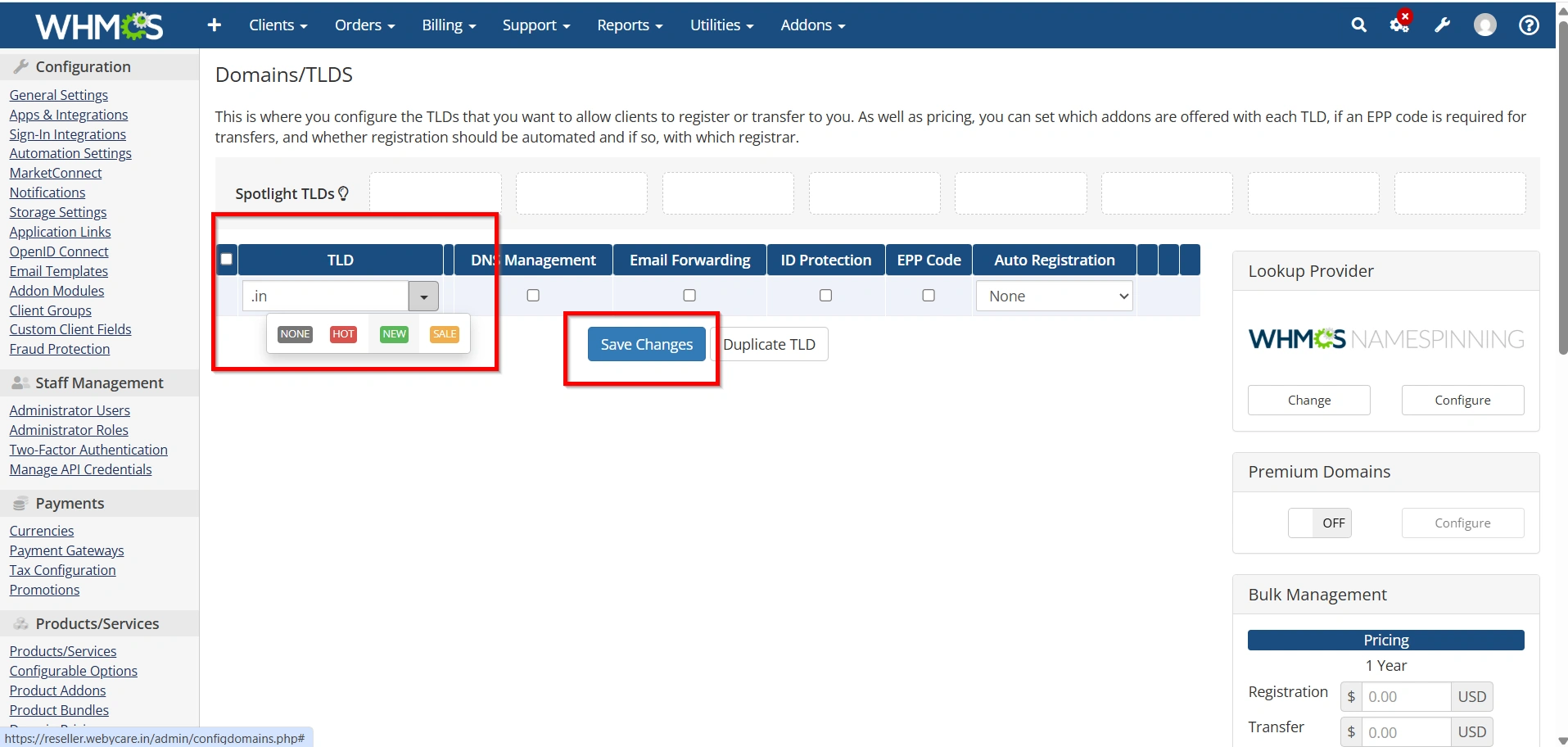
- Click Add TLD.
- Enter the domain extension (for example,
.com,.net,.org). - Select the appropriate registrar.
- Click Save Changes.
The new TLD will now appear in the pricing table and be available for configuration.
Step 4: Configure Registration Pricing
After adding the TLD:
- Locate the desired domain extension.
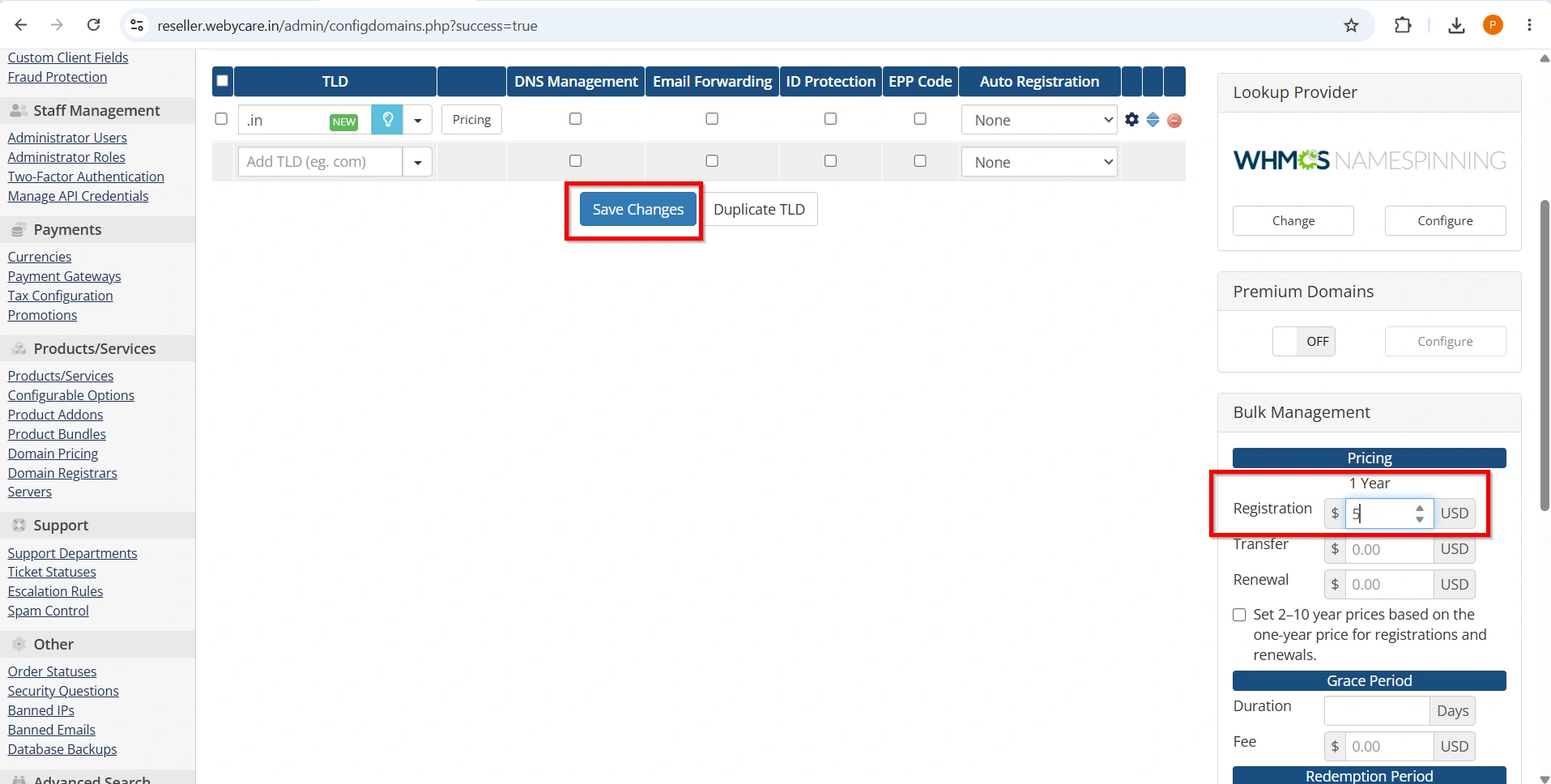
- Click the pricing field under Register.
- Enter pricing for various registration periods:
- 1 Year
- 2 Years
- 3 Years
- Up to 10 Years (depending on the TLD)
- Save the pricing configuration.
Registration pricing determines the amount customers pay when purchasing a new domain.
Example Registration Pricing
| Registration Period | Price |
|---|---|
| 1 Year | $12.99 |
| 2 Years | $24.99 |
| 3 Years | $36.99 |
Adjust these values according to your registrar costs and desired profit margins.
Step 5: Configure Renewal Pricing
Renewal pricing controls how much clients pay to extend their domain registrations.
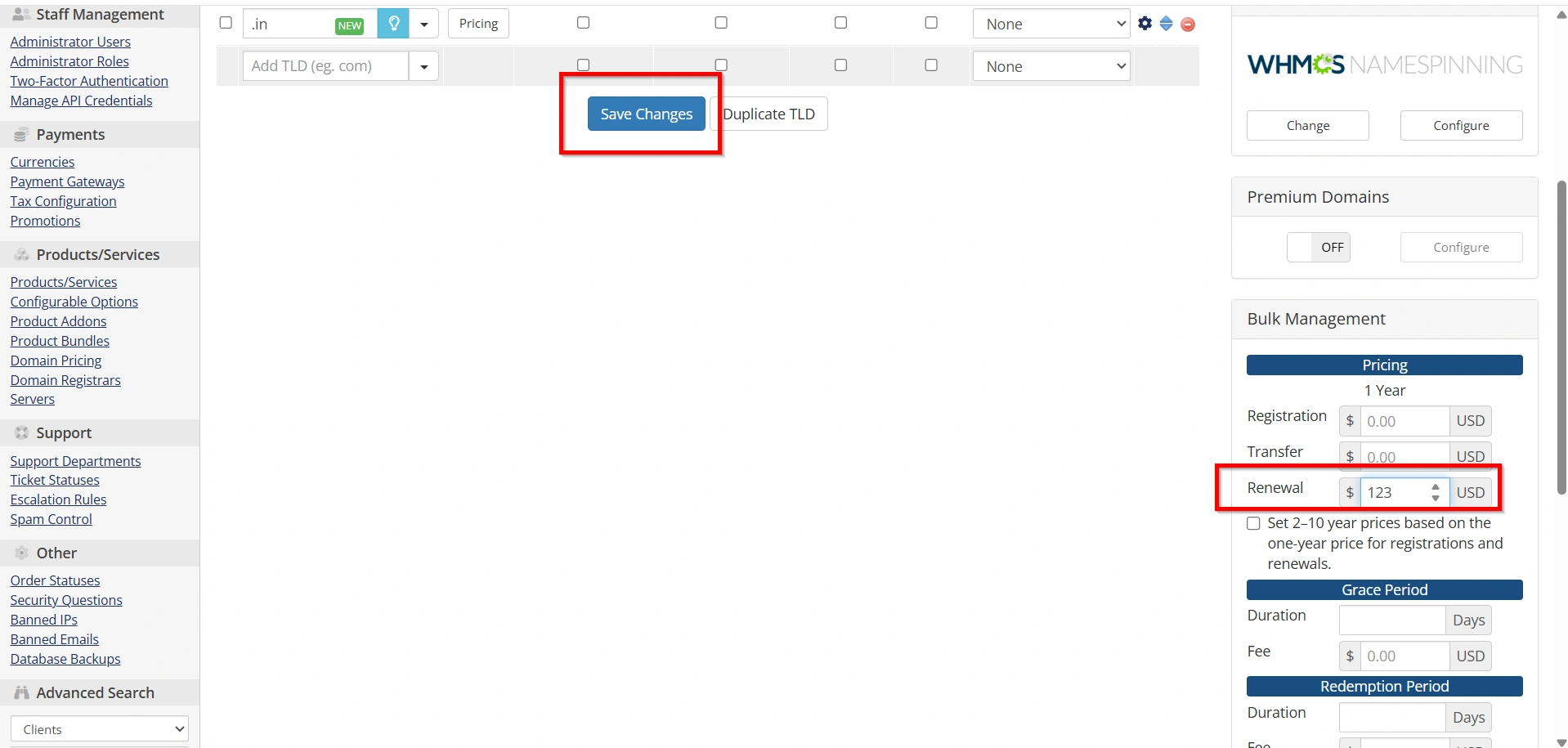
- Locate the Renew column.
- Enter renewal prices for each available term.
- Verify that pricing aligns with your registrar’s renewal costs.
- Save changes.
Many providers use slightly higher renewal rates than registration rates to maintain profitability.
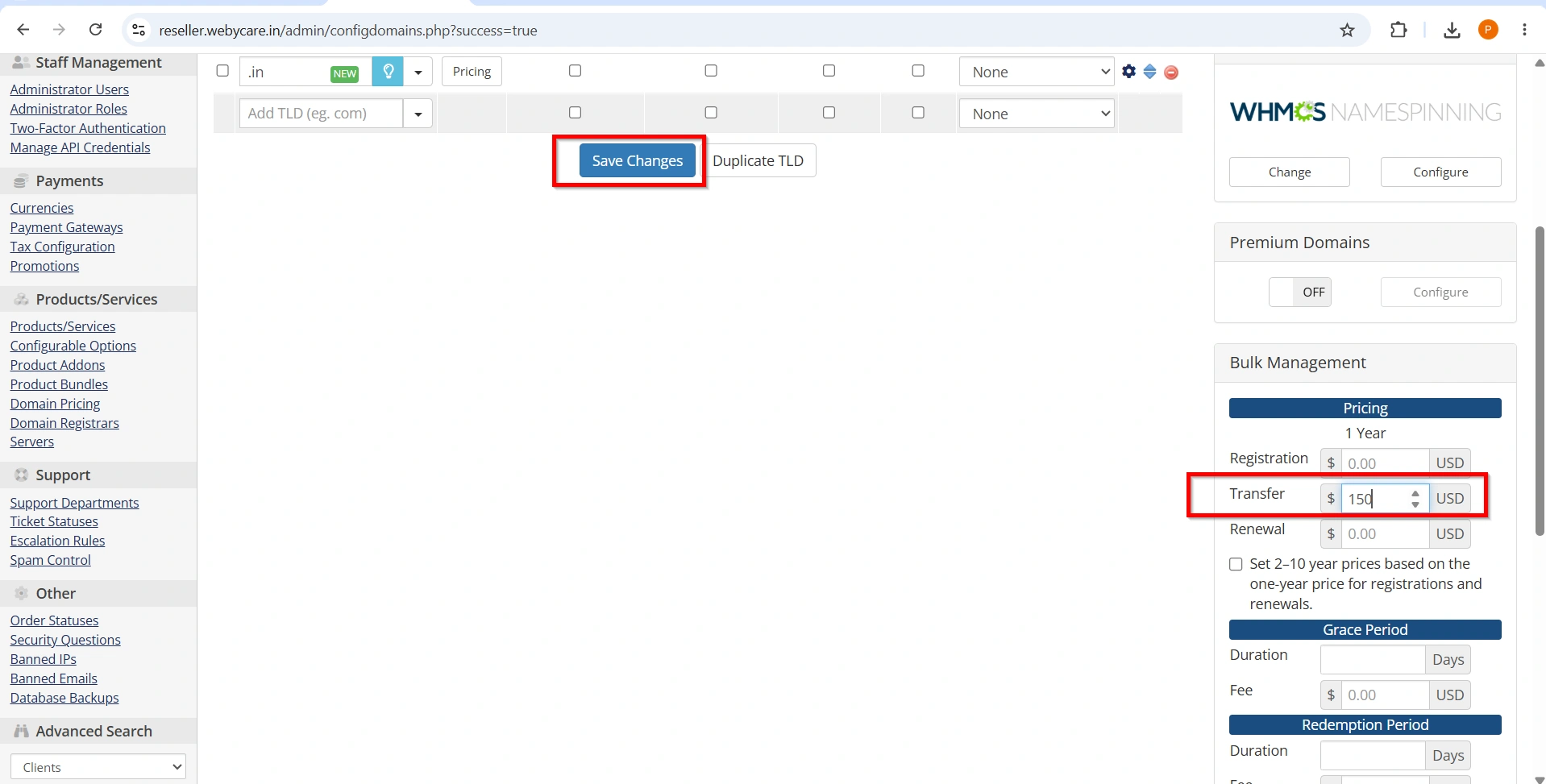
Step 6: Configure Transfer Pricing
Domain transfers allow customers to move domains from another registrar to your service.
To configure transfer pricing:
- Locate the Transfer pricing section.
- Enter transfer prices for each term.
- Save the configuration.
Transfer pricing often includes an additional year of registration, depending on the registry’s rules.
Step 7: Configure Domain Grace Periods and Redemption Periods
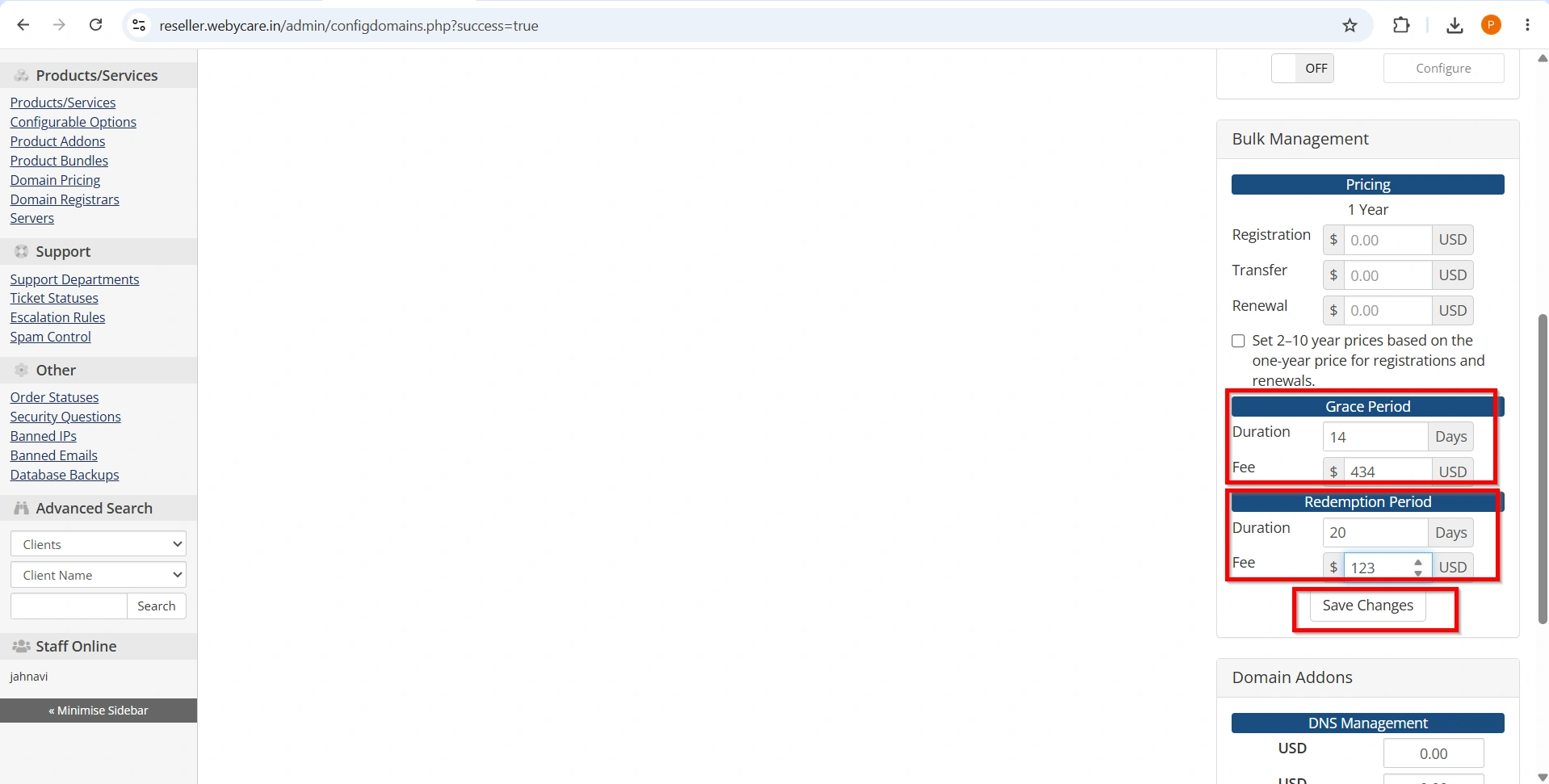
WHMCS allows you to define grace periods for expired domains.
- Scroll to the Grace Period settings.
- Enter the number of days allowed after expiration.
Benefits of configuring grace periods include:
- Improved customer experience.
- Reduced domain loss.
- Better billing automation.
- Clear renewal policies.
Redemption periods apply when domains move beyond the grace period.
To configure redemption settings:
- Locate the Redemption Period fields.
- Enter:
- Redemption Days
- Redemption Fee
- Save changes.
This helps WHMCS automatically calculate recovery costs for expired domains.
Step 8: Configure DNS Management Pricing
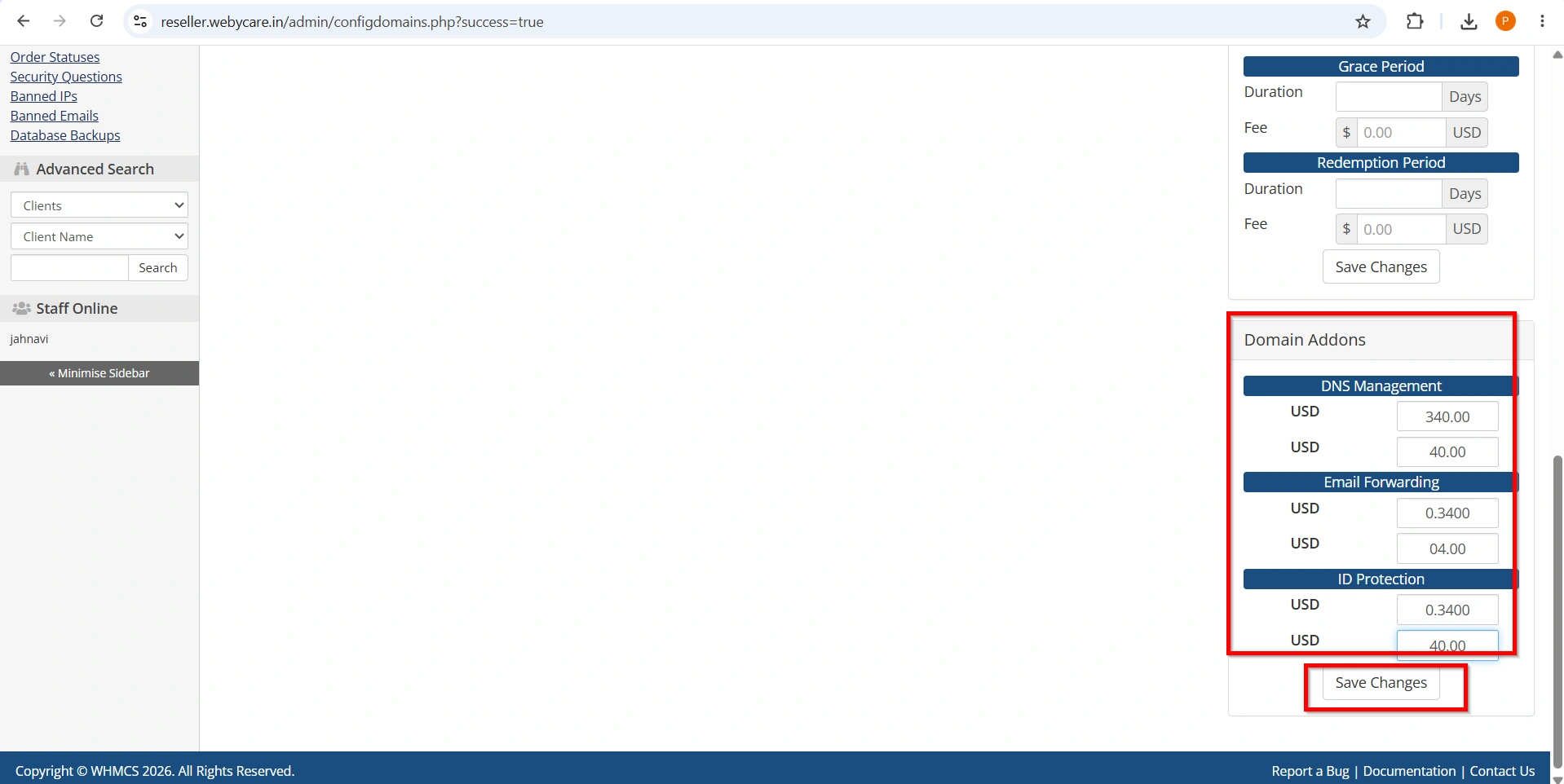
WHMCS supports optional domain add-on services.
Enable pricing for:
- DNS Management
- Email Forwarding
- ID Protection
To configure:
- Locate the Addon Pricing section.
- Enter yearly charges for each service.
- Save the settings.
These add-ons can generate additional recurring revenue.
Step 9: Test Domain Pricing
Before making pricing live:
- Visit the client area.
- Search for a domain.
- Add the domain to the cart.
- Verify:
- Registration pricing
- Renewal pricing
- Transfer pricing
- Add-on pricing
- Complete a test order if possible.
Testing helps identify errors before customers encounter them.
Best Practices for Domain Pricing Setup in WHMCS
Follow these recommendations for optimal results:
- Review Registrar Pricing Regularly
- Maintain Competitive Rates
- Include Add-On Services
- Monitor Renewal Margins
- Test After Every Update
Common Issues and Troubleshooting
- Pricing Not Displaying
- Incorrect Renewal Charges
- Transfer Pricing Missing
- Currency Conversion Problems
Benefits of Proper Domain Pricing Setup in WHMCS
A well-configured Domain Pricing Setup in WHMCS provides several advantages:
- Accurate automated billing.
- Improved customer purchasing experience.
- Reduced administrative workload.
- Better profitability management.
- Support for multiple domain extensions.
- Seamless registrar integration.
- Enhanced operational efficiency.
Conclusion
Knowing how to Set Up Domain Pricing in WHMCS is essential for automating domain sales and ensuring accurate billing. A proper Set Up Domain Pricing in WHMCS process helps hosting providers manage registrations, renewals, and transfers efficiently while maintaining profitability. By following the steps outlined in this guide, you can successfully Set Up Domain Pricing in WHMCS, offer competitive domain pricing, and improve the overall customer experience. Regularly reviewing registrar costs and updating pricing settings will help you continue to Set Up Domain Pricing in WHMCS effectively as your business grows. With the right configuration, your efforts to Set Up Domain Pricing in WHMCS will contribute to smoother operations, better automation, and long-term business success
Related Articles