Latest Updates
How to Set Up Promo Codes in WHMCS
How to Set Up Promo Codes in WHMCS Promotional discounts are one of the most effective ways to attract new customers, increase sales, and encourage existing clients to upgrade their services. WHMCS includes a…
How to Set Up Promo Codes in WHMCS
Promotional discounts are one of the most effective ways to attract new customers, increase sales, and encourage existing clients to upgrade their services. WHMCS includes a powerful Promotions feature that allows hosting providers and online businesses to create discount codes for products, services, domains, and addons. Whether you’re running a seasonal sale, offering a welcome discount, or launching a special marketing campaign, understanding how to set up promo codes in WHMCS is essential.
In this guide, we’ll walk through the complete process of creating and managing promo codes in WHMCS, explain the available options, and share best practices for maximizing the success of your promotional campaigns.
What Are Promo Codes in WHMCS?
Promo codes in WHMCS are discount coupons that customers can apply during checkout to receive special pricing or benefits. These promotions can be configured for:
- Hosting products
- Product addons
- Domain registrations
- Domain transfers
- Domain renewals
- Specific customer groups
- Limited-time campaigns
Promo codes can provide percentage discounts, fixed-amount discounts, free setup fees, or recurring discounts depending on your business requirements.
How to Set Up Promo Codes in WHMCS
Follow these steps to create a new promotion.
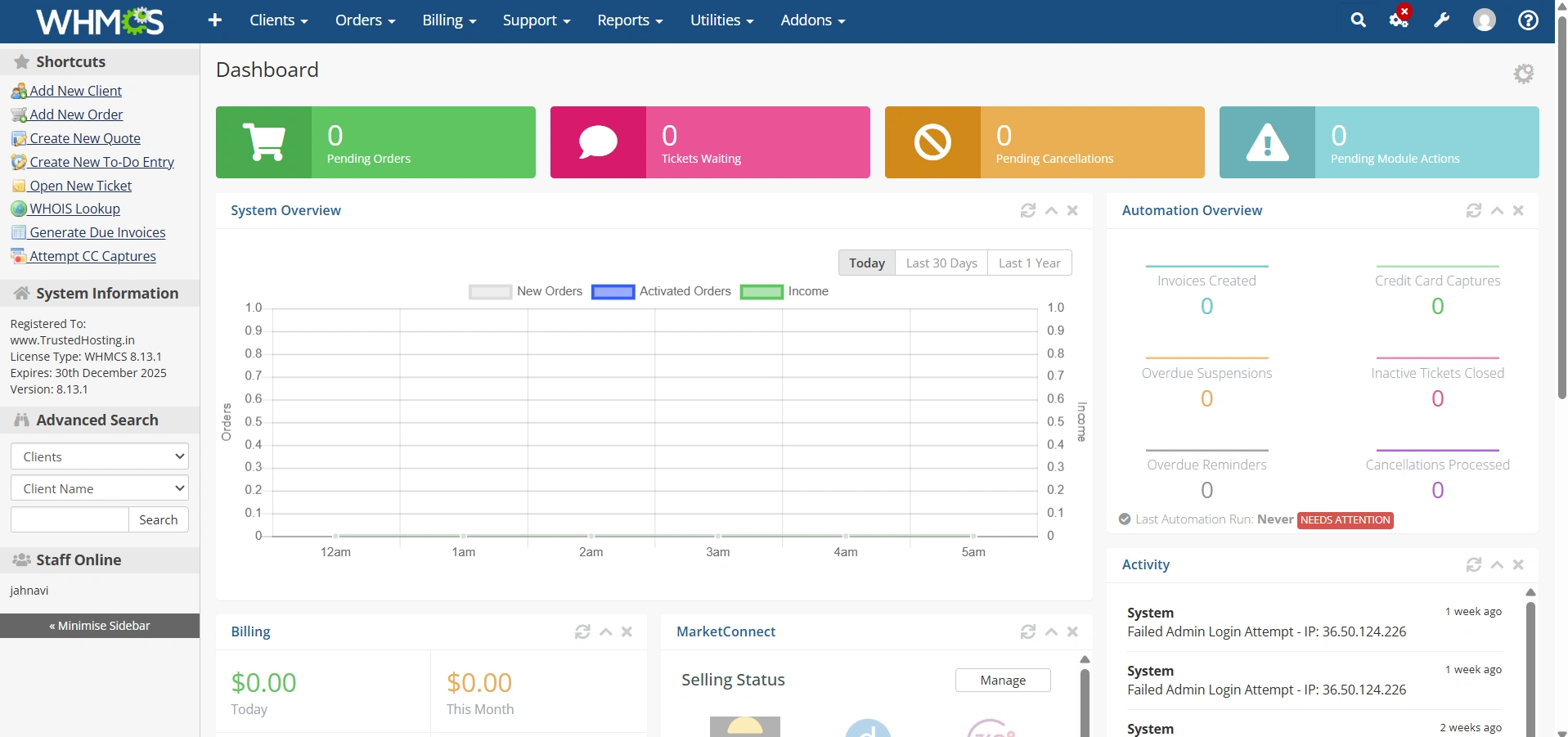
Step 1: Log in to WHMCS Admin Area
Log in to your WHMCS administrator dashboard.
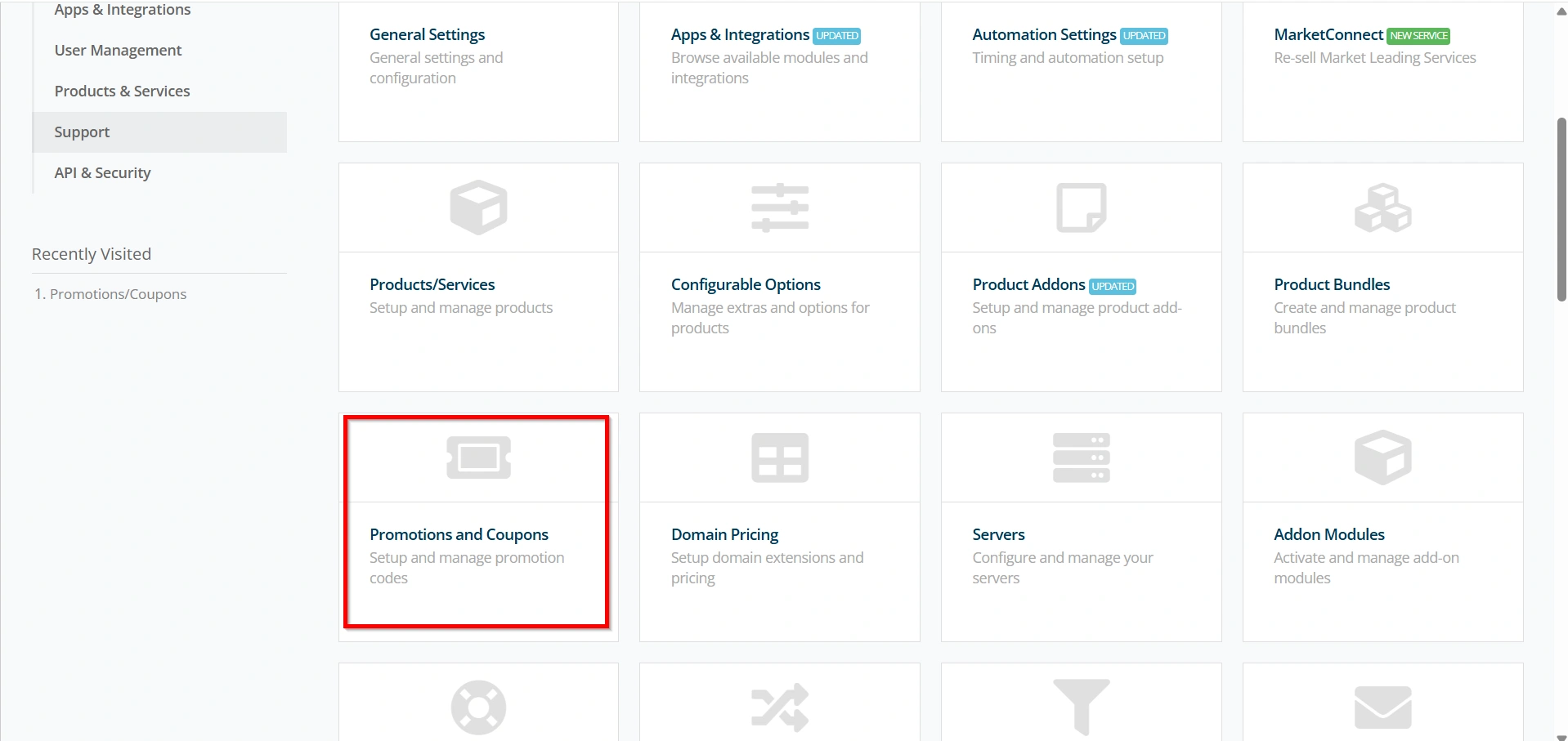
Step 2: Access the Promotions Section
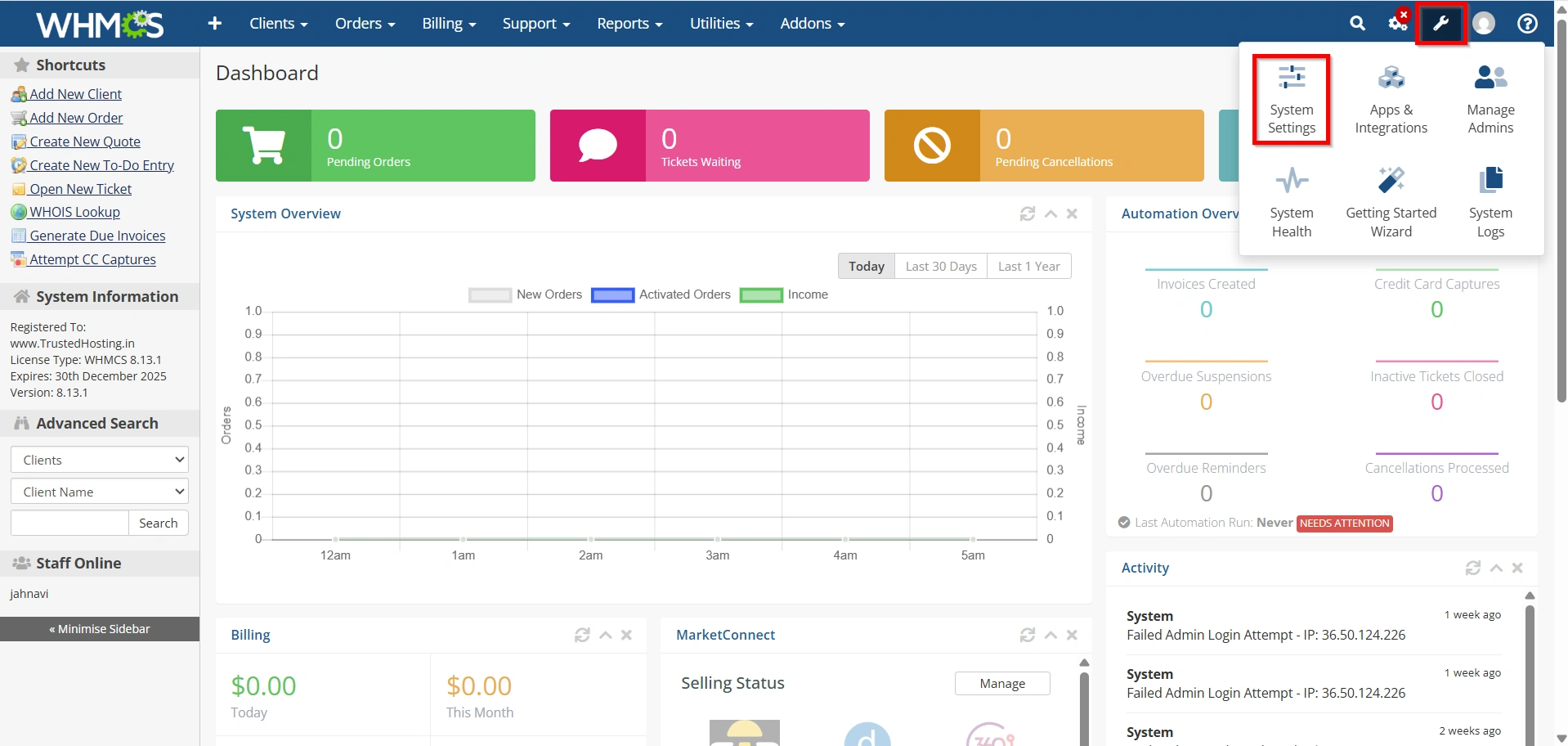
- Navigate to Configuration Icon → System Settings
- Under All Settings ,
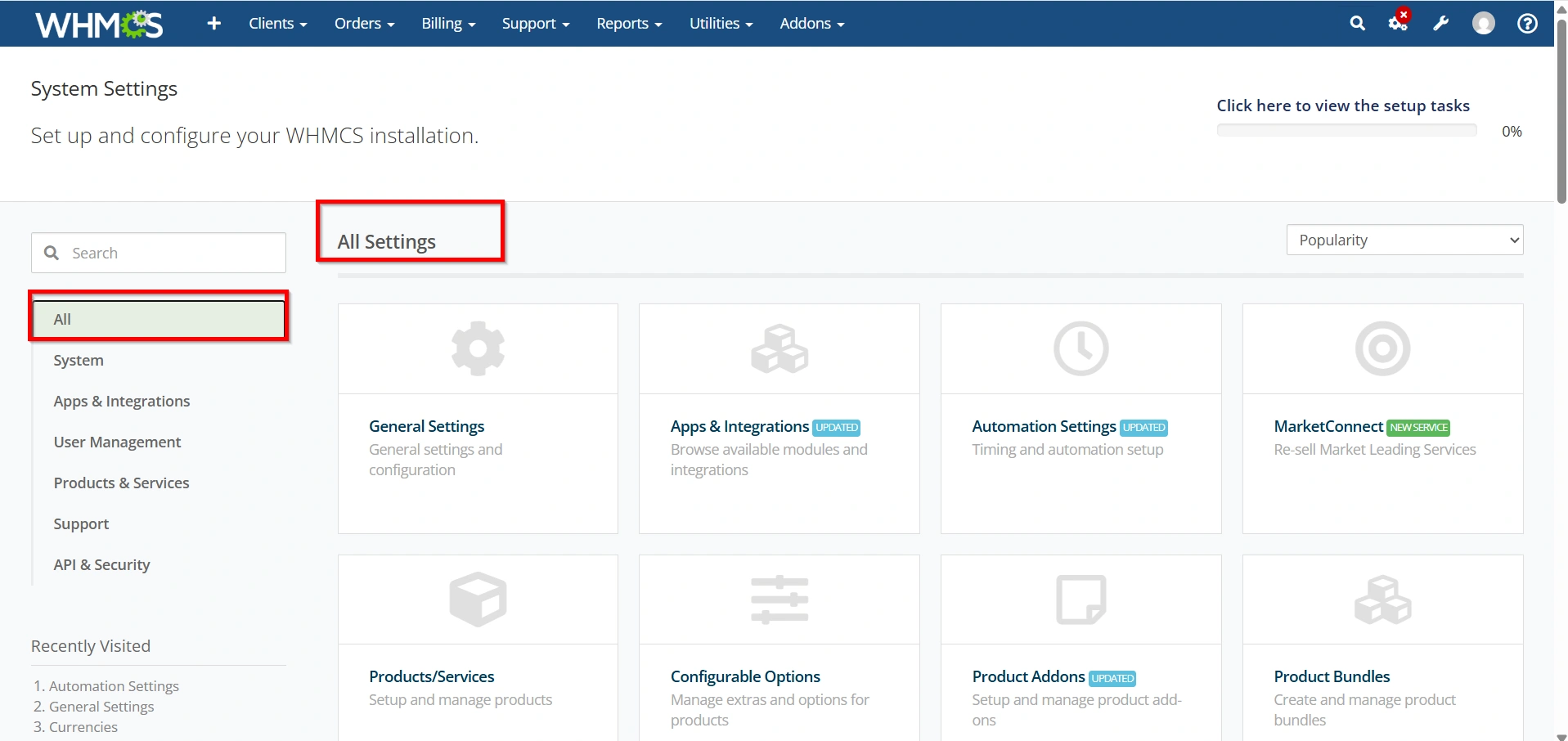
- Select Promotions and Coupons.
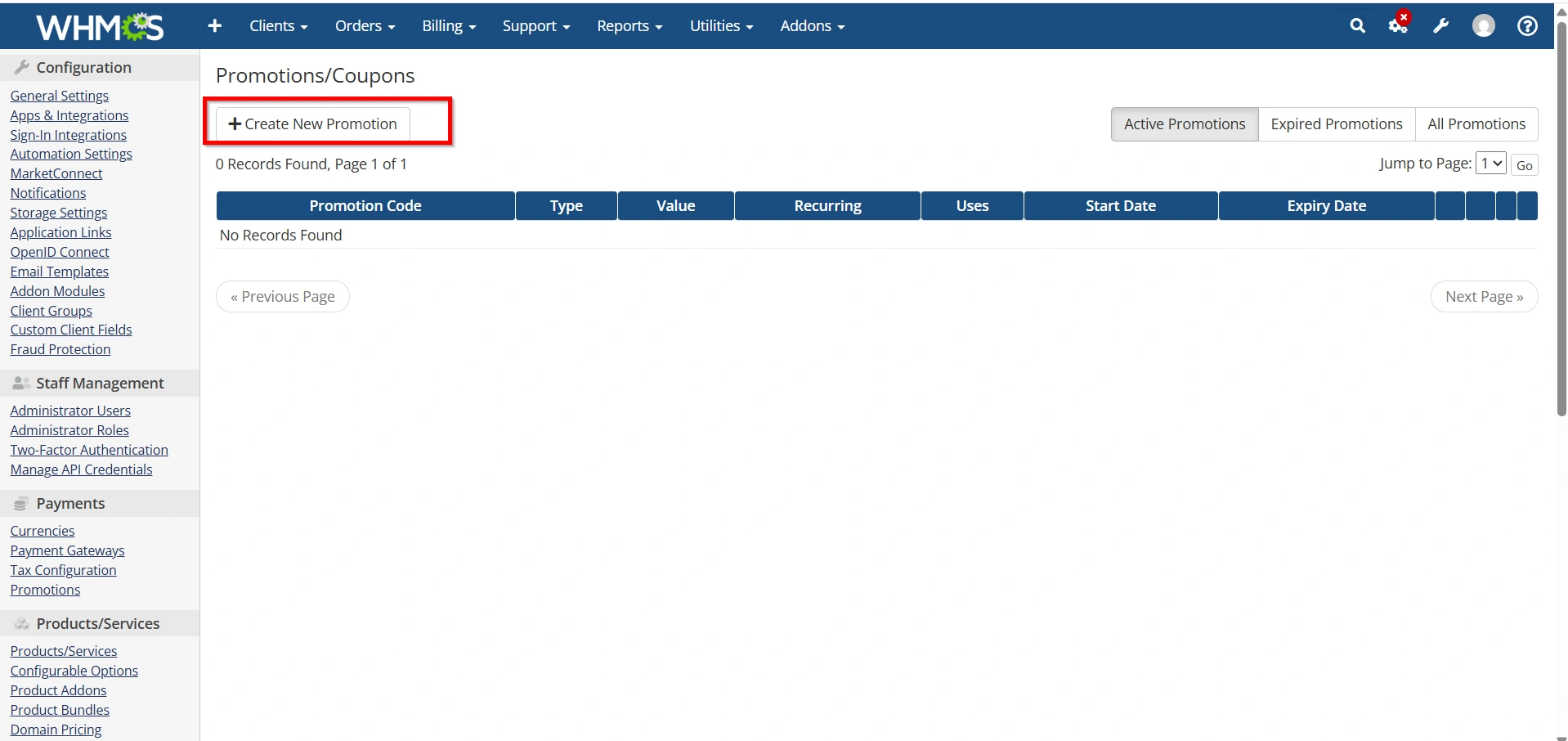
- Create New Promotion.
The promotion creation form will appear.
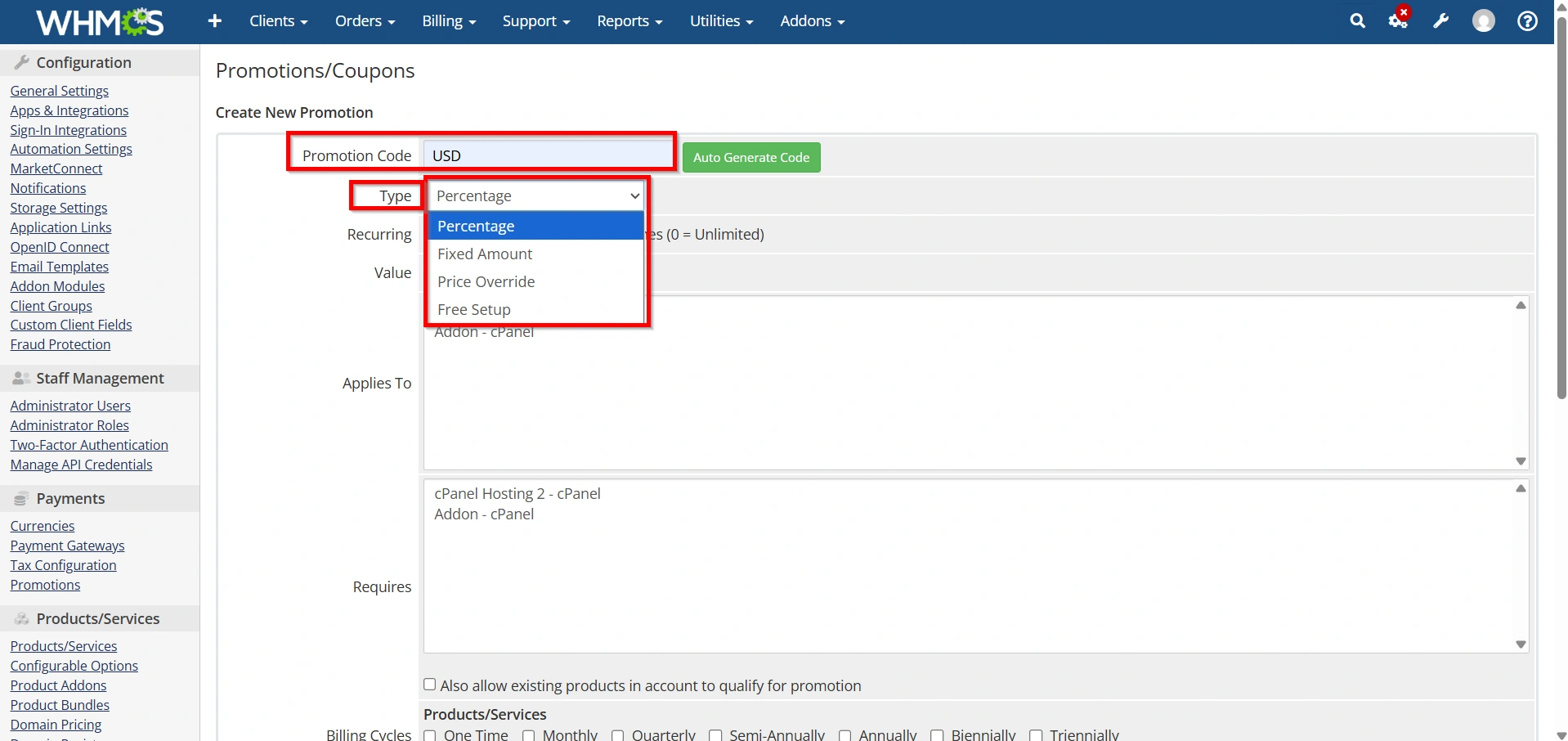
Step 3: Enter the Promo Code and Promotion Type
Enter Promotion Code
- Enter a unique code such as:
- WELCOME20
- HOSTING10
- SUMMER2026
- NEWCLIENT
Customers will enter this code during checkout.
Choose the Promotion Type
WHMCS provides two discount types:
Percentage Discount
A percentage is deducted from the order total.
Example:
- 20% off hosting plans
Fixed Amount Discount
A fixed monetary value is deducted.
Example:
- ₹500 off annual hosting packages
Select the option that best fits your promotion strategy.
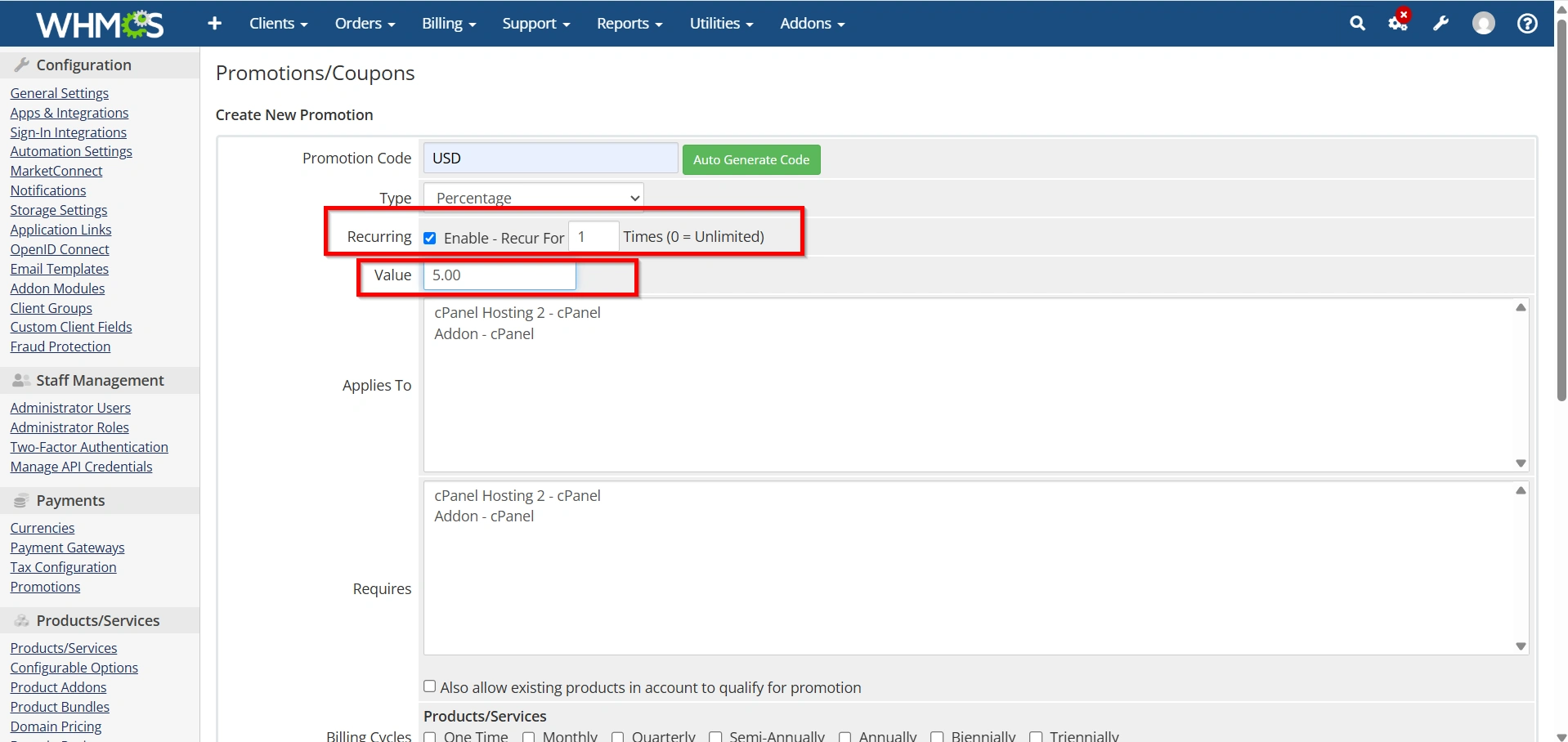
Step 4: Define the Discount Value and Recurring Discounts
Enter Discount amount
Examples:
- 10% discount
- 25% discount
- ₹100 discount
- ₹500 discount
Ensure the discount remains profitable while being attractive to customers.
Configure Recurring Discounts
WHMCS allows discounts to apply:
- Once only
- Recurring for every billing cycle
- Limited number of billing cycles
Examples:
- First invoice only
- First 3 months
- First year
- Lifetime recurring discount
Choose the option that matches your campaign goals.
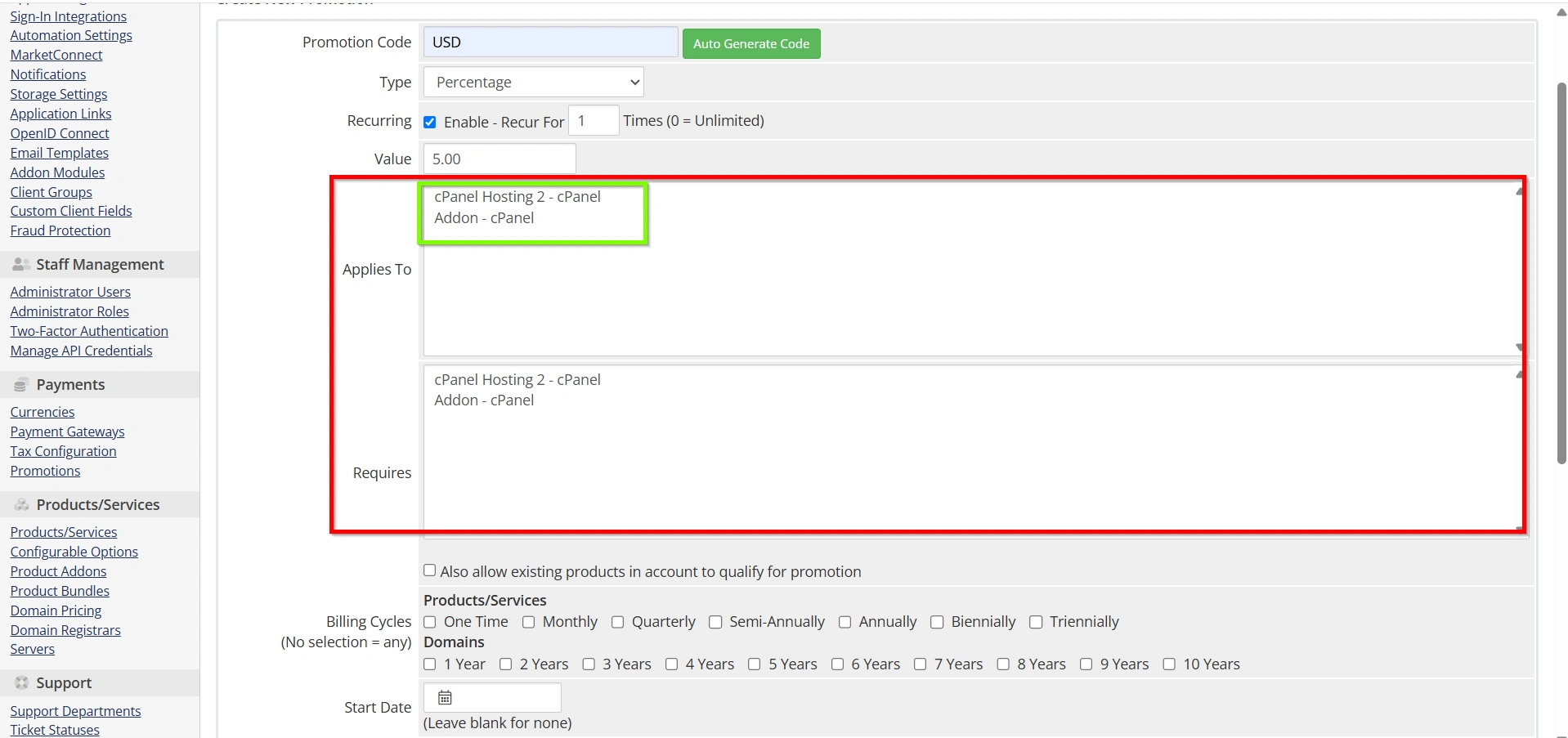
Step 5: Apply to Specific Products
You can restrict promotions to selected products.
Examples:
- Shared Hosting
- VPS Hosting
- Dedicated Servers
- Reseller Hosting
This helps target specific services without affecting your entire product catalog.
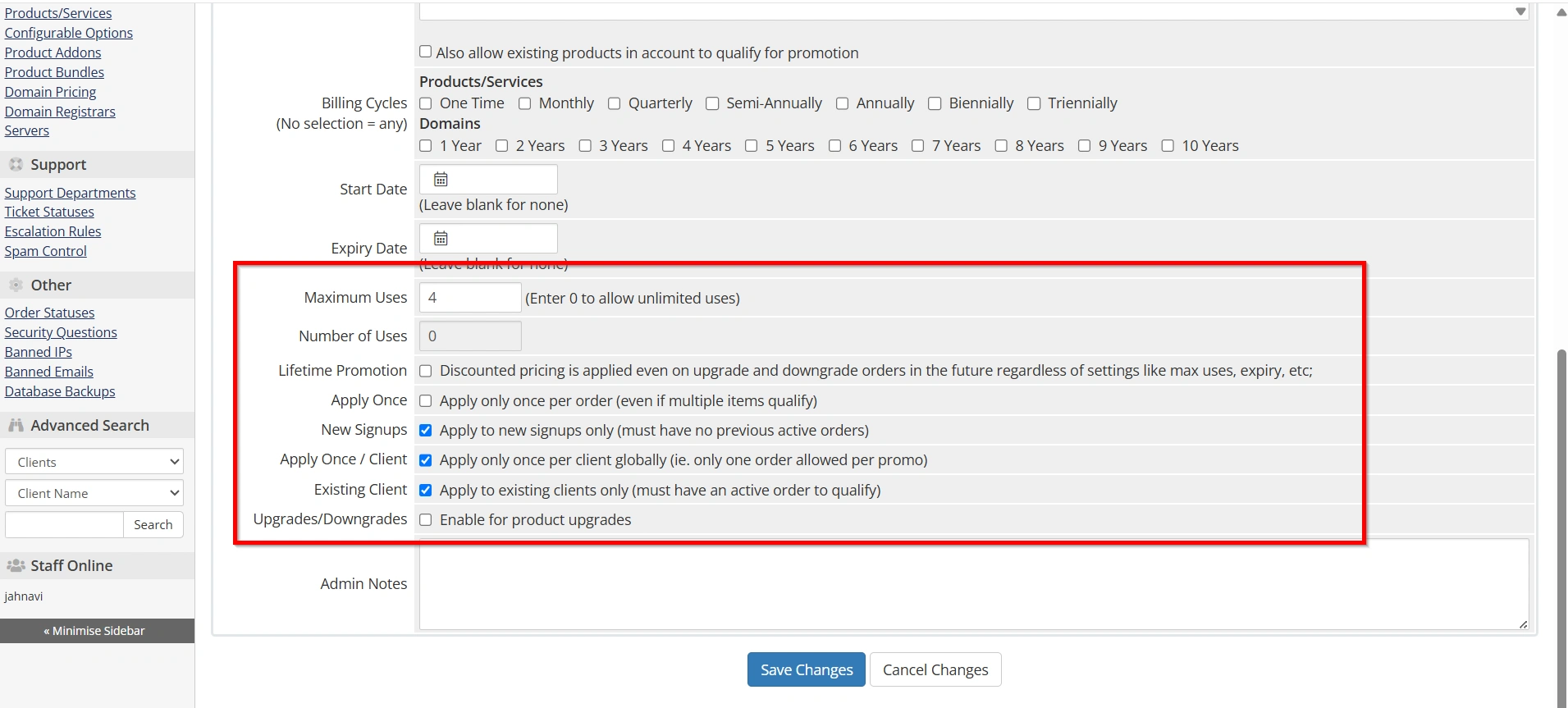
Step 6: Set Promotion Limits
To prevent misuse, configure usage restrictions such as:
Maximum Uses
Limit the total number of times the code can be redeemed.
Example:
- First 100 customers only
One Use Per Client
Prevent customers from repeatedly using the same code.
Existing Customers Only
Offer discounts exclusively to current clients.
New Customers Only
Use promotions as acquisition incentives.
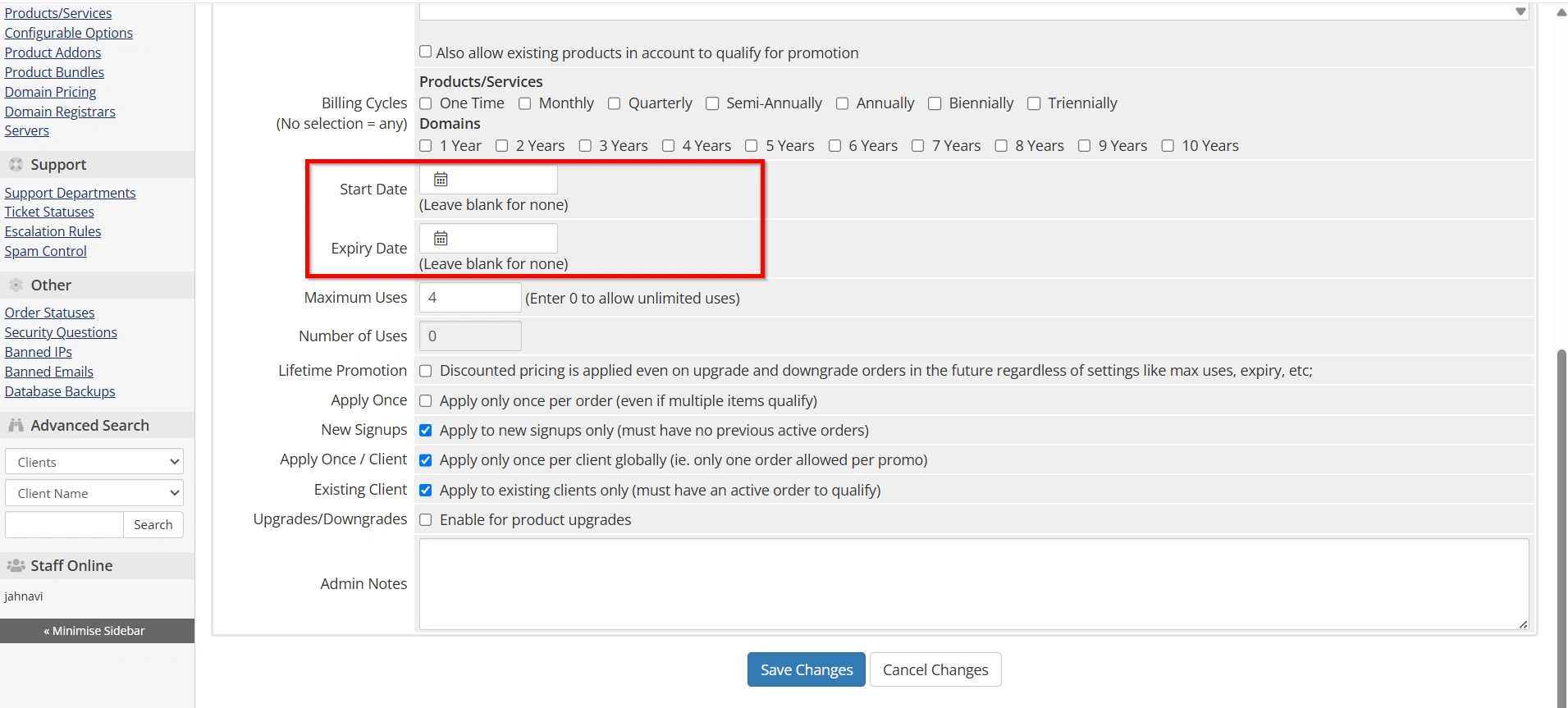
Step 7: Set Start and Expiry Dates
Promotions can be time-sensitive.
Configure:
- Start Date
- Expiry Date
Examples:
- Weekend Sale
- Black Friday Promotion
- New Year Discount
- Anniversary Offer
Automatic expiration ensures promotions end without manual intervention.
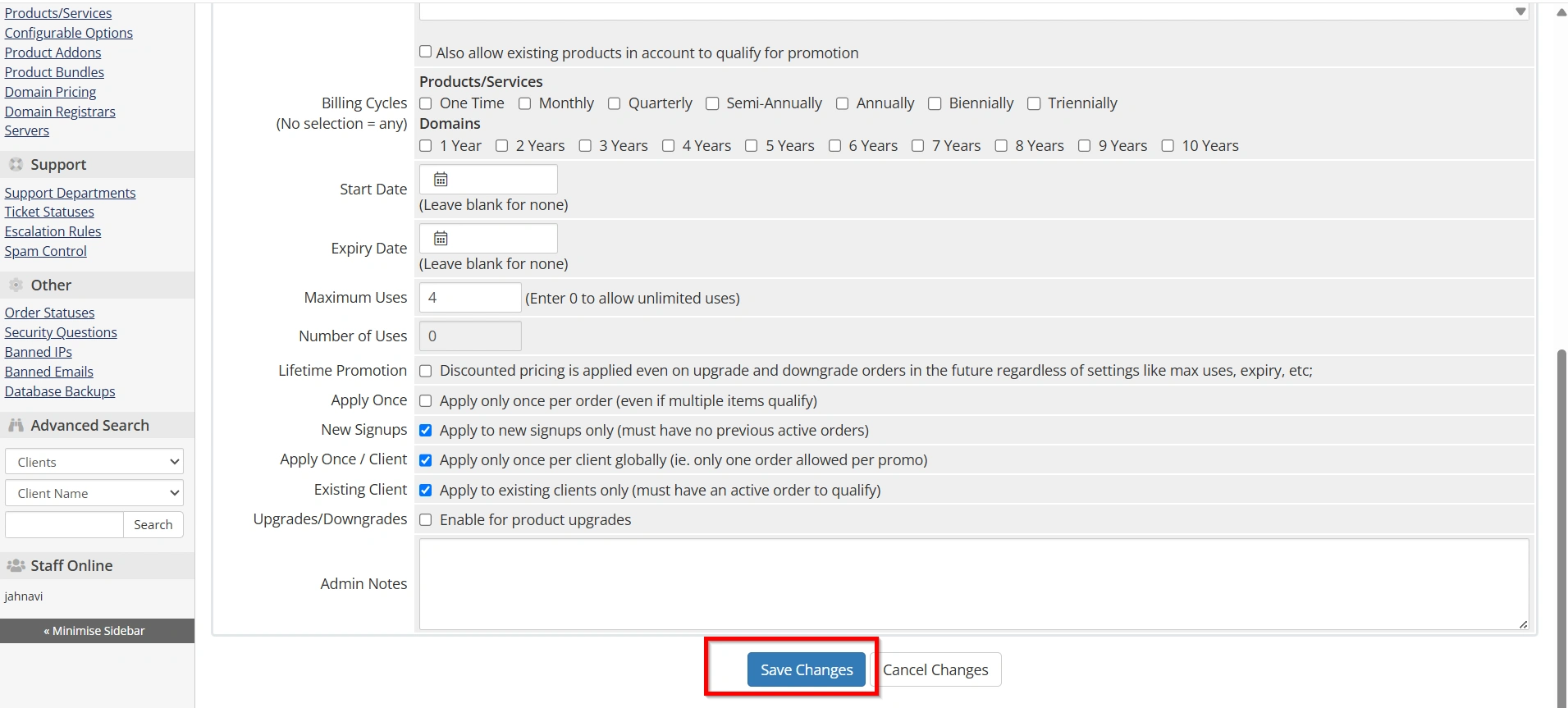
Step 8: Save the Promotion
After reviewing all settings:
- Click Save Changes.
- Test the promo code using a sample order.
- Verify the discount is applied correctly during checkout.
Your promotion is now active and ready for customers.
Best Practices When You Set Up Promo Codes in WHMCS
- Use Clear Promo Code Names
- Create Limited-Time Offers
- Avoid Excessive Discounts
- Test Every Promotion
- Track Campaign Performance
Common Promo Code Issues
- Promo Code Not Working
- Discount Not Applied
- Promotion Already Used
Benefits of Setting Up Promo Codes in WHMCS
Before you Set Up Promo Codes in WHMCS, it’s important to understand the advantages they offer:
- Increase Sales
- Attract New Customers
- Reward Existing Clients
- Promote New Services
- Improve Marketing Campaign Performance
Conclusion
Knowing how to Set Up Promo Codes in WHMCS is essential for running successful marketing campaigns and increasing revenue. WHMCS provides flexible promotion tools that allow you to create percentage discounts, fixed discounts, recurring offers, and product-specific promotions. By properly configuring your promo codes and following best practices, you can attract new customers, retain existing clients, and maximize the effectiveness of your promotional efforts.
Whether you’re launching a seasonal sale, rewarding loyal clients, or promoting new services, taking the time to Set Up Promo Codes in WHMCS can significantly improve your business growth and customer engagement.
Related Articles