cPanel
Steps to Authenticate Your Emails via cPanel
Steps to Authenticate Your Emails via cPanel Email communication remains one of the most important methods of communication for businesses, website owners, and organizations. However, email spoofing, phishing attacks, and spam filtering have made…
Steps to Authenticate Your Emails via cPanel
Email communication remains one of the most important methods of communication for businesses, website owners, and organizations. However, email spoofing, phishing attacks, and spam filtering have made email security more important than ever. If your domain is not properly authenticated, emails sent from your website or business email accounts may be marked as spam or rejected entirely by recipient mail servers.
Fortunately, cPanel provides built-in tools that make email authentication simple and effective. By configuring SPF, DKIM, and DMARC records, you can improve email deliverability, protect your domain reputation, and help ensure that your messages reach your recipients’ inboxes.
In this guide, we’ll explain what email authentication is, why it matters, and the exact steps required to authenticate your emails via cPanel.
What Is Email Authentication?
Email authentication is a process that verifies whether an email message was actually sent from the domain it claims to come from.
Authentication helps receiving mail servers determine whether an email is legitimate or potentially fraudulent. Without authentication records, cybercriminals can impersonate your domain and send malicious emails pretending to be you.
The three major email authentication methods are:
SPF (Sender Policy Framework)
SPF identifies which mail servers are authorized to send emails on behalf of your domain.
When a receiving server gets an email, it checks the SPF record to confirm that the sending server is allowed to send messages for that domain.
DKIM (DomainKeys Identified Mail)
DKIM adds a digital signature to outgoing emails.
This signature verifies that the email content has not been altered during transmission and confirms the message originated from an authorized server.
DMARC (Domain-based Message Authentication, Reporting & Conformance)
DMARC works alongside SPF and DKIM.
It tells receiving mail servers what action to take if an email fails authentication checks. It also provides reporting capabilities that help domain owners monitor unauthorized email activity.
Why Email Authentication Is Important
Implementing email authentication offers several benefits:
- Improves email deliverability
- Reduces spam folder placement
- Prevents email spoofing
- Protects your brand reputation
- Increases recipient trust
- Enhances domain security
- Helps meet email provider requirements
- Improves marketing email performance
Major email providers such as Gmail, Outlook, and Yahoo increasingly require proper email authentication to ensure email legitimacy.
How to Authenticate Emails via cPanel
Follow the steps below to configure email authentication for your domain.
Step 1: Login to cPanel from Client Area
First, visit the WebyStrata website and log in to your client area account using your registered email address and password.
official Website www.webystrata.com
After logging in:
- Go to Services
- Click on My Services
- Select your active hosting service
- Click on Login to cPanel

Step 2: Open Email Deliverability
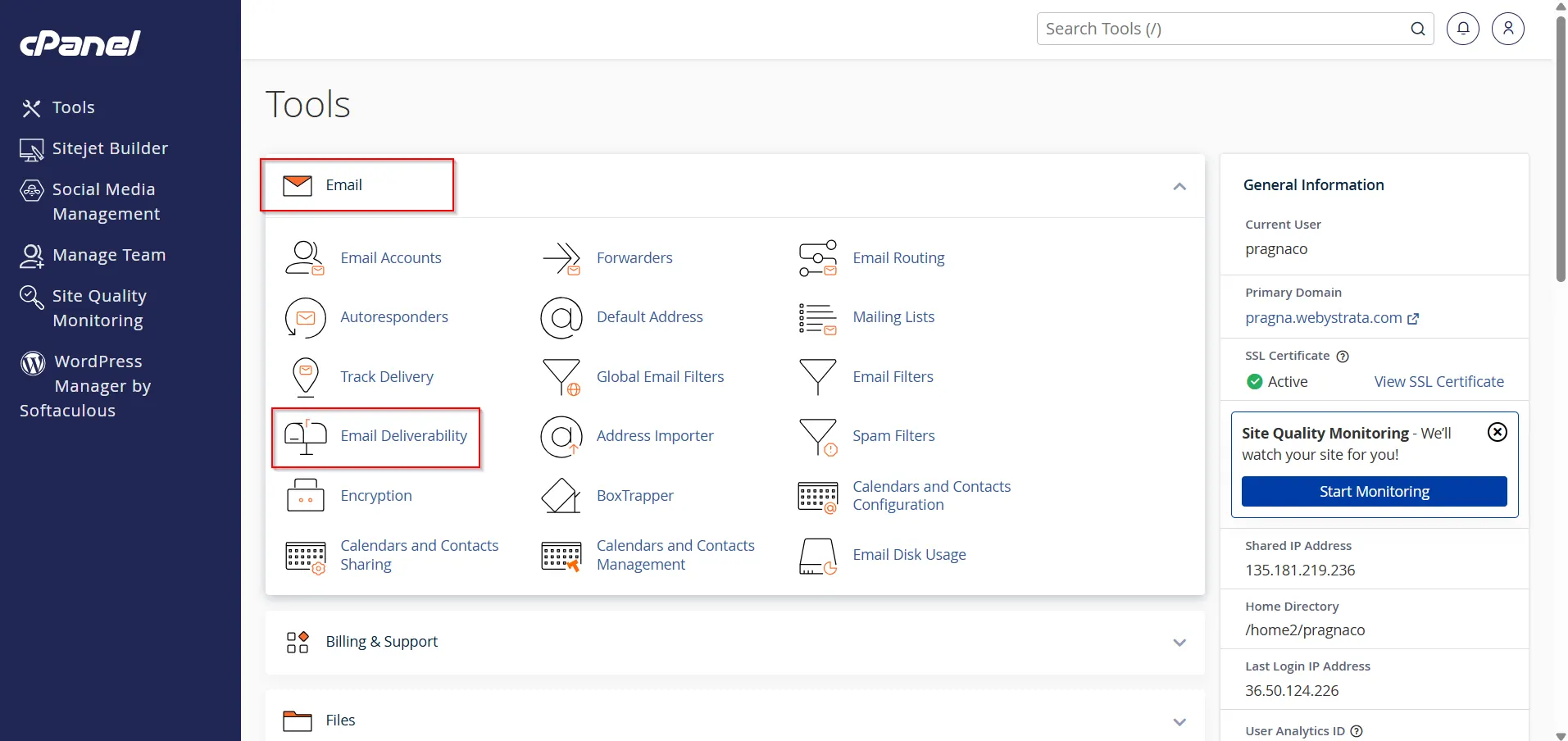
In the Email section, click Email Deliverability.
Step 3: Review Domain Status
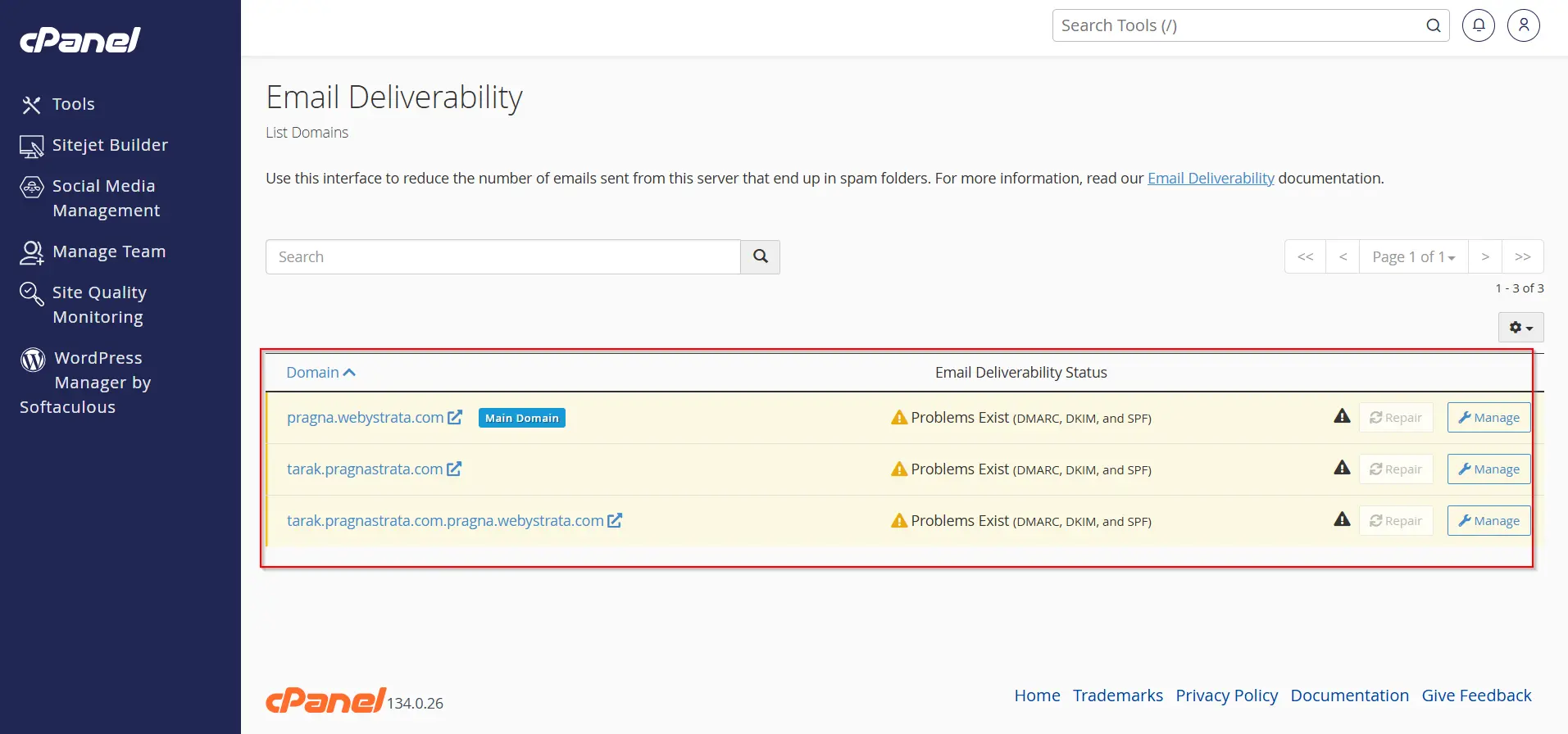
Locate your domain in the list. cPanel will display the status of SPF, DKIM, and other email authentication records.
Step 4: Repair Missing Records
1. If SPF or DKIM records are missing or invalid, click Repair to allow cPanel to generate the recommended DNS records automatically.
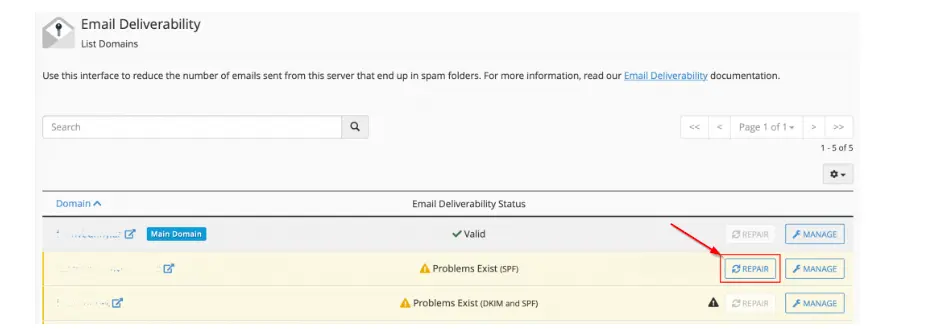
Note: You won’t see the “REPAIR” button if your DNS does not point to the MilesWeb server.
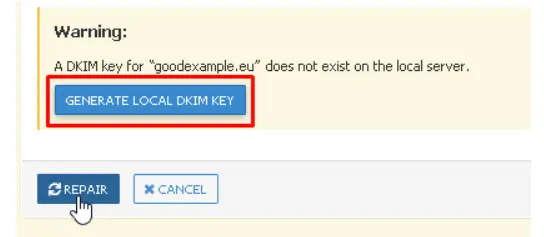
2. In case you haven’t set up any email authentication, when you click on the “REPAIR” button, you will see “A DKIM key for ‘ggexample.com’ does not exist on the local server.”
3. After this, click on the “GENERATE LOCAL DKIM KEY” button.
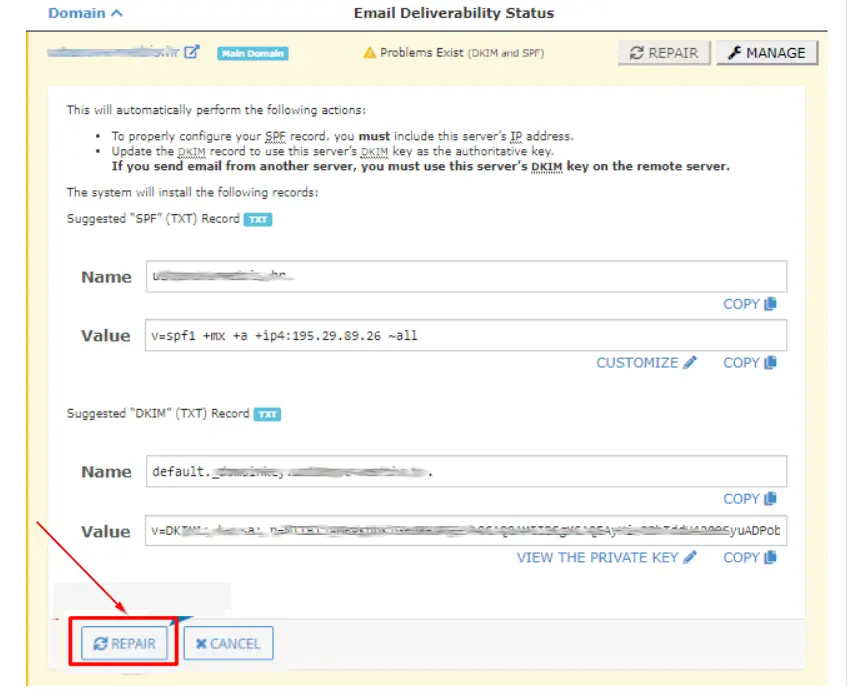
4. Both the “Suggested ‘SPF’ (TXT) Record” and “Suggested ‘DKIM’ (TXT) Record” fields will already contain the system’s recommendations. In case there are no existing records, you can’t edit the recommendations and they can only be accepted).
5. To add records to the DNS zone of the domain, click on the “REPAIR” button.
Step 5: Confirm Authentication Status
Return to the Email Deliverability page and verify that all authentication records show a valid status.
How to Test Email Authentication
After configuring authentication, test your setup by:
- Sending an email to a Gmail account.
- Viewing the email headers.
- Checking SPF, DKIM, and DMARC results.
You can also use online email testing services to verify your records.
Benefits of Proper Email Authentication
When email authentication is correctly configured, you can expect:
- Better Inbox Placement
- Increased Customer Trust
- Improved Security
- Higher Marketing Performance
- Stronger Domain Reputation
Conclusion
Learning how to authenticate emails via cPanel is an essential skill for website owners, businesses, and administrators. By configuring SPF, DKIM, and DMARC records, you can significantly improve email deliverability, strengthen domain security, and protect your brand from spoofing attempts.
The Email Deliverability feature in cPanel simplifies the process, making it easy to generate and manage authentication records. Regularly reviewing your email authentication settings ensures that your emails continue to reach recipients safely and reliably.
If you want maximum email security and optimal inbox placement, implementing SPF, DKIM, and DMARC should be a priority for every domain owner.
Related Articles