Latest Updates
DNS Record Types Explained: A, AAAA, CNAME, MX, TXT, and More
DNS Record Types Explained: A, AAAA, CNAME, MX, TXT, and More DNS Record Types Explained is one of the most important topics for website owners, hosting users, email administrators, and businesses managing a domain…
DNS Record Types Explained: A, AAAA, CNAME, MX, TXT, and More
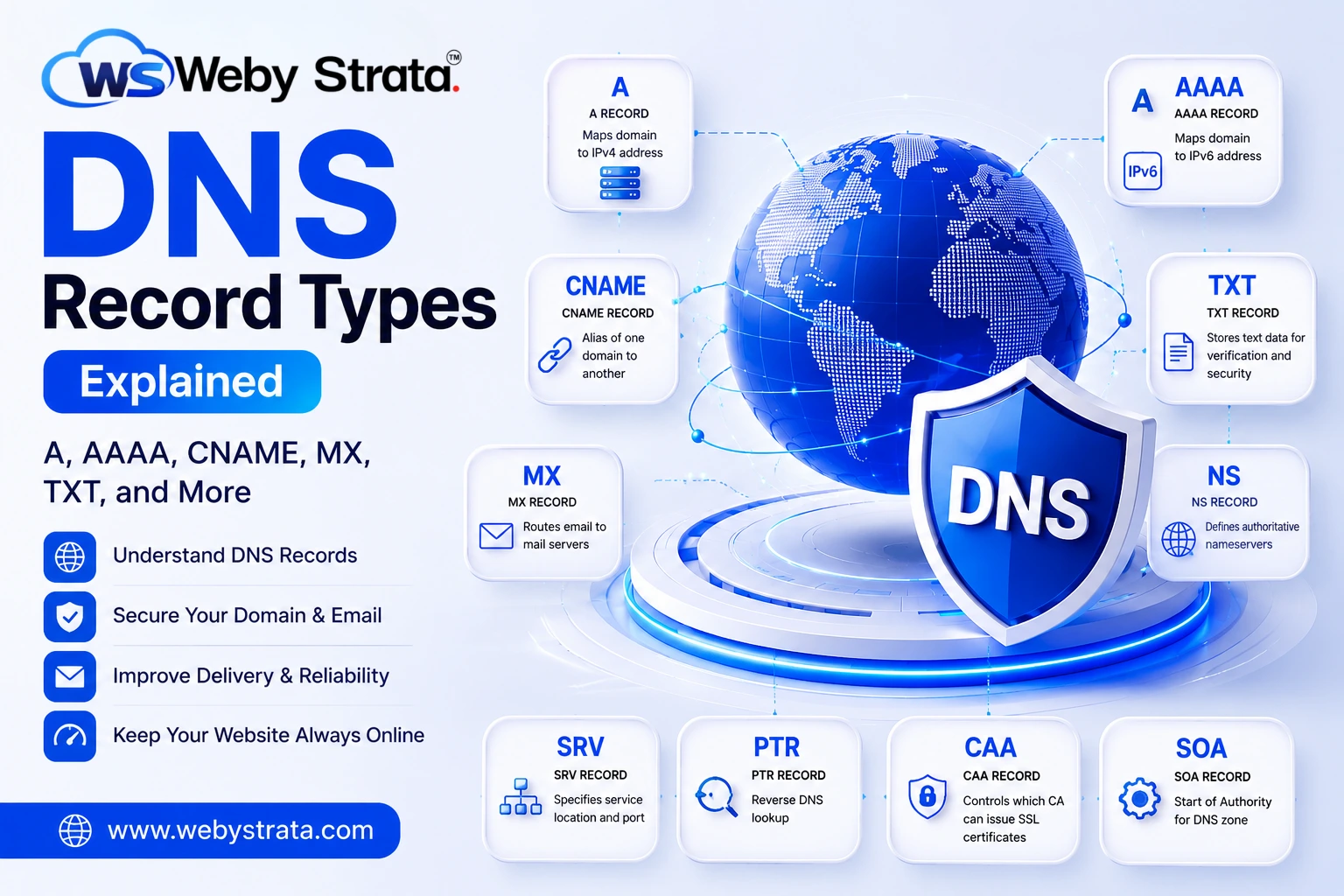
DNS Record Types Explained is one of the most important topics for website owners, hosting users, email administrators, and businesses managing a domain name. DNS records control how your domain connects to your website, email services, subdomains, and verification tools. Whether you are pointing a website to a hosting server, setting up professional email, or verifying your domain for third-party services, understanding A, AAAA, CNAME, MX, TXT, and other DNS records is essential. In this guide, WebyStrata explains the most common DNS record types, what they do, and how they impact your website and email infrastructure.
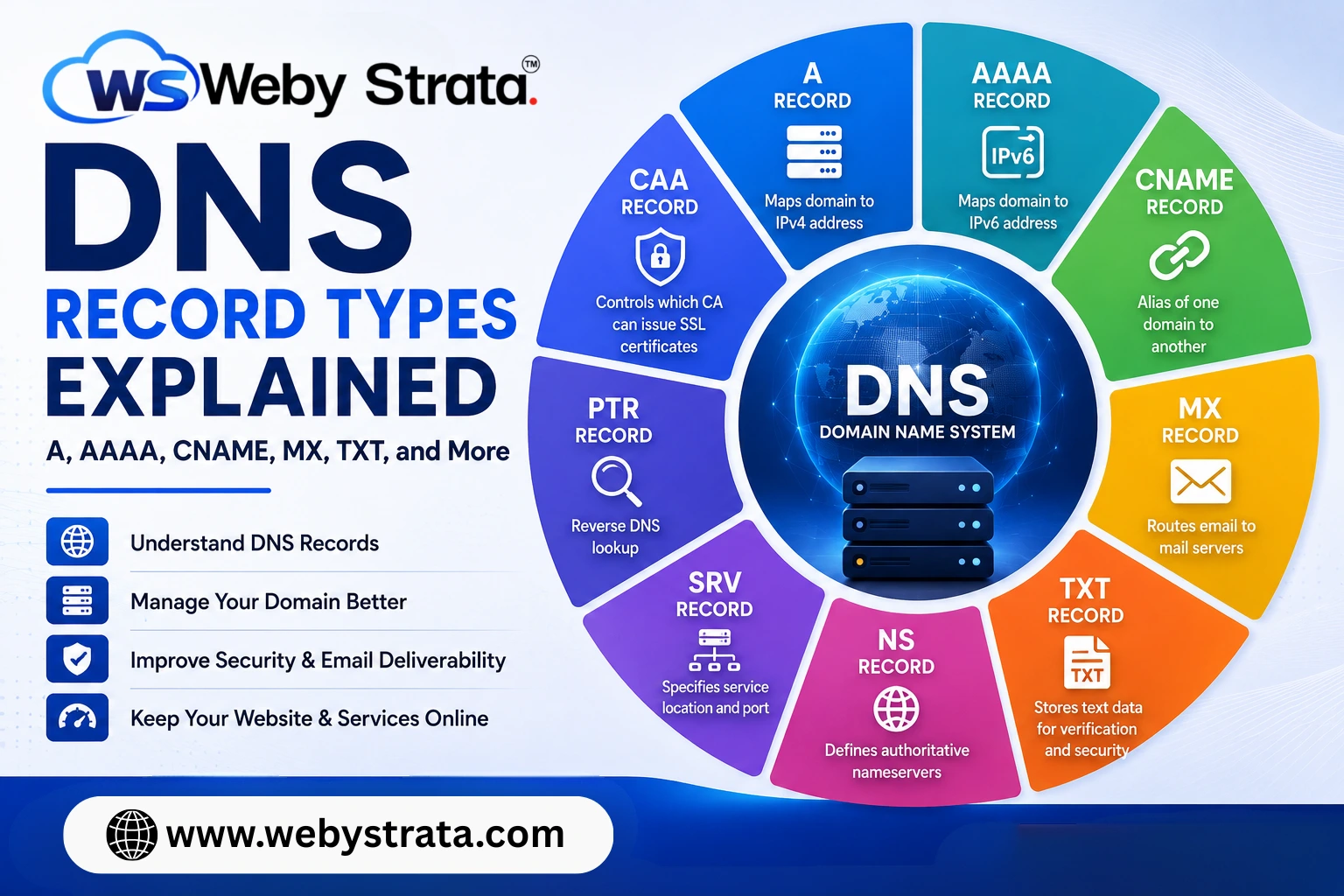
DNS records are the instructions stored in your domain’s DNS zone that tell the internet how to handle requests for your website, email, and other services. Different record types serve different purposes. For example, A records point a domain to an IPv4 address, AAAA records connect it to an IPv6 address, CNAME records create aliases, MX records route email, and TXT records store verification and security information. Proper DNS management is essential for website accessibility, email delivery, domain verification, and service reliability.
What Are DNS Records?
DNS records are entries stored in your domain’s DNS zone file. These records tell the internet where your website is hosted, where your emails should be delivered, which nameservers are authoritative, and how domain-related services should function.
Think of DNS records as the control panel instructions behind your domain. When someone types your domain into a browser, DNS records help route that request to the correct server. The same applies to email, verification tools, and external services.
For example, DNS records can be used to:
- Point your website to a hosting server
- Connect email services such as Google Workspace or cPanel email
- Verify domain ownership
- Configure SPF, DKIM, and other email security settings
- Manage subdomains and service-specific routing
How Do DNS Records Work?
When a user enters a domain name into a browser, the browser requests information from the Domain Name System (DNS). DNS then checks the relevant DNS records for that domain and returns the required information.
For example:
- If the browser needs to load a website, it looks for an A record or AAAA record
- If a mail server needs to deliver email, it looks for an MX record
- If a service wants to verify domain ownership, it checks the TXT record
DNS works as a lookup system that translates human-readable domain names into machine-readable network information.
Why Are DNS Records Important?
DNS records are not just technical settings. They directly control the availability and functionality of your website and email.
Website Accessibility
DNS records ensure your domain points to the correct web server. If the IP address is wrong, your website will not load.
Email Delivery
MX records tell mail servers where to send incoming emails for your domain.
Domain Verification
TXT records are used by services such as Google Workspace, Microsoft 365, and various CDN or security platforms to verify domain ownership.
Security
DNS records such as TXT and CAA help improve email security and certificate management.
Service Routing
DNS makes it possible to connect your website, email, subdomains, and other tools under one domain.
What Are the Most Common Types of DNS Records?
Below are the most common DNS record types every website owner and hosting user should understand.
1. A Record (Address Record)
The A record is one of the most important DNS records. It maps a domain or subdomain to an IPv4 address.
Purpose
Points a domain name to a 32-bit IPv4 address.
Common Use
Used to connect a website or subdomain to a hosting server.
Example
example.com → 192.0.2.1
Best For
- Main website connection
- Subdomain hosting
- Shared hosting and VPS hosting websites
Key Point
If your A record points to the wrong IP address, your website will not load correctly.
2. AAAA Record
The AAAA record works like an A record, but it maps a domain to an IPv6 address instead of IPv4.
Purpose
Points a domain name to a 128-bit IPv6 address.
Common Use
Used when your server supports IPv6 connectivity.
Example
example.com → 2001:db8::1
Best For
- Modern hosting environments
- IPv6-enabled servers
- Future-ready network configurations
Key Point
AAAA records are becoming increasingly important as IPv6 adoption grows.
3. CNAME Record
The CNAME record creates an alias for a domain or subdomain. Instead of pointing directly to an IP address, it points one hostname to another hostname.
Purpose
Creates an alias from one domain/subdomain to another domain name.
Common Use
Used to point www.example.com to example.com or to connect subdomains to third-party services.
Example
www.example.com → example.com
Best For
- www redirection
- Subdomain management
- SaaS integrations and third-party services
Key Point
A CNAME record cannot exist on the same hostname as other records such as A or MX.
4. MX Record (Mail Exchange Record)
The MX record controls where incoming emails for your domain should be delivered.
Purpose
Directs email traffic to the correct mail server.
Common Use
Used for email hosting, Google Workspace, Microsoft 365, cPanel email, and business email services.
Example
example.com MX 10 mail.example.com
Best For
- Business email setup
- Domain email hosting
- Mail routing and backup mail servers
Key Point
MX records use priority values. Lower numbers have higher priority.
5. TXT Record
The TXT record stores text-based information related to your domain. It is widely used for domain verification and email authentication.
Purpose
Stores text data for verification, authentication, and security purposes.
Common Use
Used for SPF, DKIM, DMARC, Google verification, Microsoft verification, and other third-party service validations.
Example
v=spf1 include:_spf.google.com ~all
Best For
- Domain ownership verification
- SPF email authentication
- DKIM and DMARC records
- External service integration
Key Point
TXT records are critical for email deliverability and domain verification.
6. NS Record (Nameserver Record)
The NS record tells the internet which nameservers are authoritative for your domain.
Purpose
Defines the authoritative nameservers for a domain.
Common Use
Used when pointing a domain to a hosting provider’s nameservers.
Example
ns1.example.comns2.example.com
Best For
- Domain delegation
- Hosting migrations
- DNS management setup
Key Point
Without valid NS records, your domain will not know where its DNS zone is hosted.
7. SOA Record (Start of Authority)
The SOA record contains administrative information about your DNS zone.
Purpose
Defines key zone management settings such as the primary nameserver, admin contact, refresh time, retry time, and expiry.
Common Use
Automatically created in DNS zones to manage DNS synchronization and authority.
Best For
- DNS zone administration
- Secondary DNS synchronization
- Technical DNS management
Key Point
Every DNS zone should have one valid SOA record.
8. SRV Record
The SRV record specifies the hostname and port for particular services.
Purpose
Points specific services to the correct server and port.
Common Use
Used by VoIP, chat applications, Microsoft services, game servers, and other service-based applications.
Example
_service._protocol.example.com
Best For
- VoIP systems
- Internal applications
- Service-specific routing
Key Point
SRV records help clients automatically locate services without manual configuration.
9. PTR Record
The PTR record is used for reverse DNS lookup. It maps an IP address back to a domain name.
Purpose
Resolves an IP address back to a hostname.
Common Use
Used for mail server validation and reverse DNS checks.
Best For
- Email server reputation
- Reverse DNS validation
- Dedicated server configurations
Key Point
PTR records are especially important for mail servers because many email providers use reverse DNS checks to filter spam.
10. CAA Record
The CAA record controls which Certificate Authorities (CAs) are allowed to issue SSL certificates for your domain.
Purpose
Authorizes specific certificate providers to issue SSL certificates for your domain.
Common Use
Used to improve SSL security and prevent unauthorized certificate issuance.
Best For
- SSL certificate management
- Domain security
- Website protection
Key Point
CAA records help reduce the risk of fraudulent SSL certificate issuance.
Quick DNS Record Comparison Table
| DNS Record | Purpose | Common Use | Technical Note |
|---|---|---|---|
| A | Maps domain to IPv4 | Website hosting | Uses 32-bit IPv4 address |
| AAAA | Maps domain to IPv6 | Modern website hosting | Uses 128-bit IPv6 address |
| CNAME | Alias record | www, subdomains, SaaS | Points one hostname to another |
| MX | Mail routing | Email hosting | Uses priority values |
| TXT | Verification & security | SPF, DKIM, domain verification | Stores text values |
| NS | Nameserver delegation | DNS management | Defines authoritative nameservers |
| SOA | Zone administration | DNS zone control | Contains zone metadata |
| SRV | Service routing | VoIP, apps, messaging | Specifies service port and target |
| PTR | Reverse DNS lookup | Mail server verification | Maps IP to hostname |
| CAA | SSL certificate authorization | Domain security | Restricts certificate issuers |
What Are the Most Common DNS Record Mistakes to Avoid?
Incorrect DNS settings can cause major issues for your website, email, and connected services. Below are some of the most common mistakes to avoid.
1. Wrong IP Address in A Record
A single incorrect IP can make your website unreachable.
2. Incorrect MX Record Priorities
Improper MX priorities can cause email delivery failures or delays.
3. Missing SPF, DKIM, or DMARC TXT Records
Without proper email authentication, your outgoing emails may land in spam folders.
4. Using CNAME Incorrectly
Placing a CNAME where an A record or MX record is required can break DNS functionality.
5. Incorrect Nameserver Setup
If NS records or nameservers are not configured correctly, the domain may stop resolving entirely.
6. High TTL During DNS Changes
A very high TTL can slow down DNS updates and propagation after making changes.
Which DNS Records Do You Usually Need to Manage?
For most website owners, the most commonly managed DNS records are:
- A Record – for website hosting
- CNAME Record – for www and subdomain aliases
- MX Record – for email hosting
- TXT Record – for SPF, DKIM, DMARC, and verification
- NS Record – for nameserver management
If you are running advanced services, you may also need AAAA, PTR, SRV, and CAA records.
Final Thoughts
Understanding DNS Record Types Explained: A, AAAA, CNAME, MX, TXT, and More is essential for managing your domain properly. DNS records control how your website loads, how your emails are delivered, how services verify ownership, and how your infrastructure connects to the internet.
Whether you are running a business website, an eCommerce store, a custom email setup, or a hosting environment, proper DNS management is non-negotiable. A well-configured DNS zone improves uptime, email reliability, domain security, and overall service stability.
If you are unsure which DNS records your website or email setup needs, WebyStrata can help you configure your domain correctly and avoid common DNS errors.
Related Articles