Latest Updates
How to Set Up Manual Order Creation in WHMCS
How to Set Up Manual Order Creation in WHMCS Managing customer orders efficiently is essential for any web hosting or service-based business. While WHMCS provides automated ordering through client-facing order forms, there are many…
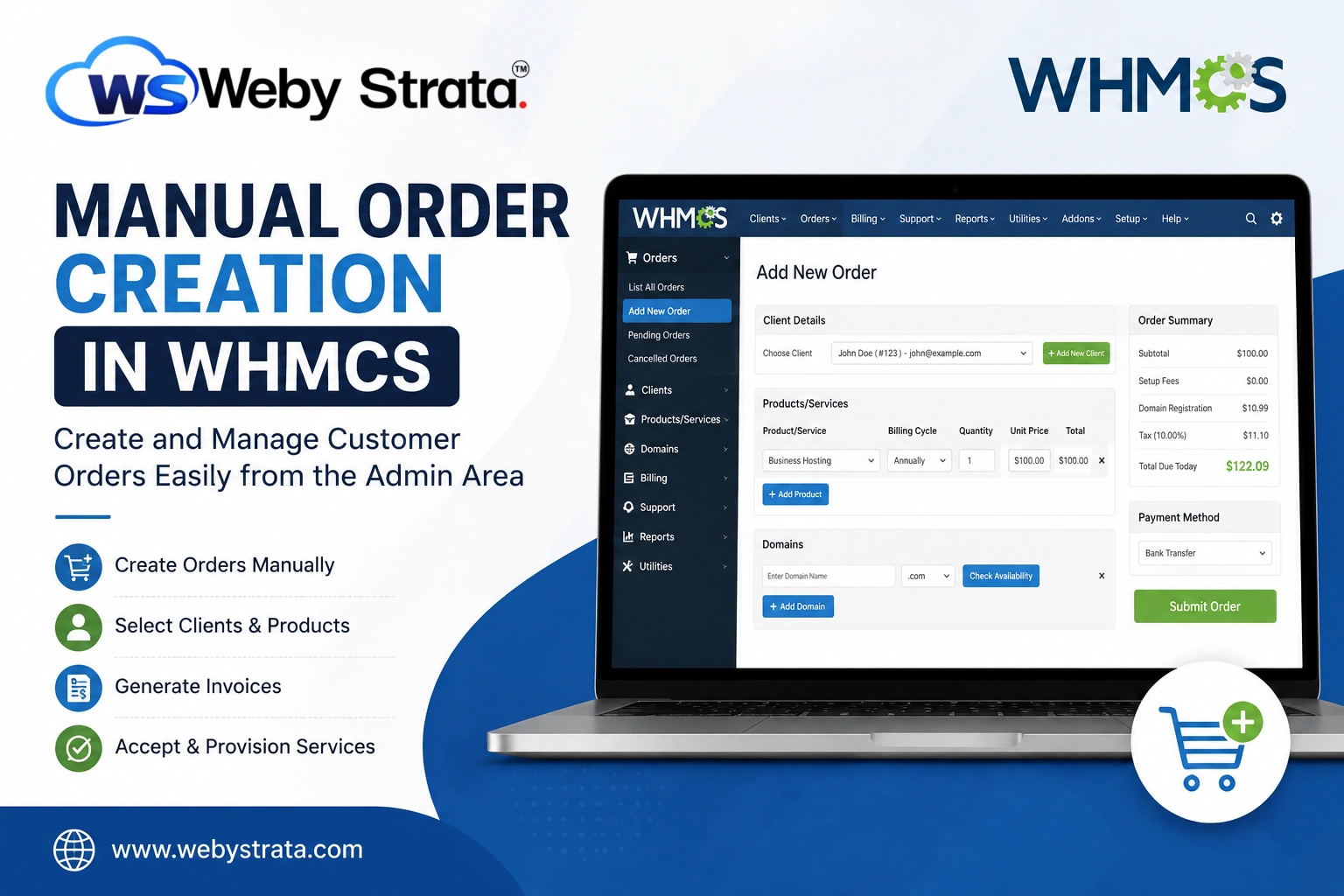
How to Set Up Manual Order Creation in WHMCS
Managing customer orders efficiently is essential for any web hosting or service-based business. While WHMCS provides automated ordering through client-facing order forms, there are many situations where administrators need to create orders manually. Whether you’re handling phone orders, custom service requests, migrations, or special client arrangements, the Manual Order Creation in WHMCS feature makes the process simple and efficient.
In this guide, you’ll learn everything about Manual Order Creation in WHMCS, including its benefits, use cases, setup process, and best practices for managing manually created orders.
What Is Manual Order Creation in WHMCS?
Manual Order Creation in WHMCS is a built-in feature that enables administrators to create orders directly from the WHMCS admin panel. Instead of waiting for customers to place orders through the client area, staff members can generate orders on behalf of clients.
This functionality is commonly used for:
- Phone or offline orders
- Custom hosting packages
- Domain registrations requested via support tickets
- Client migrations from other providers
- Corporate accounts requiring special billing arrangements
- Testing and internal order processing
By using manual orders, administrators gain greater flexibility when handling customer requests.
Prerequisites
Before starting, ensure that:
- WHMCS is installed and configured.
- Products and services are already created.
- Payment gateways are configured.
- Client accounts exist in WHMCS.
- Server modules are properly connected if automatic provisioning is required.
How to Create a Manual Order in WHMCS
Follow these steps to complete Manual Order Creation in WHMCS.
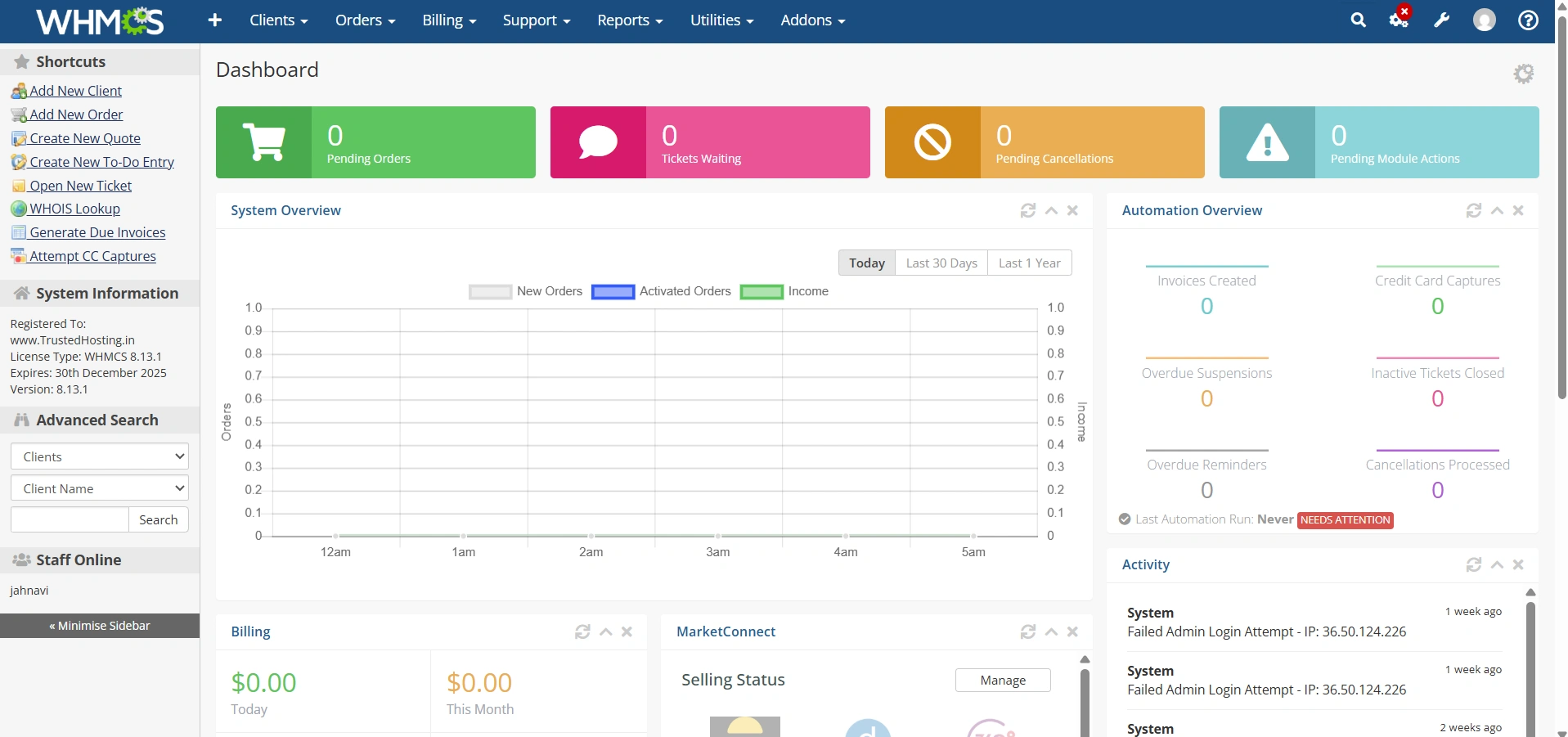
Step 1: Log in to the WHMCS Admin Area
Access your WHMCS administrator dashboard using your admin credentials.
Step 2: Select an Existing Client
Choose the client who will receive the service.
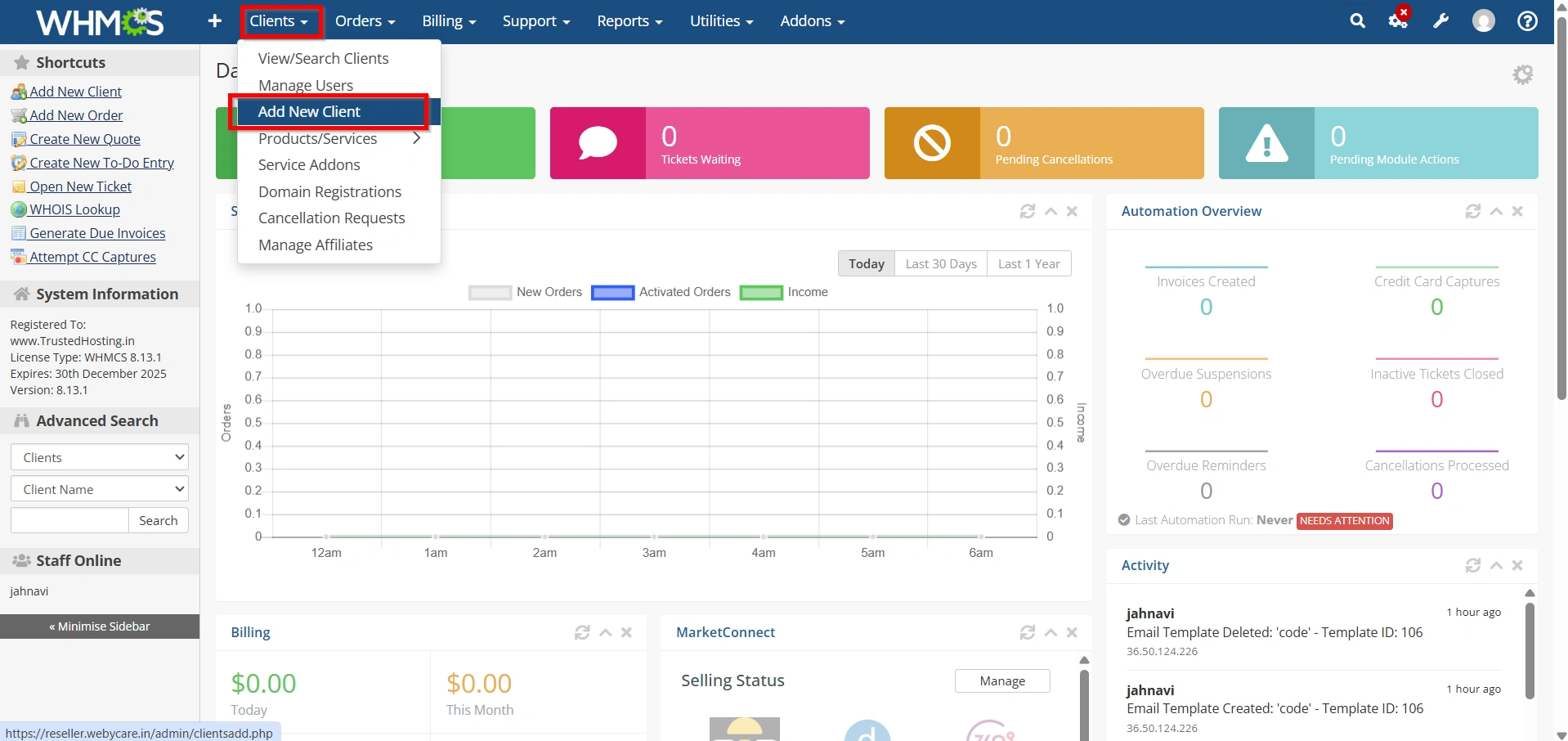
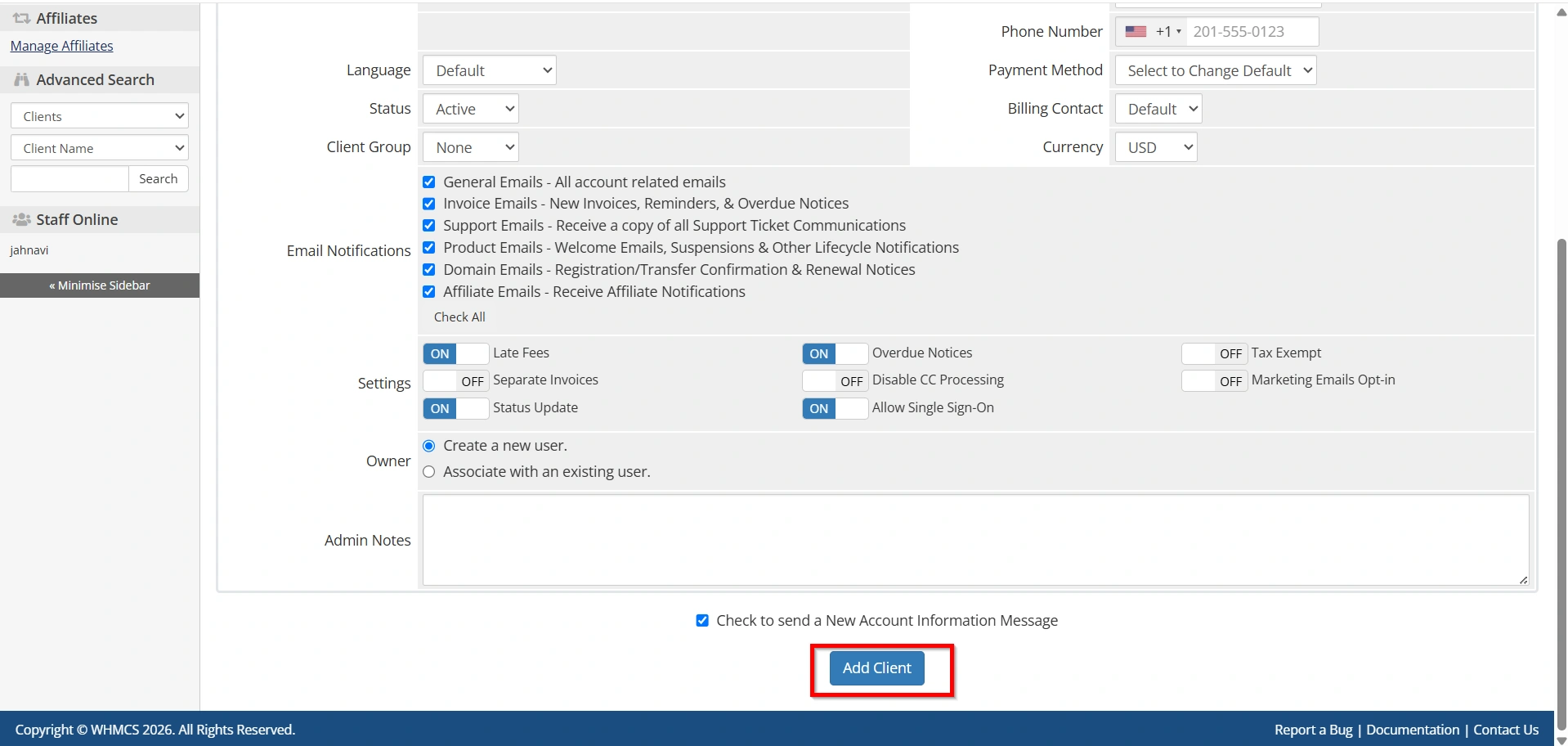
If the client does not exist:
- Go to Clients > Add New Client
2. Enter customer details.
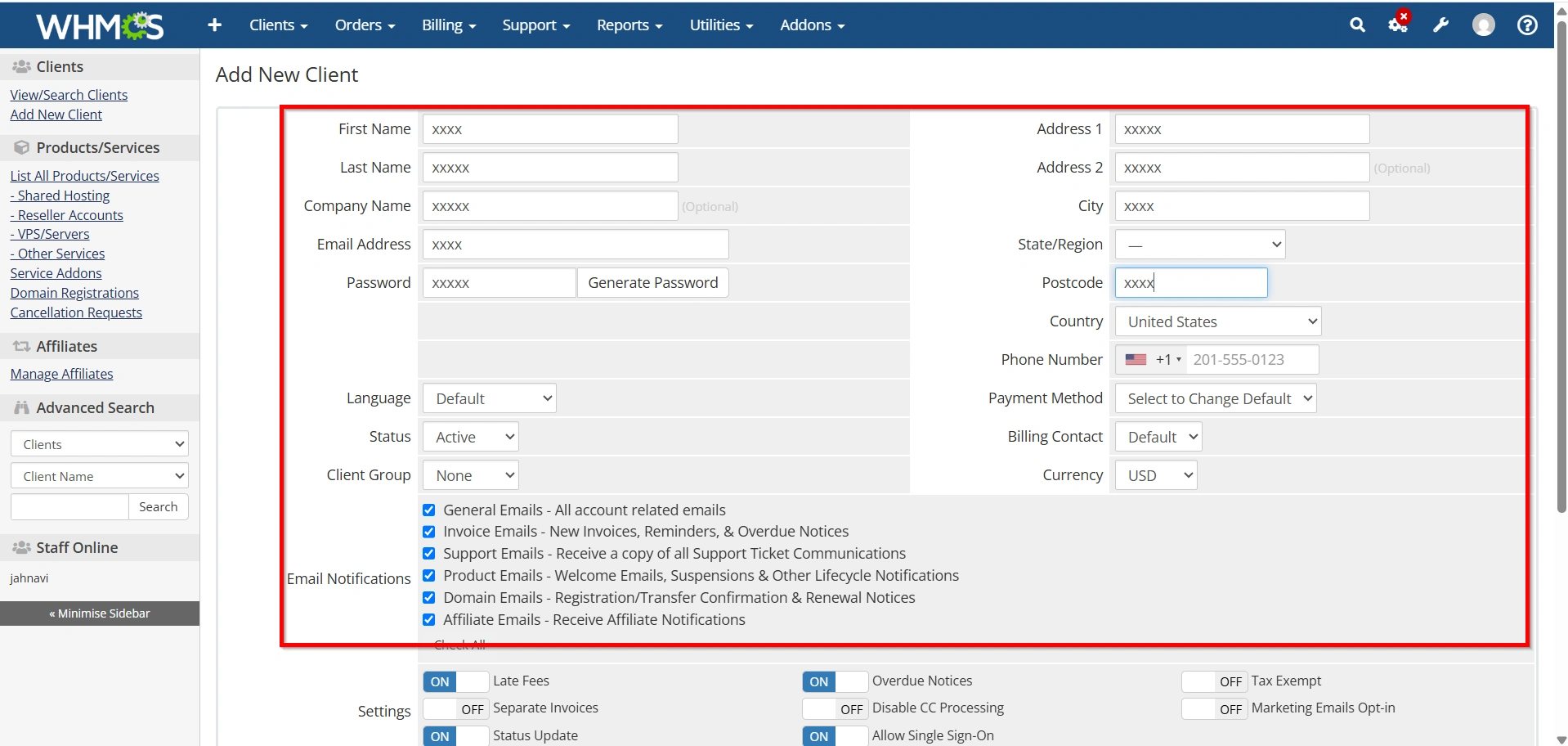
3. Save the client profile by clicking Add Client
Step 3: Open the Orders Section
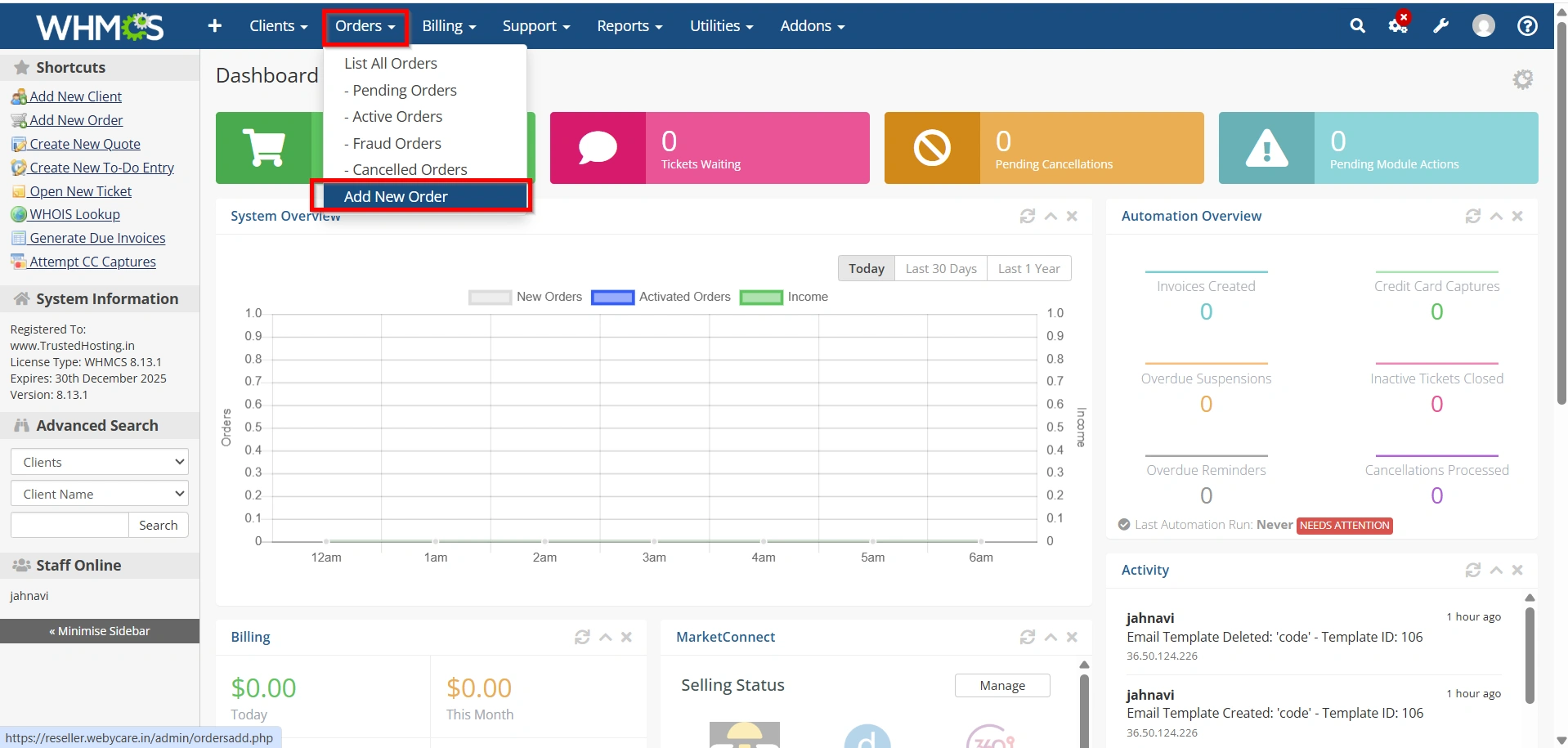
Navigate to:
Orders > Add New Order
This page allows administrators to create new customer orders manually.
Step 4: Add Products or Services
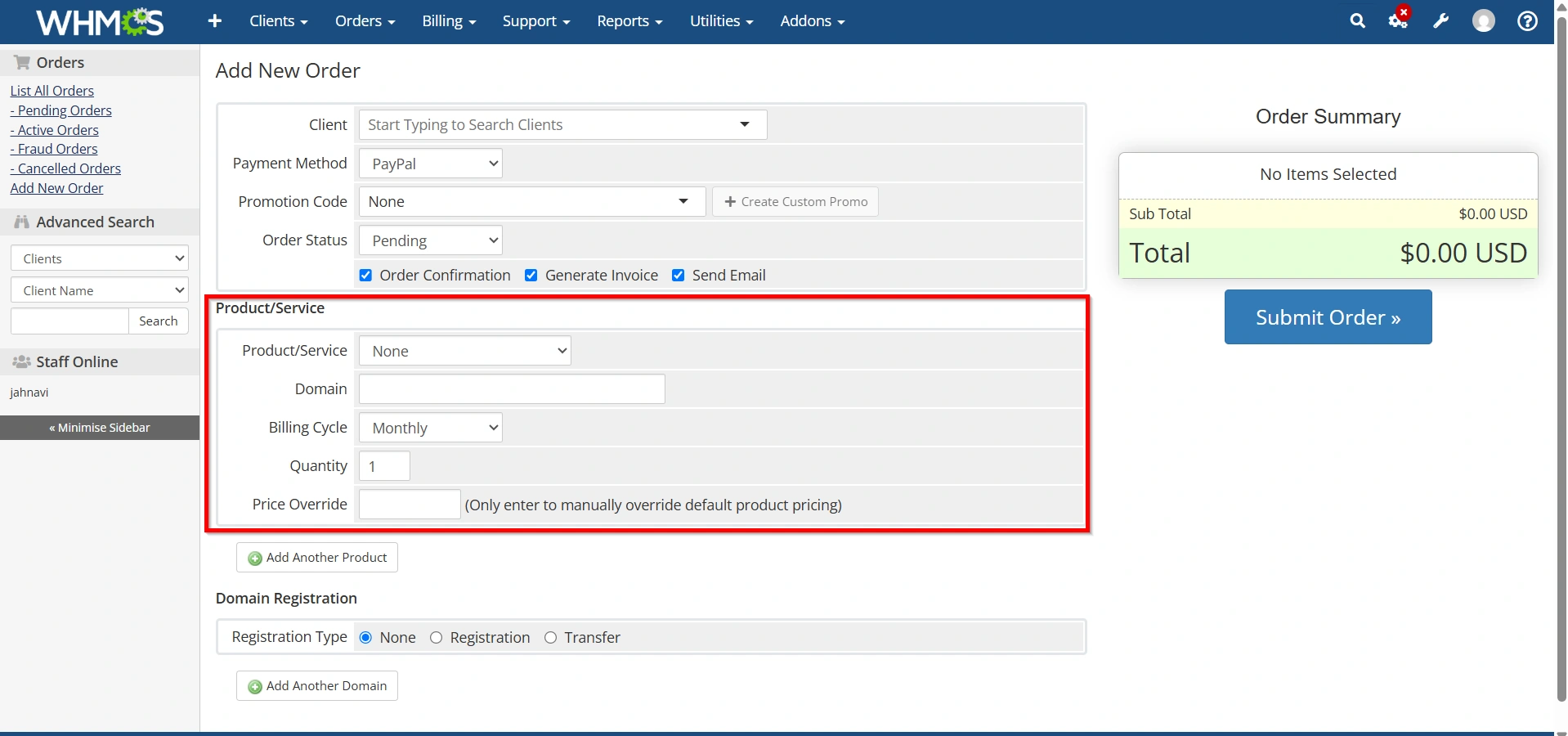
In the Products/Services section:
- Select the desired product.
- Choose the billing cycle.
- Assign the hosting package.
- Configure pricing if needed.
- Add multiple products if required.
WHMCS automatically calculates the total order amount.
Step 5: Add Domain Registration (Optional)
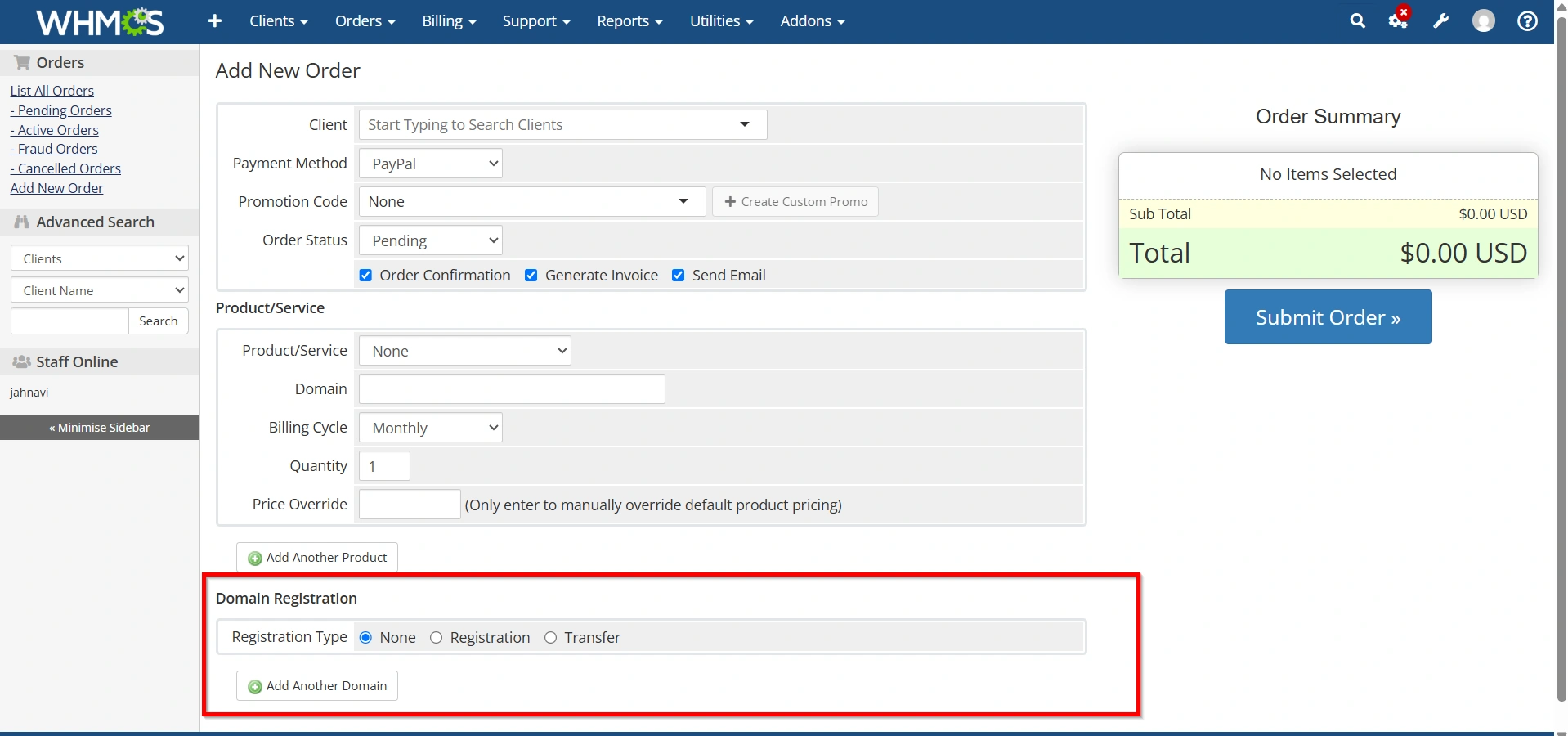
If the customer requires a domain:
- Click Add Domain.
- Enter the domain name.
- Select registration, transfer, or renewal.
- Choose registration period.
- Configure registrar options.
The domain will be added to the same order.
Step 6: Configure Order Details
Review the following:
- Product pricing
- Billing cycle
- Domain charges
- Setup fees
- Taxes
- Discounts
Adjust values if custom pricing is needed.
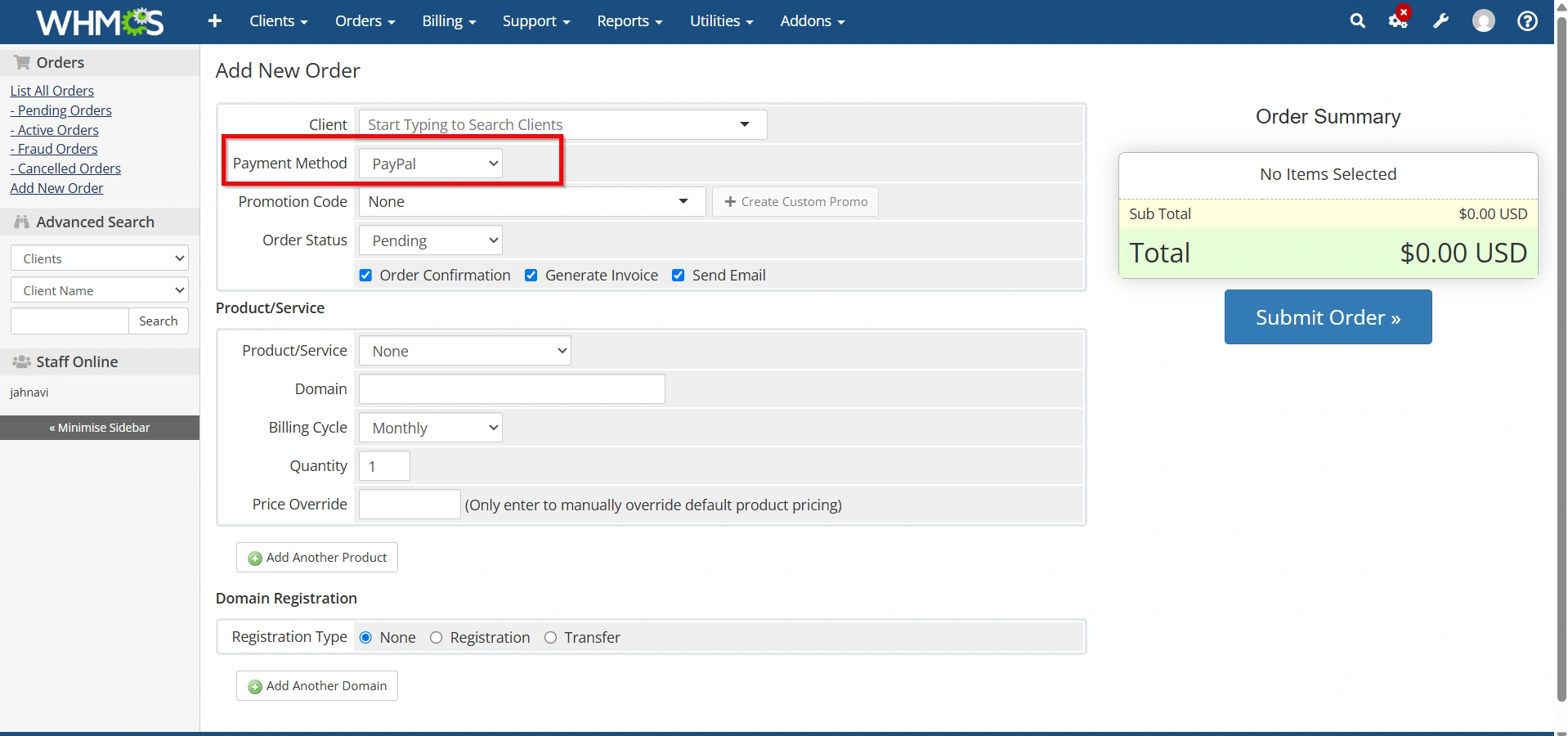
Step 7: Select Payment Method
Choose the preferred payment gateway such as:
- PayPal
- Stripe
- Razorpay
- Bank Transfer
- Credit Card
This determines how invoices will be generated.
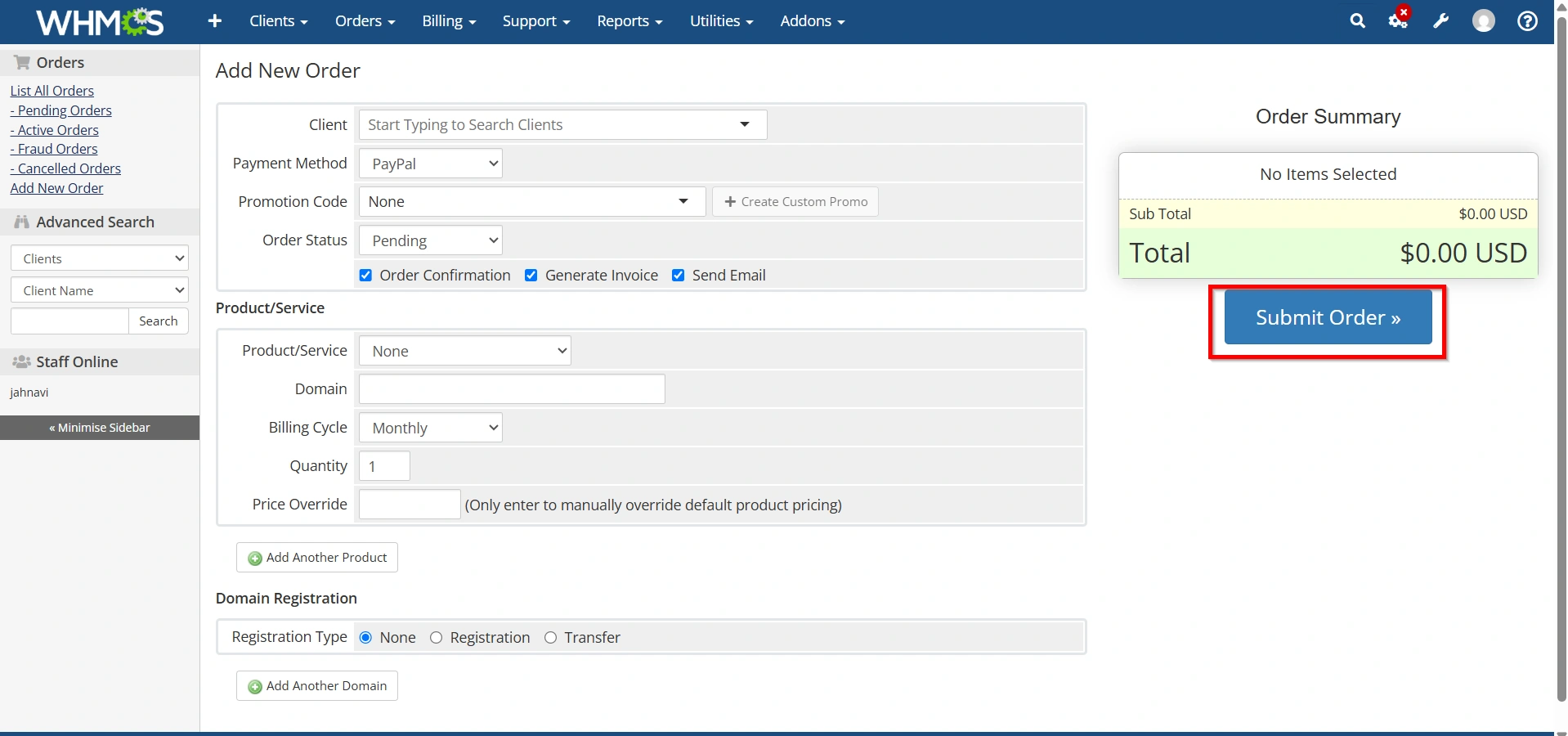
Step 8: Create the Order
Click Submit Order.
WHMCS will:
- Create the order
- Generate invoices
- Associate services with the client account
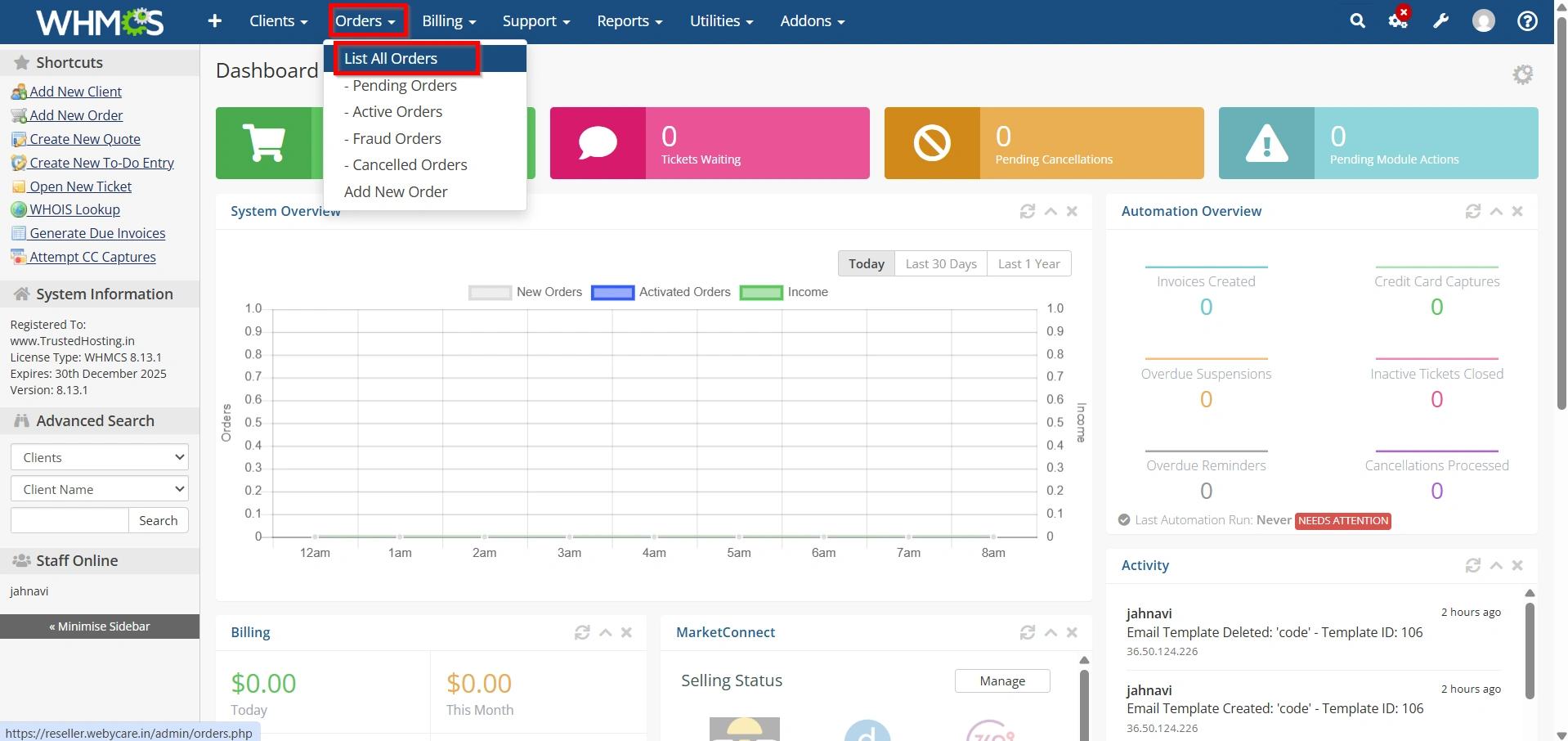
Step 9: Accept the Order
Navigate to:
Orders > List All Orders
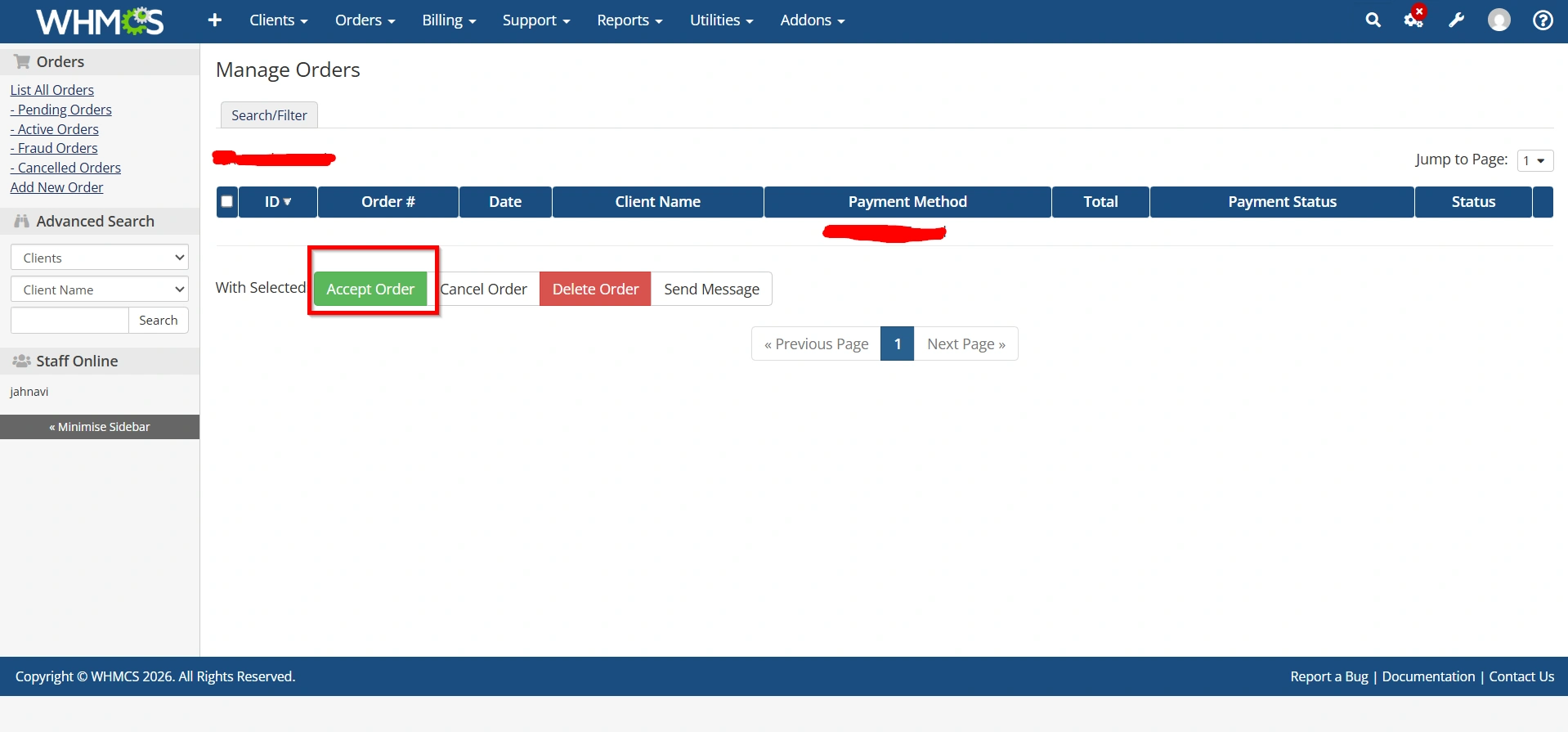
Open the newly created order and click Accept Order.
Depending on your settings, WHMCS can:
- Automatically create hosting accounts
- Register domains
- Send welcome emails
- Generate service credentials
Managing Manual Orders
After completing Manual Order Creation in WHMCS, administrators can manage orders through the Orders section.
Available actions include:
- Accepting orders
- Cancelling orders
- Marking invoices as paid
- Modifying product details
- Upgrading services
- Suspending accounts
- Renewing domains
This gives administrators full control over the customer lifecycle.
Common Use Cases
- Client Migration
- Custom Hosting Plans
- Support-Based Sales
- Enterprise Customers
Why Use Manual Order Creation in WHMCS?
There are several advantages to using manual order creation:
- Faster Customer Service
- Better Flexibility
- Migration Support
- Offline Sales Management
- Centralized Billing
Best Practices for Manual Order Creation
To ensure smooth operations:
- Verify client information before creating orders.
- Double-check pricing and billing cycles.
- Review invoice totals before submission.
- Use automated provisioning when possible.
- Send welcome emails after activation.
- Document any custom pricing agreements.
- Test provisioning modules regularly.
Following these practices reduces errors and improves customer satisfaction.
Conclusion
Manual Order Creation in WHMCS is a powerful administrative feature that helps businesses manage custom orders, offline sales, client migrations, and specialized service requests. By allowing administrators to create products, domains, and services directly from the WHMCS admin area, it offers greater flexibility and control than standard customer-driven ordering.
When configured correctly, Manual Order Creation in WHMCS integrates seamlessly with billing, provisioning, domain registration, and customer communication systems. Whether you’re managing a small hosting business or a large service provider, mastering this feature can significantly improve operational efficiency and customer satisfaction.
Related Articles